Linking Jobber to Google Sheet
Status: Open · Asked by EdRhone on · 0 views
Hi I'm new to Pabbly trying to set up my first workflow. I'm trying to link Jobber, when a new client is set up, to a Google Sheet showing the Name Address etc. The workflow seems to be working requests ok but no data fields to be seen How can I send you details of whats happening so you can hopefully tell me what I'm doing wrong Thanks Eddie
Hey @EdRhone
It seems that during the configuration of Google Sheets, you may have missed adding the column in your sheets, resulting in the fields not being populated in the action step.
Please ensure to add the columns in your Google Sheets and then try again.
(Watch the second part of the video)
Hi Thanks for your advice I have added the columns and can see them in the workflow However I cant see where the data from jobberis mapped into the fields in Google Sheet I have attached some screenshots which hopefully will help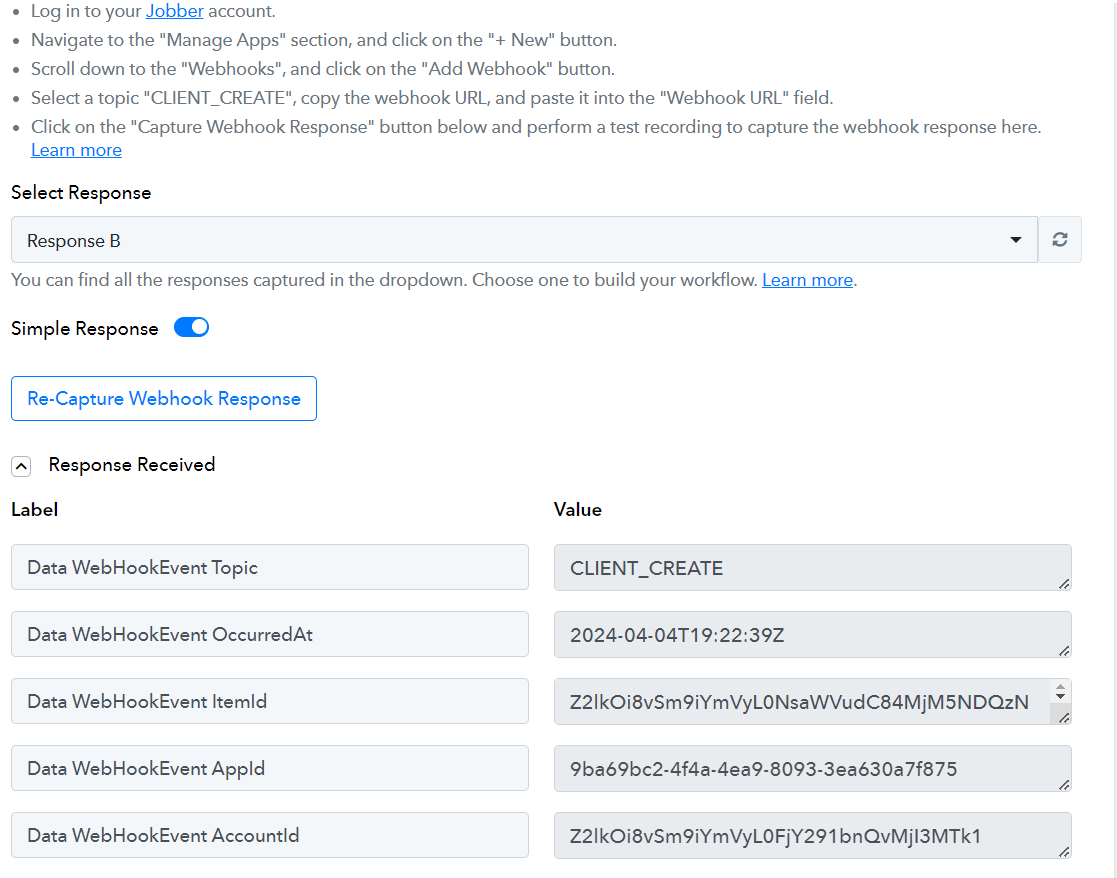
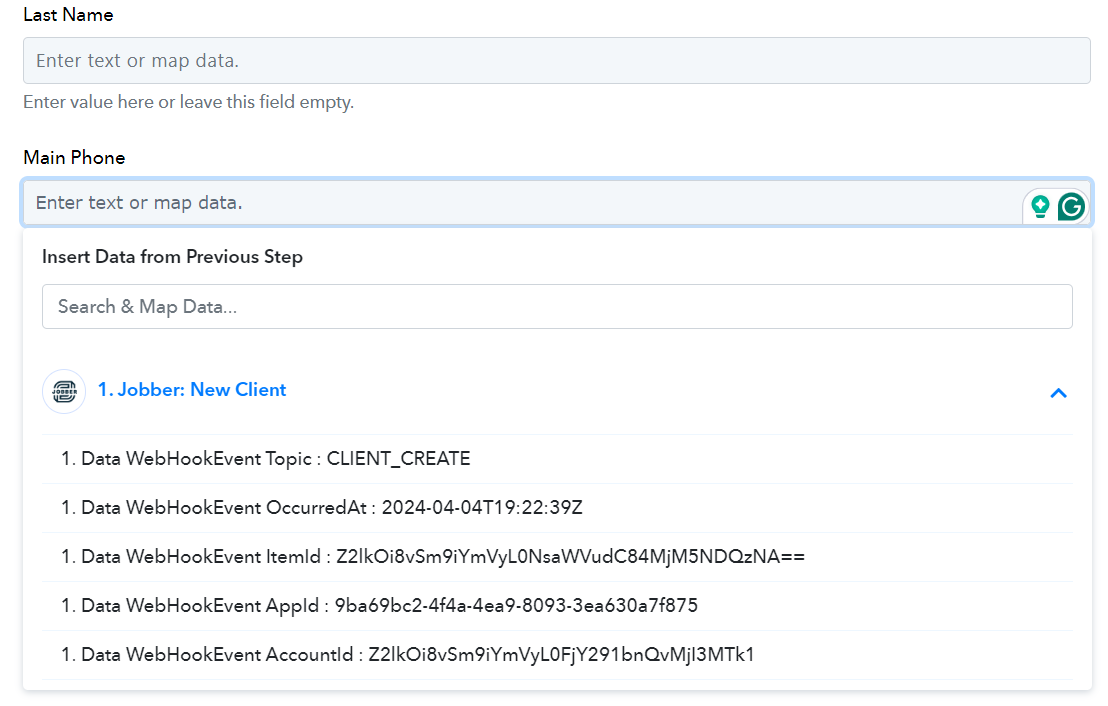
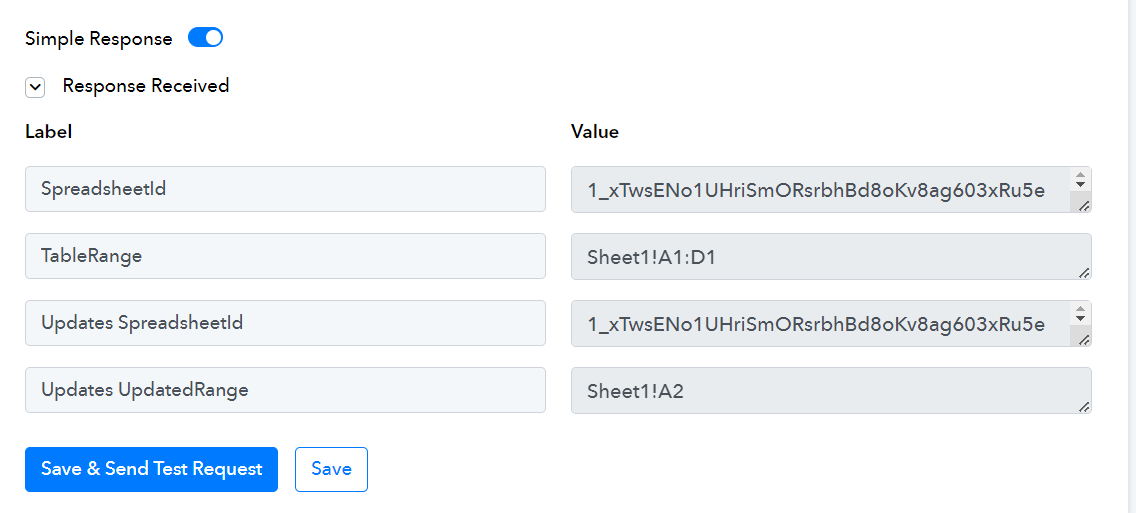
We are checking on it, to get the details of the client for the trigger response.
Hi Have you made any progress with this problem Thanks
Hey @EdRhone
We've reached out to the Jobber support team regarding this matter, but we have not yet received an update from them.
Rest assured, we will inform you as soon as we receive any updates on this.
Hi Sorry I haven't come back to this query before, had a lot on over the past months, have the support team made any progress. Thanks
Hey @EdRhone
Apologies for the delay. We have reached out to their support team regarding this matter and will inform you as soon as we receive an update.
Hi. Is there any time scale when the support team may come back with an answer Thanks
Hey @EdRhone
We have been in communication with Jobber's support team and have yet to receive any updates from them. Once we get any update on that we will make the changes accordingly.
As reported by the integration team, the trigger endpoints are not publicly available, and the API reference doesn't share these endpoints with us. Therefore, at this time, it is not possible to retrieve the data the user is requesting.
However, we are actively working to obtain these endpoints from their team and will update you as soon as there is any progress.
Does that mean that Jobber doesn't work with Pabbly
It’s not that Jobber doesn’t work with Pabbly. The integration simply isn’t natively available yet, as Jobber hasn’t made their API documentation publicly accessible for direct integration. However, our team is actively working to add this integration to the platform.
Hi Any progress with adding Jobber integration to the platform.
Hello @EdRhone,
Our team is actively working on the Jobber integration. We’ll keep you updated as soon as we have any progress to share.
Hello @EdRhone,Our team is actively working on the Jobber integration. We’ll keep you updated as soon as we have any progress to share.
When this will be done?
Can we use API meanwhile?
Any guide on this?
Hello @nouman915,
Currently, there are no updates on the Jobber integration. However, integrating it is in our pipeline.
In the meantime, you can use the API via Pabbly. While we do not have a specific guide for using the API with Jobber, you can refer to this tutorial to learn how to use APIs in Pabbly:
.Thanks
Hello @nouman915,Currently, there are no updates on the Jobber integration. However, integrating it is in our pipeline.
In the meantime, you can use the API via Pabbly. While we do not have a specific guide for using the API with Jobber, you can refer to this tutorial to learn how to use APIs in Pabbly:
.
Is it possible to even connect with Jobber or will you need to use zapier? I see they have some sort of partnership with Zapier, which may be a reason it has been over a year and they have not made any sort of effort to connect with pabbly.
Hello @Chappo,
We have replied to you over another thread, please refer to it for further discussions - https://forum.pabbly.com/threads/jobber-integration.24262/