LuLu connection
Status: Open · Asked by heritagepinoygifts@gmail. on · 0 views
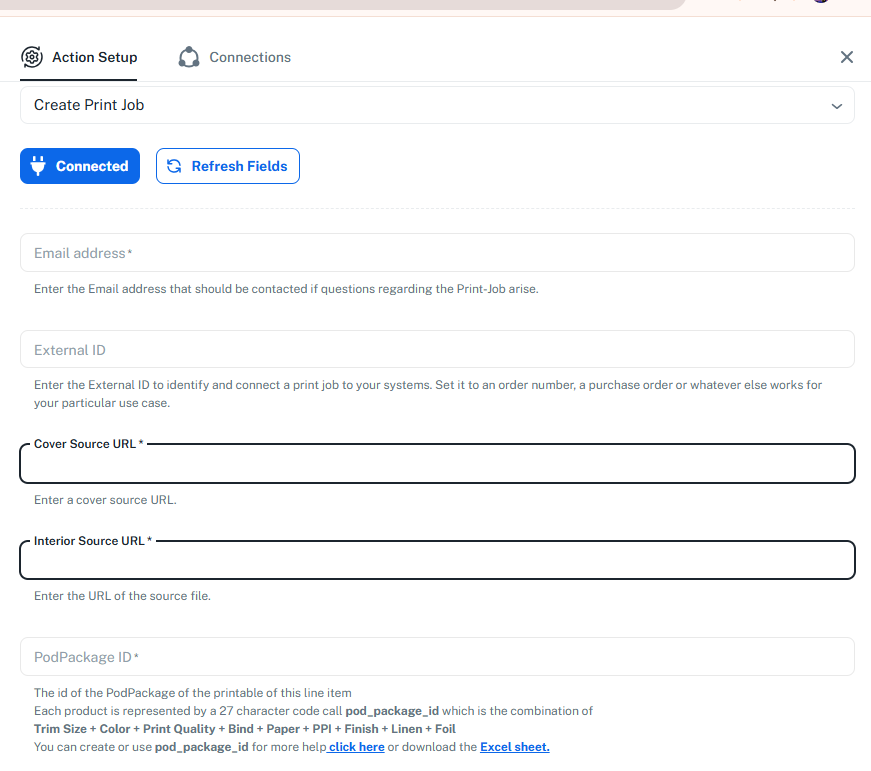
The API guide is not very helpful to figure out what I should put in URL from LuLu. I have no idea what to paste in there. for Cover Source URL or Interior Source URL.
It is quite frustrating that there is no sample to do this. Can you explain what the URL should be or how to obtain it?
Hello @heritagepinoygifts@gmail.,
Thank you for reaching out to us.
In Lulu’s Create Print Job action, both fields require direct file URLs that Lulu can download.
• Cover Source URL – This should be the PDF of your book’s cover only (front cover, back cover, and spine).
• Interior Source URL – This should be the PDF of the full interior pages of your book.
Well, that is the problem. I don't have a cover source URL or Interior Source URL. I need you to give me steps to see this. I don't have a ready way to see the Create Print Job action. or the URLs. I need clear specific steps if you can provide that. Do you have a sample walk thru of how to obtain these on a fake LuLu account perhaps. This is quite frustrating.
Please allow us some time. We will get back to you with an update soon.
Thanks & Regards,
Arshil Ahmad
Customer Support Associate
? Pabbly.com
?Rate your support
Hi @heritagepinoygifts@gmail.,
Please check the video shared below, which guides you on how to set up the Lulu: Create Print Job action step.
youtube.com/watch?v=JWw1rrIQUg4:681
Thanks & Regards,
Arshil Ahmad
Customer Support Associate
? Pabbly.com
?Rate your support