Mailchimp Member Tag: "Member ID is required"
Status: Open · Asked by Bassoonist on · 0 views
Hi,
I have not idea why I get the error "Member ID is required here":
I want to add a member tag in Mailchimp and I get a valid Member ID from the task "Mailchimp: Find member". This has worked before a router in other tasks. But now it doesn't. Where is the mistake??
thanks.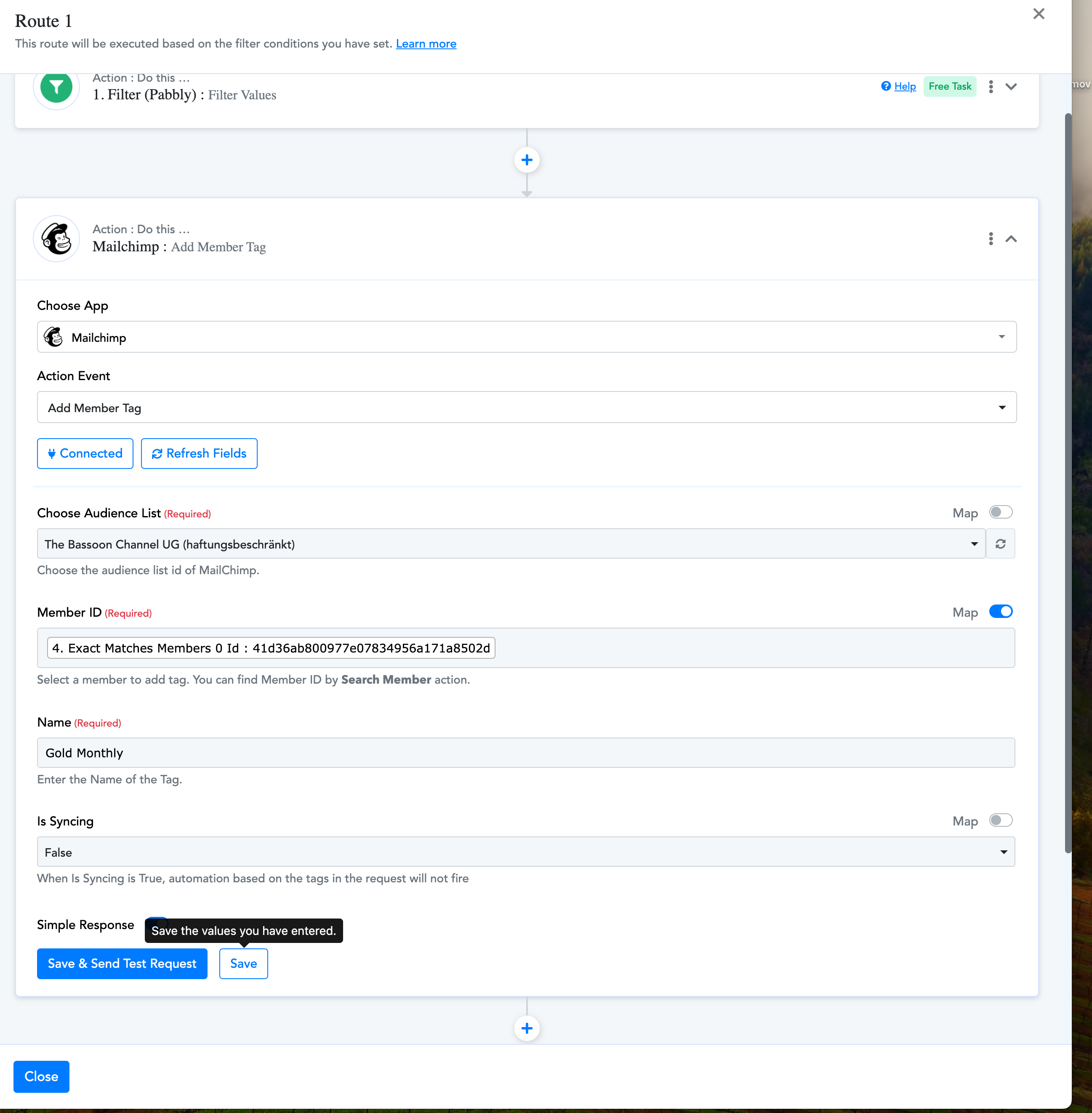
Hi @Bassoonist,
Could you please elaborate a bit more on the exact issue you are encountering? Also, please share the Workflow URL where you have this concern.
Sure. This is the URL: https://connect.pabbly.com/workflow/share/XxdZawRTCWpXHVA6D1BRdg4aVVEDWgZkUEkAElJdUysDTgVuVxZfNQtHBCZTHAZnAktUPgFeUDFaTgUBAFZWJVNJBytRUlUvA04HNFceWmlfAVlxBGU#
It's about finding out the user's email and the product he has unsubscriped in Stripe (out of four different products) and then un-tagging and re-tagging in mailchimp.
Strange. I tried again now and it seems to work. Can you check? Thanks
You needed to set up the steps in your router this way. We have made the necessary changes on your behalf, which seems to have fixed the issue.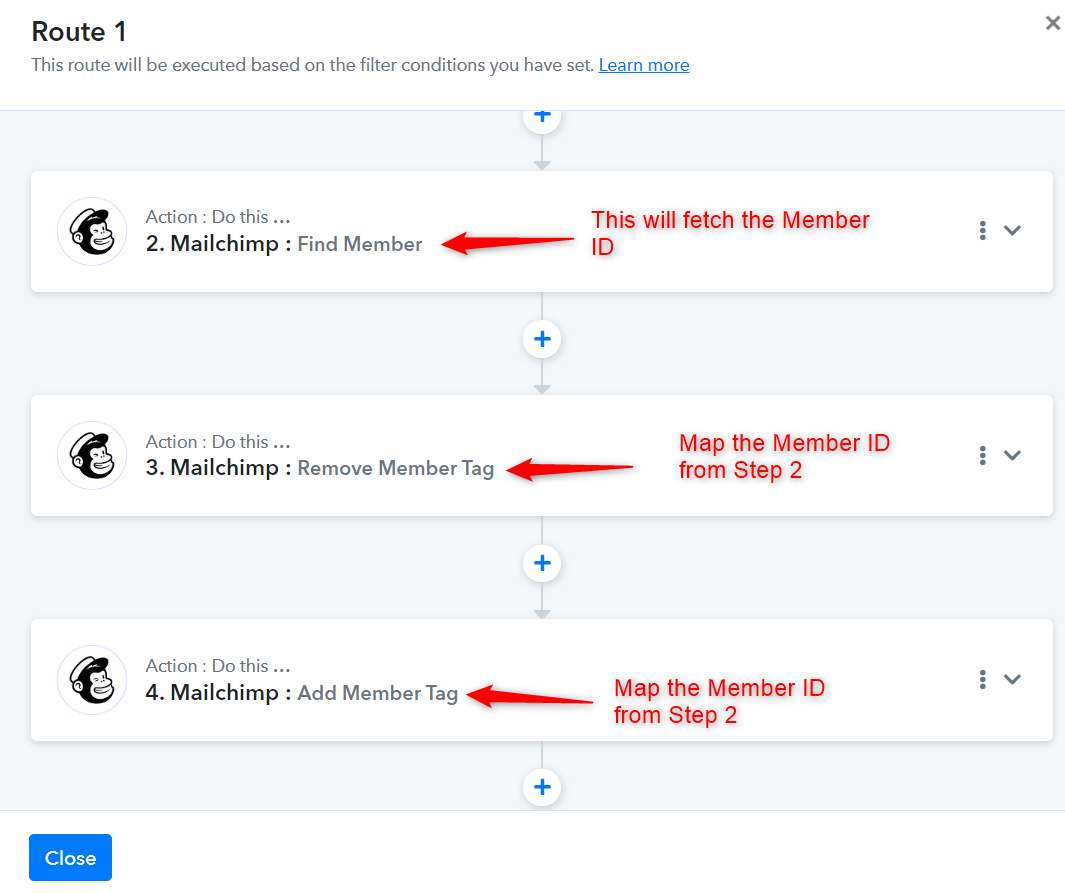
After the router?
Here I have the same/ similar problem... https://connect.pabbly.com/workflow/share/XBRZa14JUzBSGARuBFdTdAkdBABXDlIyUktRQ1FeVCwGSFUQDUxcNglFVnQCWQFgVh8AagVaUzddSVFVCV8JelxGVUdRUgZ8AE0IcwxVXW5cAllxXj8#
Thank you so much.
You can add 'Remove Member Tag' and 'Add Member Tag' action step to your route. Make sure to map the Member ID from 'Find Member' action step.