many a time we face issue that GST Not getting added in payout page
Status: Open · Asked by Parth Nayak on · 0 views
many a time we face issue that GST Not getting added automatically in payout page
Hello @Parth,
Could you please share more details regarding the specific issue you are facing? A screenshot or a short screencast explaining the behaviour would help us understand the problem clearly.
Alternatively, we can also look into this together over a Google Meet session, and I have already shared the booking URL with you in one of your previous threads.
Once we have the required details, we will be able to assist you more effectively.
now am not having any current issue snapshot it happen inbetween sometime with some of product payment. will take snapshot and share than
Hello @Parth,
Sure, please share the screenshot once you encounter the issue.
see again GST is not reflecting in this payment and client is about to pay us now, i dont know why this issue happens repeatedly at business crucial stage of payment, please resolve permanently and urgently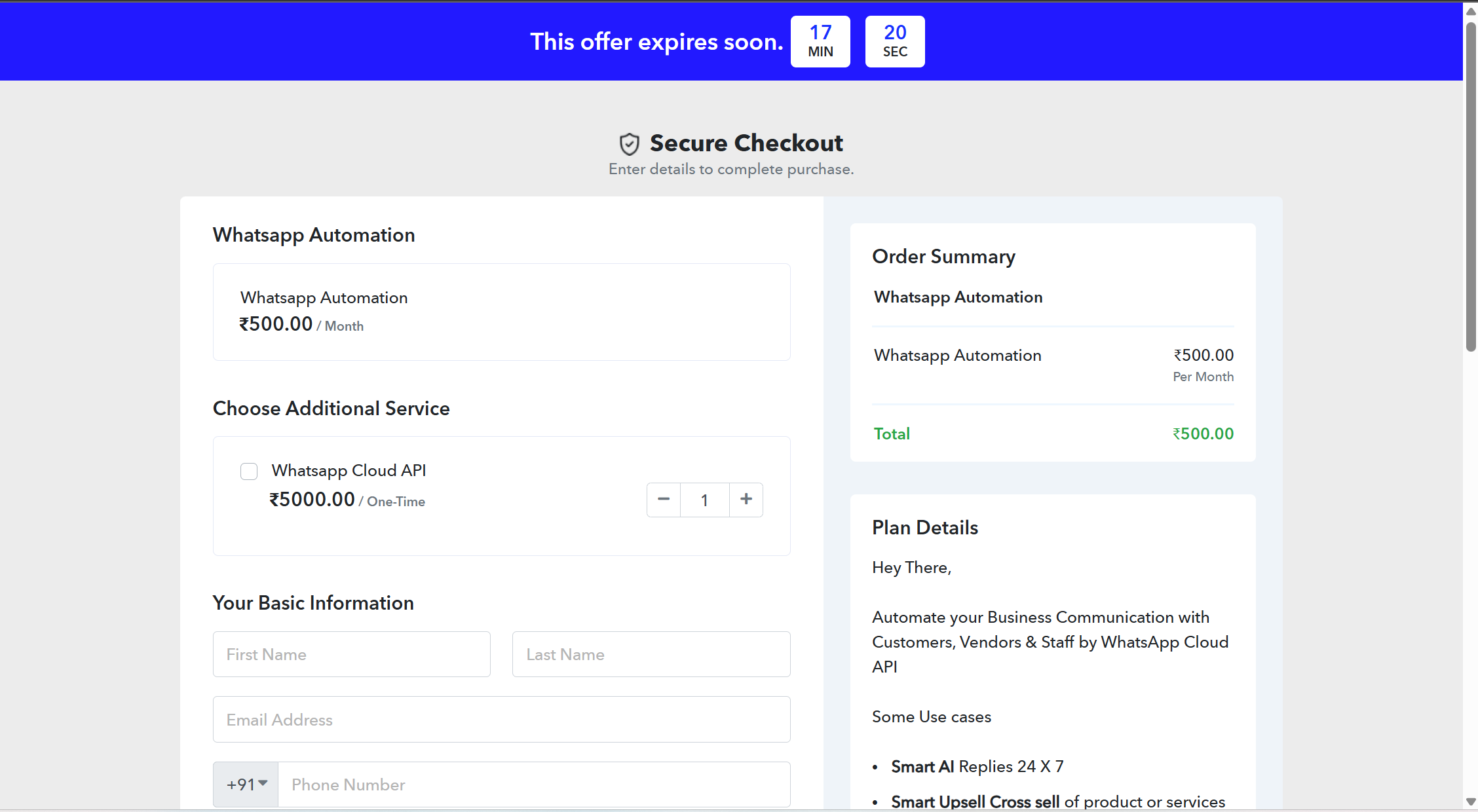
Hello @Parth,
Apologies for not being able to join the call earlier.
Regarding the issue you shared, it appears that the Billing Address block is not enabled for the specific product in the checkout page, which is causing this behavior.
To resolve this, please follow these steps:
- Go to the specific product.
- Click on the three dots next to the product.
- Open Checkout Customizer.
- Navigate to the Billing block.
- Enable Show Billing Address on the checkout page.
- Save the changes.

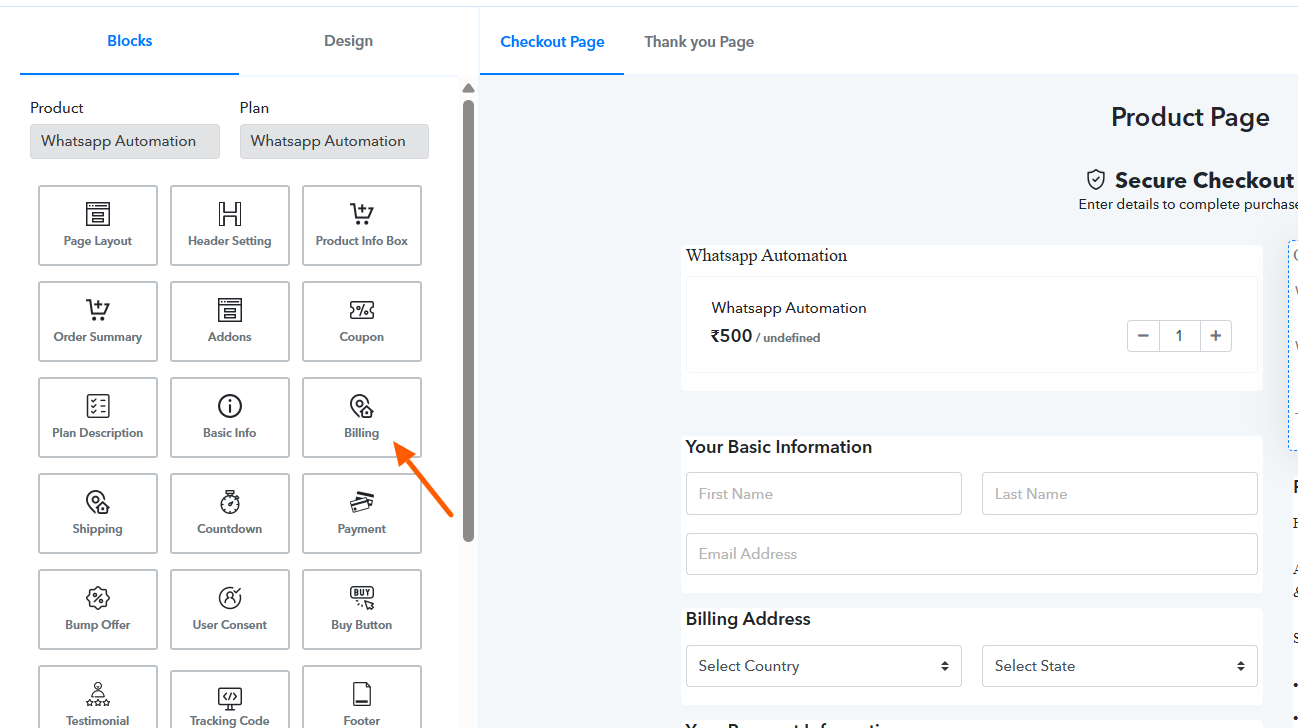
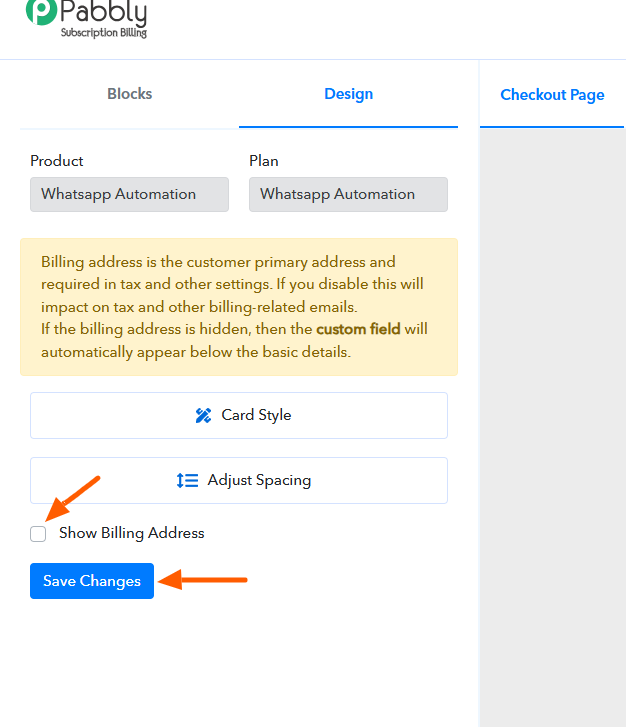
Once this is enabled, the issue should be resolved.
oh it has solved my various product queries, thanx
Hello @Parth,
Glad to be of help!
Transaction ID IjU3NjUwNTY1MDYzNTA0MzI1MjY4NTUzNzUxM2I1MTY3NTQzMTBmMzQi_pc
Workflow
Amaira Sports Indiamart Whatsapp to email
json file step not working properly so creating workflow issues
Hello @Parth,
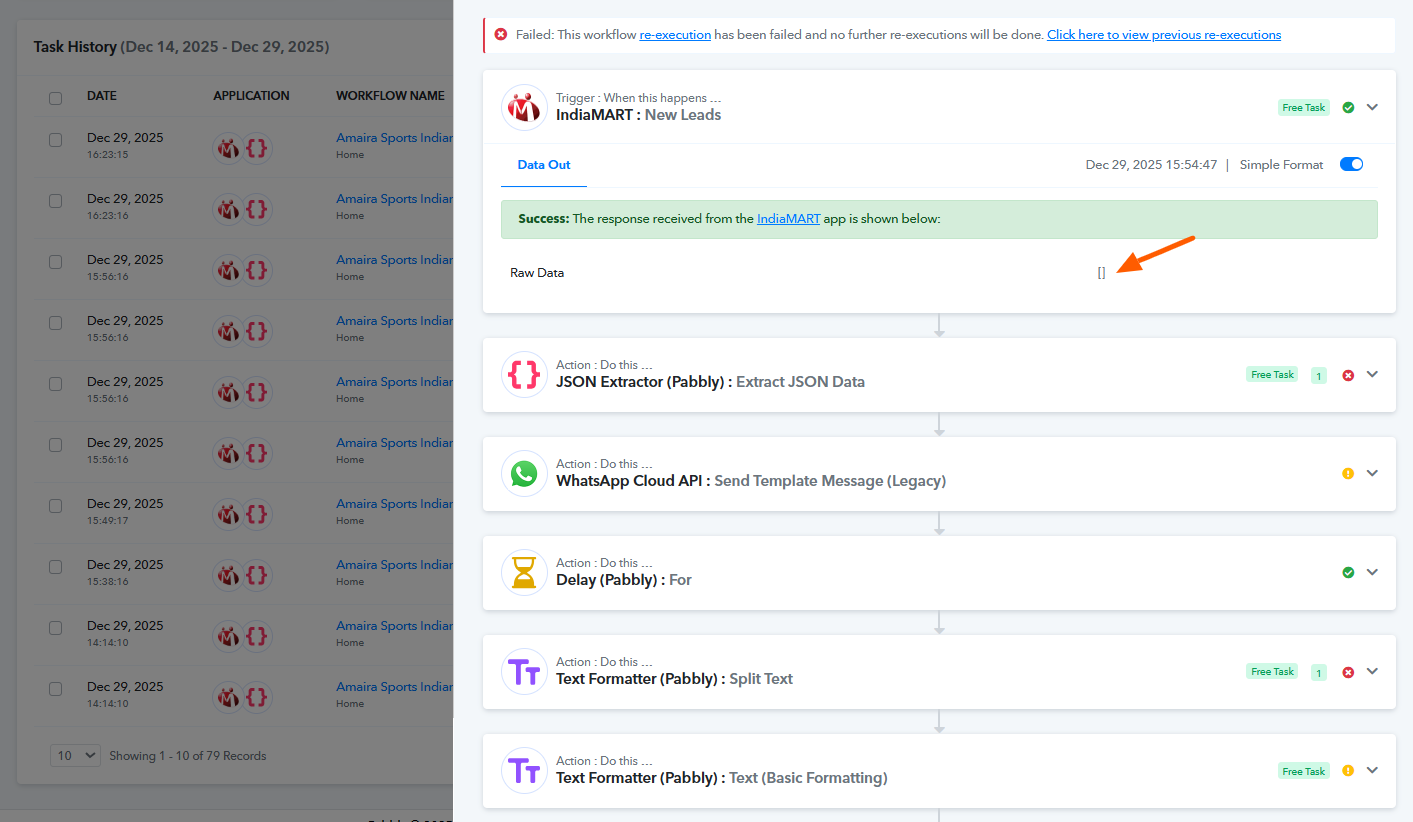
Upon checking, it appears that IndiaMART is sending an empty array, which is disturbing the mapping in your workflow. Due to this, the subsequent actions are failing.
Please refer to the attached image for a clearer understanding of the issue.
Hello @Parth,Apologies for not being able to join the call earlier.
Regarding the issue you shared, it appears that the Billing Address block is not enabled for the specific product in the checkout page, which is causing this behavior.
To resolve this, please follow these steps:
- Go to the specific product.
- Click on the three dots next to the product.
- Open Checkout Customizer.
- Navigate to the Billing block.
- Enable Show Billing Address on the checkout page.
- Save the changes.
Once this is enabled, the issue should be resolved.
Thank you so much for sharing this detail.