Messages not Being sent after Payment method addition
Status: Open · Asked by WFDM Marketing on · 0 views
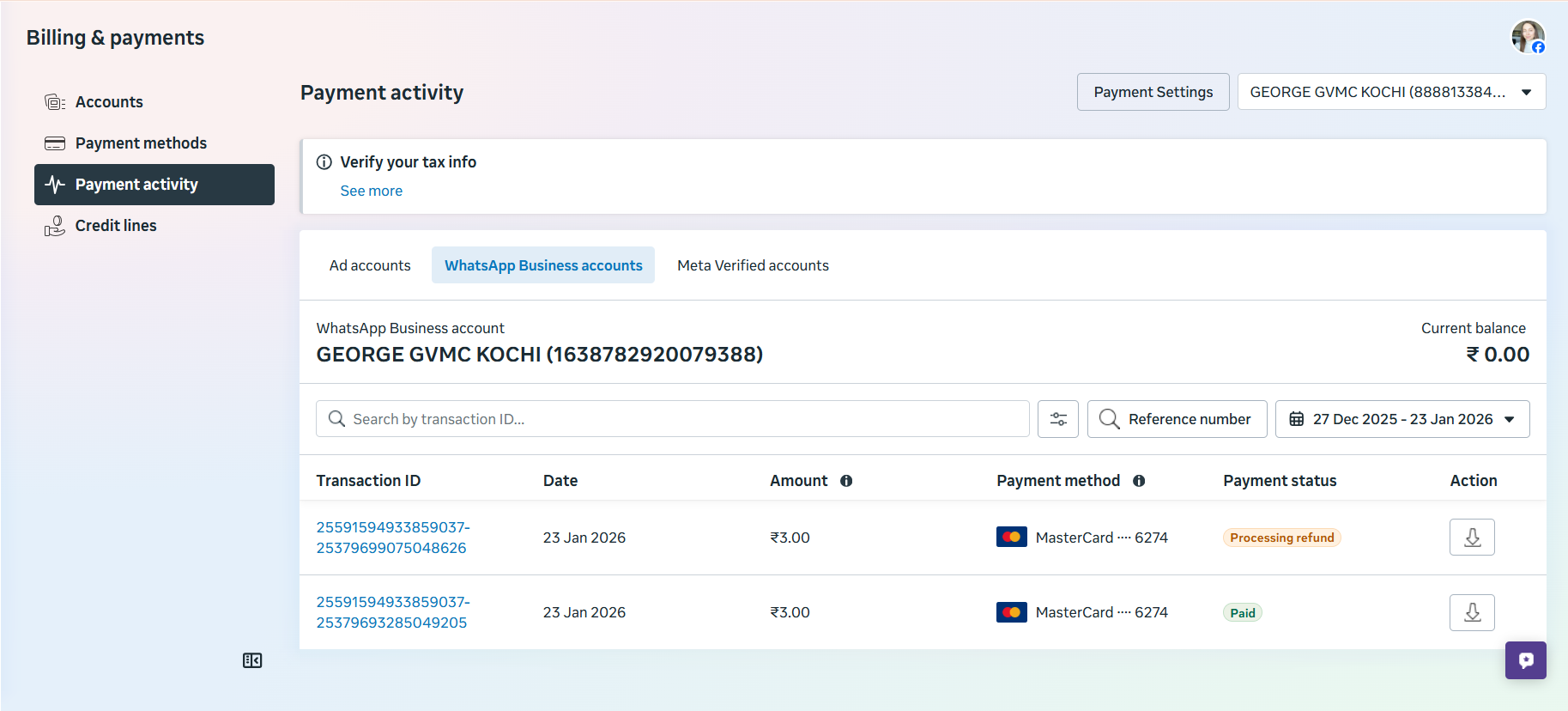
even after adding payment method. the messages are not being sent.then why are unlimited credits being allotted to our account.
ideally the messages must be sent first, credits utilized. and payment settled at an agreed upon billing cycle.
how can we send template messages then ?
Hey @WFDM Marketing,
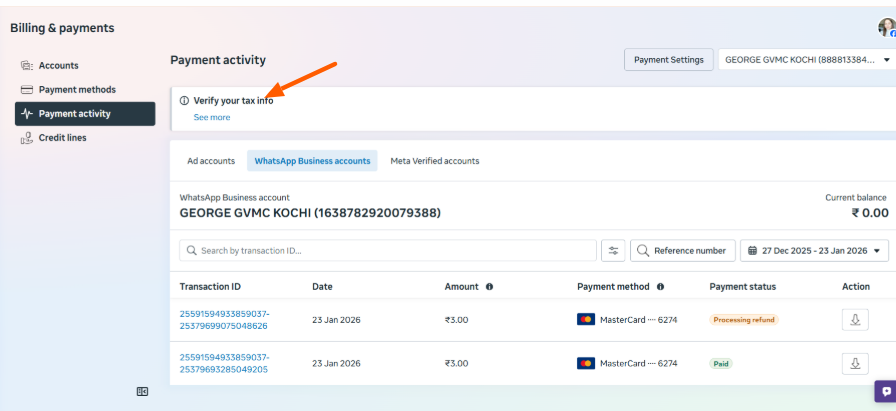
It appears that your tax details are not verified yet.
Kindly complete the tax verification on your end, and the messages should start sending successfully after that.
If you still face any issue post verification, please share a screenshot of the exact error so we can assist further.
Hey @WFDM Marketing,It appears that your tax details are not verified yet.
Kindly complete the tax verification on your end, and the messages should start sending successfully after that.
If you still face any issue post verification, please share a screenshot of the exact error so we can assist further.
We have verified the business , yet the same error persists
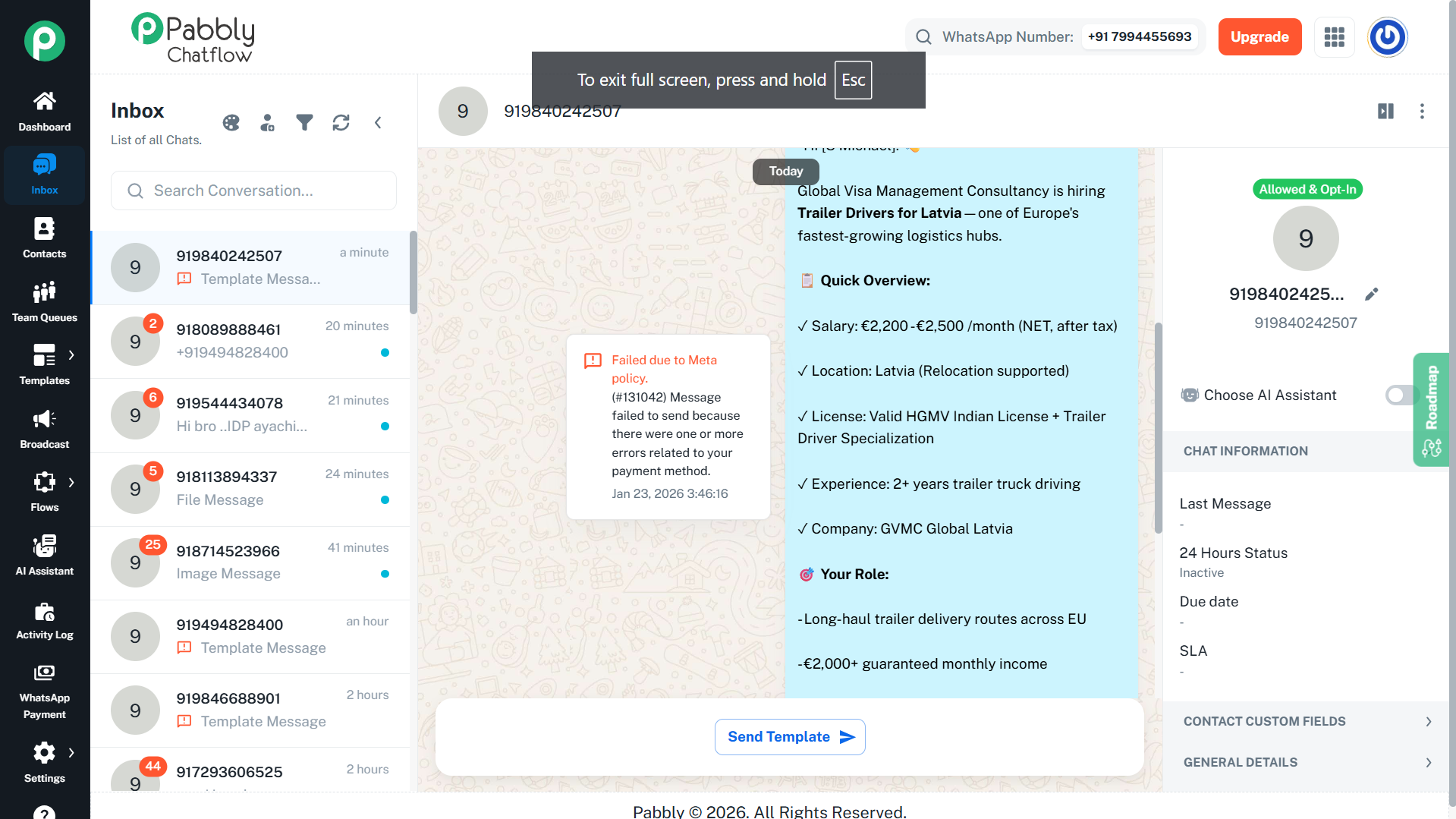
Hey @WFDM Marketing,
The issue seems to be resolved now.
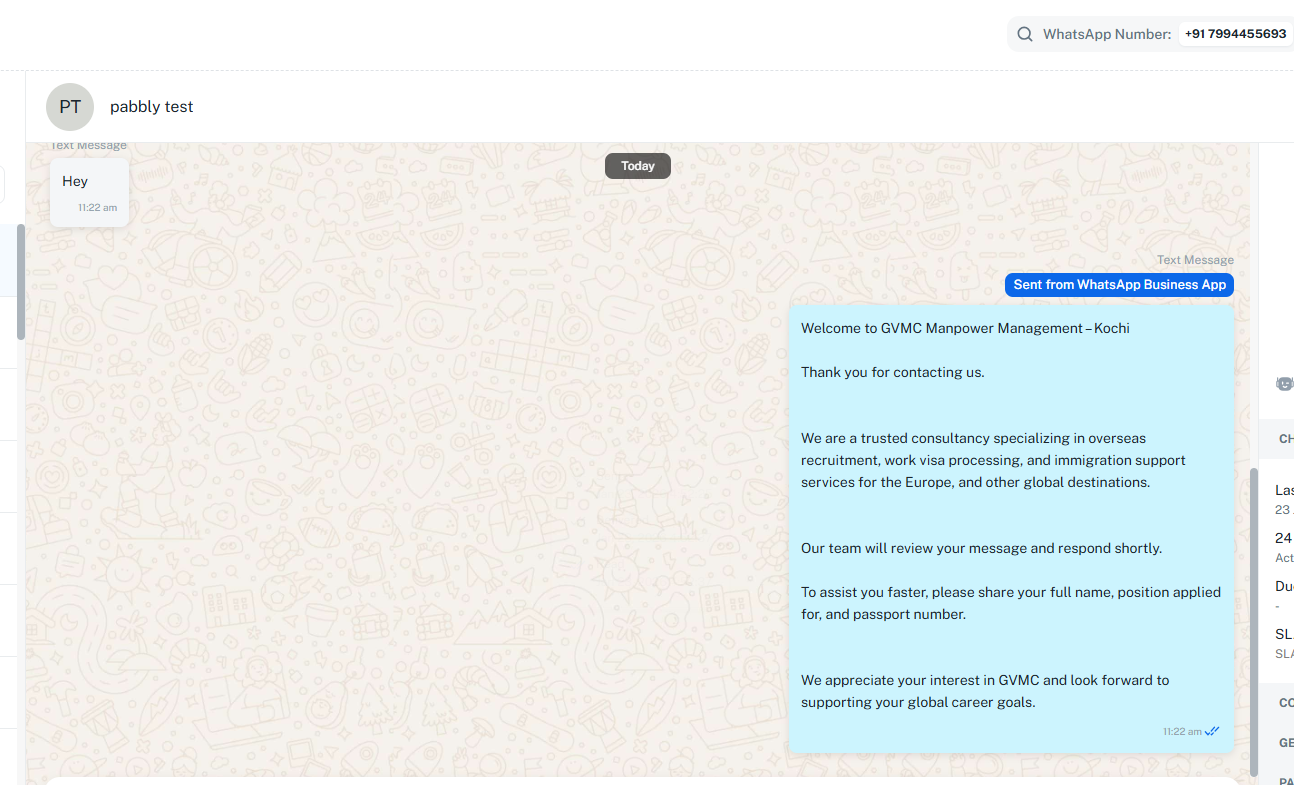
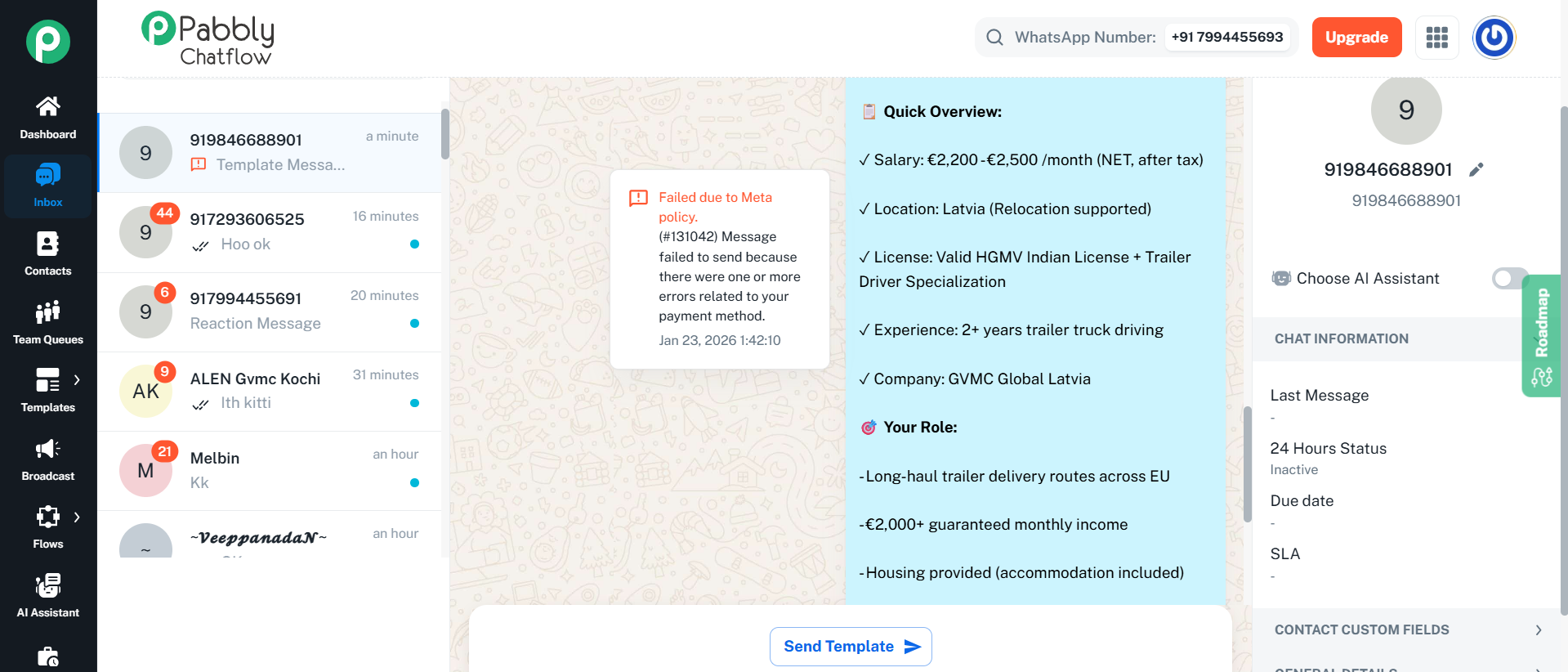
Failed due to Meta policy.
(#131042) Message failed to send because there were one or more errors related to your payment method.
Check this I am not able to send templates !!
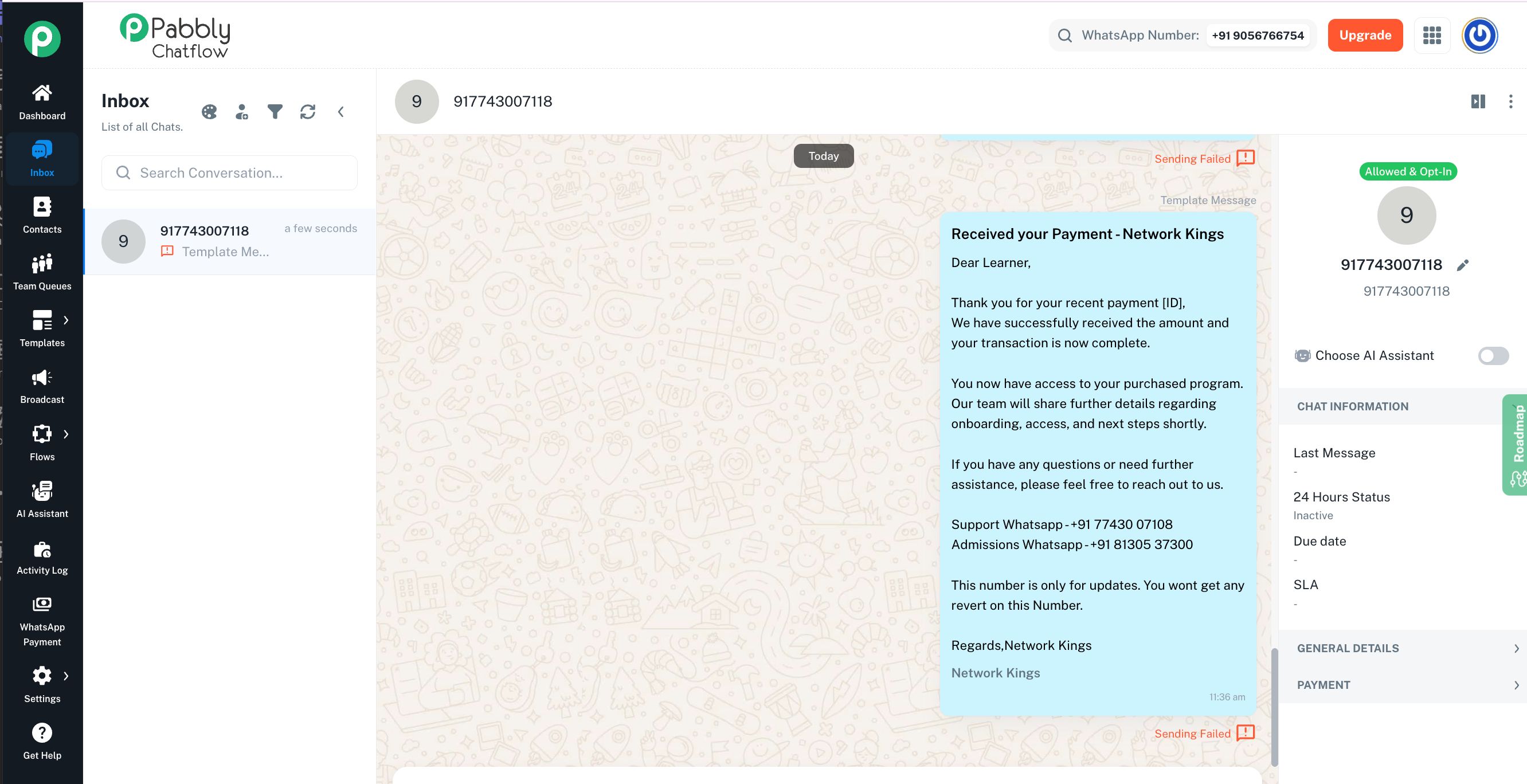
Hi @Nwkings,
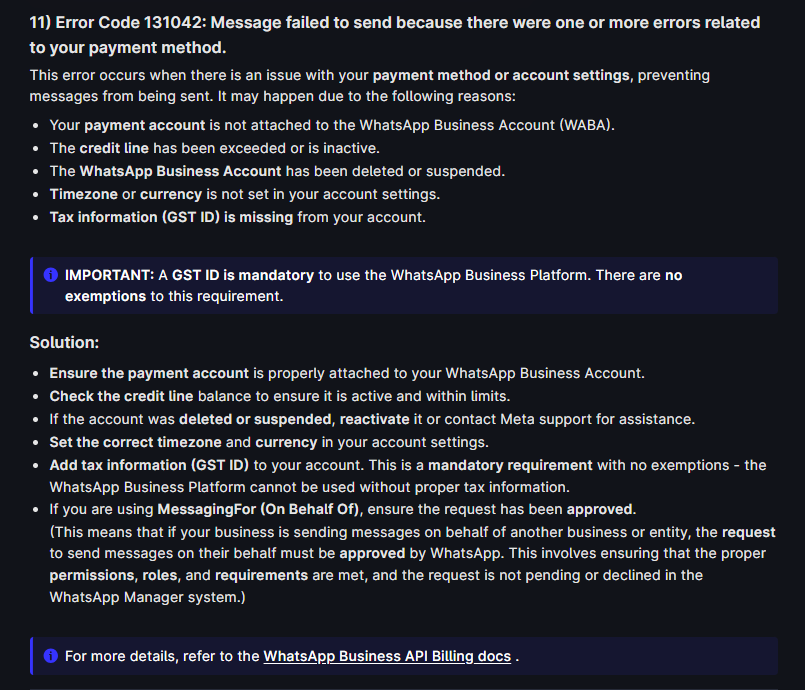
It seems that the payment method is not added/active in your WhatsApp Cloud API account under WhatsApp Manager → Payment Settings. Due to this, your template messages are failing with error #131042 (payment method related issue).
We recommend adding or updating your payment method there, and then trying to send the templates again. This should resolve the issue.
For more details about this error, you can refer to the billing guide below:
https://docs.pabbly.com/s/f3b40ae7-4846-4110-8cf3-cdd0cf3467c2/doc/messaging-errors-in-pabbly-chatflow-what-they-mean-VY4pvV4Bt1
Meta’s official billing reference:
https://www.facebook.com/business/help/2225184664363779?id=2129163877102343
Hey @WFDM Marketing,It appears that your tax details are not verified yet.
Kindly complete the tax verification on your end, and the messages should start sending successfully after that.
If you still face any issue post verification, please share a screenshot of the exact error so we can assist further.
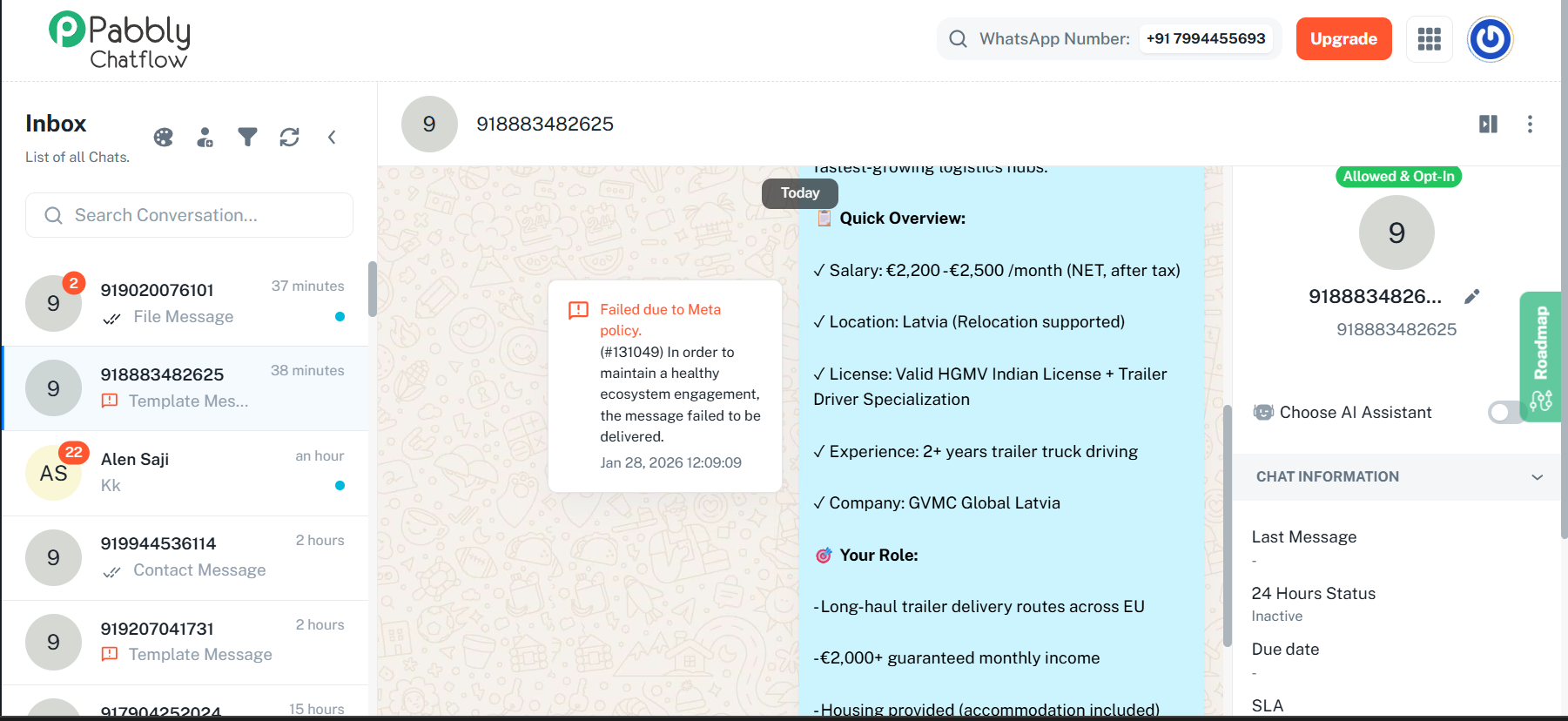
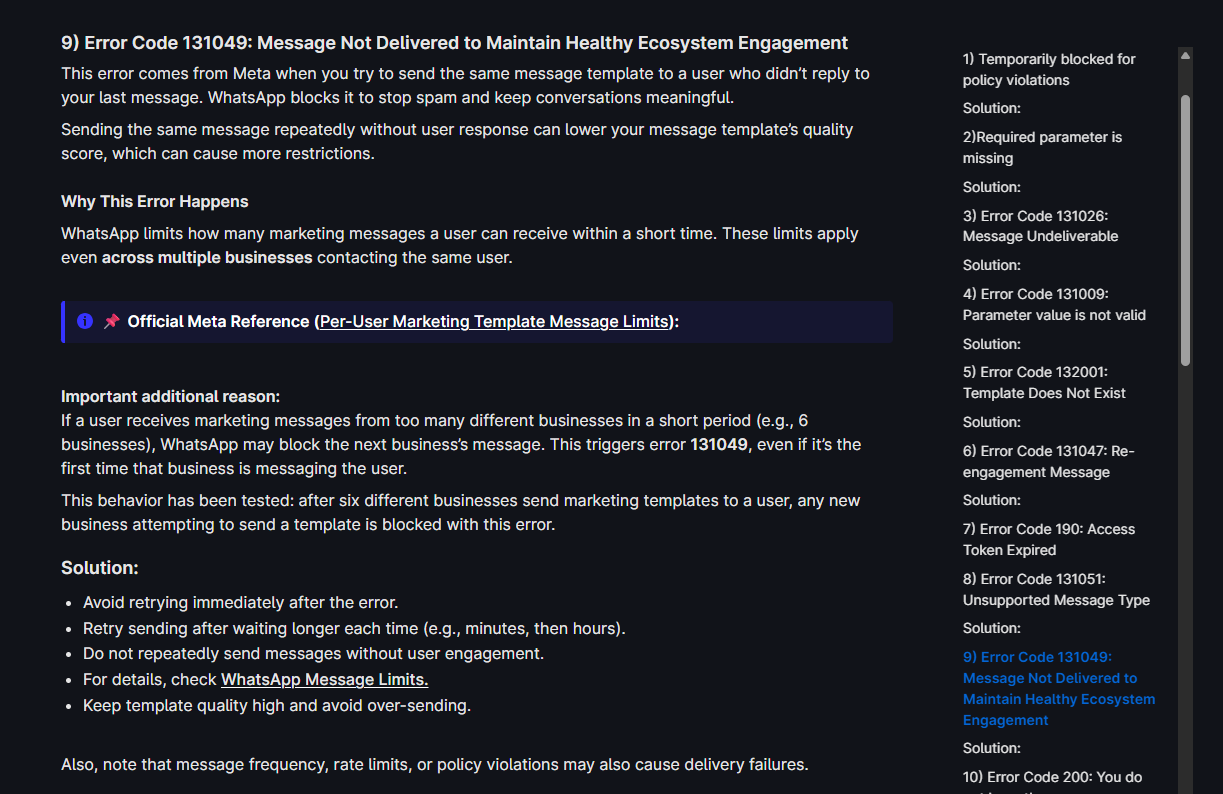
Its not possible for the number to among the first 6 business that sent the contact a marketing message today. this pattern is repeating across many leads now
Hey @WFDM Marketing,
Thank you for reaching out and for sharing the screenshot.
The error shown is related to Meta’s Healthy Ecosystem engagement policy. Please note that this is a different issue from the payment-related error you were facing earlier.
For Error Code 131049, there are multiple possible reasons beyond a user receiving marketing messages from multiple businesses. These limits and checks are enforced directly by Meta to prevent spam and maintain engagement quality.
We recommend reviewing the possible causes and guidance here:
https://docs.pabbly.com/s/f3b40ae7-4846-4110-8cf3-cdd0cf3467c2/doc/messaging-errors-in-pabbly-chatflow-what-they-mean-VY4pvV4Bt1#h-9-error-code-131049-message-not-delivered-to-maintain-healthy-ecosystem-engagement