Meta App Developers - Not Generating Access Token Getting Error
Status: Open · Asked by Nimesh.Mediaf5 on · 0 views
Hello,
I am connecting WhatsApp Cloud API Setup in Meta App Developers.
I have done some steps from Pabbly Video. Link:
youtube.com/watch?v=PSd47oKia6I
}
But when I am generating access token and access token has been generated but then coming the issue after this. I have also attached screenshot.
PFA - Problem Screenshot
Thanks & Regards,
Nimesh Koshti
Hi @Nimesh Koshti,
The issue you’re facing appears to be related to the Meta Developer Platform. We recommend reaching out to Meta Support for assistance with this specific issue.
However, if you need any help from our end, we are here to assist you!
Hello,
Can you share Meta Support details?
Thanks & Regards,
Nimesh Koshti
Hello @Nimesh Koshti,
You can reach out to Meta Support through the following link - https://developers.facebook.com/support.
Hello @Nimesh Koshti,You can reach out to Meta Support through the following link - https://developers.facebook.com/support.
Hello @@Preeti Paryani
Thank you for sharing this.
I have connected facebook support and I have got this solution.
But again second prblem is coming,
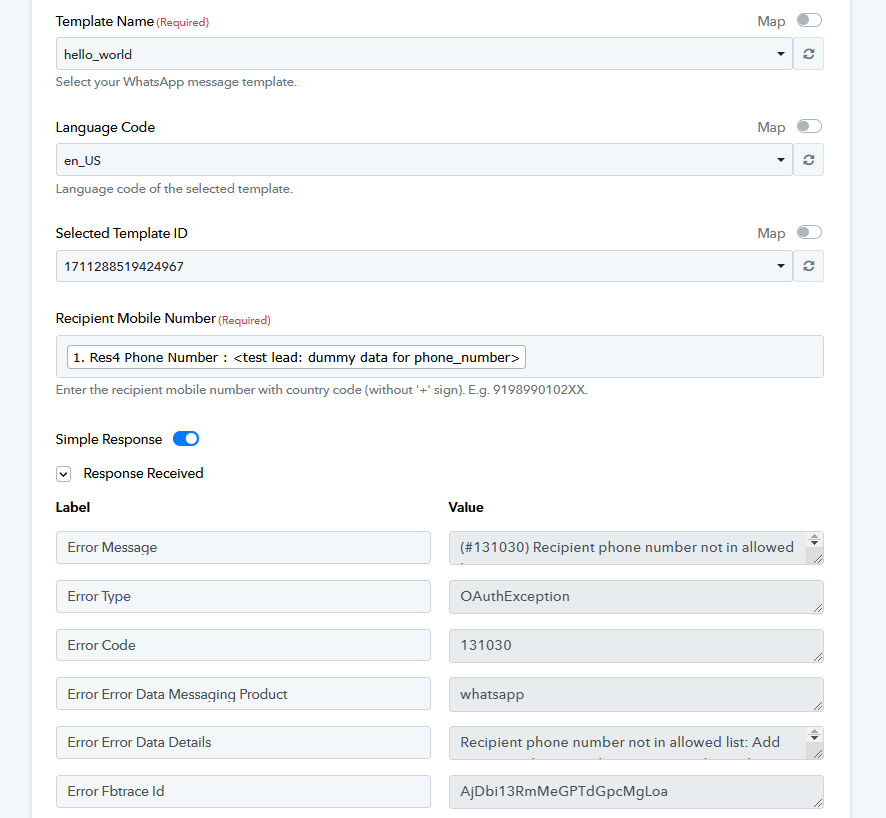
Access token has been generated succesfully, but showing the issue of wa business number.
Also showing this error.
PFA - Innexia - WA Problem
Please check.
Thanks & Regards,
Nimesh Koshti
Hello @Nimesh Koshti,
It looks like you are using a connection with a temporary token. In this case, if you want to send messages, the number must be in the allowed number list in the Meta Developer Portal.
To avoid this issue, we recommend generating a permanent token and setting up a new connection. This will ensure smooth message delivery without restrictions.
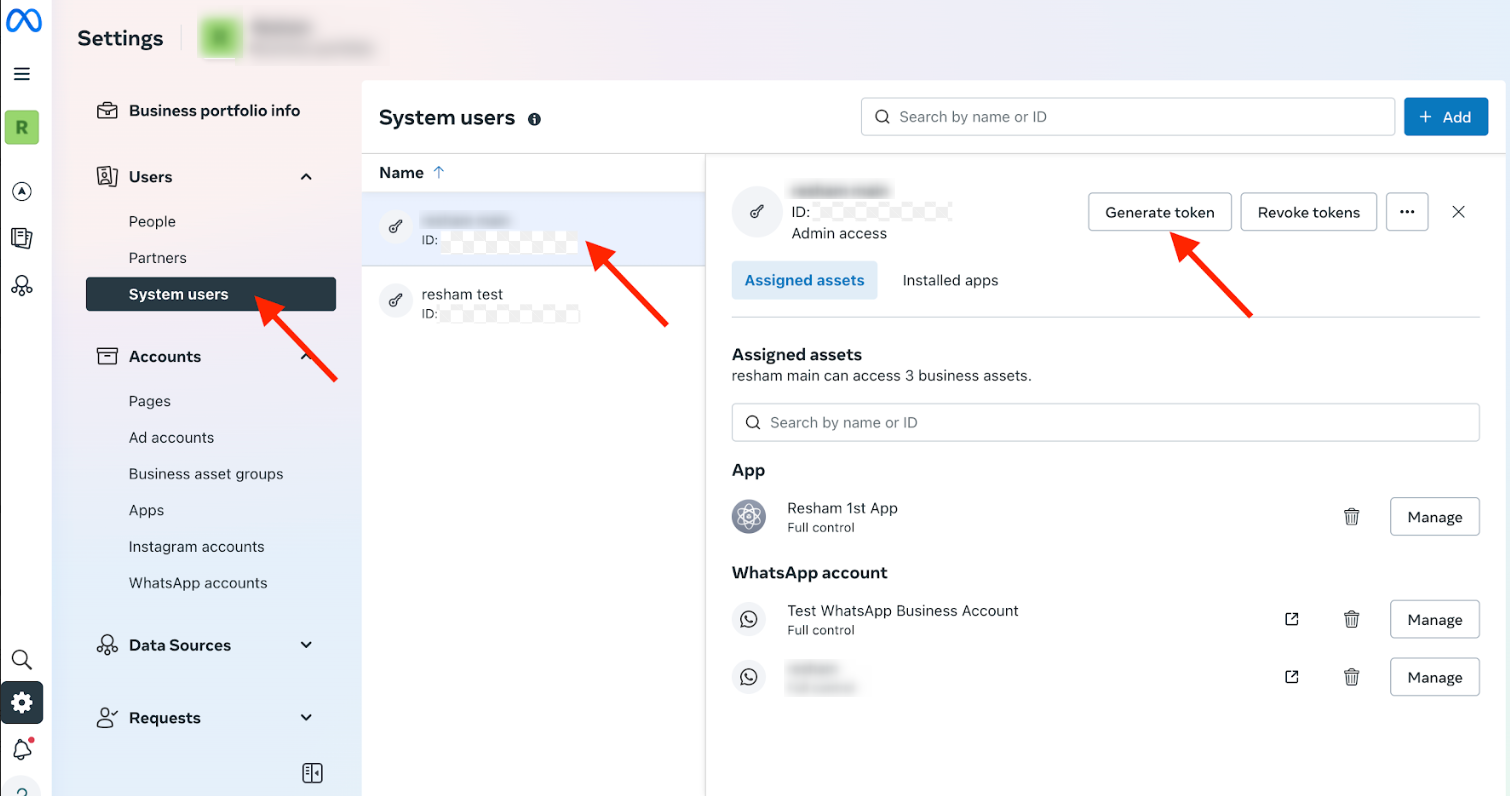
Hello @Nimesh Koshti,It looks like you are using a connection with a temporary token. In this case, if you want to send messages, the number must be in the allowed number list in the Meta Developer Portal.
To avoid this issue, we recommend generating a permanent token and setting up a new connection. This will ensure smooth message delivery without restrictions.
Hello @Preeti Paryani ,
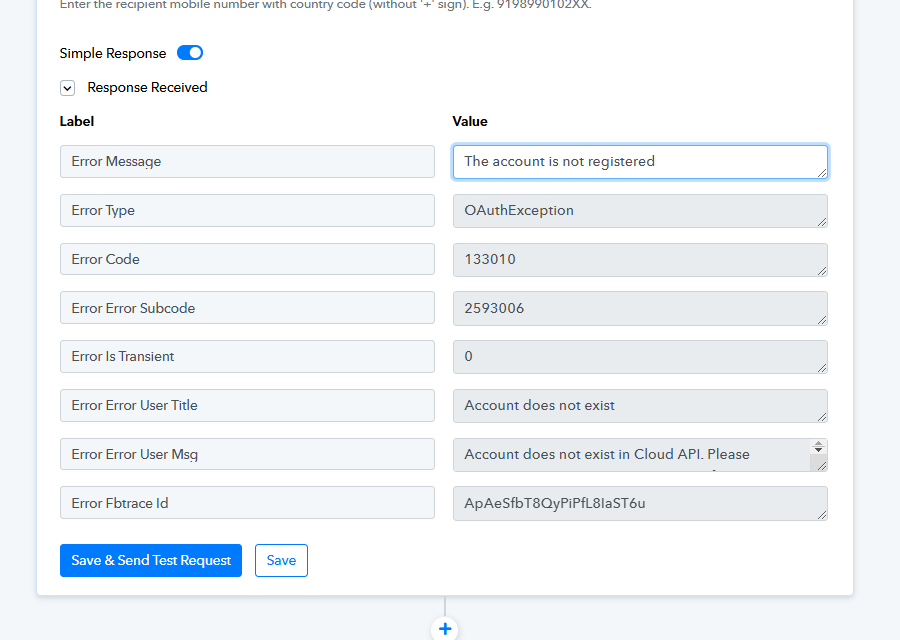
Thank you, I have genarated permanent token and I have setup this code.
But this issue is coming,
Could you please share the Workflow URL where you have this concern?
Could you please share the Workflow URL where you have this concern?
@@ArshilAhmad and @Preeti Paryani,
Hello,
Thank you for your response.
Please find the attachment.
Thanks & Regards,
Nimesh Koshti
Hello @Nimesh Koshti,
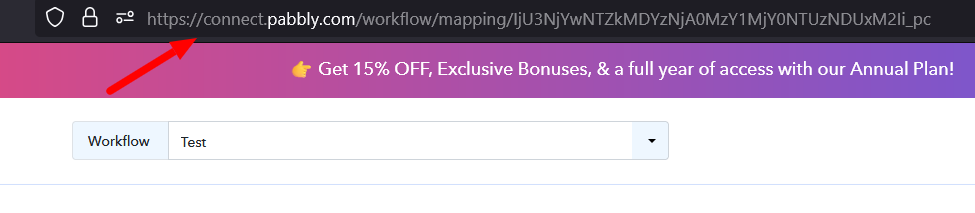
Please provide us with the workflow URL as indicated in the attached image, so we can better look into the issue and assist you accordingly.
He
Hello @Nimesh Koshti,Please provide us with the workflow URL as indicated in the attached image, so we can better look into the issue and assist you accordingly.
Hello,
Please check this link: https://connect.pabbly.com/workflow/mapping/IjU3NjYwNTZlMDYzMjA0MzA1MjY5NTUzNDUxMzQi_pc
Thanks & Regards,
Nimesh Koshti
Dear @Nimesh Koshti,
Upon reviewing the error message, we have identified that the issue is related to your account or connection. To help resolve this, please refer to the video tutorial shared, which provides step-by-step guidance on setting up the connection and generating the permanent token -
youtube.com/watch?v=NdkPxSf8Whw
.Additionally, we recommend using the Send Template Message Beta Action instead of the "Send Message" action. You can find detailed instructions on how to configure this action in the following video - https://www.loom.com/share/4b60f86d78ec4949b7c45919b8b690e1?sid=a5bd3c77-36c7-4de4-a78f-24d173e2a868..
Please give it a try and let us know if it resolves the issue.