Meta doesn't accept phone number verification from code
Status: Open · Asked by Carlos Melo on · 0 views
Hello,
You guys may know that Meta has changed the way to verify phone numbers to Whatsapp Business API.
So, I have tried to request the verification code using the code provided by Meta to validate the registered phone number, but the code doesn't work.
That is new Meta method and it doesn't seem to work properly, but I believe someone here can give me some clues.
They advise doing this through this link:
https://developers.facebook.com/docs/whatsapp/on-premises/reference/account#regcode
Over there they provide the code below to request the code using the phone number being registered:
{
"cc": "COUNTRY_CODE",
"phone_number": "PHONE_NUMBER_WITHOUT_COUNTRY_CODE",
"method": "sms" or "voice",
"cert": "VERIFIED_NAME_CERT_IN_BASE64",
"pin": "EXISTING_6_DIGIT_PIN" # required if two-step verification is enabled
}
.. as I have inserted my data as following:
{
"cc": "55",
"phone_number": "27992668740",
"code_method": "sms",
"cert": "CmQKIAjW7bnYh4GLAhIGZW50OndhIgdSb3RhWmFwUKKF+78GGkD1lCy9aMw5Jc/jKJWF7C4Ex1raQ7s6EXyaFOcIvyatzW+SkXINDQ+hAsQLyGWLWBuMaDlom89flrUSG+sb3y4AEjBtKB689JvQo/Bas7edrmognFji41TC9C1ebgSzMjrcXsW5xWVDr5L5XPdVm+xyxb8=",
"pin": "142024",
"language": "pt_BR"
}
I tried to request the verification code via Postman, and it returned the following response:
(The language type is there because Postman returned me it is required, after first test.)
{
"error": {
"message": "Unsupported post request. Object with ID '607347995796872' does not exist, cannot be loaded due to missing permissions, or does not support this operation. Please read the Graph API documentation at https://developers.facebook.com/docs/graph-api",
"type": "GraphMethodException",
"code": 100,
"error_subcode": 33,
"fbtrace_id": "AmqtcUP0-XGgyGDfuNe4DEu"
}
}
So where is the problem if all the data are correct ?
Hi @Carlos Melo,
Could you please confirm whether 2FA is enabled in your account?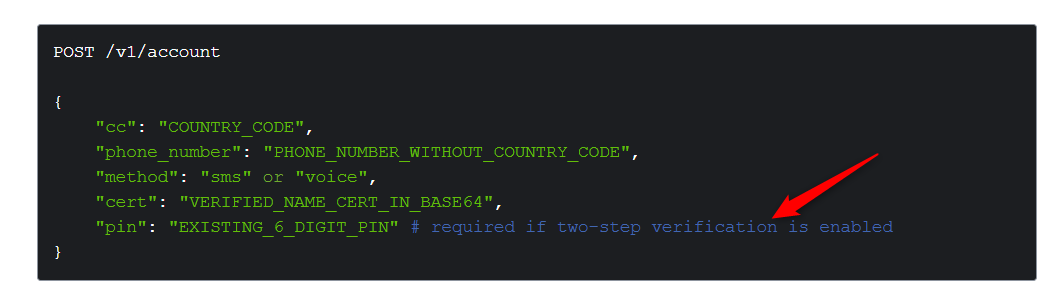
Also, please mention the error you encounter when you execute the endpoint without the 'language' field.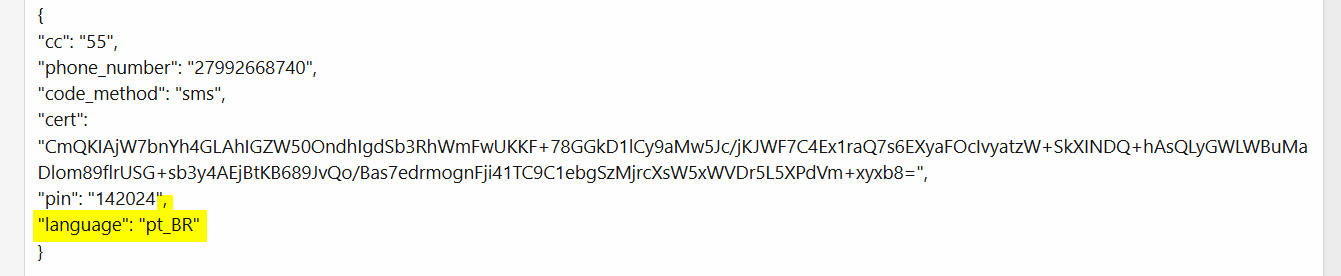
This page doesn't have any information related to the error code 100 you encountered, which is why it's difficult for us to determine the exact cause.
https://developers.facebook.com/docs/whatsapp/on-premises/errors
Hi @Carlos Melo,Could you please confirm whether 2FA is enabled in your account?
"Also, please mention the error you encounter when you execute the endpoint without the 'language' field.
This page doesn't have any information related to the error code 100 you encountered, which is why it's difficult for us to determine the exact cause.
https://developers.facebook.com/docs/whatsapp/on-premises/errors
Thank you for your attention here, Arshil.
Here you go the answers for your questions.
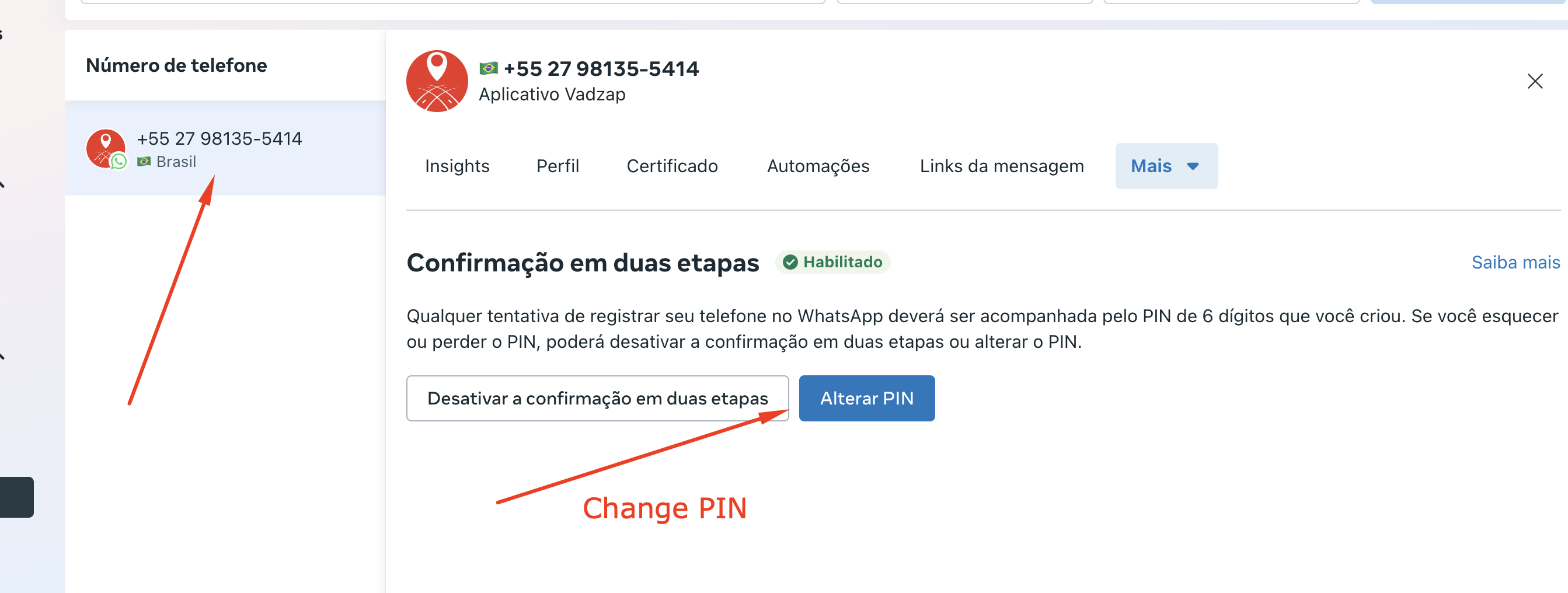
1. Yes, I enabled two-step verification for that phone number when I registered it in the WhatsApp Business App. That's where I created the verification PIN, which I entered in the 'PIN' field of the code.
After I deleted the Whatsapp App account and then used the number in the WhatsApp Business API, that PIN remains linked to the number. That's how I managed to verify a number two weeks ago, using the same method presented here.
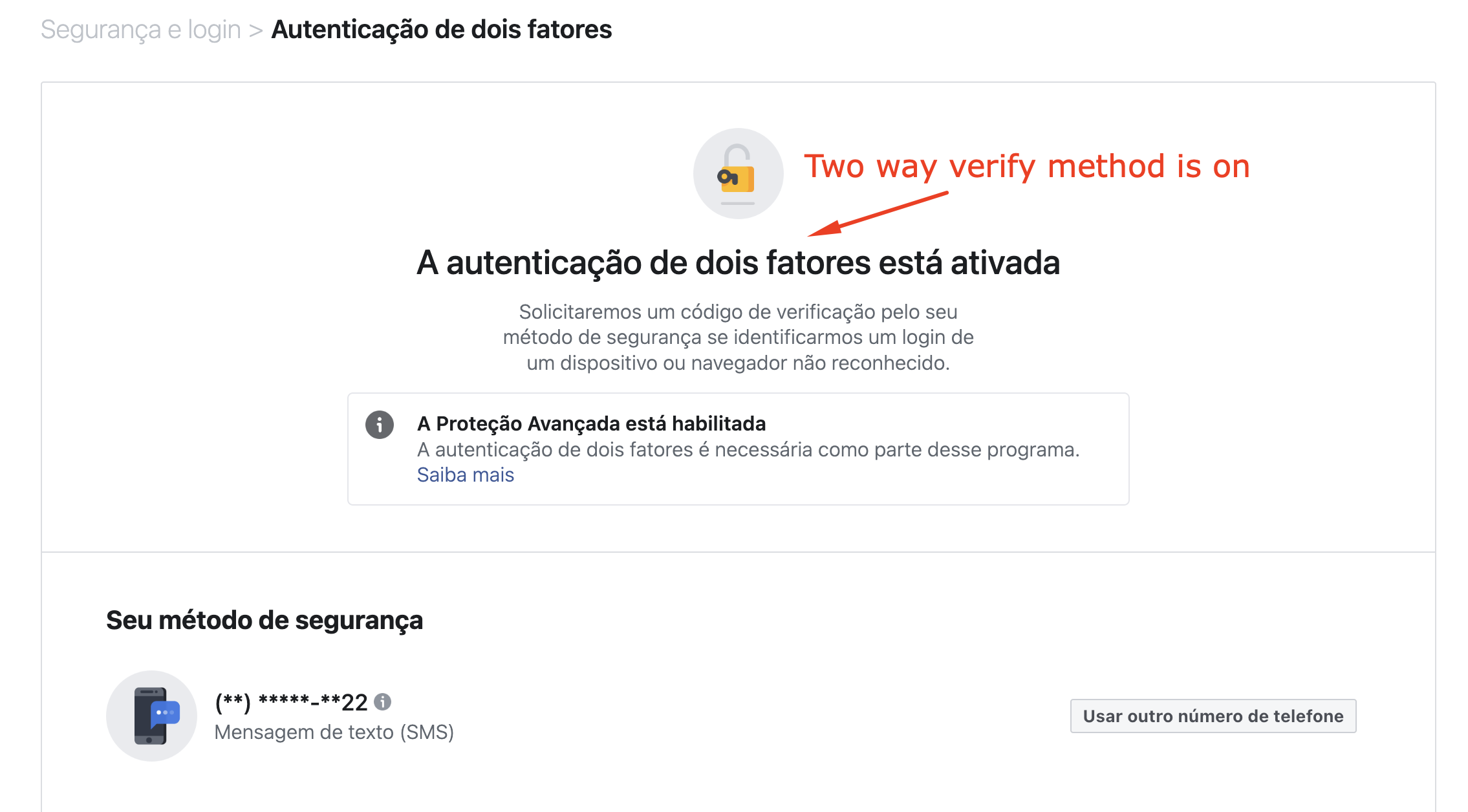
Additionally, you can see that 2-Step Verification is enabled on my personal ad account, which manages the business account. You can see the screenshot below.
2. Here is the Postman response if I don't put language code in the code:
{
"error": {
"message": "(#100) The parameter language is required",
"type": "OAuthException",
"code": 100,
"fbtrace_id": "AknzLqTq85FG0YmG1EQHiN8"
}
}
Thank you for sharing the information. The process you've described looks correct. For now, the only suggestion we have is to try changing your PIN and use the new one while executing the endpoint.
https://developers.facebook.com/docs/whatsapp/on-premises/reference/account#regcode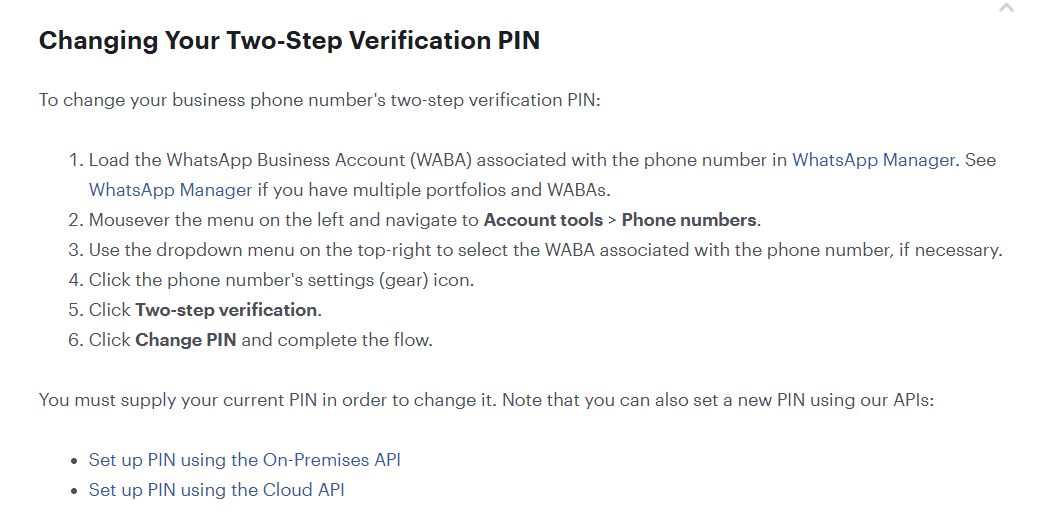
If this doesn't work, we recommend reaching out to Meta's support for a better understanding of the error, as Meta doesn't provide specific information on why you're encountering this issue.
https://developers.facebook.com/docs/whatsapp/on-premises/errors
Ok @ArshilAhmad , but it's not possible changing PIN of a non verified number.
The only way is through Whatsapp Business App.
Check images below:
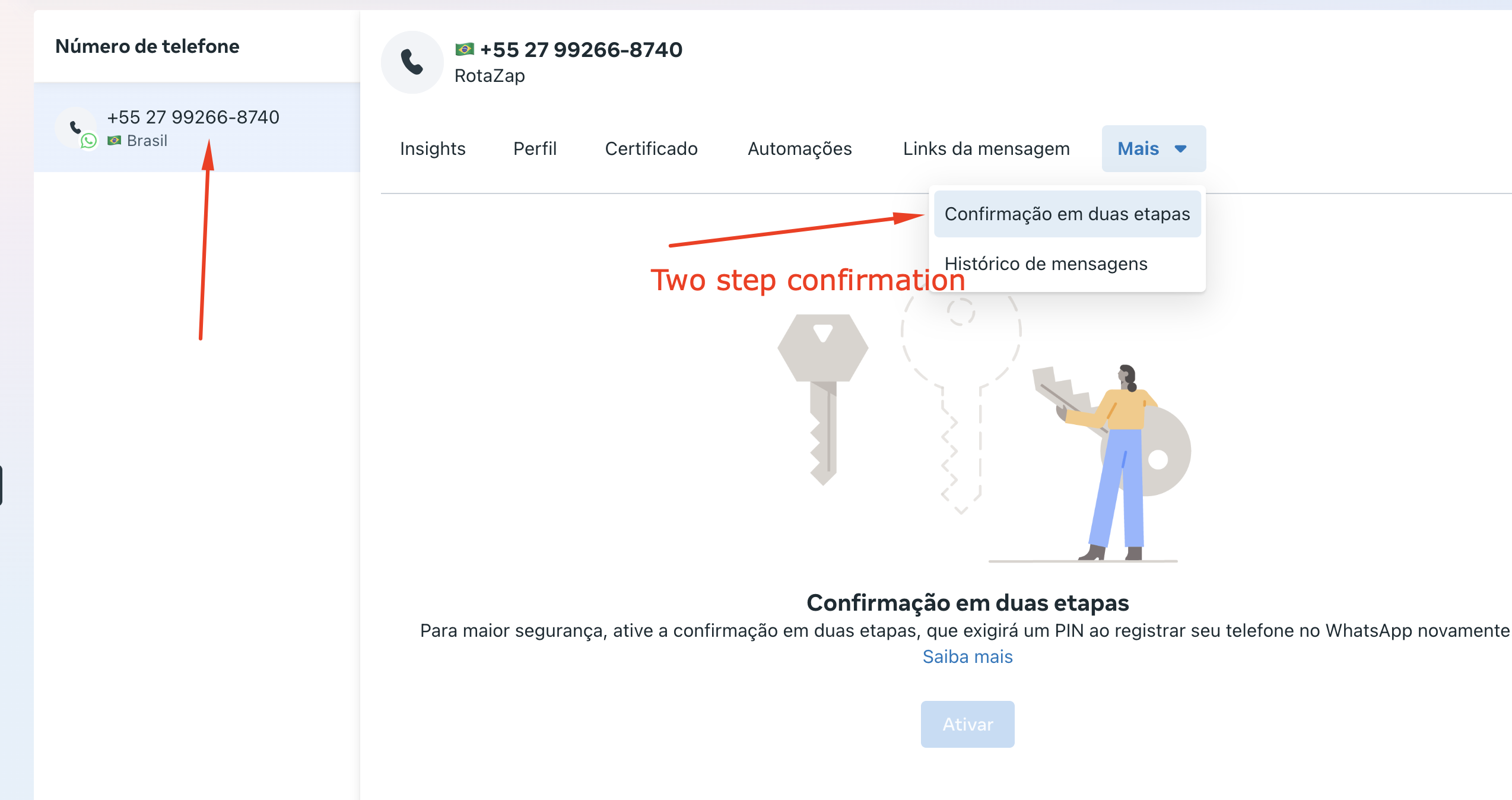
If checking a verified number, you can see it's enabled:
By the way, Meta support doesn't work as well.
So it seems it's impossible registering and verifying new numbers on Whatsapp Businesse API nowadays.
I'm afraid we don't have any further suggestions for the issue you're encountering. At this point, contacting Meta's support is the only available option
I'm afraid we don't have any further suggestions for the issue you're encountering. At this point, contacting Meta's support is the only available option
Can you tell me what Meta's support I can try ?
Can you give me some link or chat page I can access ?
Thanks.
You can reach out to Meta Support through the following link - https://developers.facebook.com/support.
As I told you, that support channel doesn't work.
I thought you knew a more direct and specific support channel.
That is the only support channel we are currently aware of. Unfortunately, we do not have any other direct means of contacting Meta.