Meta Response #100 Error while connecting interakt to chatflow
Status: Open · Asked by 𝗖𝗵𝗲𝘁𝗮𝗻 𝗣𝗮𝗿𝗺𝗮𝗿 on · 0 views
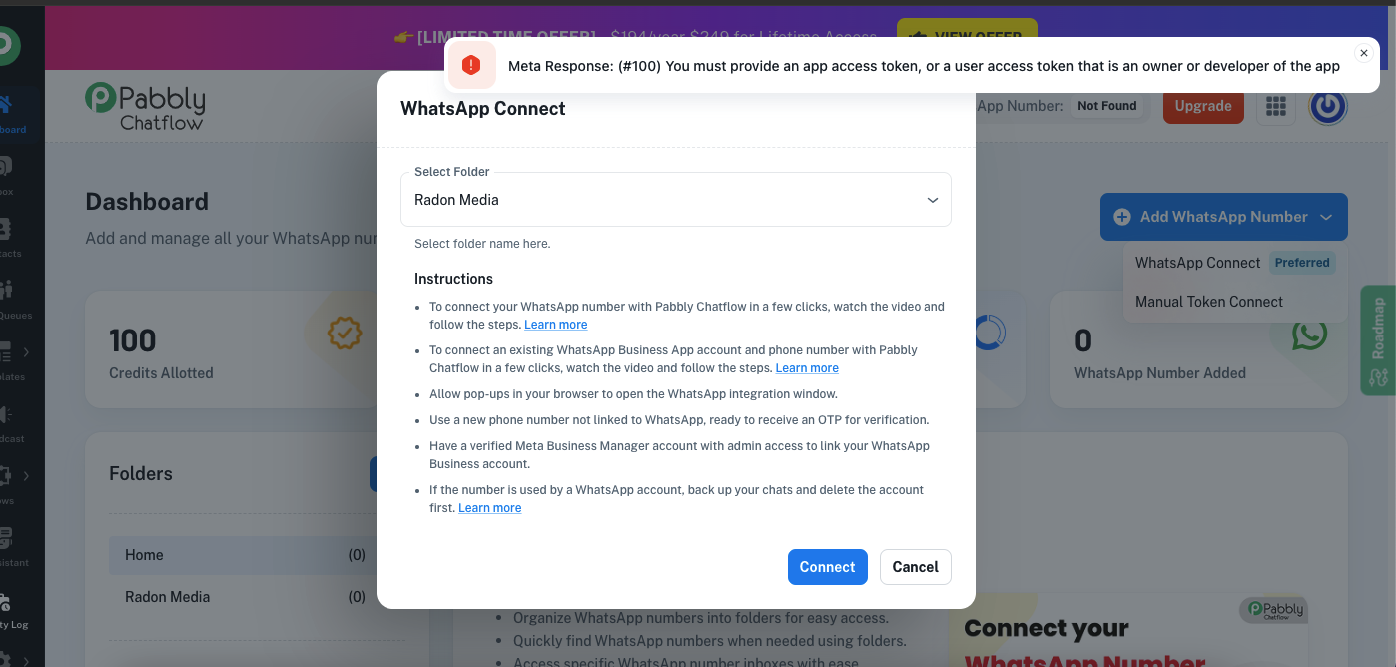
Hello @chetanparmar,
At the moment, connecting other applications with Chatflow is not supported.
Please also ensure that the number you're using in Pabbly Chatflow is not already connected to another application, as this can lead to conflicts.
To help us assist you better, kindly share a screen recording showing how you're adding the number in Chatflow. We've also attached some documentation for your reference.
youtube.com/watch?v=J2YKHvlSMP8
Let us know if you need further assistance.
Hi Preeti,
Thanks for the solution. I was able to do the migration but got this error -
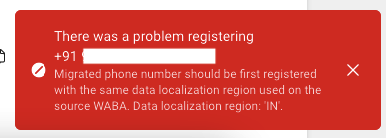
Can you please help?
Hello @Lakeer Kukadia,
Sorry for the delayed response due to unintended circumstances.
Could you please let us know where exactly you're encountering this error? Additionally, if possible, please share a screen recording of the process you were performing when the error occurred. This will help us better understand the issue and assist you more effectively.
Looking forward to your response!
Hi Preeti,
Sending a video is difficult because the process is too long but I've followed the exact steps mentioned in the video below -
youtube.com/watch?v=JKLboMlmKSs:3
The red screenshot I shared before is from Facebook developers platform. I got that error after generating permanent token.
I am attaching a few more screenshots of the current situation -
Pabbly Chatflow -

Facebook Whatsapp Manager -

Facebook Developer Account -
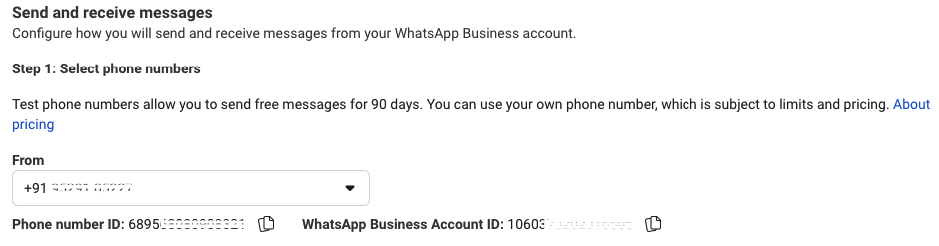
If you see I've already selected India everywhere. I don't understand why it says that the data localization settings are wrong.
Additionally, I don't see 2 factor authentication active for this set up & the enable button is also grayed out.
Hello @Lakeer Kukadia,
Thanks for sharing the details. Based on the error and screenshots, here are the likely reasons you're seeing the data localization settings error:
- Two-Factor Authentication (2FA)is not enabled for all business admins – this is mandatory for Indian businesses. If the option is grayed out, ensure:
- You're logged in as the primary admin.
- Your business is fully verified under Business Settings > Business Info.
- Business Verification may be incomplete – please check and submit the required documents if needed.
- The WhatsApp number added might not meet compliance for Indian businesses (e.g., not linked via embedded signup with correct location/phone metadata).
To resolve:
- Enable 2FA for all admins from Business Settings > Security Center.
- Ensure your business is verified and templates are approved under WhatsApp Manager.
- If you're still stuck, we recommend reaching out to Facebook Business Support via this link:
https://business.facebook.com/help