Missing Google Calendar ID in Router
Status: Open · Asked by Michael Bianco on · 0 views
When I use the data from "Google Calendar - Search Events' inside a Router app to run a "Update Detailed Event", the Google calendar ID doesn't appear as it does when I use these in a workflow outside of a router.
The router is used to split those that already have a detailed event as current clients (to then update it) from those who don't have a calendar event and need a new one.
is there another way to run this?
See screenshot.
Hi @soundslikemichael,
Could you please make a short screen recording and elaborate a bit more on your exact use case and the issue you are encountering?
Thanks & Regards,
Arshil Ahmad
Customer Support Associate
? Pabbly.com
?Rate your support
Use case: Client fills out a form on my website. Form data goes to Google Sheets and then creates a Google Calendar detailed event.
If the client is a new user (first time completing the form), then a new row is added in Google Sheets and new detailed calendar event is created. This part I have working.
If the user is filling out the form again (updated info) then the row is updated in Google Sheets and the Detailed Event in GC is updated.
I have set up a Router to split these two options. But when I look at the data from Search Events in Google Calendar, the Calendar ID is no longer there. I've cloned one of my other workflows that have a working calendar ID, though when I Save and Send Test Request, the Calendar ID again disappears, along with a lot of other data captured by Search Events.
Here is a link of a screen recording:
Screen Recording
Thank you for the detailed explanation. We clicked on Refresh Fields, then the Save & Send Test Request button in the Search Events action step, and it appears that the Event ID has now been captured.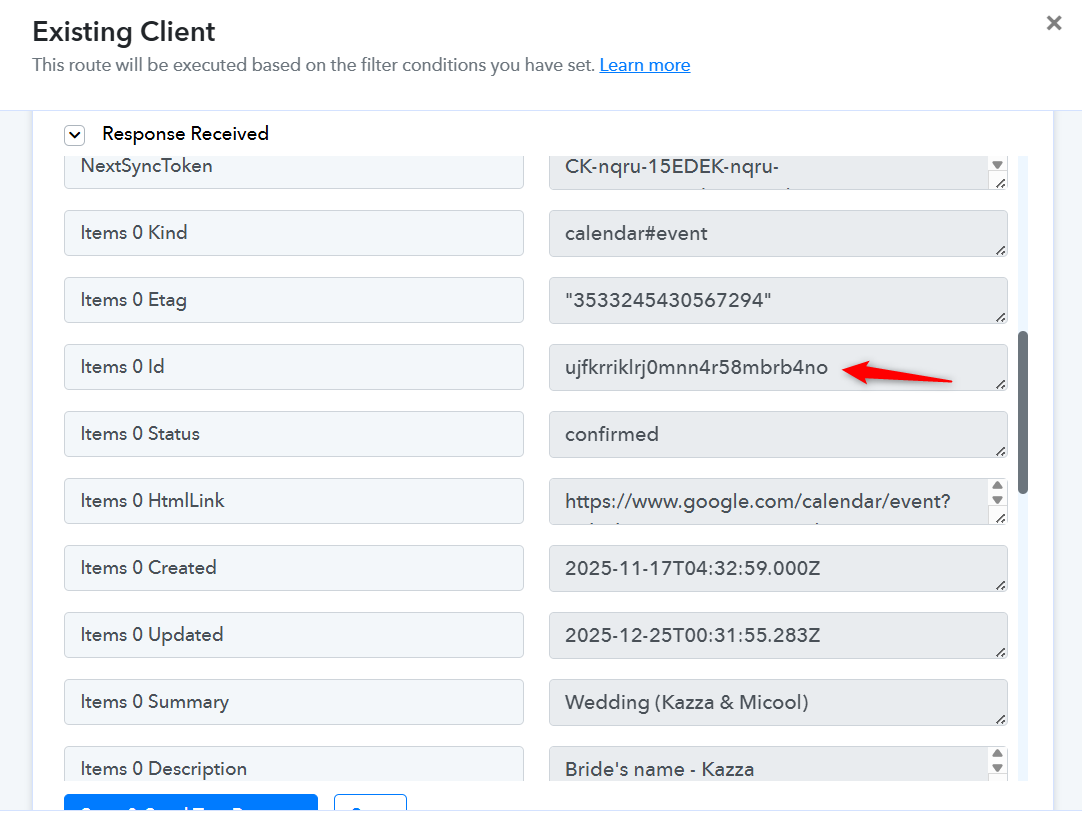
Thanks & Regards,
Arshil Ahmad
Customer Support Associate
? Pabbly.com
?Rate your support
Ah thanks - I thought I had done that already but it seems not.
For this use case mentioned above, I tested what I thought was the correct flow in the Router, but the output to Google Sheets created a new row instead of updating a row = it saw the existing client (mapped via email) as a new client.
Hello @soundslikemichael,
Could you please share a short screencast demonstrating the issue you are facing? This will help us better understand the exact workflow behavior.
Alternatively, you may run a fresh test and share the relevant task history execution where the Google Sheets row is getting created instead of updated. Reviewing the task history will give us a clearer understanding of how the workflow is executing and where the logic may need adjustment.
Once we have this, we will be able to assist you more accurately.