Missing Media ID in posting step with Instagram for business
Status: Closed · Asked by stevenphan on · 0 views
I often encounter some image problems with Instagram Business. It seems that the implementation step is too fast, causing the image to not have time to load. Is there any way to limit this?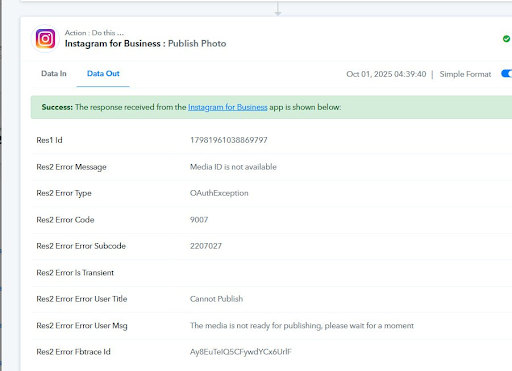
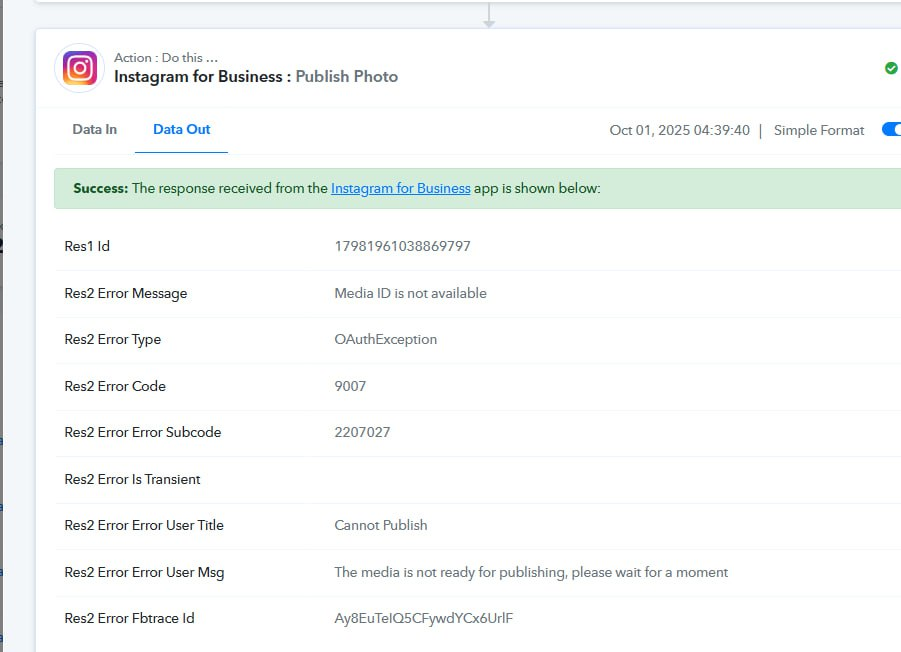
Hello @stevenphan,
Could you please provide us with the Workflow URL where you are facing this issue? This will help us investigate the problem more effectively and assist you accordingly.
Link: https://connect.pabbly.com/workflow/mapping/IjU3NjYwNTY1MDYzMzA0Mzc1MjZkNTUzYzUxMzYi_pc
history: IjU3NjUwNTZiMDYzZTA0MzQ1MjZlNTUzNDUxMzE1MTYzNTQzNDBmMzki_pc
Hello @stevenphan,Could you please provide us with the Workflow URL where you are facing this issue? This will help us investigate the problem more effectively and assist you accordingly.
Hello @stevenphan,
Thank you for sharing the workflow and task history. Upon checking, we noticed that the IGID coming from the tracker in the failed task history is being passed in text format, whereas the mapping requires it as an integer string. This mismatch is causing the issue.
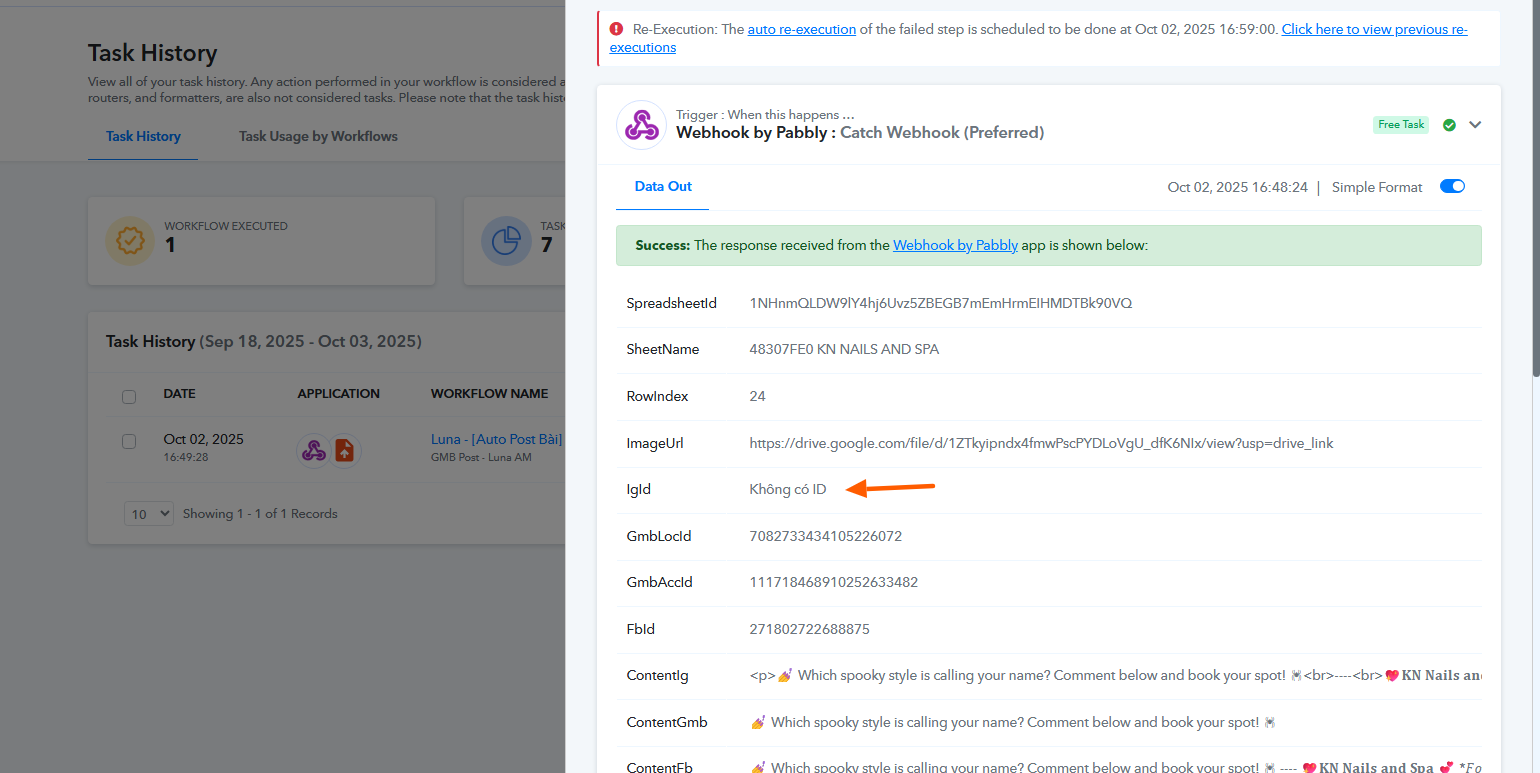
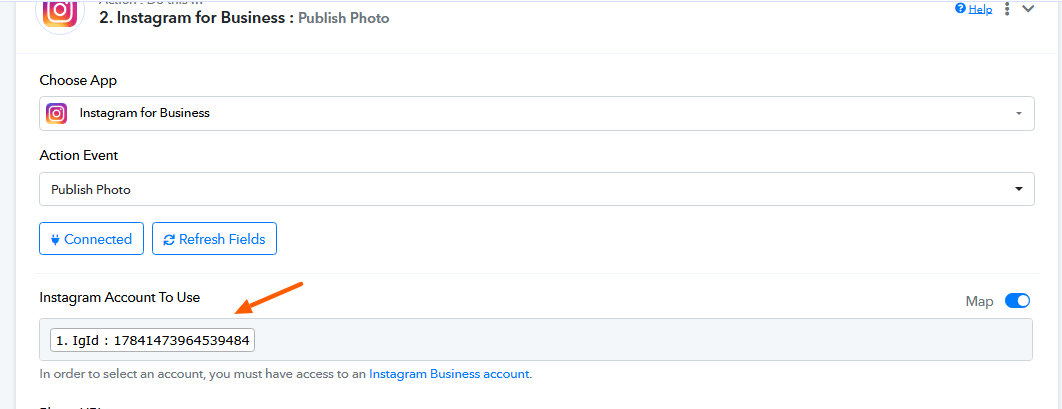
We recommend reviewing your trigger source to ensure that the correct ID is consistently captured in the required format. Please refer to the attached images for better understanding.
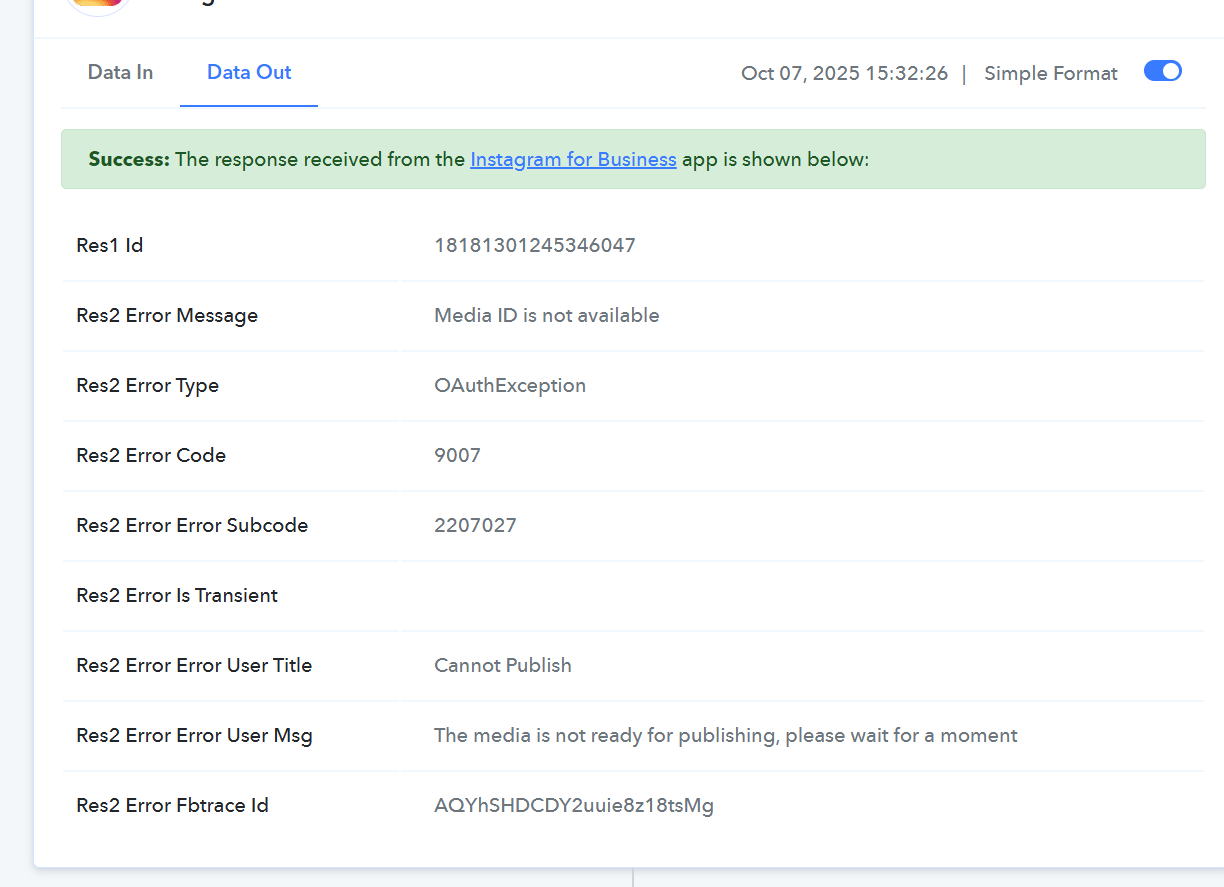
this error, please check it. although it was still working before
Task History ID - IjU3NjUwNTZiMDYzZTA0M2M1MjY5NTUzMTUxMzE1MTY0NTQzODBmMzAi_pc
https://connect.pabbly.com/workflow/mapping/IjU3NjYwNTY1MDYzMzA0Mzc1MjZkNTUzYzUxMzYi_pc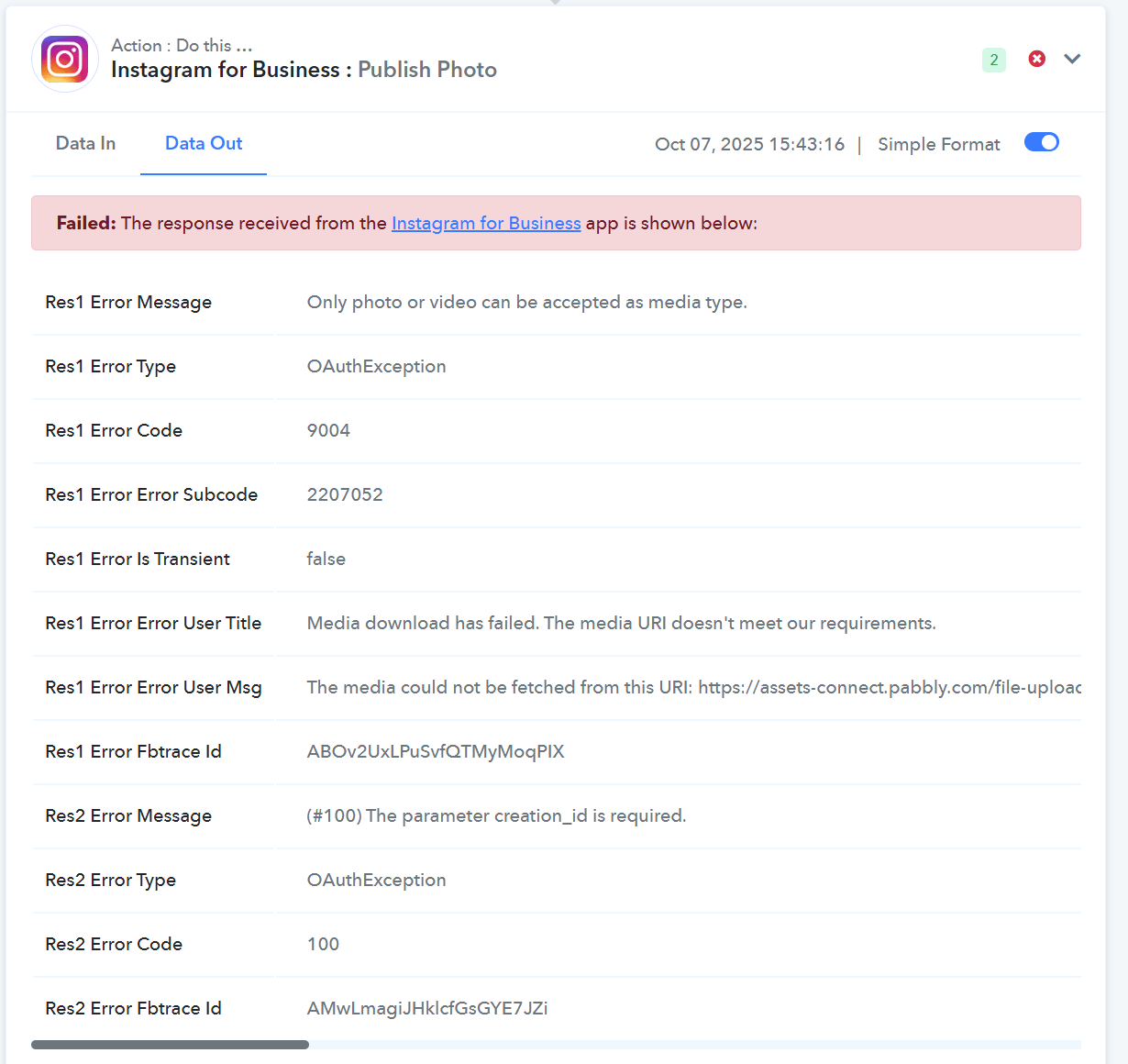
Task History ID -
IjU3NjUwNTZiMDYzZTA0M2M1MjY5NTUzMDUxM2I1MTYwNTQzNjBmMzIi_pc
Hello @stevenphan
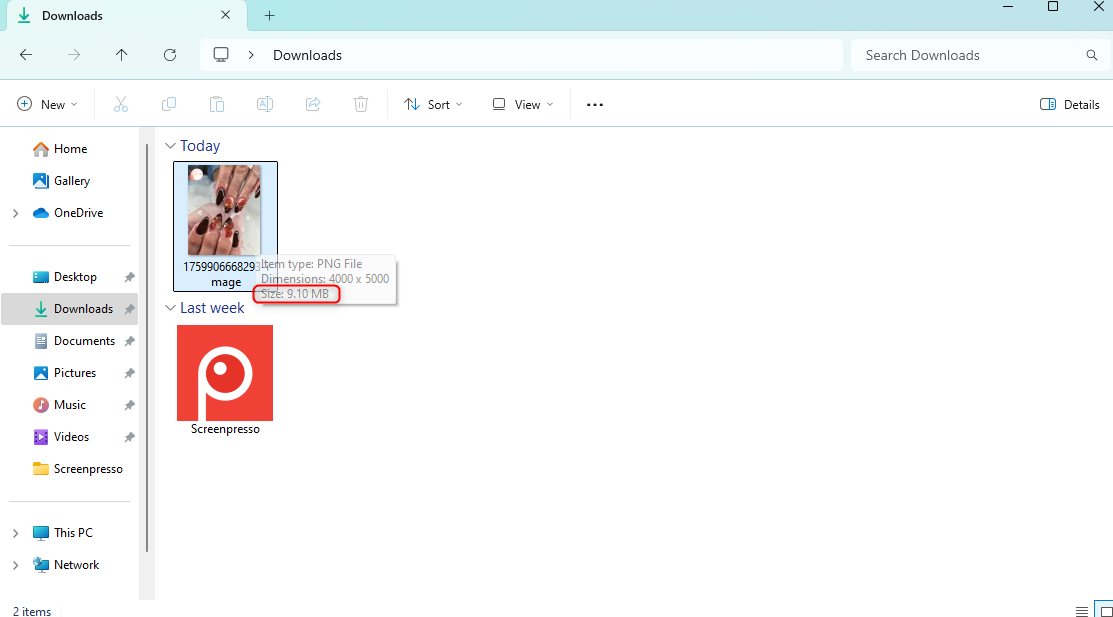
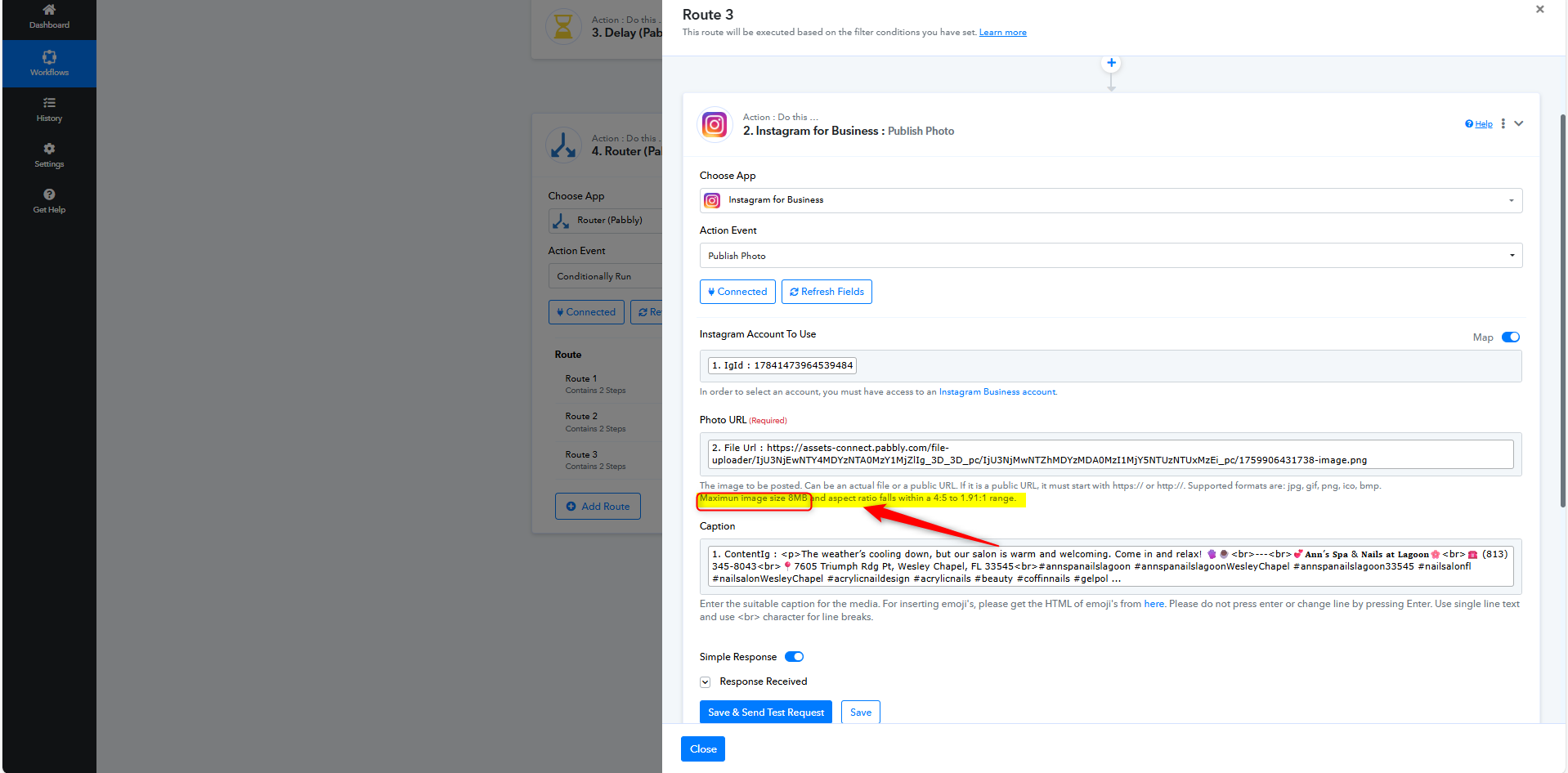
As we checked the Task History ID - IjU3NjUwNTZiMDYzZTA0M2Q1MjZiNTUzNzUxMzM1MTYyNTQzMjBmMzMi_pc, we found that the Media URL you are adding is 9.1MB, whereas for the action step "Instagram for Business: Publish Photo", the maximum supported image size is 8MB.
This is why you are getting the error: "Only photo or video can be accepted as media type."
We recommend ensuring that the image coming from the trigger application is 8MB or smaller to avoid this issue.
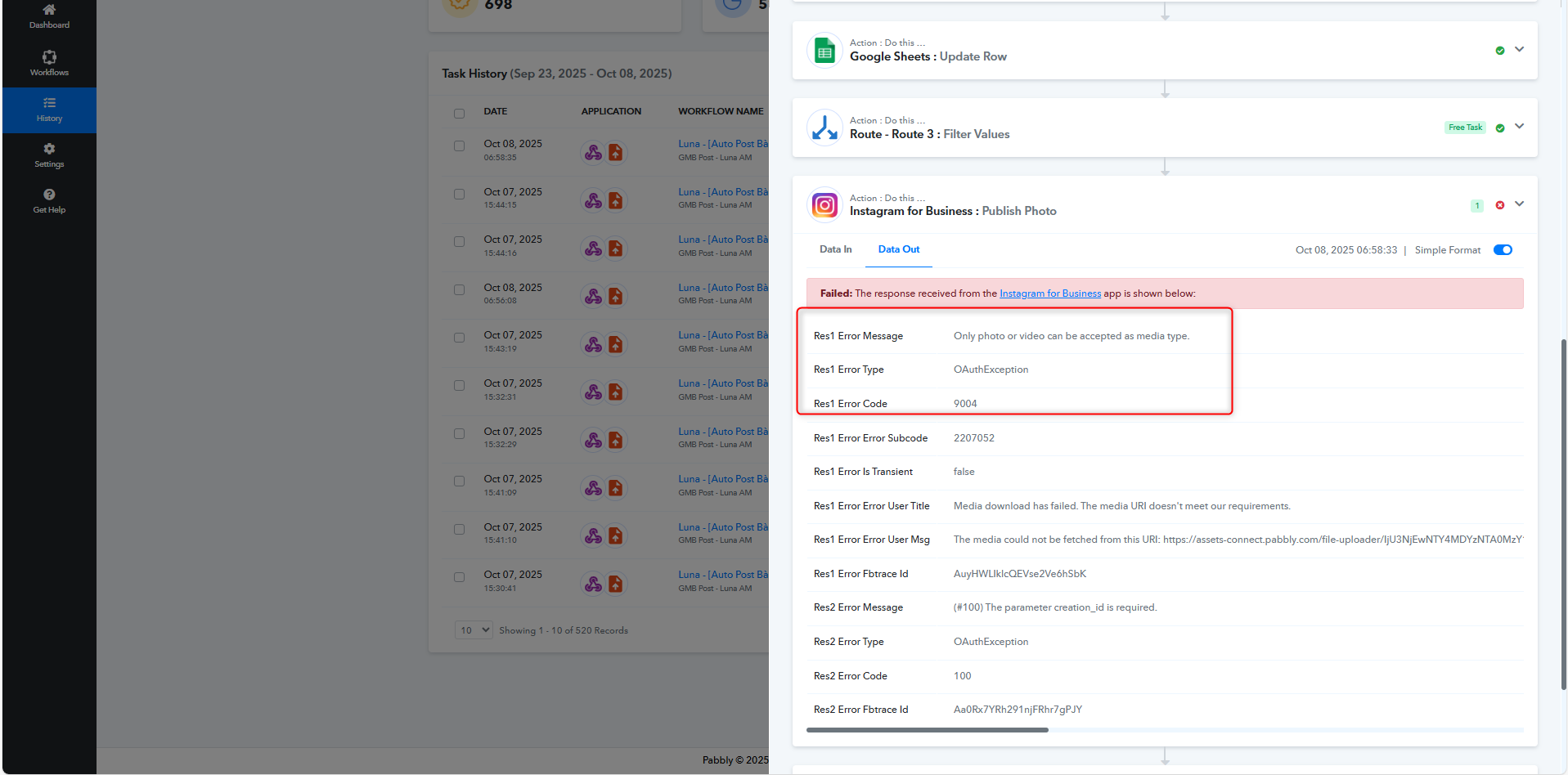
Some cases have this problem
Task History ID -
IjU3NjUwNTZiMDYzZTA0M2Q1MjY1NTUzNDUxM2I1MTYyNTQzNzBmMzUi_pc
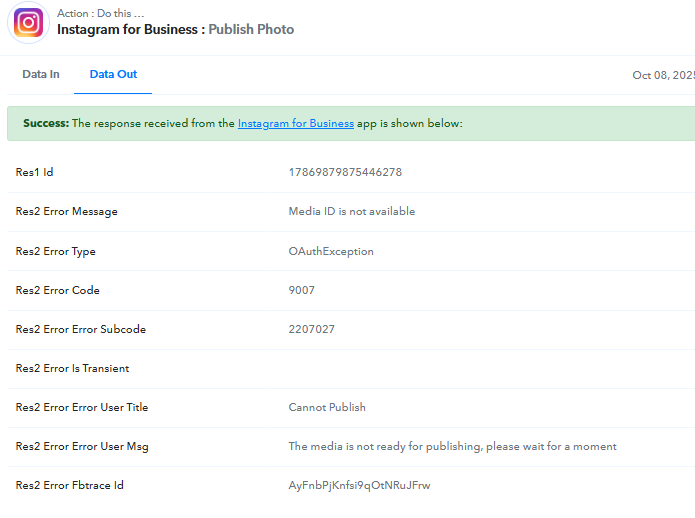
Hello @stevenphan
While checking the Task History ID IjU3NjUwNTZiMDYzZTA0M2Q1MjY1NTUzNDUxM2I1MTYyNTQzNzBmMzUi_pc, we were unable to locate it. Could you please share the correct Task History ID?
Here, sorry to bother you guys. It seems like this instagram is having an error uploading pictures. 1 picture seems to be posting sometimes and not posting.
Link:https://connect.pabbly.com/task/history?filter_status=applied&filter_by_workflow_id=IjU3NjYwNTY1MDYzZjA0MzE1MjZmNTUzNTUxMzQi_pc
Hello @stevenphan
While checking the Task History ID IjU3NjUwNTZiMDYzZTA0M2Q1MjY1NTUzNDUxM2I1MTYyNTQzNzBmMzUi_pc, we were unable to locate it. Could you please share the correct Task History ID?
Please share the specific Task History ID where you encountered the issue with the Instagram action step.
Thanks & Regards,
Arshil Ahmad
Customer Support Associate
? Pabbly.com
?Rate your support
Please share the specific Task History ID where you encountered the issue with the Instagram action step.Thanks & Regards,
Arshil Ahmad
Customer Support Associate
? Pabbly.com
?Rate your support
Task History ID -
IjU3NjUwNTZiMDYzZTA0M2Q1MjY1NTUzNDUxM2I1MTYyNTQzNzBmMzUi_pc
Link: https://connect.pabbly.com/workflow/mapping/IjU3NjYwNTY1MDYzZjA0MzE1MjZmNTUzNTUxMzQi_pc
Hello @stevenphan
We have forwarded the issue to our team for further clarification and investigation. We will provide you with a resolution as soon as possible.
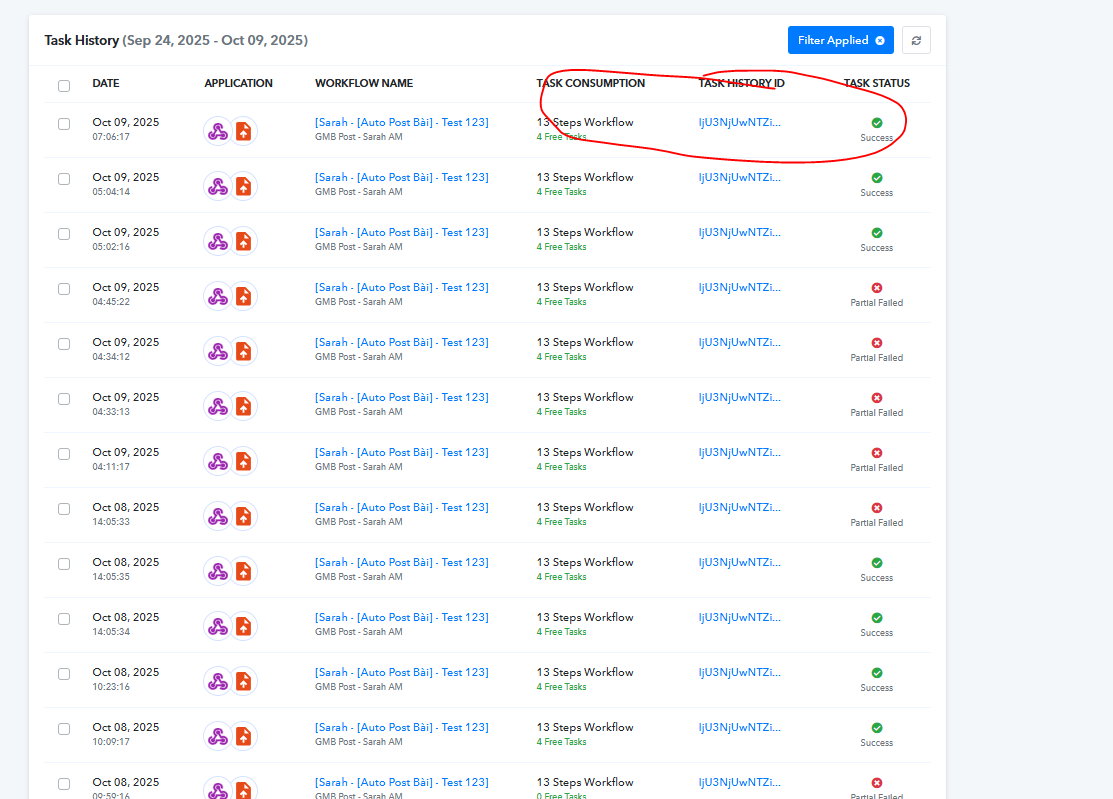
link work flow: https://connect.pabbly.com/workflow/mapping/IjU3NjYwNTY1MDYzZjA0MzE1MjZmNTUzNTUxMzQi_pc
Task History ID -
IjU3NjUwNTZiMDYzZjA0MzU1MjZhNTUzMzUxMzM1MTYyNTQzNTBmMzgi_pc
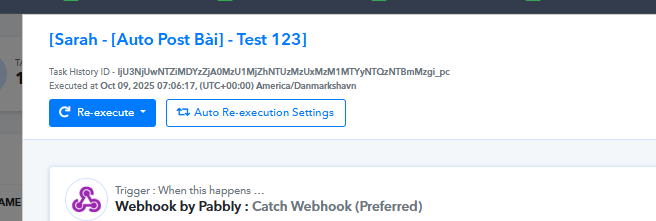
Hello @stevenphan
Thank you for providing the details we have already forwarded it to the technical team. We will provide you with a resolution as soon as possible.
I am having a lot of issues with Instagram media. Please review the workflow and give me suggestions for improvement. Make sure IG posts are effective.
Hello @stevenphan
As we checked, the media is taking longer to get published. Even though you’ve already added a delay of 1 minute before the action step “Instagram for Business: Publish Photo,” we recommend increasing the delay to 2–5 minutes to ensure the media has sufficient time to load before posting.
Additionally, please note the following points based on our previous findings:
- Ensure that the IGID is passed in the correct integer string format rather than as plain text, as this mismatch can cause execution errors.
- Verify that the media size is 8MB or smaller, as the action step does not support larger files.
Please review the help texts within the action step carefully and configure it accordingly to ensure your Instagram posts run effectively without interruptions.
Hello @stevenphan
As we checked, the media is taking longer to get published. Even though you’ve already added a delay of 1 minute before the action step “Instagram for Business: Publish Photo,” we recommend increasing the delay to 2–5 minutes to ensure the media has sufficient time to load before posting.Additionally, please note the following points based on our previous findings:
- Ensure that the IGID is passed in the correct integer string format rather than as plain text, as this mismatch can cause execution errors.
- Verify that the media size is 8MB or smaller, as the action step does not support larger files.
Please review the help texts within the action step carefully and configure it accordingly to ensure your Instagram posts run effectively without interruptions.
But it doesn't post often, sometimes it posts and sometimes it doesn't. Is the problem from Instagram Post with Photo? I think it's not processing the photo properly, causing the media to lack an ID. It's integrated into that, not the photo link.
Hello @stevenphan
Most of the issues you were facing have been addressed. Could you please let us know if you are encountering any new errors in the action step “Instagram for Business: Publish Photo”?
Hello @stevenphan
Most of the issues you were facing have been addressed. Could you please let us know if you are encountering any new errors in the action step “Instagram for Business: Publish Photo”?
Your technical team has fixed the Instagram module. Also, if there is any module that solves the problem of uploading and compressing images, please let me know so I can apply it effectively. Thank you very much.
You can try using 'CloudConvert: Optimize a File' action step and see if that helps you compress the images.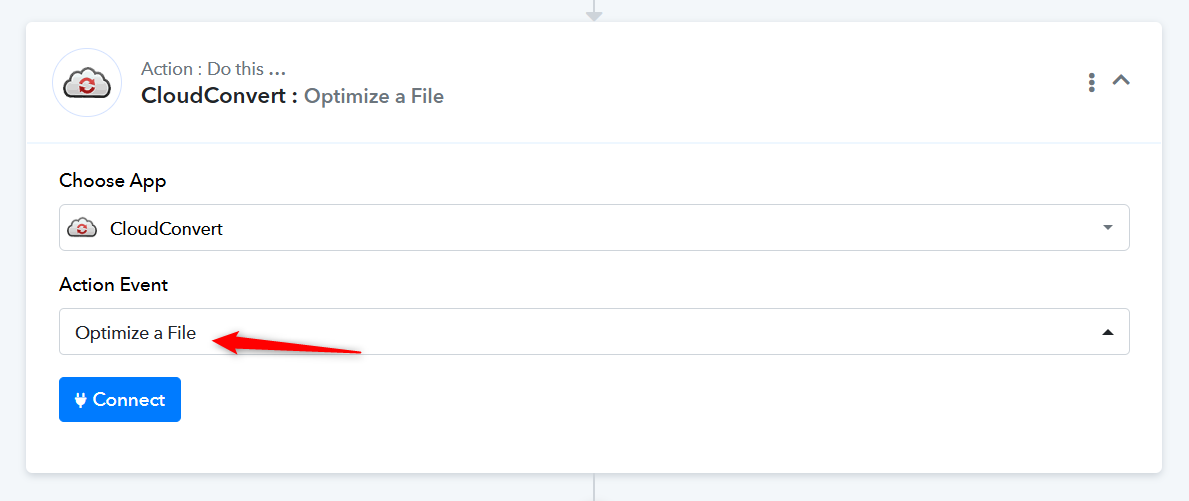
Even though it's been delayed for 2 minutes, this situation still continues. I'm sure the inputs are correct, why is the media id upload so slow that it fails. Not to mention that this is an error step that you marked as Success.
Link: https://connect.pabbly.com/workflow/mapping/IjU3NjYwNTY1MDYzMDA0MzA1MjY0NTUzMzUxMzci_pc
Task History ID -
IjU3NjUwNTZiMDYzZjA0MzM1MjZkNTUzMDUxMzA1MTY1NTQzNTBmMzki_pc
Executed at
Oct 12, 2025 15:10:21, (UTC+00:00) America/Danmarkshavn
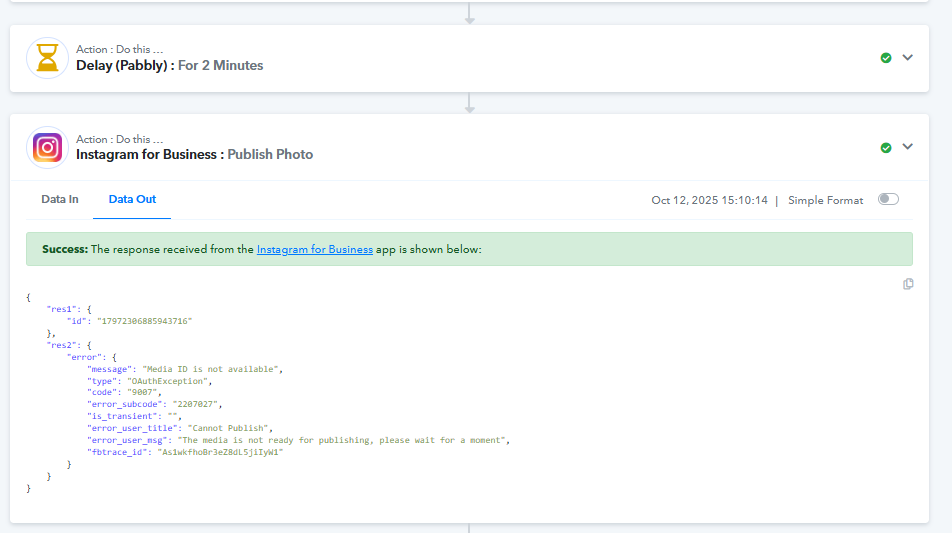
Image: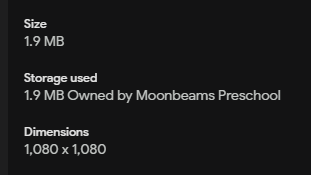
Hello @stevenphan,
Could you please try increasing the delay to 5 minutes and see if it makes a difference?
I delayed for 5 minutes and still got that error, the cause is definitely from the design of the Instagram for Business step: Publish Photo. I think you should split it into 2 steps, upload the photo, get the media id, then let it publish.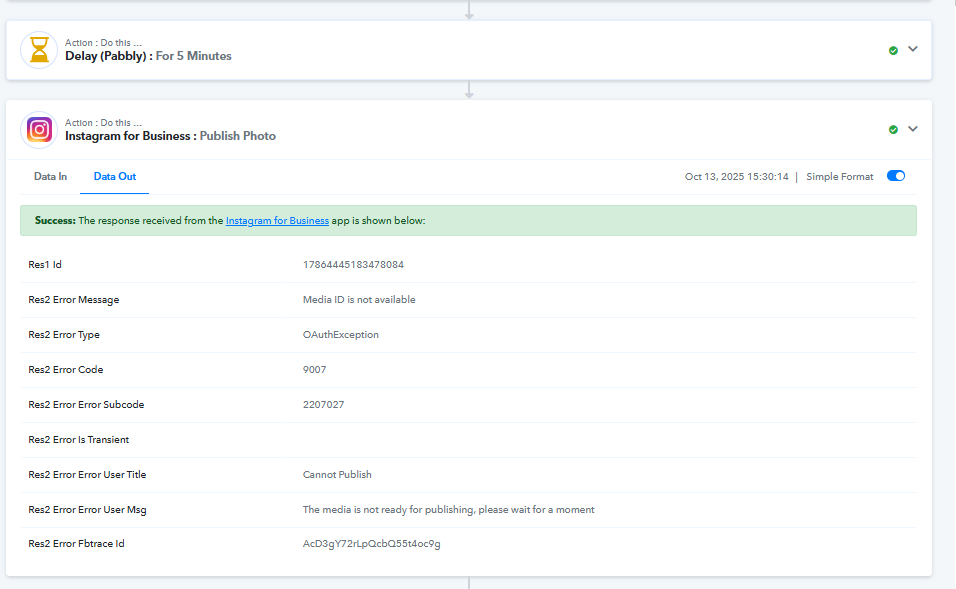
Hello @stevenphan,
We have escalated this concern to our technical team for further review. Please allow us some time, and we will get back to you with an update as we receive one from their end.
Hi @stevenphan,
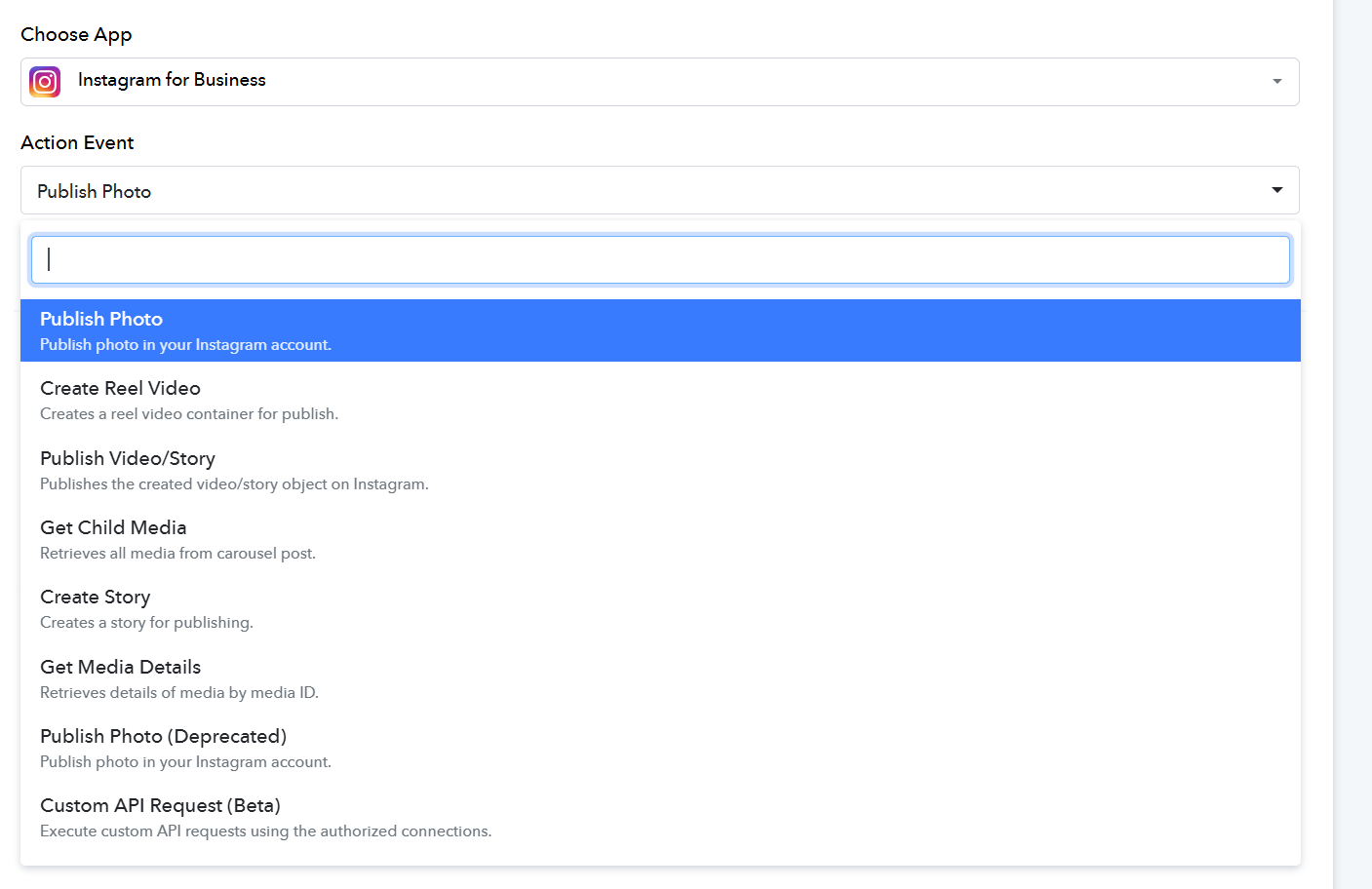
Our team has introduced a new action for Instagram for Business: Publish Photo, and has deprecated the previous one. Please try using the new action and let us know how it goes. Note above this action, you wouldn't need to add any additional delay.
Hi @stevenphan,Our team has introduced a new action for Instagram for Business: Publish Photo, and has deprecated the previous one. Please try using the new action and let us know how it goes. Note above this action, you wouldn't need to add any additional delay.
So now we skip publishing photoDeprecated and choose to publish photo again, right? Thanks for listening to the feedback.
Hi @stevenphan,
Yes, right, use the new Publish Photo action. It should work fine for you.