MongoDB did not received any data
Status: Open · Asked by halim on · 0 views
Hi.
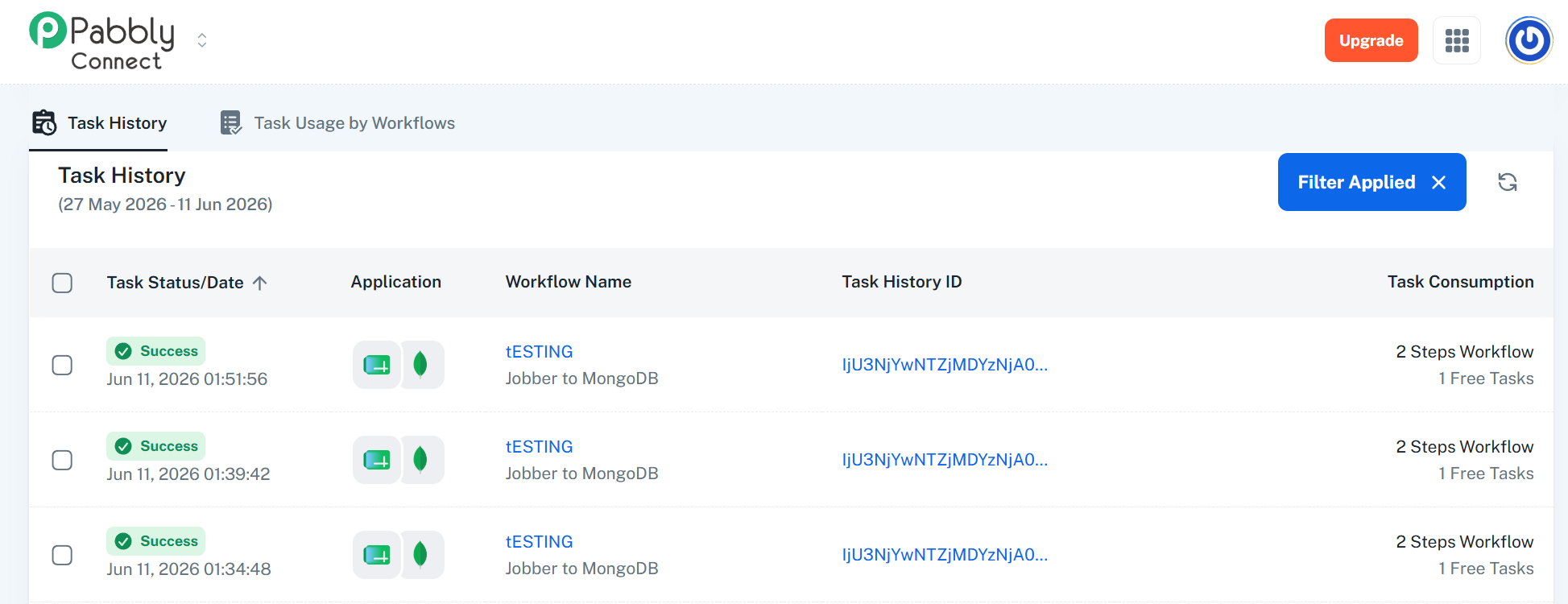
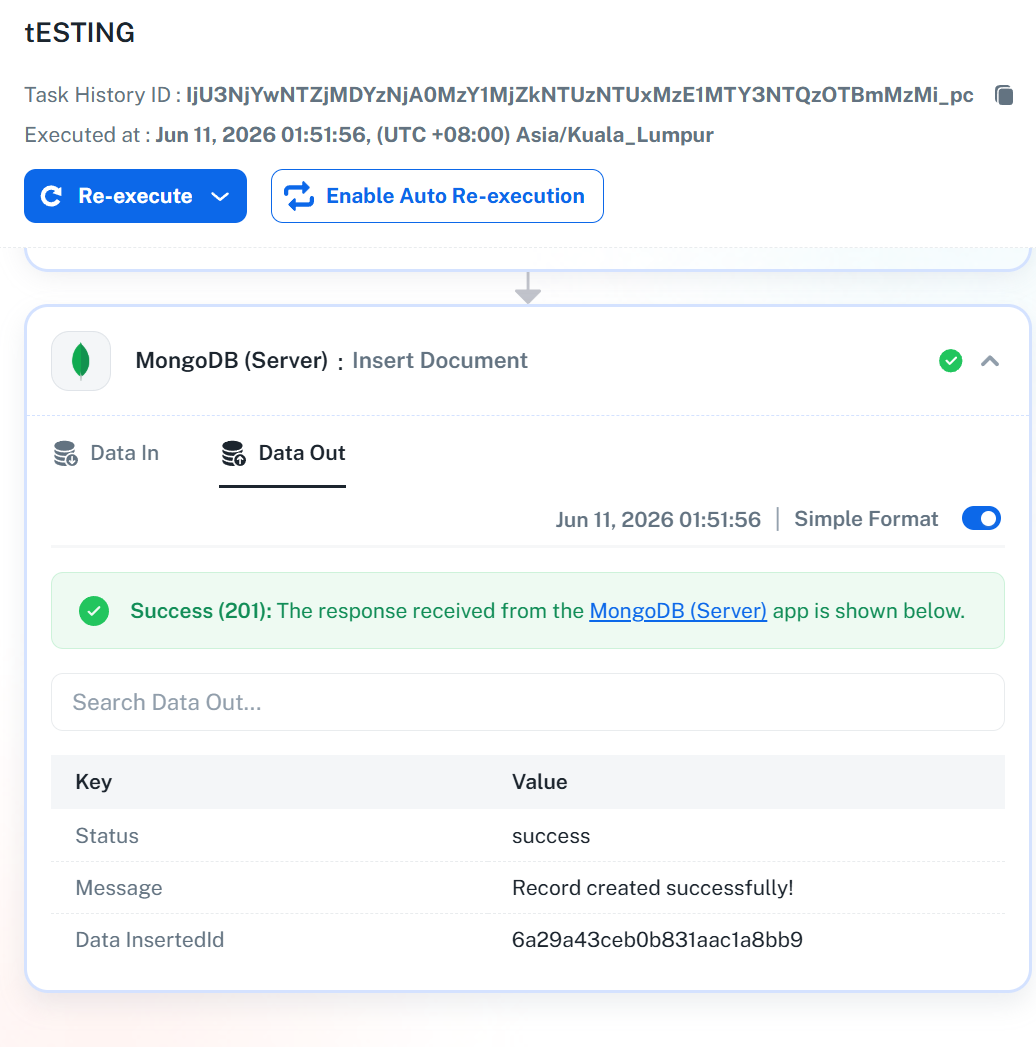
I’ve already set up the connection between Pabbly and MongoDB, and the connection appears to be working fine. However, when Pabbly captures a record, the record is not actually being inserted into MongoDB. There is no new record added, and when I search for it in MongoDB, it does not exist. But in Pabbly Connect, the process shows as successful. Please refer attachment. IP Address already whitelist and follow all the guideline from pabbly.
Could you please help check what might be causing this?
Hi @halim,
Please try setting up the MongoDB action step in this manner in your workflow and see if that fixes the issue.
youtube.com/watch?v=9ebNVQmDzxg:460
Thanks & Regards,
Arshil Ahmad
Customer Support Associate
? Pabbly.com
Hi @halim,Please try setting up the MongoDB action step in this manner in your workflow and see if that fixes the issue.
youtube.com/watch?v=9ebNVQmDzxg:460
Thanks & Regards,
Arshil Ahmad
Customer Support Associate
? Pabbly.com
Just try but still there is no record inside mongodb
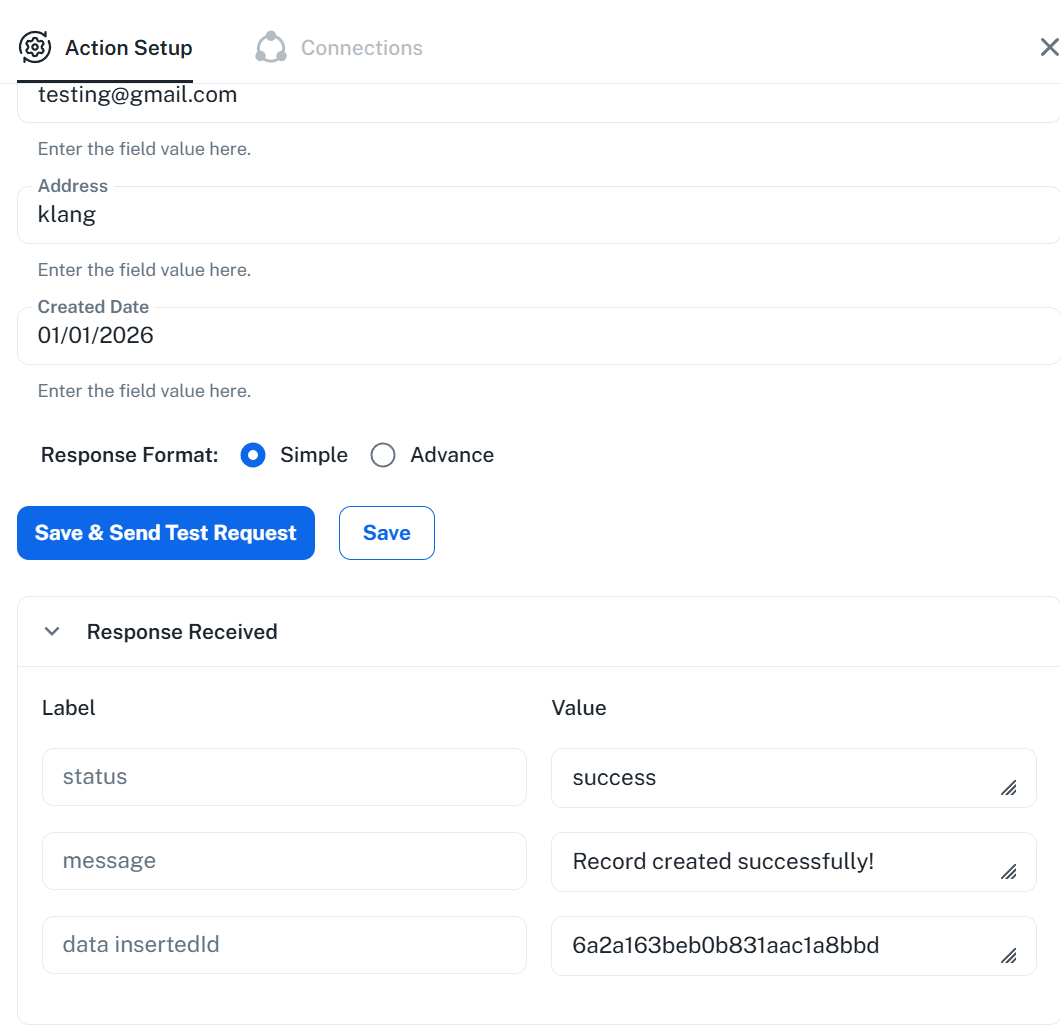
Now i see. the data was recorded but is will be save under test. not connected to my existing collection. do you have idea how to make record saved into my existing collection?
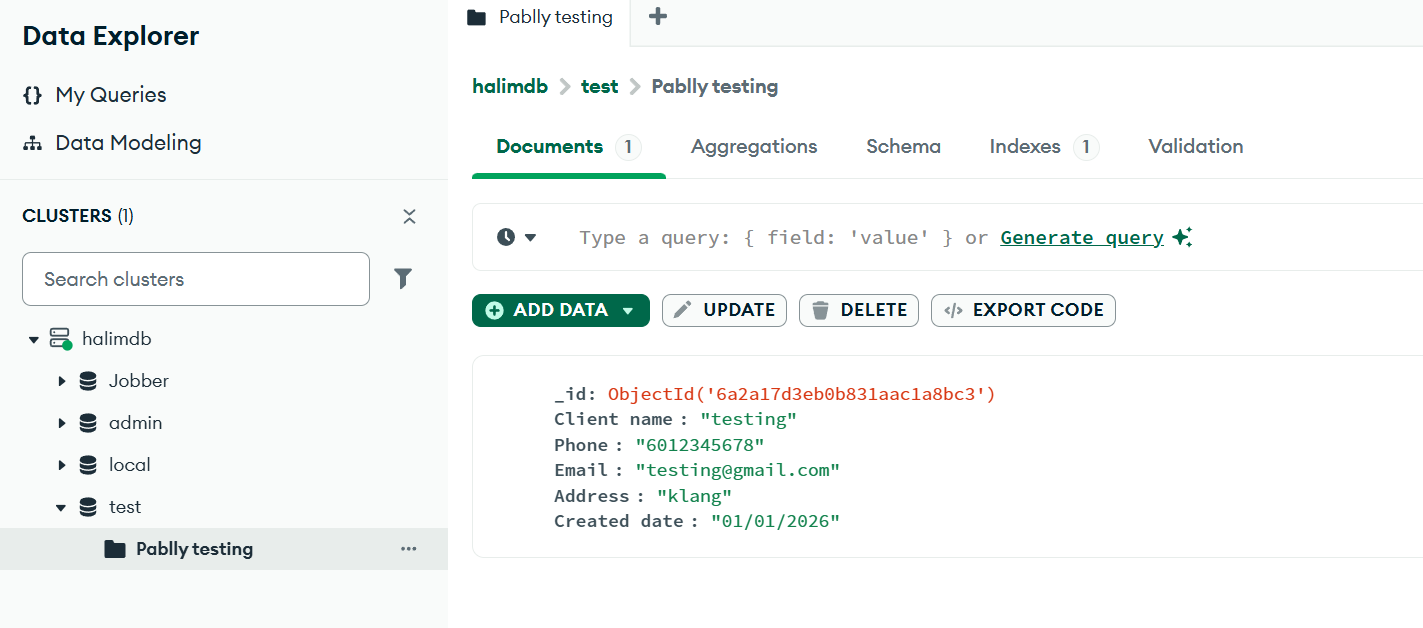
what i mean its not connected. i insert manually collection name and then inside mongoDB, it will create new collection, and then the record will be created.
Hi @halim,
Thank you for reaching out to us and for sharing your concern.
We noticed that the records are being created, but they are not being saved in the database/collection you expected. This could be related to the MongoDB connection setup. When configuring the connection, the connection string also contains the database name, and if a different database is specified there, the records may be inserted into that database instead.
We recommend reviewing the connection setup by following the tutorial below from the timestamp shared:
youtube.com/watch?v=9ebNVQmDzxg:320
The video demonstrates how to configure the connection with a specific database. Once the connection is set up using the correct database name, the records should be inserted into the desired collection/database.
Please give it a try and let us know how it goes.
Hi. my setup already good.
i had problem. my data in google sheet updated automatically by using other app. if i manually update, pabbly will capture the data, but when row update by other app, pabbly was not capture the data. do you have any advise?
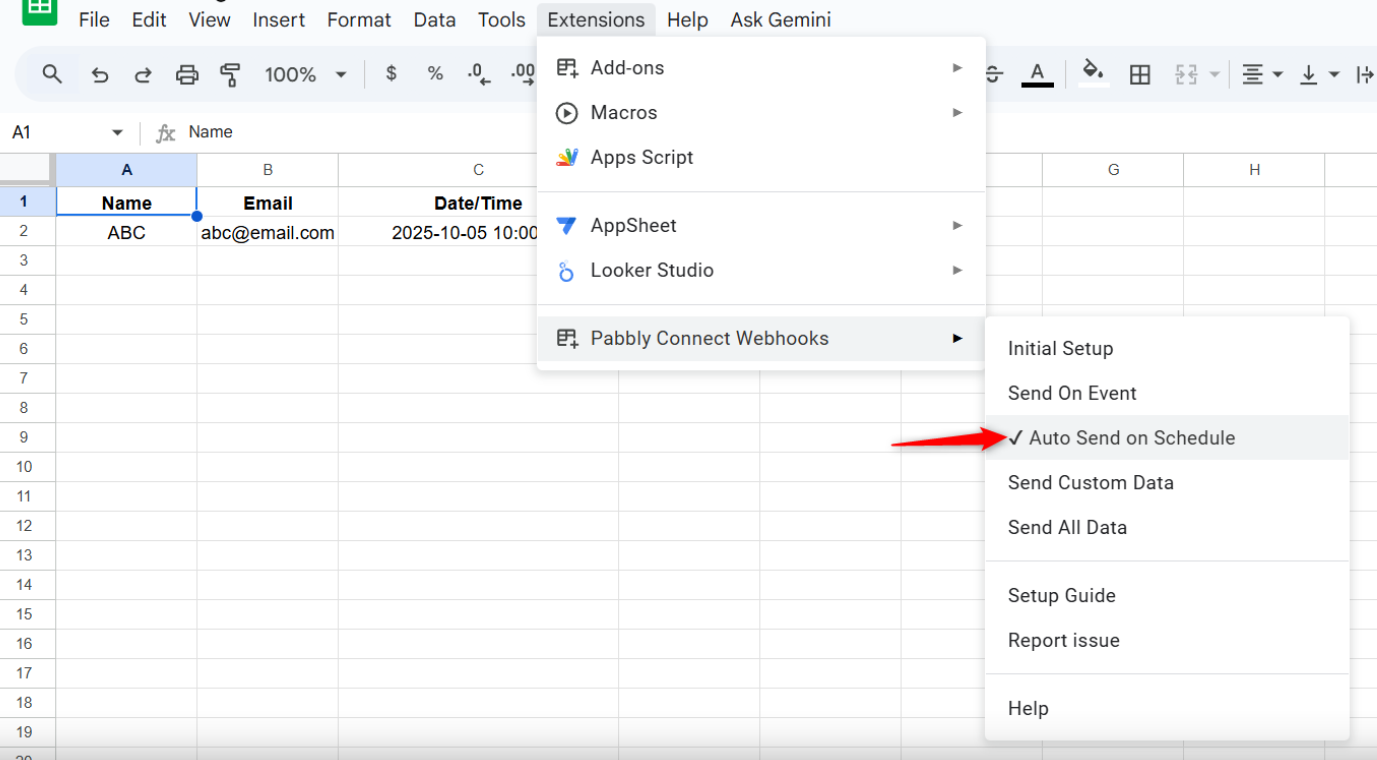
Thank you for the additional information. When data is added to your Google Sheets spreadsheet through a third-party application or API, such as Pabbly Connect, you need to enable the "Auto Send on Schedule" option.
Please note that it can take up to 1 hour for your workflow to trigger when the data is added by a third-party application or API.
Thanks & Regards,
Arshil Ahmad
Customer Support Associate
? Pabbly.com