Moving Folder In Google Drive
Status: Open · Asked by JasonTell7 on · 0 views
I am looking to create a trigger (pipeline changes to "Move to Active Folder") I want the Action to be to move that customer's folder from "Pending Clients" Folder to "Active Clients" folder. The folder name is always the customer's First Name Last Name and a Unique ID Number. How do I have the system find that folder by the name and move it to the active folder?
Here is the workflow:
https://connect.pabbly.com/workflow/share/WBBTYQdQCGtTGQFrD1xWcQEVVlJTCQgxUUgFFwAPVCxXGgFqB0YPZQ5CBW8HSAhpXxZTOQ9QAGUBFVBUA1UGdVFfAhBXVFctAE0AewNgWmlYBlN7B2Y#
Here is the Loom Video:
https://www.loom.com/share/ea8dc005c53e4afdaec55aa89da6ef30?sid=455ab8c5-9cce-4067-8fbd-a8162ea6eb3a
Hi @JasonTell7,
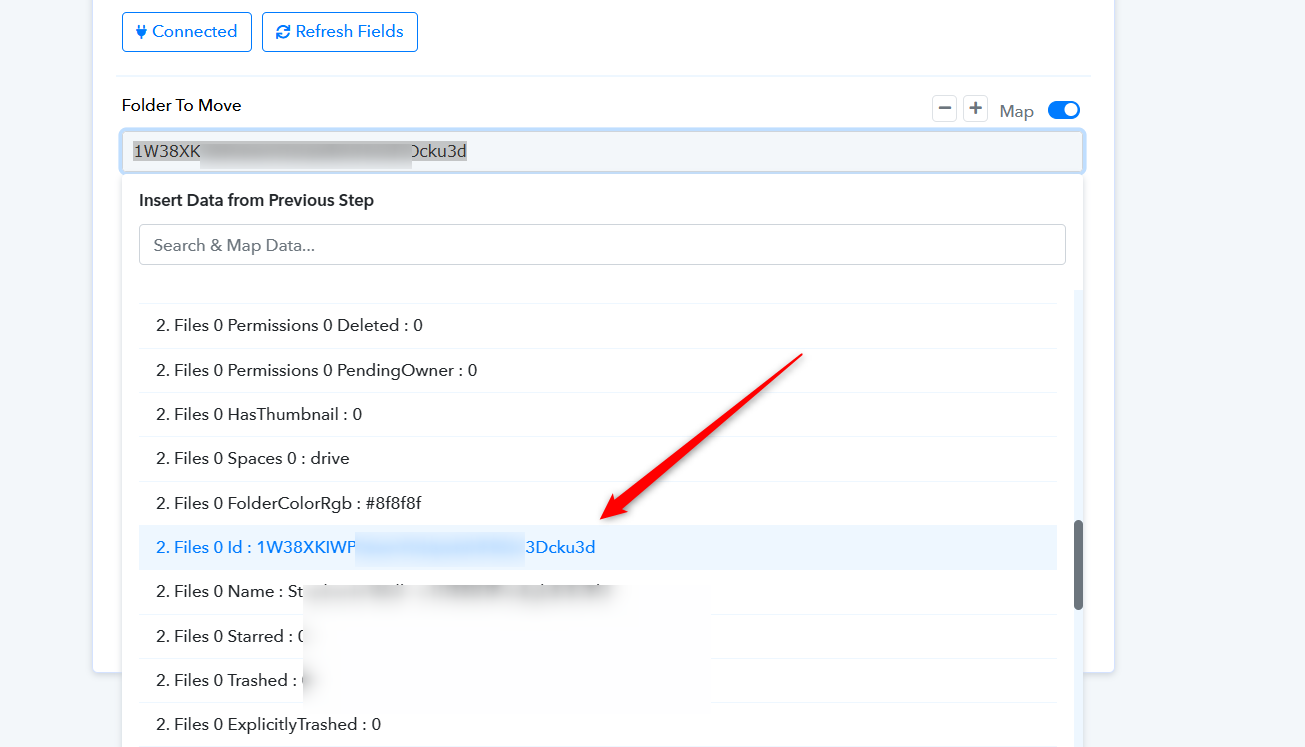
Use the 'Google Drive: Search Folder' action event as step 2 of your workflow. This will provide you with the Folder ID, which you can then map to the 'Move a Folder' action step.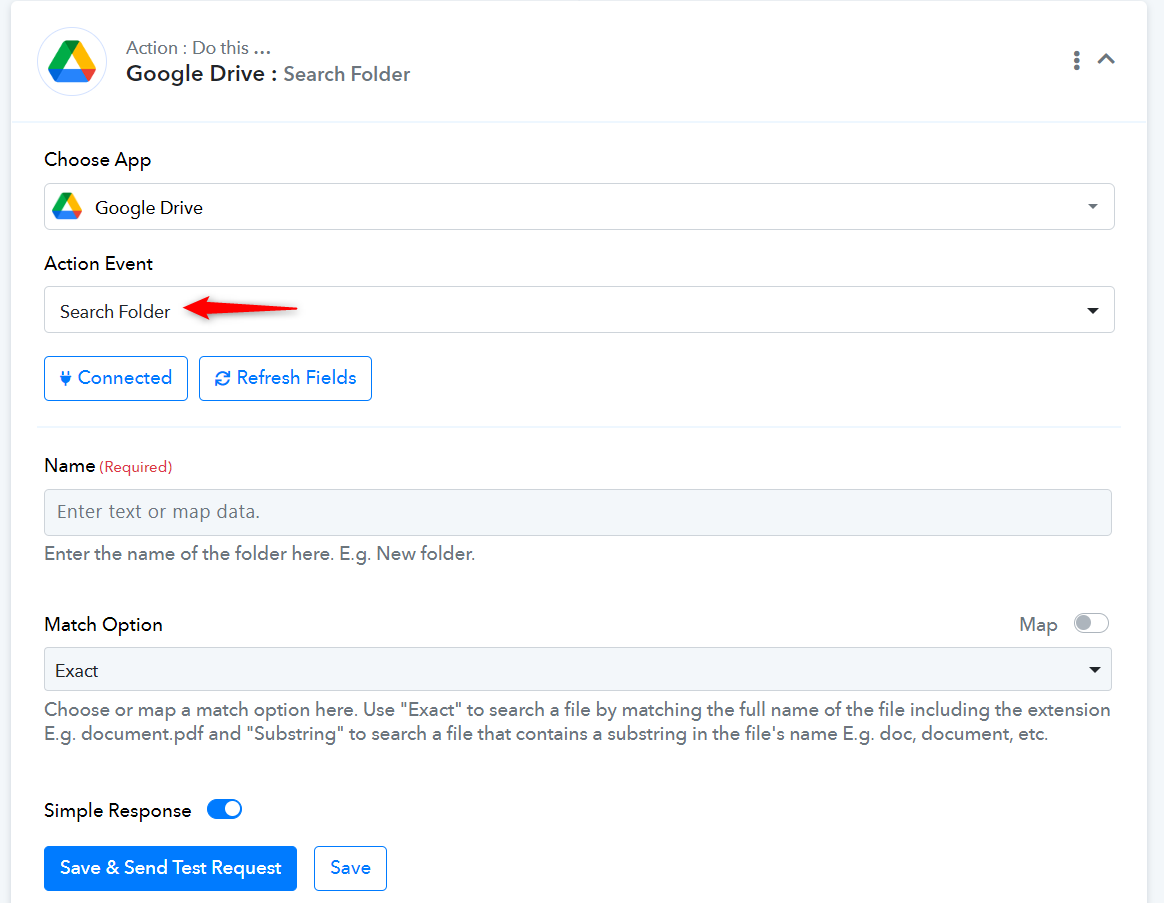
Hi @JasonTell7,Use the 'Google Drive: Search Folder' action event as step 2 of your workflow. This will provide you with the Folder ID, which you can then map to the 'Move a Folder' action step.
Ok, I found the folder, but now what do I do on the next step? https://www.loom.com/share/a56d36d5fd6044dfa19a8727a40a0365?sid=f289344b-f159-49ac-9127-64eae0a4890b
Now, you can easily map the Folder ID from the response of the Search Folder action step, and your action step will be set to move the folder for use.