Multiple task
Status: Open · Asked by FYM on · 0 views
Good morning,
I created this workflow to automatically send an email with the required content. The form I use is Formcan, and after submission, I send an email and then add the contact to the newsletter and contacts.
The issue I'm facing is that I receive three emails instead of one with the same content, even though I set it up to send only one. I can't find any settings area where I can limit the amount, and I don't know why this is happening.
I looked into the Task History area, and even if I fill out the form only once, I see four different task executions.
How can I solve this issue?
Thank you in advance for your support.
Hey @FYM
Upon looking into the workflow it appears that your trigger currently initiates multiple times because you may have used save and send requests multiple times in order to map it. To fix this, remove the trigger and set it up only once to avoid issues.
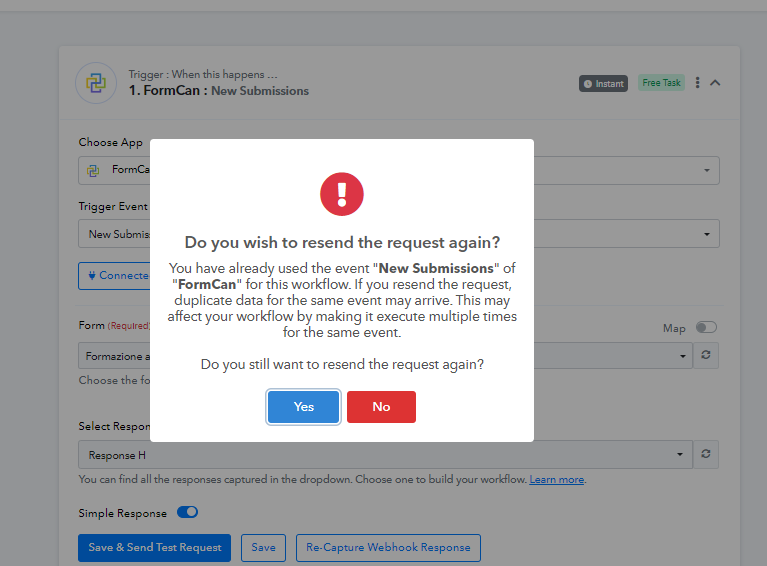
Let us know if this works for you.
@Luv Following up on this, how do you remove the trigger?
You will need to delete the webhook from the FormCan application. Kindly contact FormCan's support team to understand where you can find and delete the webhook within the application.
If you are unable to delete the webhook, you will need to disable the current workflow, create a new workflow, and set up FormCan as your trigger step manually in the new workflow. Then, copy the remaining steps from your previous workflow.