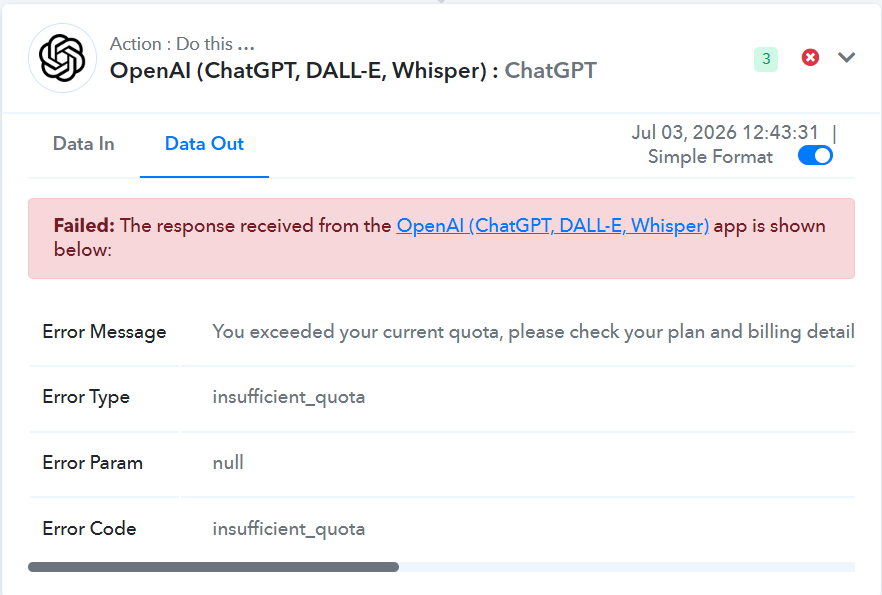
My connection keeps failing.
Status: Closed · Asked by Dove InnerCity Notary on · 0 views
Hello,
The insufficient_quota error indicates that your OpenAI API account has run out of available credits or has exceeded its usage limit. Since the ChatGPT action step in Pabbly Connect uses your own OpenAI API key, this error is returned directly by OpenAI.
Please check the following:
Ensure that your OpenAI API account has sufficient credits available.
Verify that you have an active billing plan and a valid payment method added to your OpenAI account.
Check your API usage and quota in your OpenAI dashboard to confirm that you haven't reached your limit.
To gain a better understanding of the "insufficient_quota" issue, you will need to reach out to OpenAI's support team, as this response originates from their end.
Thanks & Regards,
Arshil Ahmad
Pabbly.com
Hello,
Theinsufficient_quotaerror indicates that your OpenAI API account has run out of available credits or has exceeded its usage limit. Since the ChatGPT action step in Pabbly Connect uses your own OpenAI API key, this error is returned directly by OpenAI.Please check the following:
Ensure that your OpenAI API account has sufficient credits available.
Verify that you have an active billing plan and a valid payment method added to your OpenAI account.
Check your API usage and quota in your OpenAI dashboard to confirm that you haven't reached your limit.
To gain a better understanding of the "insufficient_quota" issue, you will need to reach out to OpenAI's support team, as this response originates from their end.
Thanks & Regards,
Arshil Ahmad
Pabbly.com
Hello,
Theinsufficient_quotaerror indicates that your OpenAI API account has run out of available credits or has exceeded its usage limit. Since the ChatGPT action step in Pabbly Connect uses your own OpenAI API key, this error is returned directly by OpenAI.Please check the following:
Ensure that your OpenAI API account has sufficient credits available.
Verify that you have an active billing plan and a valid payment method added to your OpenAI account.
Check your API usage and quota in your OpenAI dashboard to confirm that you haven't reached your limit.
To gain a better understanding of the "insufficient_quota" issue, you will need to reach out to OpenAI's support team, as this response originates from their end.
Thanks & Regards,
Arshil Ahmad
Pabbly.com
Glad to hear that you were able to find a solution to the issue.
Thanks & Regards,
Arshil Ahmad
Pabbly.com