My posts don't appear on facebook. How can I solve this problem?
Status: Closed · Asked by pavel on · 0 views
My posts don't appear on facebook. How can I solve this problem?
I created two workflows to publish photos from google sheet to facebook . When I validate the tasks, the tasks are consumed but the publications do not appear on facebook. I would like to know what is the origin of this problem that causes the publications not to appear on facebook. It should also be noted that I have not configured the application pabbly connecte on my facebook pages being on facebook. I only connected my facebook pages to pabbly connect being on pabbly connect.
Thanks for your answer
Hi @pavel,
Please check the thread shared below:
https://forum.pabbly.com/threads/facebook-pages-create-multi-image-post-from-a-public-google-drive-folder.21567/
Also, make sure that the Google Drive file you are trying to post on Facebook is publicly accessible.
Bonjour @pavel,Veuillez consulter le fil partagé ci-dessous :
[URL]https://forum.pabbly.com/threads/facebook-pages-create-multi-image-post-from-a-public-google-drive-folder.21567/[/URL]Assurez-vous également que le fichier Google Drive que vous essayez de publier sur Facebook est accessible au public.
Bonjour
Merci beaucoup pour votre réaction rapide.
J'ai activé Pabbly Connect sur mon fichier Google Sheet avant de le publier sur Facebook. Je ne sais pas comment rendre un fichier accessible au public sur Google Drive. Pouvez-vous me montrer.
Merci d'avance
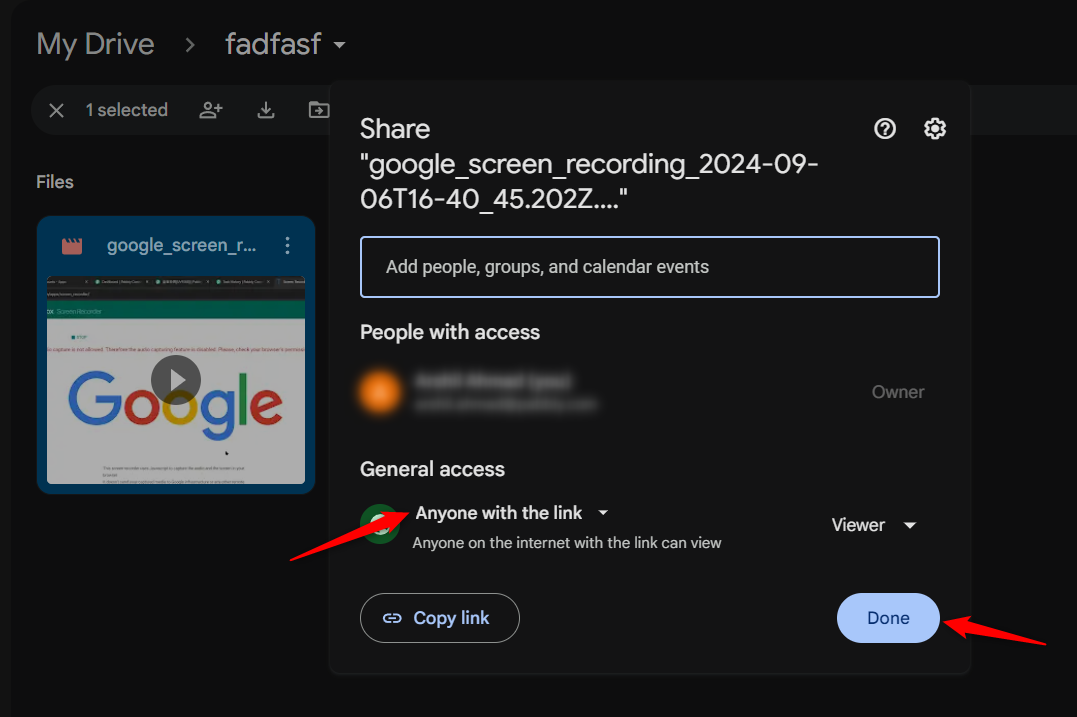
To make your file publicly accessible manually, click on the three dots menu button > Share > Share. Then, under General Access, select 'Anyone with the link' and click 'Done.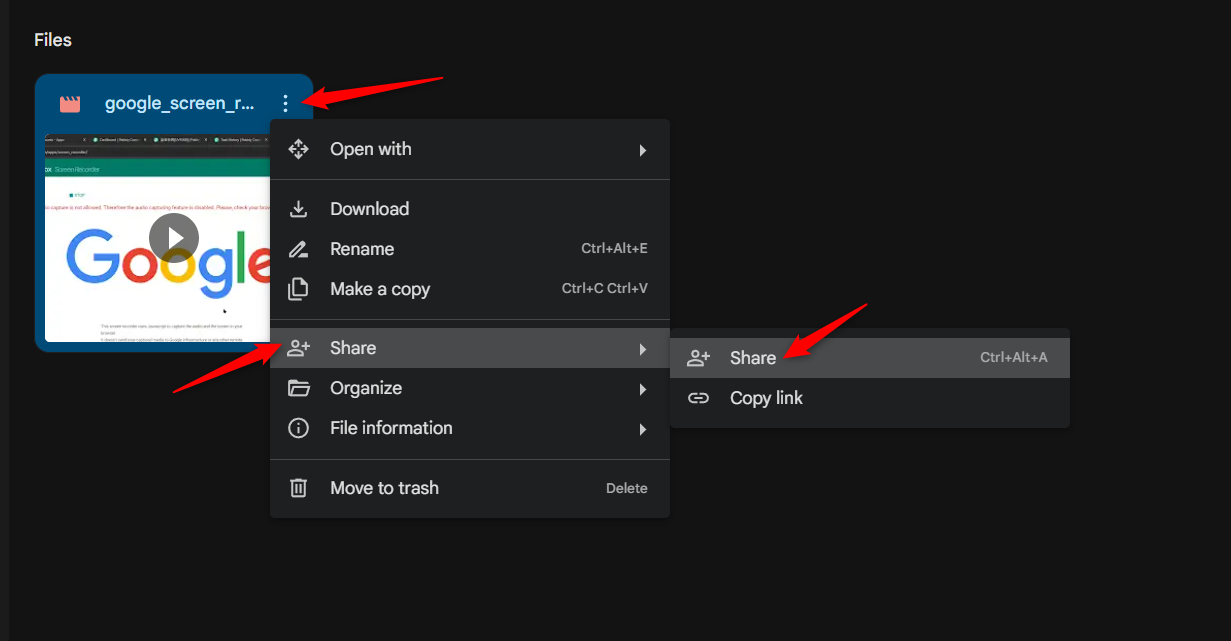
=====================================================================
You can also use the 'Google Drive: Share a File with Anyone' action step to automatically make the file publicly accessible.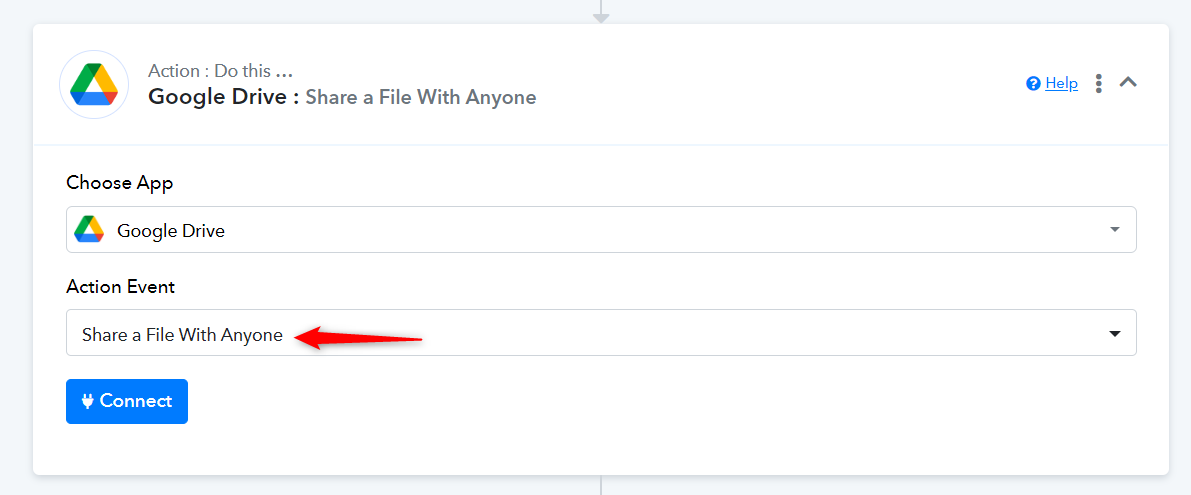
Pour rendre votre fichier accessible au public manuellement, cliquez sur le bouton de menu à trois points > Partager > Partager. Ensuite, sous Accès général, sélectionnez « Toute personne disposant du lien » et cliquez sur « Terminé ».
=================================================== ===================
Vous pouvez également utiliser l'étape d'action « Google Drive : partager un fichier avec n'importe qui » pour rendre automatiquement le fichier accessible au public.
Bonjour
Merci
Je postulerai et vous répondrai
To make your file publicly accessible manually, click on the three dots menu button > Share > Share. Then, under General Access, select 'Anyone with the link' and click 'Done.
=====================================================================
You can also use the 'Google Drive: Share a File with Anyone' action step to automatically make the file publicly accessible.
Hi
I used Imgur to post a photo link from my website to my facebook page, the ad was successfully posted.
However I posted an ad with a photo link from Drive , Imgur did not validate the link and the ad was not posted on my facebook page . I activated the Drive photo link by clicking on “Share with all users who have the link”. But Imgur doesn't validate the drive link and the ad isn't posted on facebook.
How can I solve this problem?
Thanks for your help
Hello @pavel
Can you please provide us with the workflow URL so we can better look into the issue and assist you accordingly
Bonjour @pavelPouvez-vous s'il vous plaît nous fournir l'URL du workflow afin que nous puissions mieux examiner le problème et vous aider en conséquence ?
Salut
C'est le lien
IjU3NjUwNTZkMDYzMjA0M2M1MjY1NTUzMzUxMzM1MTY0NTQzMTBmMzIi_pc
Hello @pavel
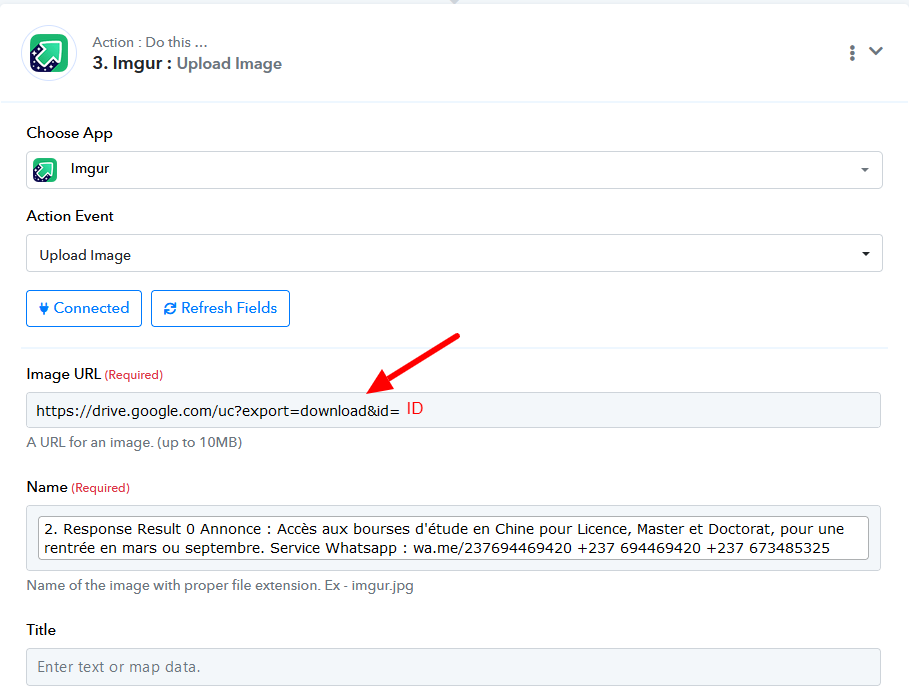
You would be required to extract the ID received from Google Sheets using the Text Formatter and the details in the Imgur: Upload Image step as mentioned in the attached screenshot.
Please map the received id after this: https://drive.google.com/uc export=download&id=
Hello @pavelYou would be required to extract the ID received from Google Sheets using the Text Formatter and the details in the Imgur: Upload Image step as mentioned in the attached screenshot.
Please map the received id after this: https://drive.google.com/uc?export=download&id=
Thank you for your reaction.
But I don't understand your explanation. Currently I post ads on Facebook with Imgur on another workflow without problem, but the photo links come from my website. To post this workflow, I measure the photo links in a Google Sheet with the text to be posted.
The problematic workflow is the one where the photos are stored on Google Drive. I've given access to these photo links to everyone who has the link. I put these photo links in a google sheet. And I can't convert these photo links with Imgur .
When you ask me to take the ID of the photo I don't understand what you want me to do, because I don't know how to take the ID of a photo on Google Drive.
Thanks
We have made some changes to your workflow, and the image seems to be getting published on Facebook now.
https://connect.pabbly.com/workflow/mapping/IjU3NjYwNTZkMDYzMDA0M2Q1MjZhNTUzNzUxMzYi_pc
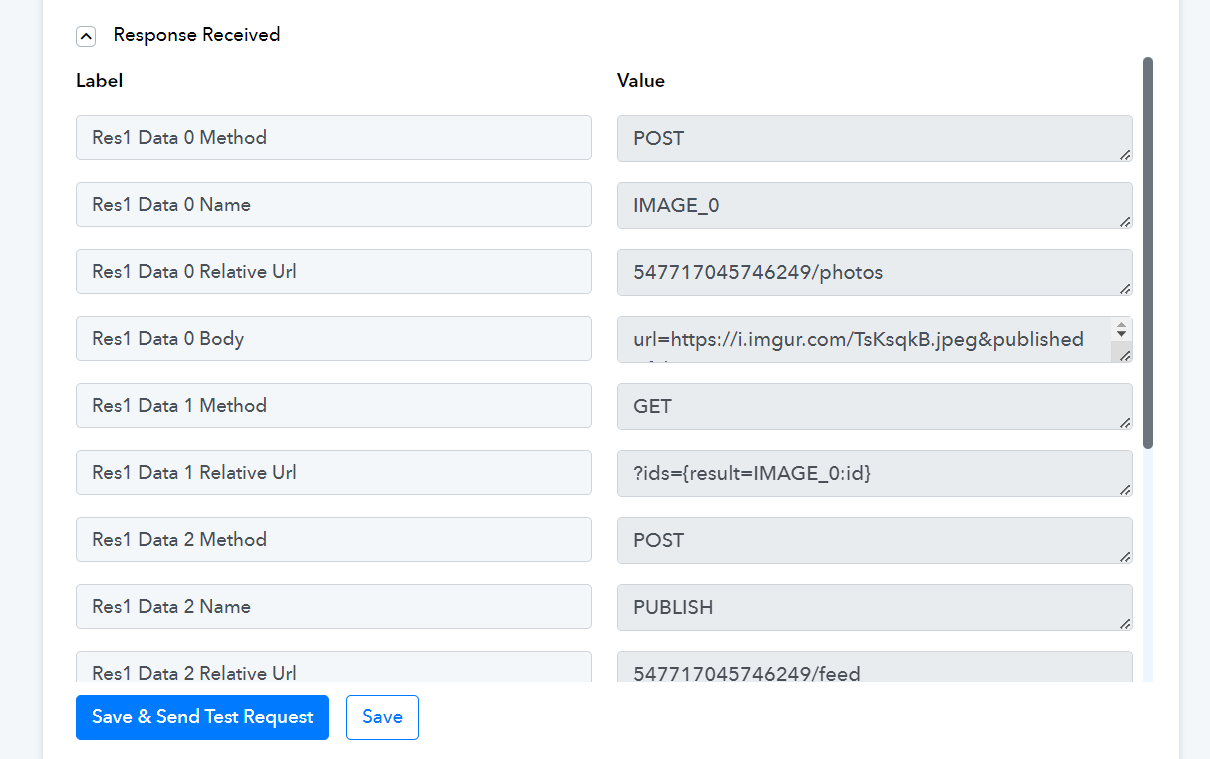
Nous avons apporté quelques modifications à votre flux de travail et l'image semble désormais être publiée sur Facebook.[URL]https://connect.pabbly.com/workflow/mapping/IjU3NjYwNTZkMDYzMDA0M2Q1MjZhNTUzNzUxMzYi_pc [/URL]
Merci beaucoup
Dans le fichier du lecteur, il y a plusieurs annonces.
Je remarque que c'est toujours la première annonce qui est publiée à chaque fois. Comment puis-je m'assurer que les annonces suivantes sur Google Sheet seront également publiées afin de varier les annonces ?
Merci d'avance pour votre retour
You need to add a Counter step to your workflow to achieve this use case. To understand how it works, please watch the video below:
Vous devez ajouter une étape de compteur à votre flux de travail pour réaliser ce cas d'utilisation. Pour comprendre son fonctionnement, veuillez regarder la vidéo ci-dessous :
Bonjour
J'ai regardé la vidéo et j'ai postulé, ça marche.
Merci beaucoup pour votre soutien