mypipeline is not connecting
Status: Open · Asked by AmitKothari on · 0 views
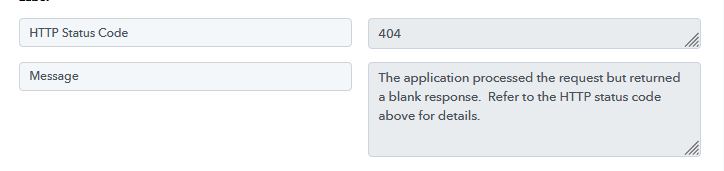
Now mypipeline app is not connecting, it showing error, api key is also updated. How to rectify this.
Hello @AmitKothari,
It could be related to an authentication method update at the API level. When we checked from our end, we were unable to find any public API documentation for the MyPipeline application.
Could you please confirm whether the API documentation is available within the application itself? If yes, kindly share the API docs with us, as that would help us identify the issue with the API call more effectively.
For now, we have already shared this concern with our team for further review. As soon as we receive any update from their end, we will get back to you. Meanwhile, sharing the API documentation would be very helpful for further investigation.
Hi,
In the application we don't have API documentation, we have only API Key.
Thank you for the confirmation. Please allow us some time. We will get back to you with an update soon.
Thanks & Regards,
Arshil Ahmad
Customer Support Associate
? Pabbly.com
Hello @AmitKothari ,
The connection is working now, but the MyPipeline system is currently rejecting the request because of a validation error with the Country field.
The error response shows:
- Message: country must be valid
- Status Code: 422 (Unprocessable Entity)
How to fix this in your workflow:
- Scroll down to Step 5 (MyPipeline : Create Contact) in your workflow.
- Look for the Country input field. It is currently either blank or has incorrect data mapped to it.
- Please enter or map a valid country name or standard two-letter country code (for example: IN, US, or India).
- Once filled, click the Save & Send Test Request button again.
Please try this and let us know if the contact gets created successfully!