Need all the Field values in Pipedrive deal
Status: Open · Asked by Hasan on · 0 views
When a lead is updated, I need all the field values including custom fields.
I have used "Updated Deal" as a Trigger event and Action as "Find Deal by ID".
I get the custom field which is created with Field Type "Text". But, I dont get the custom field which is created with Field Type "Multiple Options"
Please advise
Hello @Hasan,
Could you please provide us with the Webhook URL where you are trying to achieve this, along with the custom field name or key that is not getting captured in the response? This will help us better investigate the issue and assist you accordingly.
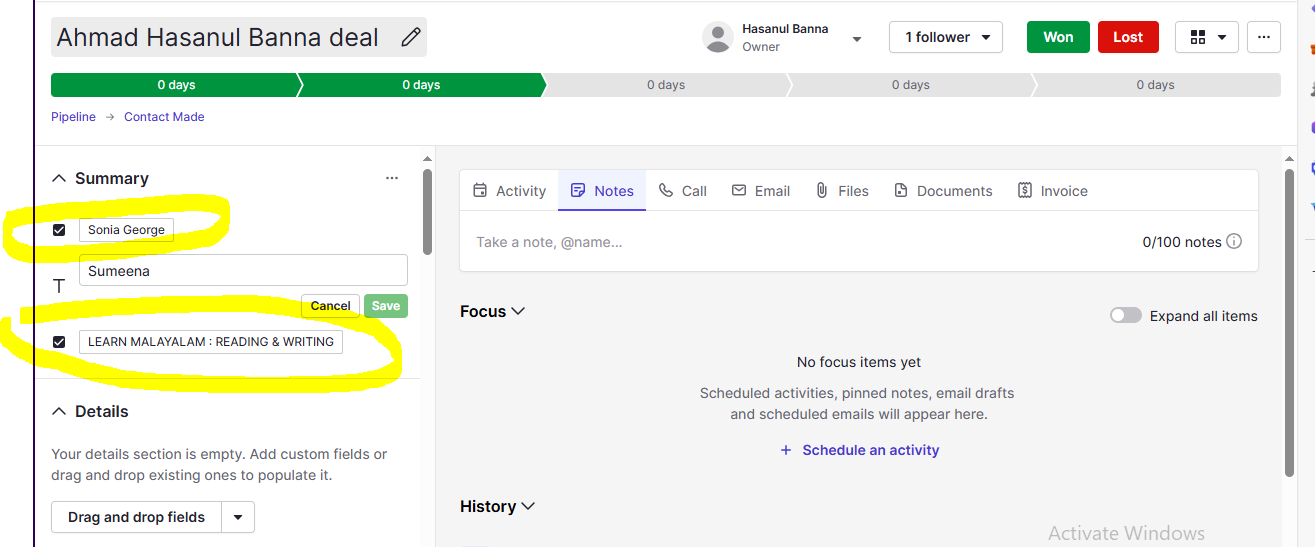
Custom Fields which are displayed in RESPONSE : Sales Person - Sumeena
Custom Fields which are not displayed in RESPONSE : Tutor : Sonia George & COURSE : LEARN MALAYALAM : READING & WRITING
Hello @Hasan,
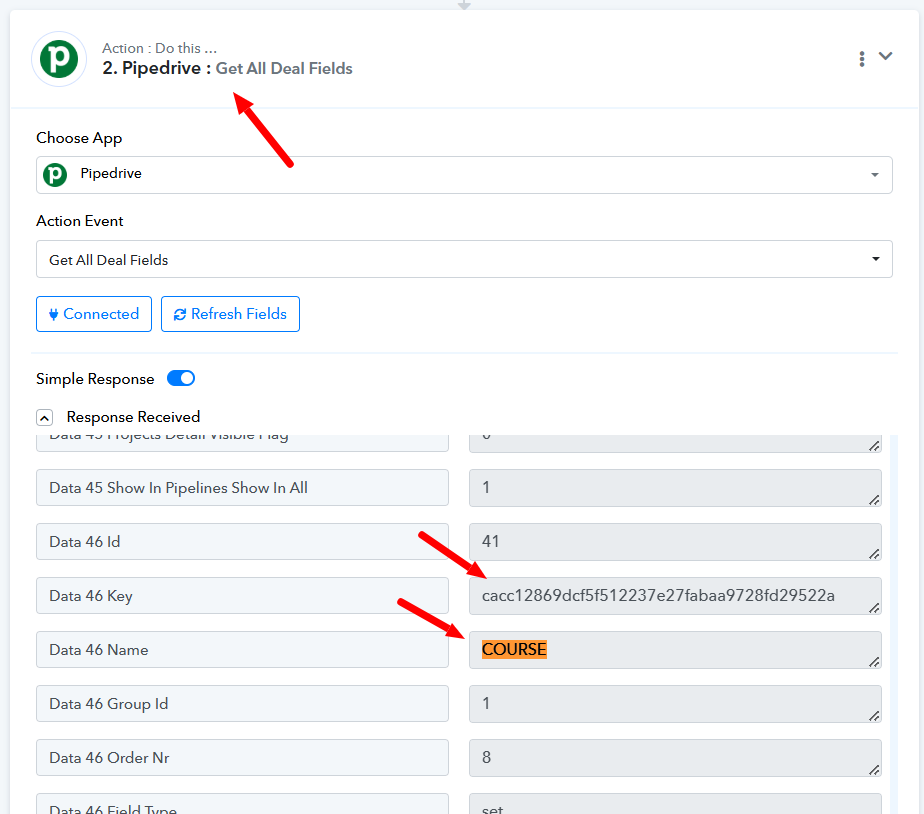
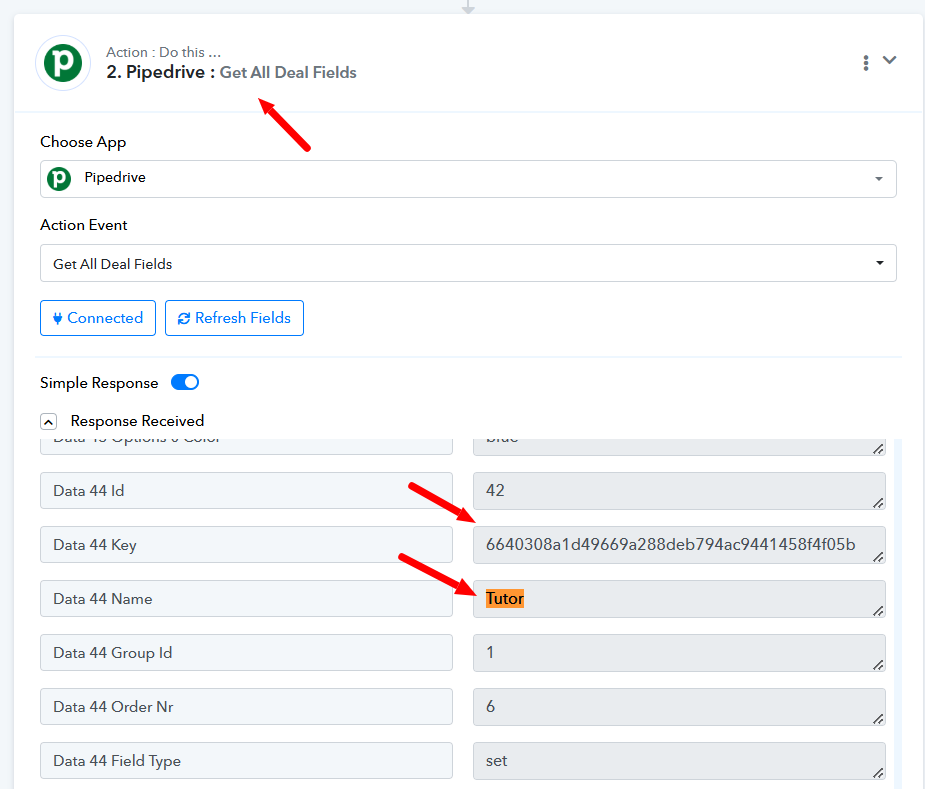
Upon thoroughly reviewing the workflow and trigger response, we have confirmed that both fields—Tutor and Course—are indeed being captured. You can verify this using the Get All Deal Fields action, as all custom fields have unique keys that can be identified through this method.
In the trigger response, these fields appear with an ID that corresponds to the Tutor and Course, rather than their actual values. This might give the impression that they are not being captured. However, Pipedrive returns these fields in this specific format, and we do not modify the structure.
You can utilize this data as needed, and we have attached relevant screenshots for your reference. Let us know if you need any further clarification.


Hi
How to get the actual values belongs to the Tutor (Sonia George) and Course (Learn Malayalam : Reading & Writing).
Can you please explain
Hi
Any updates ?
Hello @Hasan,
Currently, there doesn’t seem to be a way to fetch the custom field values instead of the ID. However, please let us know which data type you have selected for the Tutor and Course custom fields in Pipedrive so we can explore possible solutions.