Need help creating Google Docs from CRM data (Webhook → Pabbly → Google Docs Template)
Status: Open · Asked by Marissa Cano on · 0 views
Hi everyone,
I'm trying to set up an automation and I'm a bit stuck choosing the correct Google Docs action.
Here is my workflow:
- I have a process in my CRM (GEEST CRM)
- When a trigger is activated, it sends data via webhook to Pabbly Connect
- Pabbly successfully receives all the data fields (this part is working fine)
Now what I want to do:
I have a contract template in Google Docs, and I want Pabbly to:
- Take the data from my CRM
- Replace the placeholders in my contract template
- Create a new contract document each time
- Save the new document in my Google Drive
My issue:
When I connect Google Docs in Pabbly, I see multiple options like:
- Create Document from Text (Shared Drive)
- Create Document from Template in Shared Drive
- Replace Text in Document
I'm not sure which one I should use.
When I select Create Document from Template in Shared Drive, it forces me to connect to a Shared Drive folder that I don't want to use "SOLARBAJA FINANCIERA". I would prefer to choose a different folder, but I'm unable to change it.
Could someone please clarify:
- Which Google Docs action is the correct one for my use case?
- How can I choose my own folder instead of the Shared Drive?
- Is there a recommended way to create contracts from templates using Pabbly?
Thanks in advance!
Hi @Marissa Cano,
Instead of using "Create Document from Template in Shared Drive," use the "Create Document from Template" action step instead. It will allow you to select a folder in your Google Drive rather than the Shared Drive.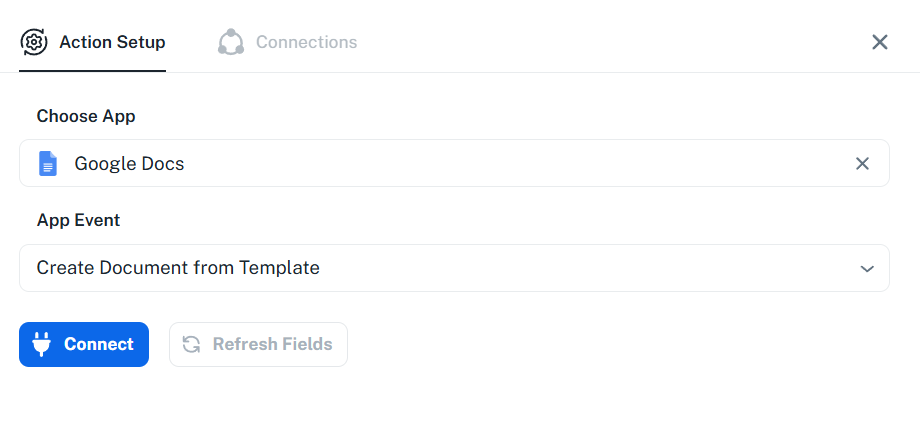
Please watch the video shared below to understand how you can use 'Create Document from Template' action step.
youtube.com/watch?v=nDCB7P9siLA
Thanks & Regards,
Arshil Ahmad
Customer Support Associate
? Pabbly.com
?Rate your support
Thank you so so much Arshil!
Glad to be of help.