Need help with text formatter
Status: Open · Asked by Carlos Melo on · 0 views
Hello,
I have a workflow which executes a text formatter step to take a number from data 'Updates UpdateRange' from a spreadsheet and inserts it in the column A of that same spreadsheet.
However, in my recent test I noted that if the ‘Data Text' of the 'Data in' has the number 10 ['Página1'!A10:M10] the result of the 'Data out' is the number zero, resulting in a error, not sending the number 10 to the line number 10 of the spreadsheet.
So please, how can we adjust that ?
Task History ID - IjU3NjUwNTZkMDYzMjA0MzY1MjY1NTUzZDUxMzQ1MTYwNTQzOTBmMzUi_pc
Thanks,
Carlos.
Hey @Carlos Melo
Kindly let us know the output you want using "Text Formatter" so that we can suggest you a proper resolution.
Hey @Carlos MeloKindly let us know the output you want using "Text Formatter" so that we can suggest you a proper resolution.
Yes, I want to use anything that could make it working fine.
If 'Text Formatter' can do it, so please tell me how.
Please try using this Pattern: Página1'!A(\d+):[A-Z](\d+)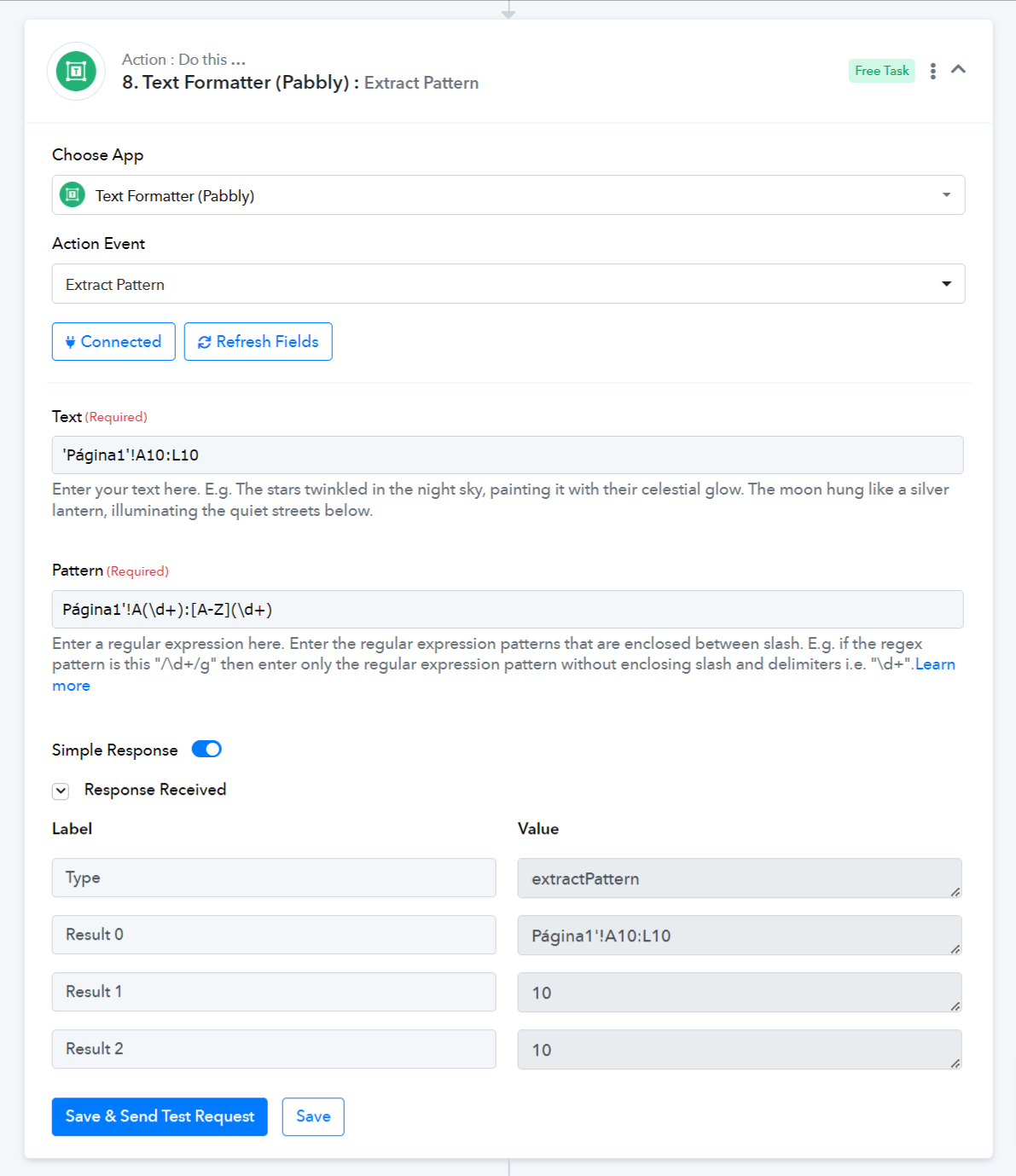
Please try using this Pattern: Página1'!A(\d+):[A-Z](\d+)
Thank you so much Arshil !
I think we have got the solution.
Attachments
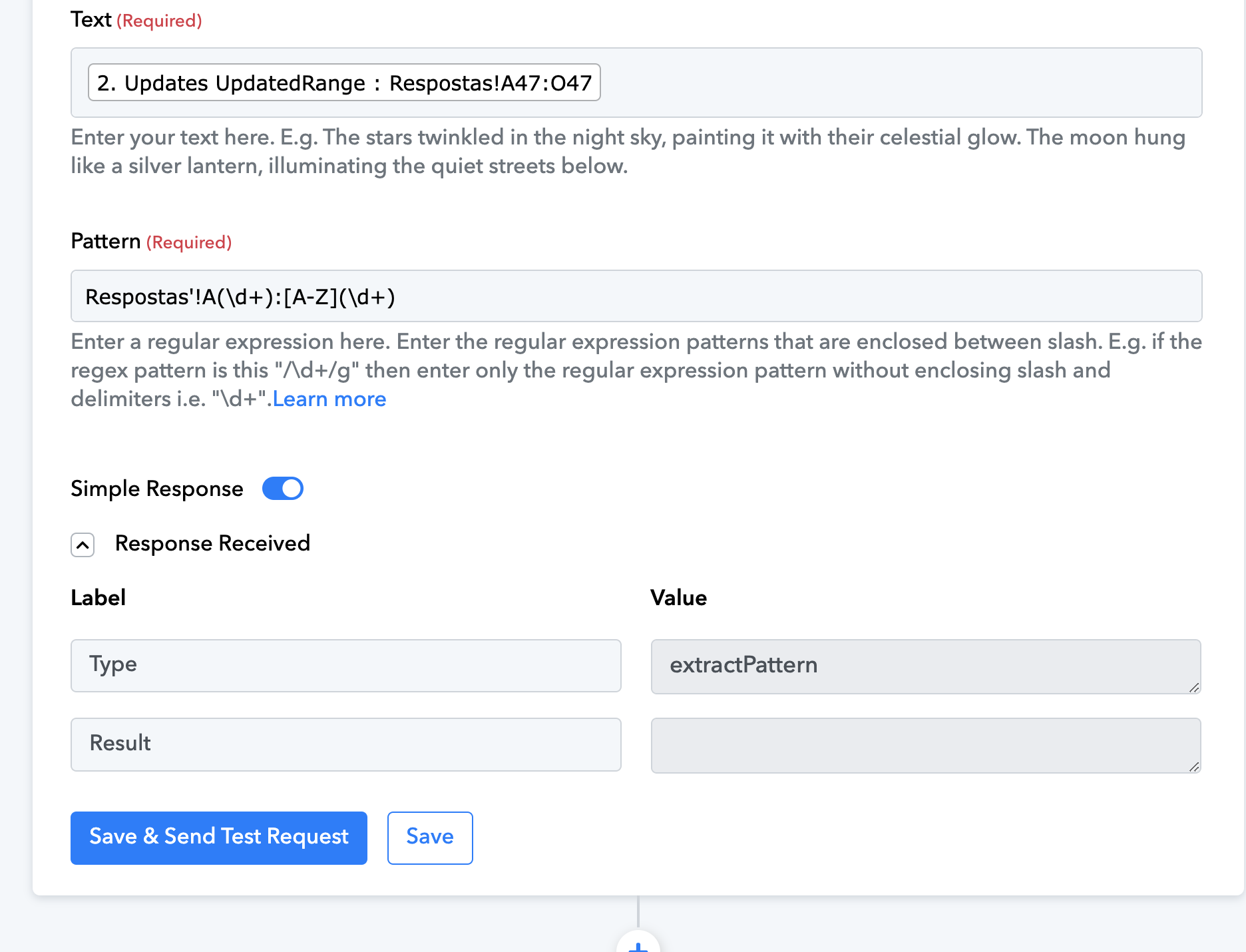
Make sure the text before the exclamation mark is exactly the same. This will give you the correct result.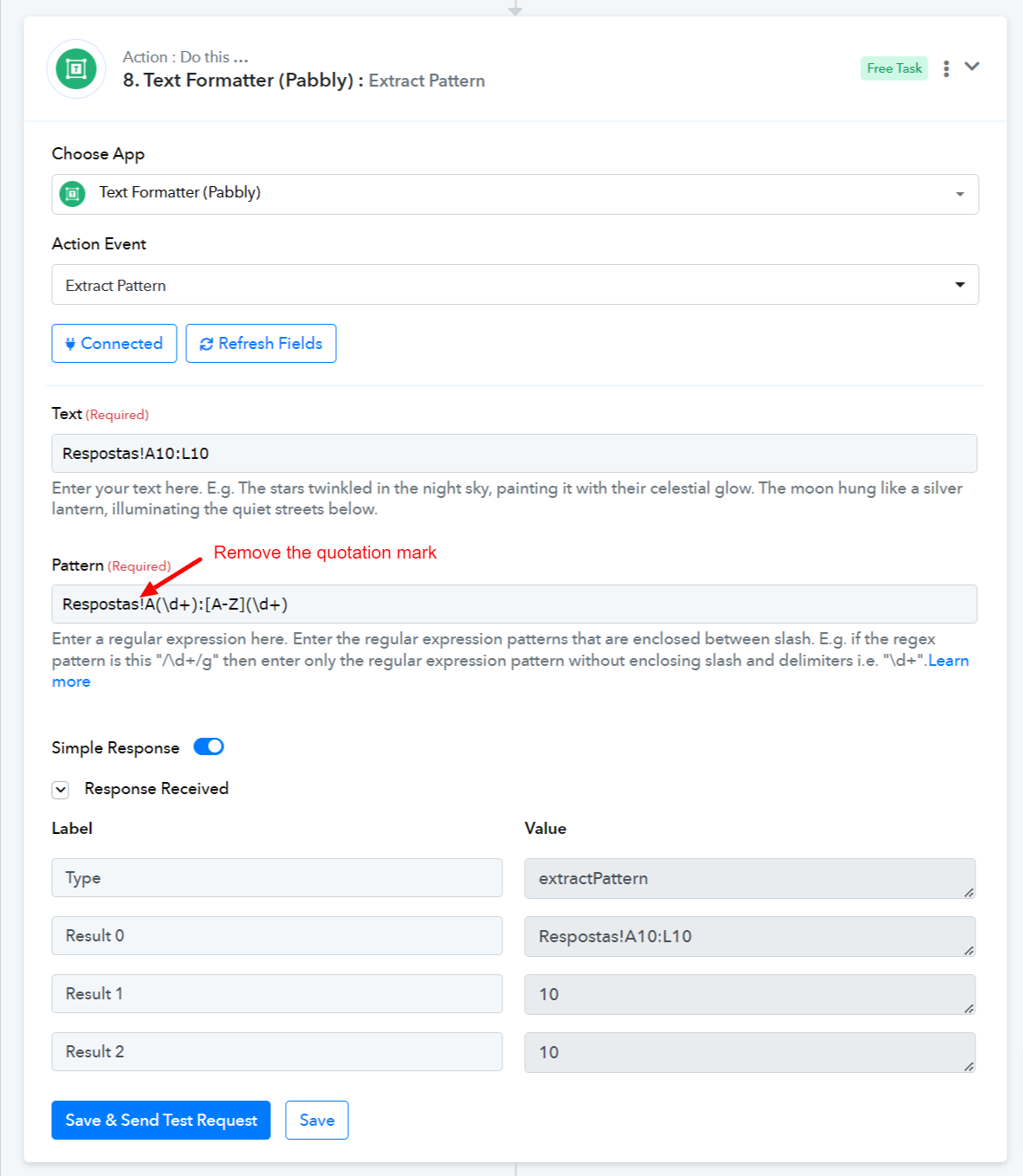
Yeah, I have removed it and the test was ok.