New Notion Database Item to ConvertKit Subscriber with Tag
Status: Open · Asked by simcalister on · 0 views
I want to enter a new contact into Notion (name, email, tag) and have that create a new subscriber in ConvertKit using the same tag.
Notion: Jane Doe, [email hidden], lead
Kit: Jane Doe, [email hidden], lead (tag)
I see that I can do the first half - create a new subscriber to a form.
How do I map the tag from Notion to Kit on that subscriber?
Thank you Pabbly geniuses!
Hi @simcalister,
Could you please share the Workflow URL in which you have this concern?
Apologies for the delay. I'm not very far into building the workflow as I got stuck at the Tag step. https://connect.pabbly.com/workflow/share/XRUAMlUCUDNXHQZsVQoEI1xIAwcAWQVmBB0IGlFeAHhQHgVuAUAPZVoWBCYCVQNiBE0CaFINVDVcSFJWVwEJegQdBysBAlErUh9SKQJHDzxdAwAoVTQ#
Thanks for any thoughts !
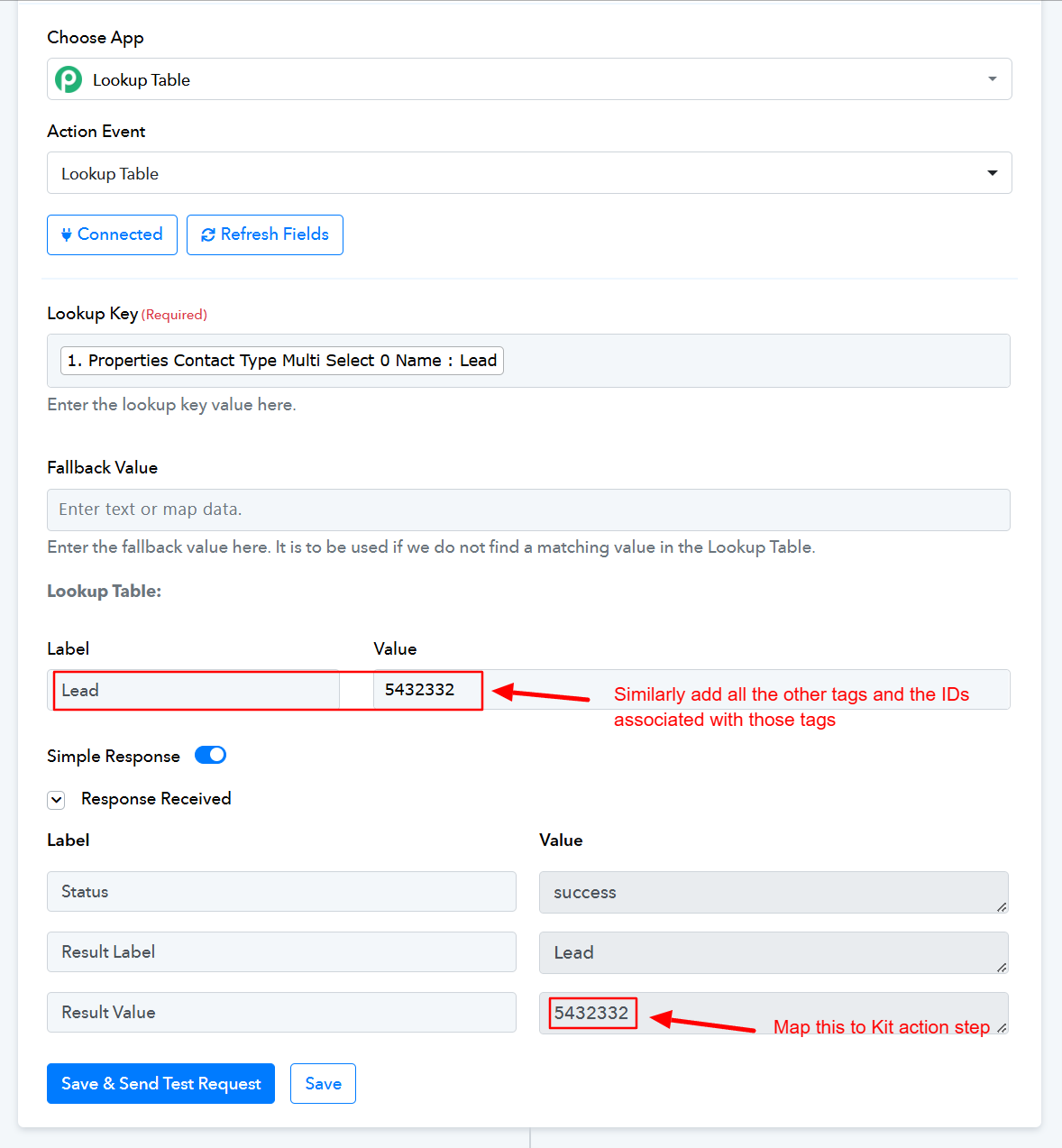
Thank you for sharing the workflow. Kit does not allow you to directly map tags from Notion; instead, you need to map the Tag ID associated with each specific tag. For example, the Tag ID associated with "Lead" in Kit is 5432332. So, if you want to add "Lead" as a tag to a particular subscriber, you need to map "5432332".
Since this Tag ID is not provided directly from the Notion trigger step, you need to add a Lookup Table to your workflow and include all tags and their respective Tag IDs in this step. This Lookup Table will give you the Tag ID associated with a particular tag, which you can then map to Kit.