No action done
Status: Open · Asked by Assunta on · 0 views
Hi,
I have two automation active.
The trigger is the purchase of Book 1/Book 2 through Thrivecart, and Pabbly needs to fill the data of the customer+shipping in an Excel file.
Both of the automation do not work.
I tried to refresh the fields, re-execute..., but nothing seems to be working.
Could someone help me?
Many thanks
Hi @Assunta,
Please establish a new connection with your MS Excel account and see if that fixes your issue.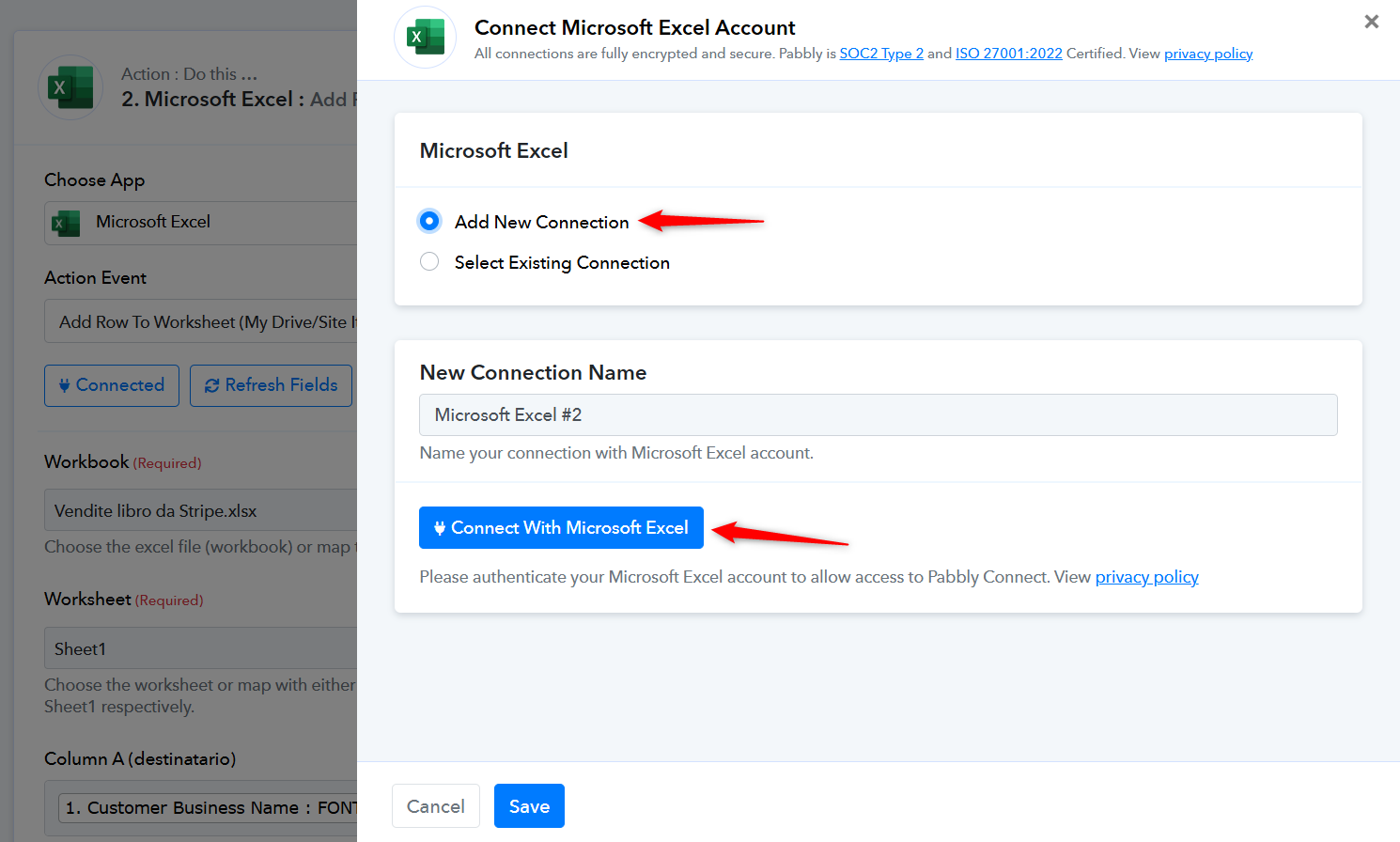
Unfortunately, even that does not work.
We have selected the new connection you created and saved it in the MS Excel action step. Please make a new purchase in ThriveCart (or wait for a real purchase to be made) and check if the purchase details are added to your MS Excel worksheet.
We have selected the new connection you created and saved it in the MS Excel action step. Please make a new purchase in ThriveCart (or wait for a real purchase to be made) and check if the purchase details are added to your MS Excel worksheet.
Hi!
It worked only for two purchases.
The third purchase was not reported in the excel file.
I did not make any changes.
How can we fix it?
Thanks
Hello @Assunta
Upon checking the latest task histories, it seems the details should have been entered in the Excel file. Please refer to the following video URL to learn more about the issue - https://www.loom.com/share/ec2f2125686543d4a78e05ca2667e43d sid=9a16aab6-2684-46b6-890a-d9833befaa11
However please provide us with the task history for which the details are not entered in the Excel file also please provide us with the screenshot of their Excel file so we can better look into the issue,
Hi Preeti,
now it works.
I can't understand why the connection suddenly stopped working, but the data is now in.
Thanks for your support
Assunta
Thank you for the update. We are glad its working now.