Not able to see Whatsapp by aisensy in pablly connect trigger setup
Status: Open · Asked by coolpanda on · 0 views
Hi. I am not a technical guy. My goal is to connect "whatsapp by aisensy" to pabbly connect. However in the workflow, in the trigger setup I am not able to see the "whatsapp by aisensy" option. I know its present in the action part. but I wish to connect aisensy in the trigger setup using webhook. How to do it? is there any tutorial on how to connect aisensy with pabbly connect in trigger part using webhook?
Hi @coolpanda,
Currently, WhatsApp by AiSensy is not available as a trigger application in Pabbly Connect. It is only supported on the action side as of now.
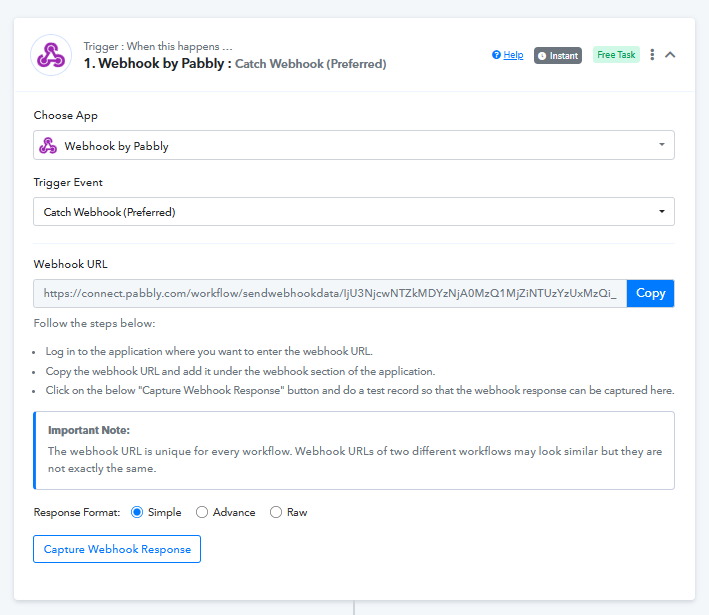
However, since AiSensy supports webhooks, you can still achieve your use case using the Webhook by Pabbly trigger.
What you need to do:
- In Pabbly Connect, select Webhook by Pabbly → Catch Webhook as your trigger.
- Copy the generated Webhook URL.
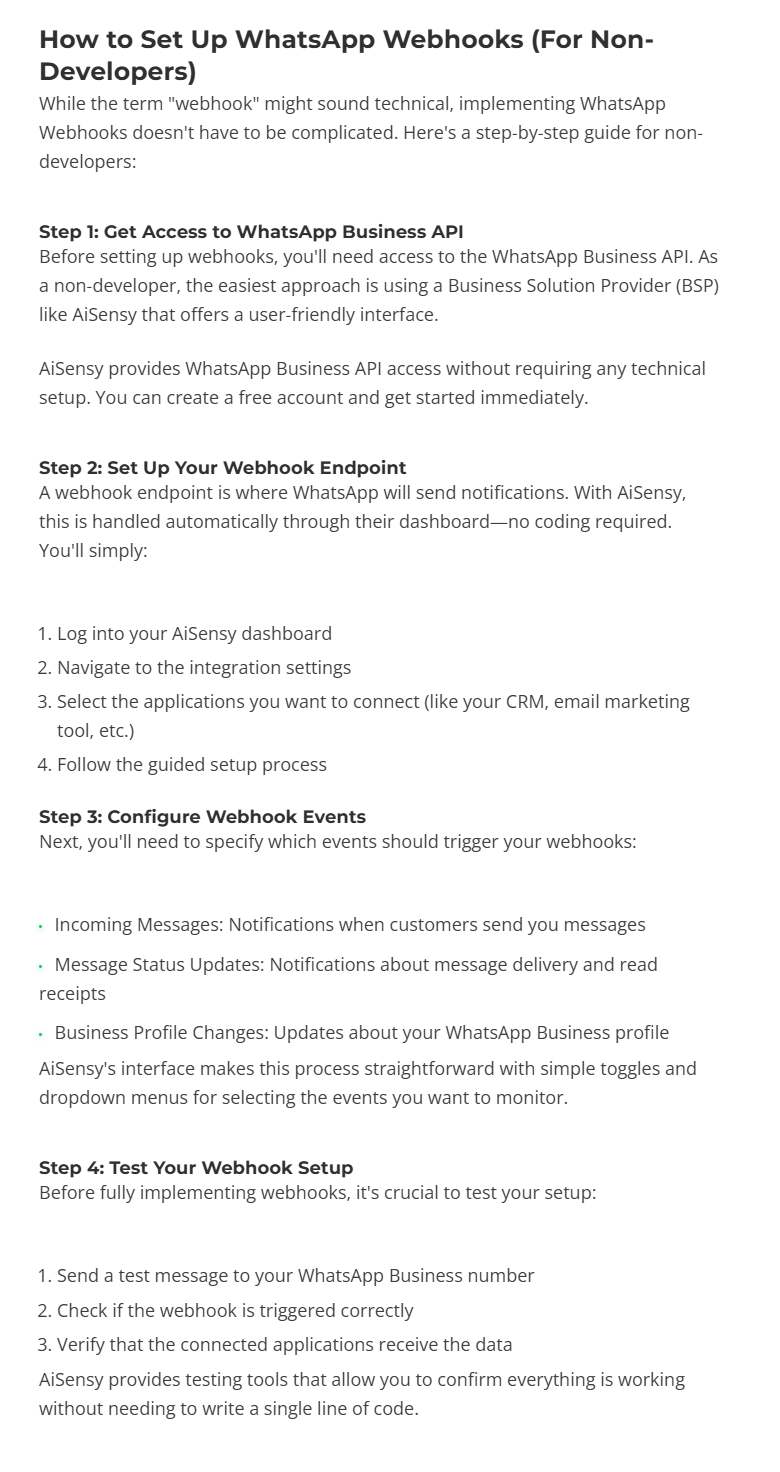
- Go to your AiSensy dashboard and add this webhook URL in the webhook/integration section.
- Configure the events (like incoming messages, status updates, etc.).
- Send a test event to capture the response in Pabbly.
This way, whenever an event is triggered in AiSensy, the data will be sent to Pabbly via webhook, and your workflow will run accordingly.
You can refer to the attached images and this guide for a better understanding:
https://m.aisensy.com/blog/whatsapp-webhooks-guide/
Please try this setup and let us know if you need any further assistance.