Not able to send the Meta conversions from Google sheet
Status: Open · Asked by Karan Kumar on · 0 views
Hello @Karan Kumar,
Could you please provide us with the Workflow URL where you are facing this issue? This will help us investigate the problem more effectively and assist you accordingly.
Please be aware that to assist you effectively, we may need to access your Pabbly Connect account. If you're comfortable with this, please grant us permission by stating in your next reply:
"You have my permission to log into my Pabbly Connect account and edit the workflow, if required. Here is the registered email address associated with it."
Looking forward to assisting you further.

Please try entering a valid phone number in the Phone Number field and see if that resolves your issue.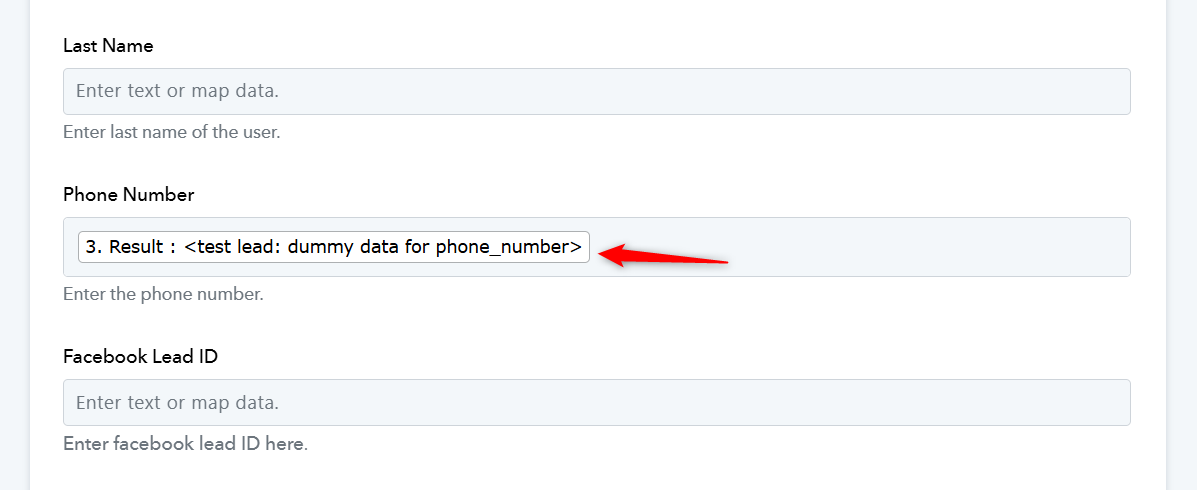
Please try entering a valid phone number in the Phone Number field and see if that resolves your issue.
That was showing the actual phone number, no issue with the phone number field
Hello @Karan Kumar
As we have checked, it appears that you are consistently changing the trigger application's response in your workflow. Due to this, the data mapped in the subsequent steps is getting removed.
We recommend that you remap your workflow and monitor it after making any changes to the trigger application to ensure smooth execution.
Here is the new workflow link, and facing the same issue. https://connect.pabbly.com/v2/app/workflow/mapping/IjU3NjYwNTZhMDYzMDA0M2M1MjY5NTUzMjUxMzAi_pc.
Find the detailed video here:
https://drive.google.com/file/d/1u7JPOHDmnHwhncVWyQNEWlrapnleR2BM/view?usp=sharing
Hello @Karan Kumar,
Could you please try setting up the same workflow in the Classic UI for troubleshooting purposes and let us know if it works correctly in that version?
Already tried with classic, facing the same issue on that too
Hello @Karan Kumar,
Please allow us some time to look into the issue, and we will get back to you.