Not getting approved templates in gallabox
Status: Open · Asked by vivekpathak2025 on · 0 views
Hi Pabbly Support Team,
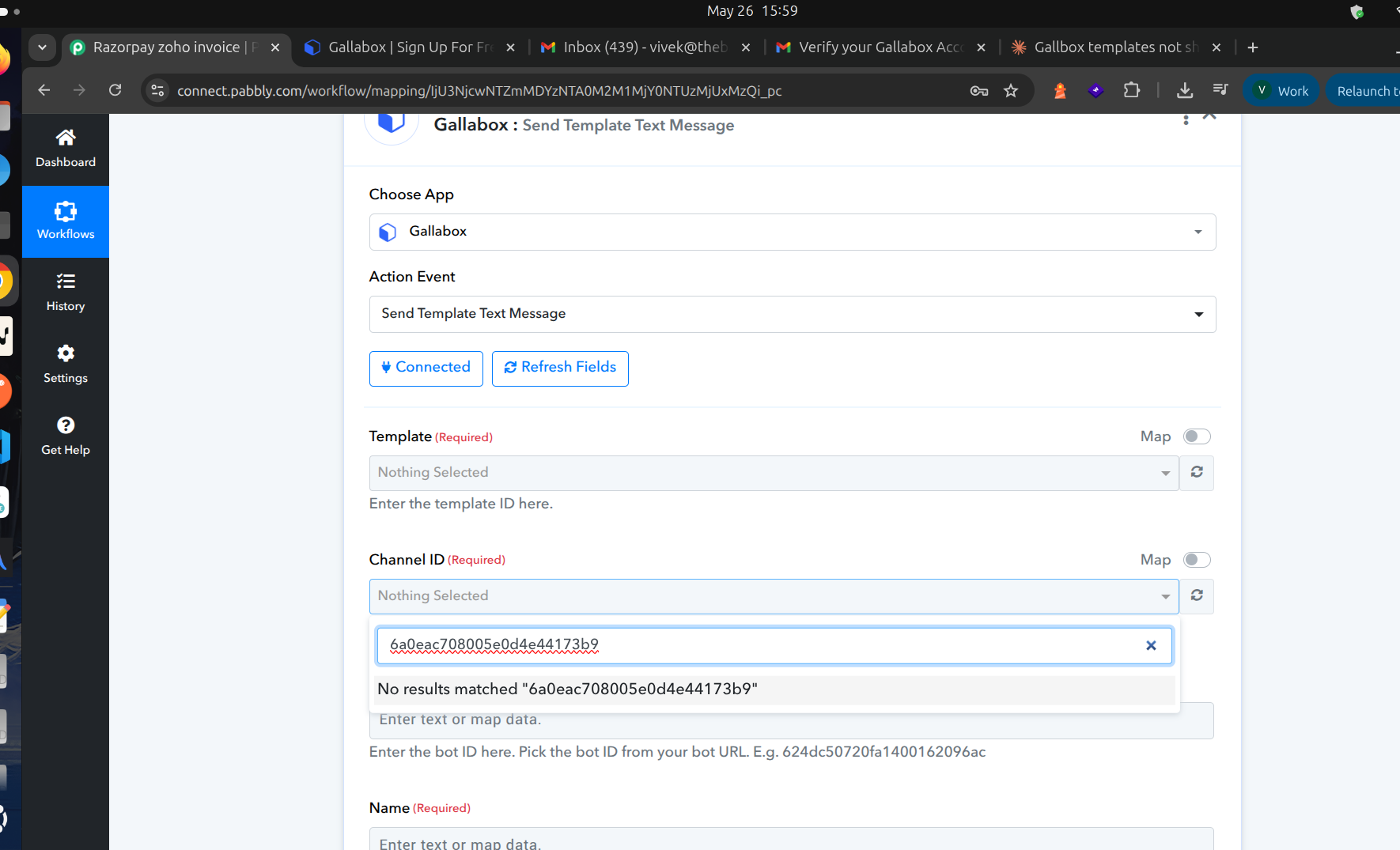
I'm building a workflow using the Gallabox → Send Template Text Message action and I'm stuck on the dynamic dropdown fields not loading or not coming there.
Setup
- Action app: Gallabox
- Action event: Send Template Text Message
- The Gallabox account is connected and shows "Connected" successfully.
The problem
The Template and Channel ID dropdowns do not load any values — they stay on "Nothing Selected," and typing into the search returns "No results matched." This is despite my Gallabox account having several WhatsApp templates that are Approved/Active, and a connected, verified WhatsApp channel. I have attached the SS.
What confirms the connection itself is fine
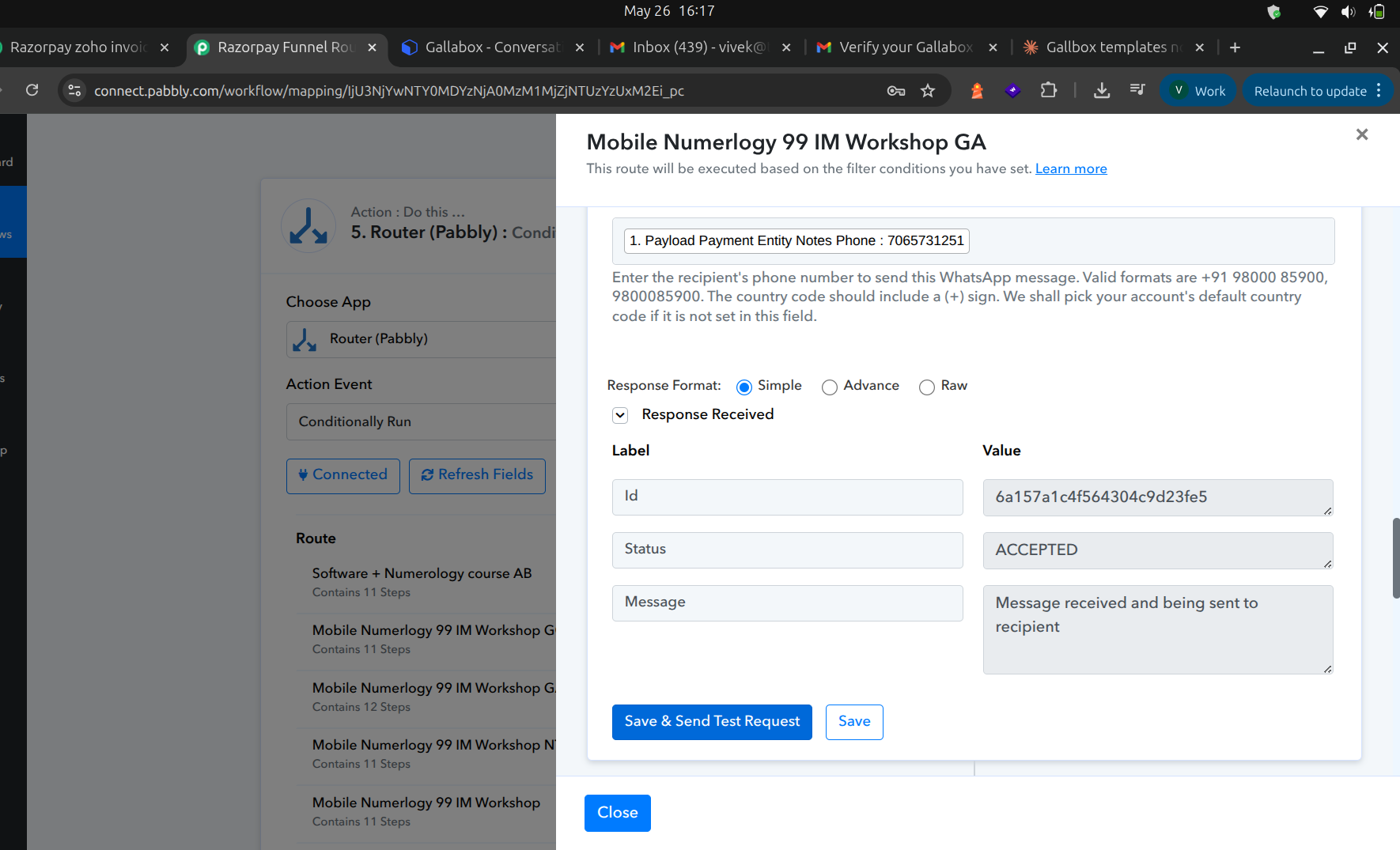
When I turn on the "Map" toggle and manually enter the Template ID and Channel ID, the action actually works — Gallabox returns Status: ACCEPTED with a message ID for templates that have no variables. So the credentials and account are correct and the request is reaching the right Gallabox account; only the dropdown fetch is failing to return my channels and templates.
Why this is blocking me
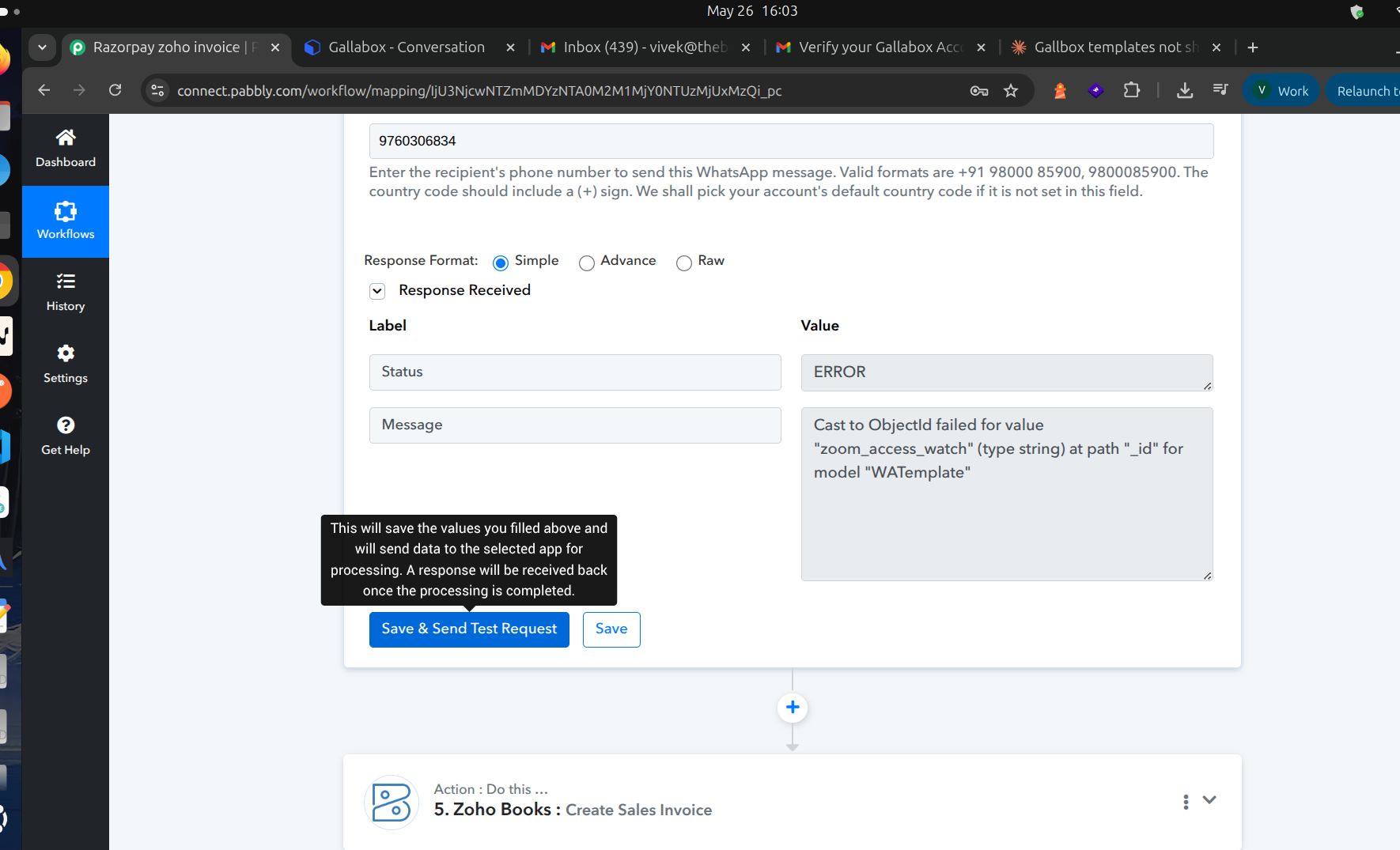
Because the dropdown is empty, I'm forced to map the raw Template ID. But in Map mode the action doesn't load the template's structure, so no fields appear for the template variables — which means any template containing a variable fails due to missing body parameters. I need the dropdown to populate so I can select the template and have the variable fields appear.
What I've already tried
- Clicked "Refresh Fields" and the refresh icon next to the dropdown
- Disconnected and reconnected the Gallabox account
- Confirmed in Gallabox that the templates are Active and the channel is connected
Reference details
- Channel ID: 6a0eac708005e0d4e44173b9
- Example approved templates: 99_registration, zoom_access_watch (both Active)
Could you please check why the Gallabox connector isn't fetching the channel and template lists for my account, and help get the dropdowns to populate? Happy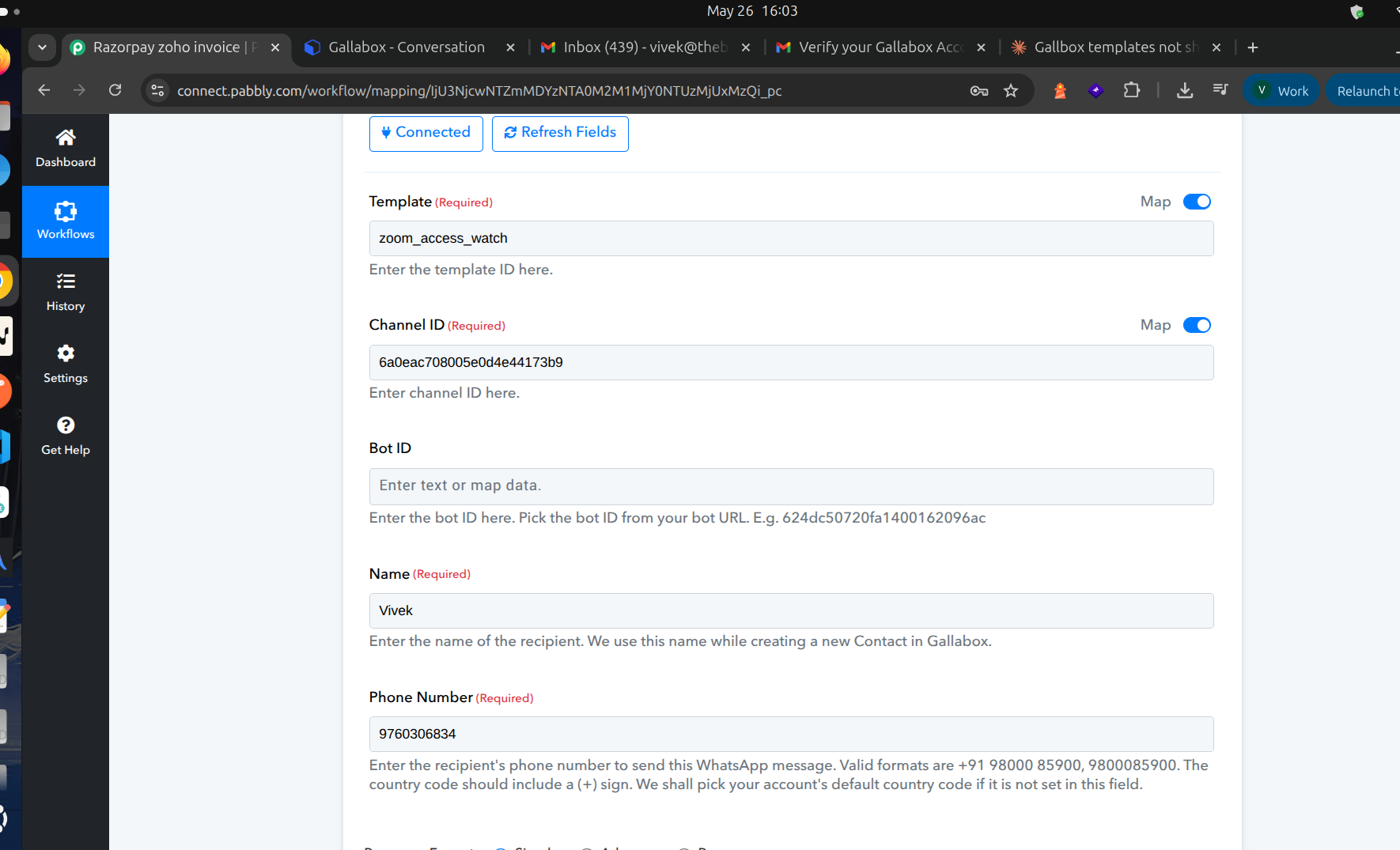
 to share screenshots or my workflow link if useful.
Hello,
This issue could be occurring due to the Gallabox connection configuration. If the connection is properly authenticated and fetching data correctly, the approved templates and channels should automatically appear in the dropdown fields.
We have attached a tutorial for setting up the Gallabox connection correctly. Kindly follow the steps shown in the video and reconnect the account once:
youtube.com/watch?v=31EIS8e8cyk:512
If the issue still persists after reconnecting, please share a screencast showing the complete connection process and the dropdown behavior so that we can investigate further and assist you accordingly.
Yes I followed the same but still the issue is there.
Hey @vivekpathak2025,
Thanks for confirming. Could you please share a screencast showing the complete connection process you followed?
the same screenshots i have shared there and the rest what is explained in video.
The template only with id with our parameters is going.
That is working.
but dropdown selection is not workig.
Hey @vivekpathak2025,
The issue has been escalated to our technical team for review. Please allow us some time and we will be back with an update soon.
Ok sure,
Please let me know updates.
Hey @vivekpathak2025,
We checked this further with our team, and it appears that the Gallabox application available in Pabbly Connect was created and managed by the Gallabox team themselves. Therefore, they would be in a better position to clarify why the specific dropdown fields are not listing the templates.
For further investigation regarding the template listing issue, please reach out to their team directly at:
[EMAIL][email protected][/EMAIL]
Meanwhile, as discussed, the action should still work when manually mapping the Template ID and Channel ID values.
Please let us know if you need any further assistance from our side.