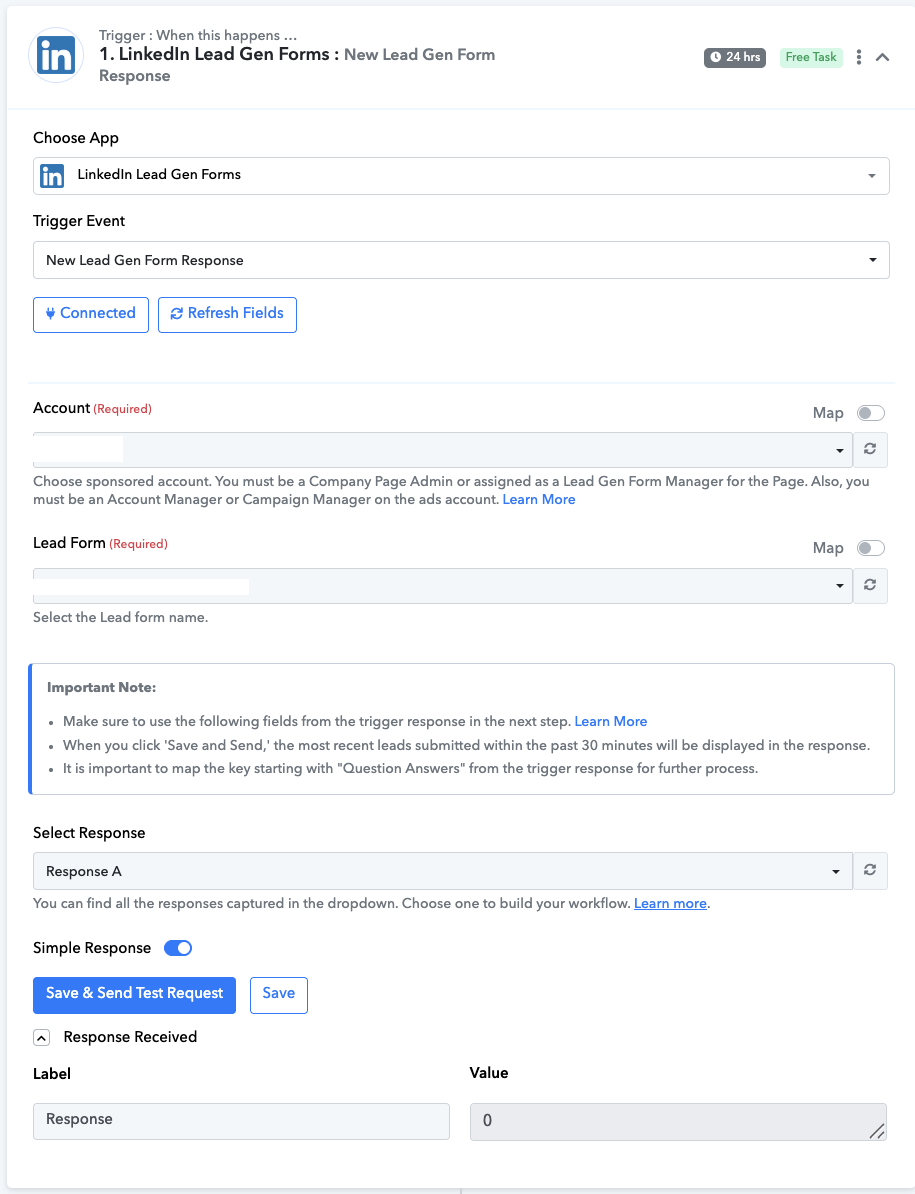
Not getting test response from LinkedIn Leads Ad
Status: Open · Asked by whizco on · 0 views
Hi team, we have created a flow where we have connected LinkedIn to automate sales CRM, but when we are doing a save and test request, we are not getting data in the flow. We first filled out the testing form, then clicked on Save and Test Request, but still, we are getting a 0 value error. Kindly assist us ASAP.
Webhook URL: https://connect.pabbly.com/workflow/mapping/IjU3NjYwNTY4MDYzNTA0MzI1MjZkNTUzZDUxMzMi_pc
Hello @whizco,
Please refer to this video for setting up the trigger and capturing the lead gen form response.
We kindly request that you record the process, and if the issue persists, please share the screen recording with us so we can assist you more effectively.
Hi, here is the reference video showing that we've followed all the correct steps still we're unable to get the form integrated to the CRM.
https://drive.google.com/file/d/10WPrVUGKuuZSbI_tS55YyBmpi-vLJ_Dh/view?usp=sharing
Kindly help
Hello,
Greetings!
To begin, please follow these steps:
- Turn on the workflow in Pabbly Connect.
- Go to LinkedIn and fill out the selected lead form. [From LinkedIn]
- Return to Pabbly Connect and click on “Save & Send Test Request.”
- You will now receive the lead details in Pabbly Connect.
- Use these captured details to add your subsequent action steps in the workflow.
Let us know if you need any help setting this up.