Not sure how to correct this problem
Status: Open · Asked by Mischelle on · 0 views
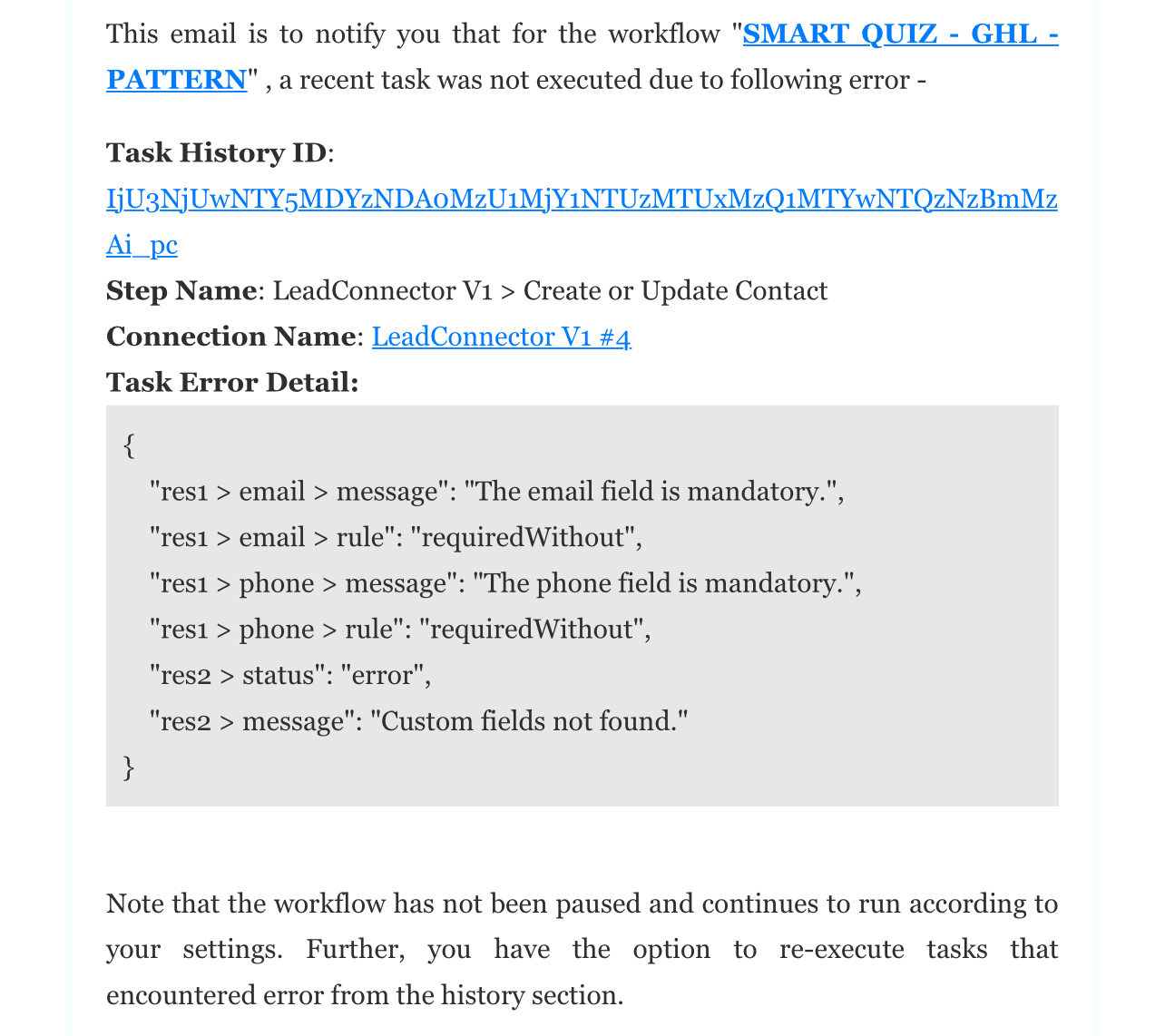
Hi @MisOneal,
https://connect.pabbly.com/workflow/mapping/IjU3NjYwNTY4MDYzMDA0MzQ1MjZhNTUzZDUxMzci_pc
Based on this workflow, we can see that you haven't mapped any data in either the Email or Phone Number field. You need to capture an email address or phone number in your trigger step and map that data to the corresponding field in the GHL action step.
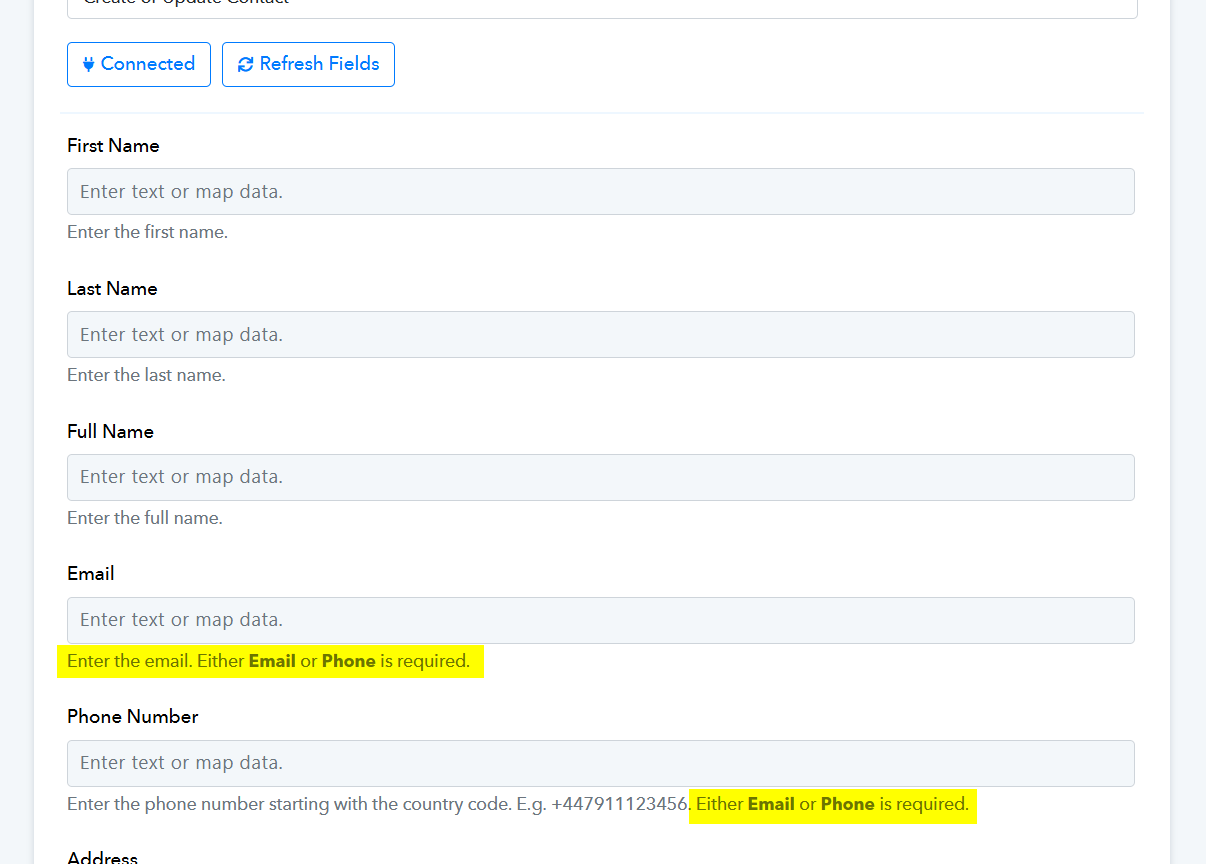
How do I do that??? Is there a tutorial or video for it?
Are you asking for the email address or phone number in your form submissions? If not, you'll need to add a field to your form to request either the email address or phone number. After that, fetch the data again in your trigger step.
yes i am asking for the email but I just ran the test and got these errors. I want to make sure it's ready to go when I do have someone take the quiz. i want to make sure the transfer of information works correctly. All I am asking for is the email and name
Hello @MisOneal,
To ensure your setup is ready and that the information transfer works correctly when someone takes the quiz, you’ll need to map the details—specifically the name and email—from your trigger step into the LeadConnector: Create or Update Contact action.
For your convenience, I’ve attached a tutorial below that provides step-by-step instructions on how to map data from one step to another within your workflow. This should guide you in configuring it accurately:
youtube.com/watch?v=IZa6ua1sDgQ:478
Please feel free to review the guide and let me know if you have any further questions