Notion Integration
Status: Closed · Asked by Rajender Garg on · 0 views
how to add multiple rows in a Notion database from previous step in pabbly connect.
Hi @rajendergarg,
Thank you for reaching out.
Currently, the Notion API does not support adding multiple database items (rows) in a single request.
However, you can achieve this in Pabbly Connect by following the approach below:
- Capture the response from the previous step in Advanced Format so that you receive structured data (array of objects).
- Add an Iterator step to process each item individually.
- After the Iterator, use the Notion – Create Database Item action.
- Map the fields accordingly so that each item is added one by one.
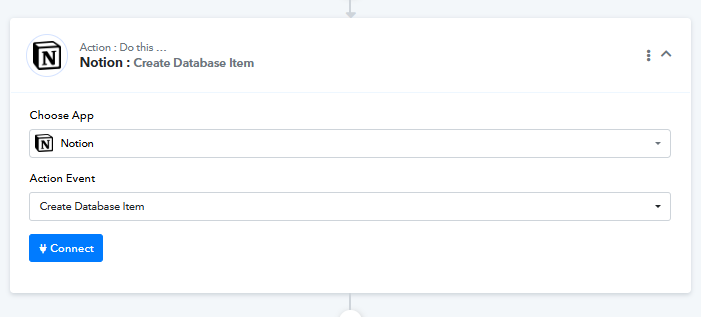
This setup will ensure that all items are inserted sequentially until the entire dataset is processed.
Please try this approach and let us know how it goes.
Kindly help me solve the problem below:
I want to update one cell in the Notion database, but I need the page ID for that, which I don't have. The JSON query that im using , I got it from your forum -
Filters in JSON when supplied, limit which pages are returned based on the filter conditions. E.g. { "and": [ { "property": "Status", "select": { "equals": "In Progress" } } ] }
here is my workflow :-
https://connect.pabbly.com/workflow/mapping/IjU3NjcwNTZjMDYzNTA0M2Q1MjY0NTUzZDUxMzIi_pc
My property name is Coupon Code
Type is text
value is 0ABG5H
It is not working and keeps giving me an error. I don't think I implemented it properly. After searching the database in notion using the query, I want to change the value of 1 cell. How do I go about this? I have attached screenshots below for reference.
Hi @rajendergarg,
We have some changes in the action, and it now seems to be working fine.
Query used:
{ "and": [ { "property": "Coupon Code", "rich_text": { "equals": "ZWDKIO" } } ] }
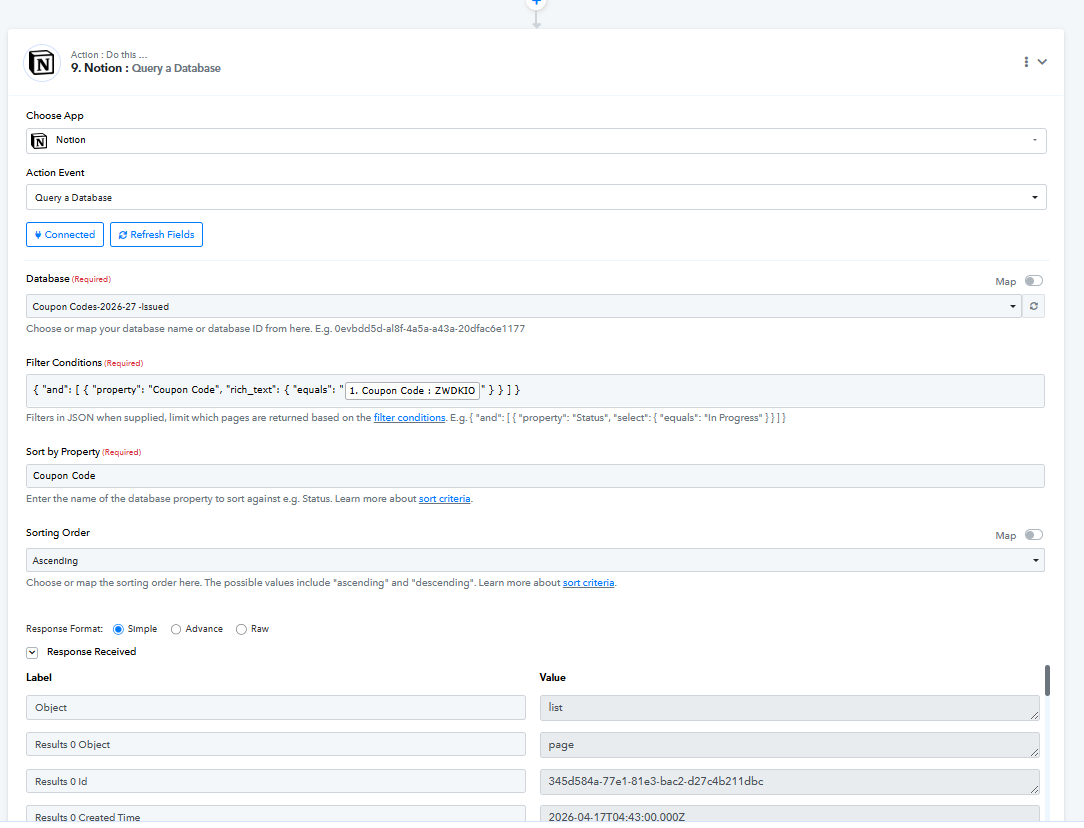
THANK YOU
Its working now
Hi @rajendergarg,
Glad to hear everything is working smoothly now!
Since your concern has been resolved, we’d really appreciate your feedback:
PS: We are closing this thread as the issue is resolved. Please feel free to reach out to us if you face any issues in the future.
Hi,
The above Notion integration stopped working today, kindly help
kindly check attached screenshots
Hello @rajendergarg,
Thank you for sharing the workflow URL and screenshots.
We checked the workflow from our end and could not find any recent task failures. However, based on the screenshots, it appears that you are still using the Query a Database (Legacy) action in Notion.
We recommend switching to the newer Query a Data Source action instead of the legacy action. Since the legacy action is deprecated, we cannot be certain why it is failing at the moment.
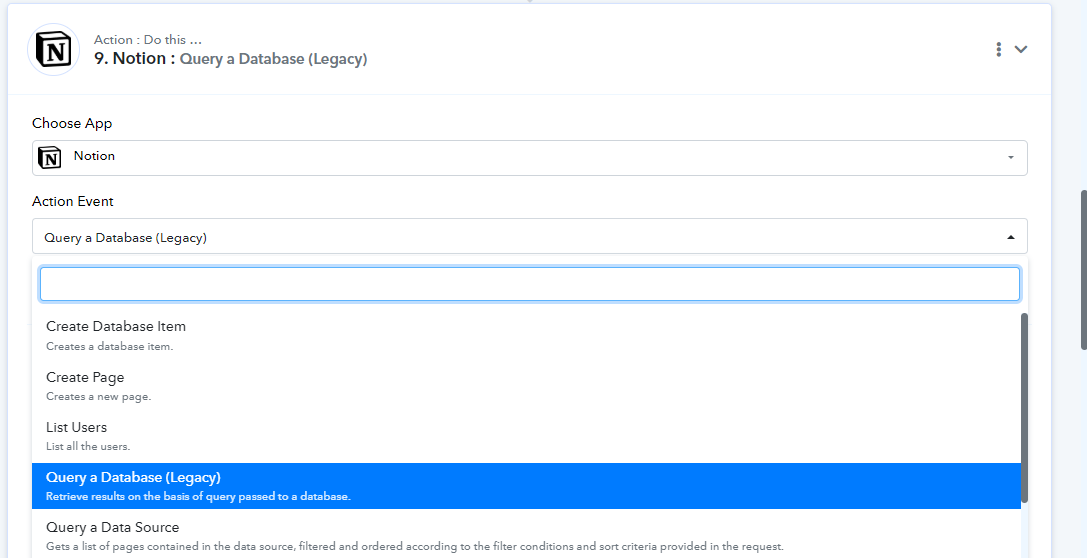
Kindly update the workflow to use the new action and test it again. Please let us know how it goes, and if the issue persists, we'll investigate further.
in Query a data source what is start cursor and page size?
In the MySQL "Query a Data Source" action step, "Start Cursor" and "Page Size" are pagination parameters used when retrieving large numbers of records.
• Start Cursor
- Specifies the position from which records should start being fetched.
- It works similarly to an SQL OFFSET.
- A value of 0 starts from the first record.
- A value of 100 skips the first 100 records and starts fetching from the 101st record.
Example:
- Start Cursor = 0, Page Size = 50 → Returns records 1–50.
- Start Cursor = 50, Page Size = 50 → Returns records 51–100.
• Page Size
- Specifies the maximum number of records to return in a single query.
- It works similarly to an SQL LIMIT.
- If Page Size is 100, the action will return up to 100 records.
Thanks & Regards,
Arshil Ahmad
Customer Support Associate
? Pabbly.com
Hi
This step query a databas in notion stop working again
showing error: body failed validation: body.in_trash should be not present, instead was `false`.
Kindly help me solve this issue.
check screenshots
Hello @rajendergarg,
Thank you for reaching out to us and for reporting this issue.
We have escalated the matter to our technical team for review. Since the same request was working successfully a few days ago and has now started failing with a validation error, it appears that Notion may have introduced an API-side update or change to the endpoint's request schema.
Our team will investigate the issue, verify whether any API changes have been made by Notion, and make the necessary updates to the action if required.
Please allow us some time for the investigation. We will keep you posted as soon as we have an update.
We appreciate your patience and understanding.
Hello @rajendergarg,
The reported issue has been resolved by adding a new option under the dropdown.
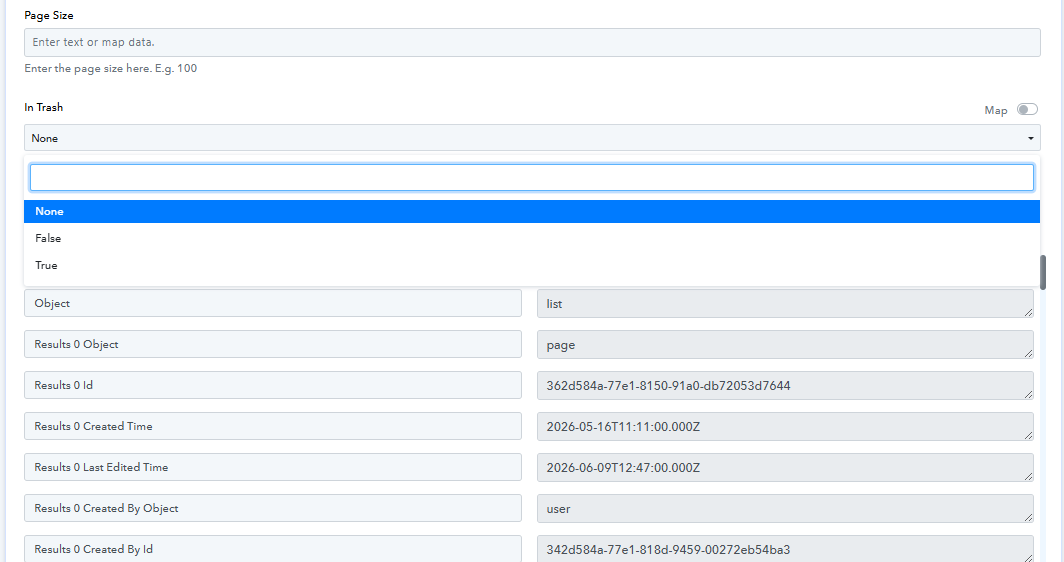
thank you very much, its working now
Glad to hear everything is working smoothly now!
Since your concern has been resolved, we’d really appreciate your feedback:
PS: We are closing this thread as the issue is resolved. Please feel free to reach out to us if you face any issues in the future.