Notion to Send Email automation NOT working.. Help ?
Status: Open · Asked by Rishabh on · 0 views
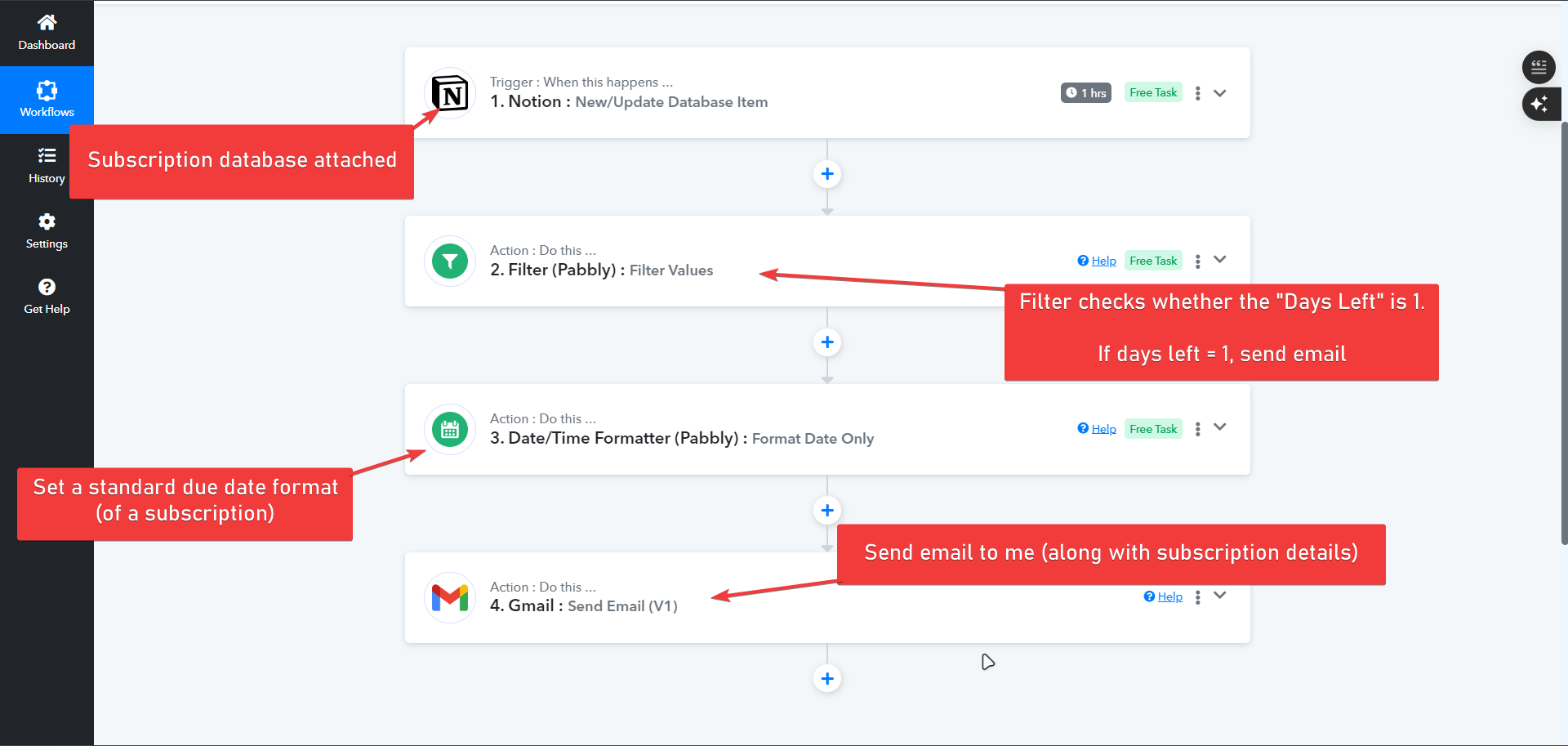
What am I trying to do?
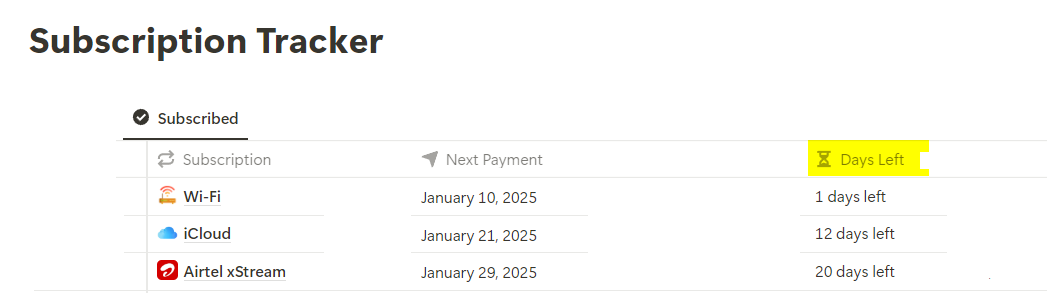
- Notion contains my subscription tracker database.
- Every Subscription has a value called "Days Left".
- If a subscription contains "1 Days Left" --> Email my [email hidden] email.
What is messed?
- The "test" email is working properly.
- But, the real email is not coming to me -- whenever the Days count turns 1 in my Notion database.
My test email: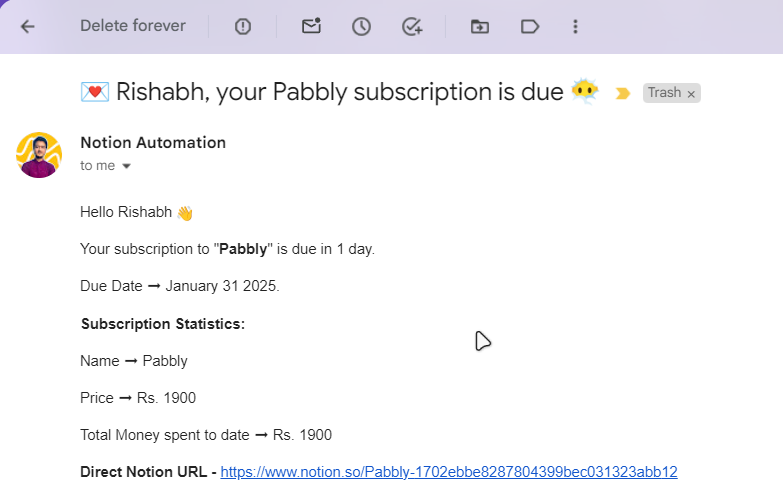
Please help :) Thanks.
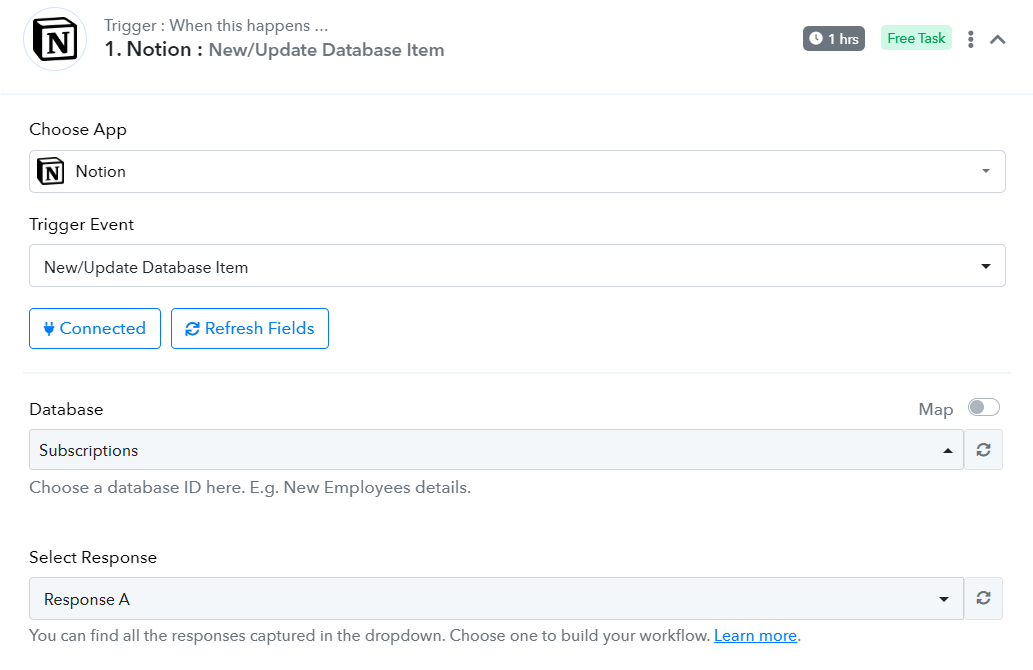
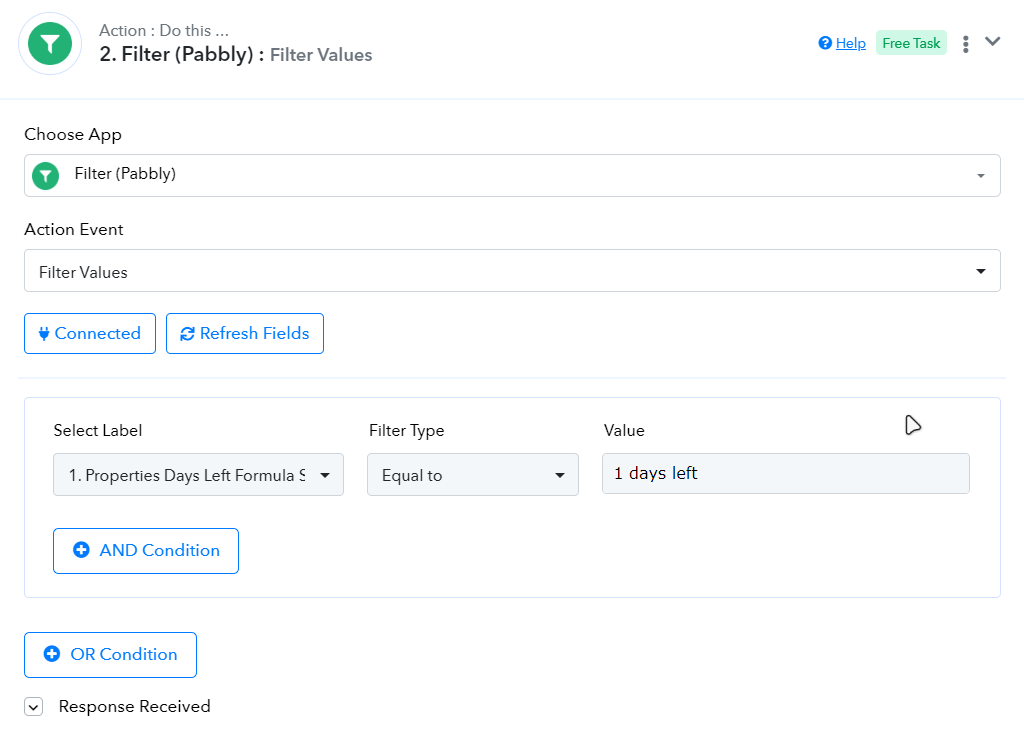
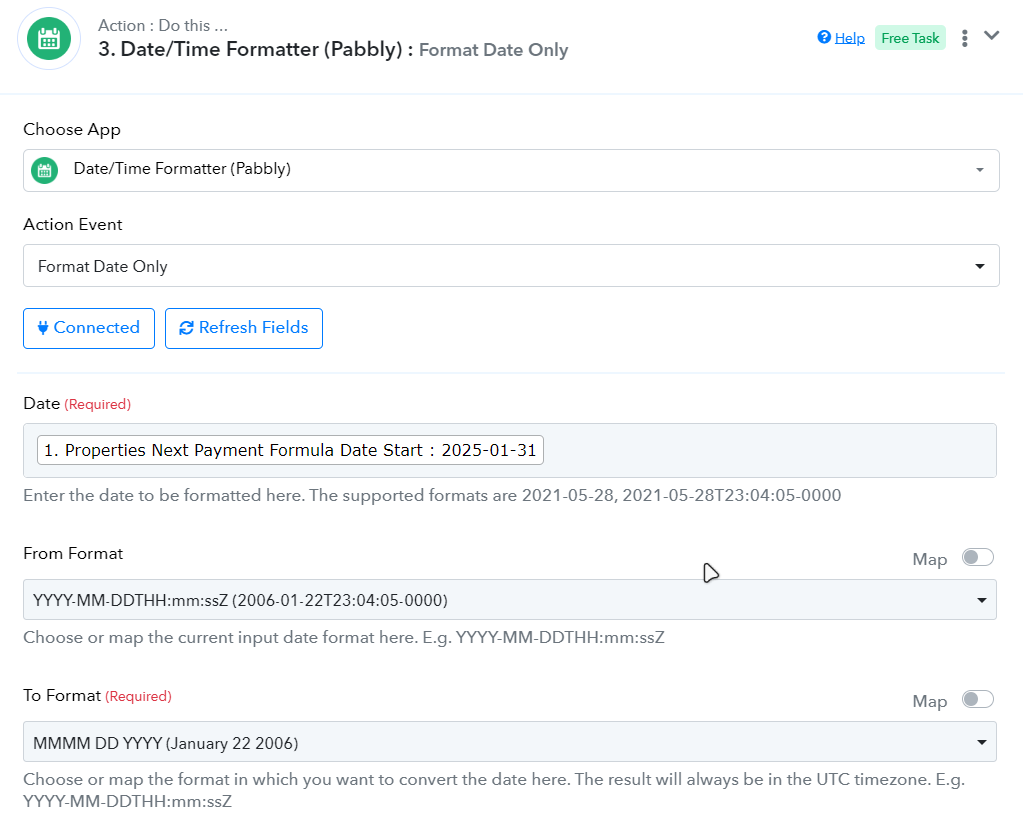
I am attaching a screenshot of the whole workflow:
Hi @Rishabh,
Based on your Task History, we can see that your workflow has been triggered twice. In none of these executions was the value in 'Properties Days Left Formula String' set to '1 day left'; hence, it didn't pass the Filter step.
https://drive.google.com/file/d/1tMshQu2UpxUktpjlbyEUj3n3CGtdNV_Z/view?usp=sharing
Noted Arshil..
I have 1 confusion: How I need to fix this issue?
A. I have to manually select a response (subscription) where condition is true?
For example: Selecting a subscription that says 1 days left in Trigger.
After doing this, will I receive automatic reminders via Email for my future subscriptions?
When the data in the 'Properties Days Left Formula String' field is changed to '1 day left', it will trigger your workflow. The filter condition will be met, the next steps will be executed, and you will receive the email. There is no need to change anything in the workflow.
Oh, got it. Thanks, Arshil for the quick reply :)
I have one last question:
Is there any way to change the "time" of the Notion trigger duration?
I have some other things in Notion that I want to automate but I want the automation to run every 5 min, instead of 1 hour.
- I know 5 min. is a very short duration but 1 hour is too much for the workflow I want.
Hello @Rishabh,
Yes, you can change the trigger time for the Notion trigger by following these steps:
- Click the three dots next to your trigger step.
- Select the Set Trigger Time option.
- Choose your desired time and save the changes.
For more details, please refer to the attached images.
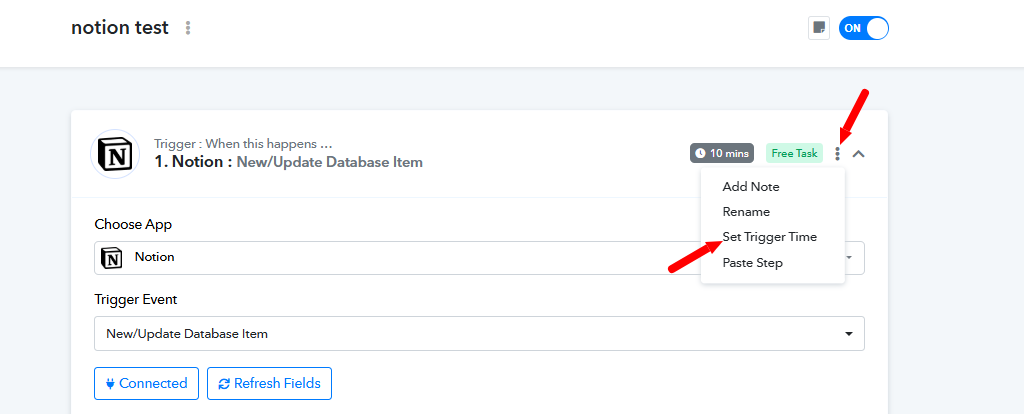
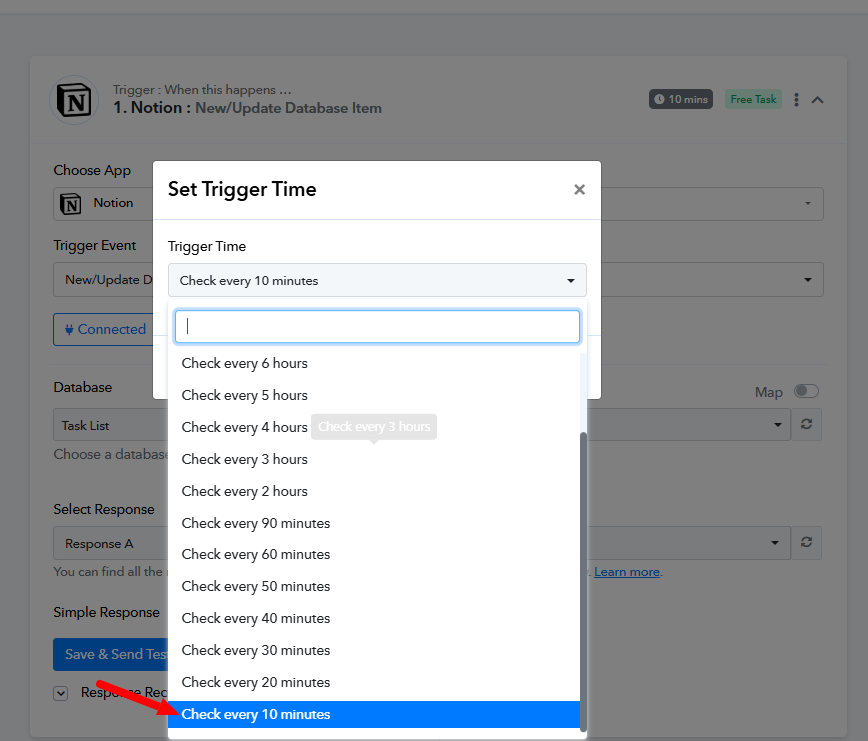
Note: The minimum trigger time interval is 10 minutes.
Thanks for the steps, Preeti.
But.. The issue is that Pabbly is unable to run the checks after every 10 minutes.
I followed all the steps and changed my trigger duration to "10 mins." Now.. Pabbly should check my Notion database every 10 mins. and IF it finds any subscription with a due date of "1 days left" --- > It should send me an email.
Am I right?
But.. This is not happening (I am unable to figure out why)
---
I tried manually UPDATING the days from Notion, and thought that Pabbly would send me an email.. but in reality, it never happened.. (I waited for many hours)
---
Hello @Rishabh,
Could you please confirm the timezone of your Notion Account? so we can effectively look into the issue.
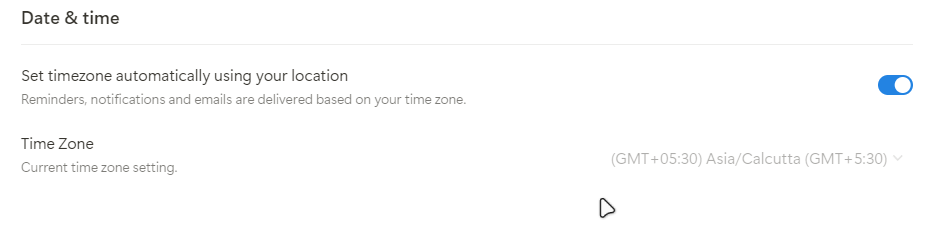
Hello @Rishabh,
We have recorded a detailed video to let you the reason behind the issue please refer to it - https://www.loom.com/share/94af66ad03e144dc8e23d957ae6da04a?sid=eaa0fe34-9770-4644-9f17-c47ae7211829.
If you face any further issues please let us know.
Can u pls suggest me any idea as to how I can resolve this issue?
I researched a bit and found that it is a default behaviour of Notion to output the data in UTC format and I tried changing that -- but I failed..
Is their any other way I can run my automation? Any workaround?
Please try changing the timezone in your Notion account to UTC format and check if that resolves your issue.