OneDrive to Salade Not Working
Status: Closed · Asked by Jonathan Green on · 0 views
I am trying to transcribe new files from OneDrive using Salad.
The connection to Onedrive works fine:
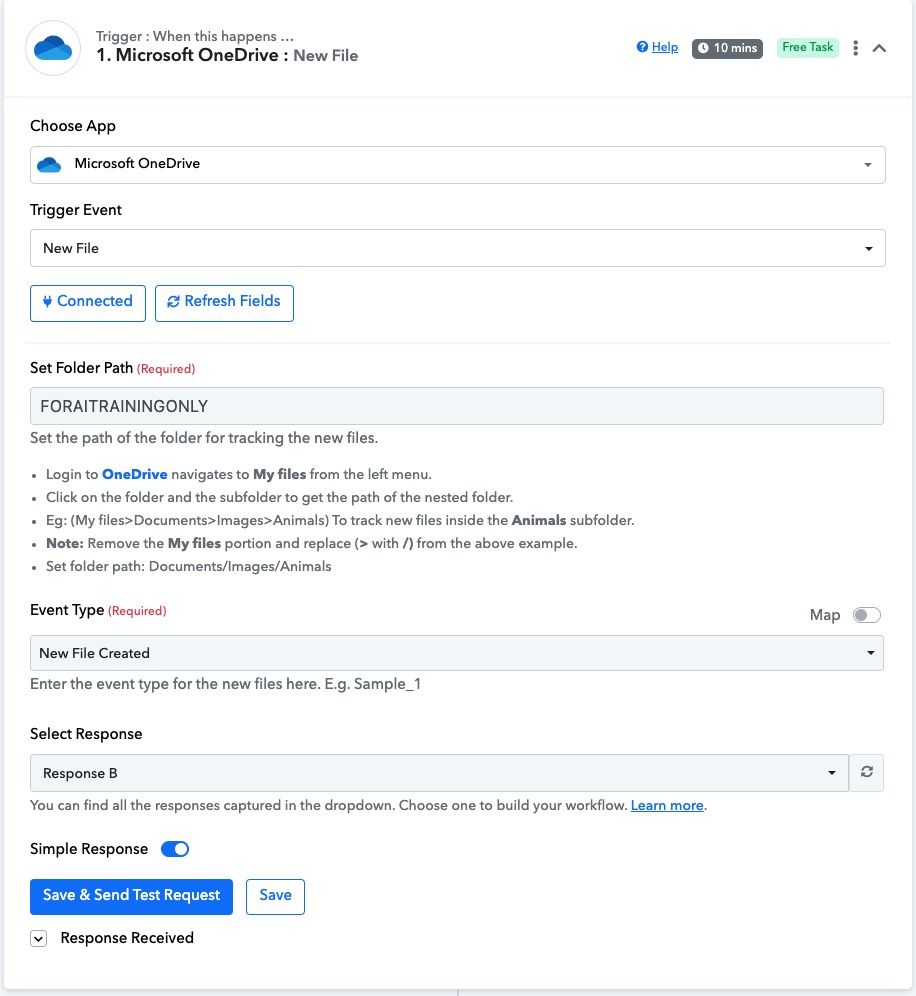
The connection to Salad LOOKS fine but something is wrong with the URL. I have it set to the download URL as per the walkthrough.
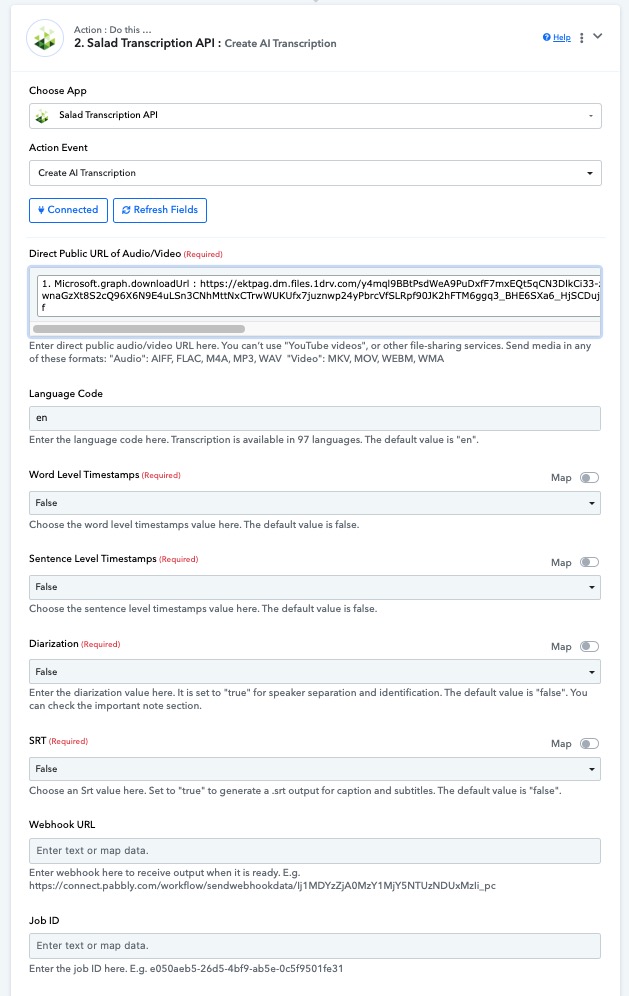
However. Every task fails as Salad sees the URL field as empty during automations.
Every time I manually press the save & send test request it works fine.
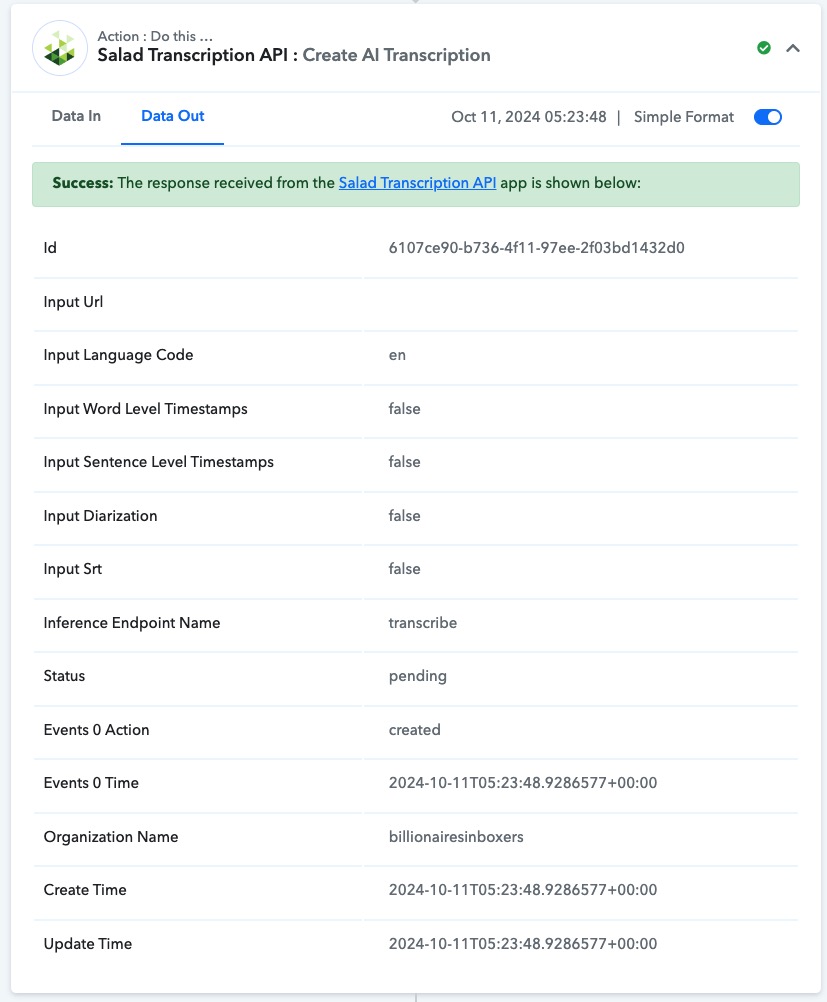
Let me know if you got this working, right now I am trying to do it using dropbox as the google drive is broken and I cannot get it to respond.
Hey @JonathanDragonDJ
Upon looking into your workflow it appears that you are entering the URL which you are entering is not publicly accessible. Kindly use "Create a Sharing Link" as described in the image below, 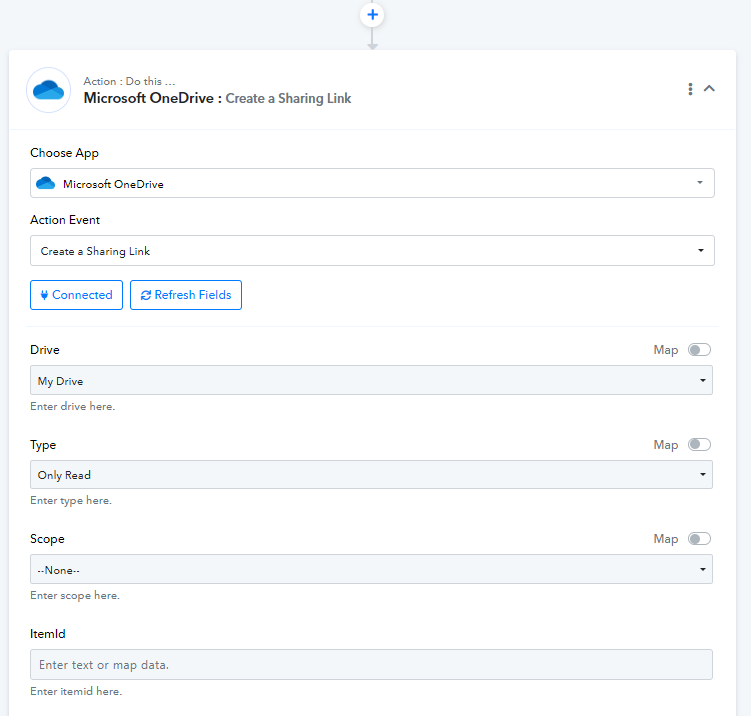
You can use the URL obtained in order to execute your use case. Let us know if it works for you.
None of your tutorials on OneDrive include this step. Every single one of them demonstrates the GraphURL. Can you please make a demo showing how to fill out this new create a sharing link step?
Hey @JonathanDragonDJ
I will surely convey this to our team and update if they can make a video tutorial about this. In the meantime, please try it out on your end.
You will need to map the Item ID from the trigger step and other fields are dropdown fields. You can select the options accordingly there.
Let us know if it works for you.