Openai Assistant v2
Status: Open · Asked by Vitorouski on · 0 views
Dear Pabbly,
A few months ago Open AI has updated their Assistants to v2. One of the improvements is a faster search over the files you've sent to the assistant because a vector search.
Now i'm trying to create a chatbot with telegram and Open AI Assistant following the steps you described on this tutorial:
youtube.com/watch?v=ke0KRsgHh1g
I'm in step of "creating a message" on Pabbly connect side, but i get an error: Unknown parameter: 'file_ids' when i select v2. And also I think i can't use newest models like gpt4-o-mini.
In other hand, I've seen that you allways use a delay of 2 min after Run action, because it's important that Pabbly has enought time to get the message from Open AI Assistant.
In a chat conversation with a human or a chatbot it's very important to reduce the time of each answer. If a costumer has to wait 2 min everytime he said anything, he probably would leave the chat session.
So my question is...
It's possible to reduce delay time, using v2 and optimized models like gpt4-o-mini? And if so, have you thinked about upgrade Pabbly integration with open AI Assistant to get it?
Hello @Vitorouski
You were receiving this error while creating the message File IDs weren't passed, nor was the map button turned on. Please refer to the attached screenshot we have turned it on and captured the response on your behalf.
I'm in step of "creating a message" on Pabbly connect side, but i get an error: Unknown parameter: 'file_ids' when i select v2
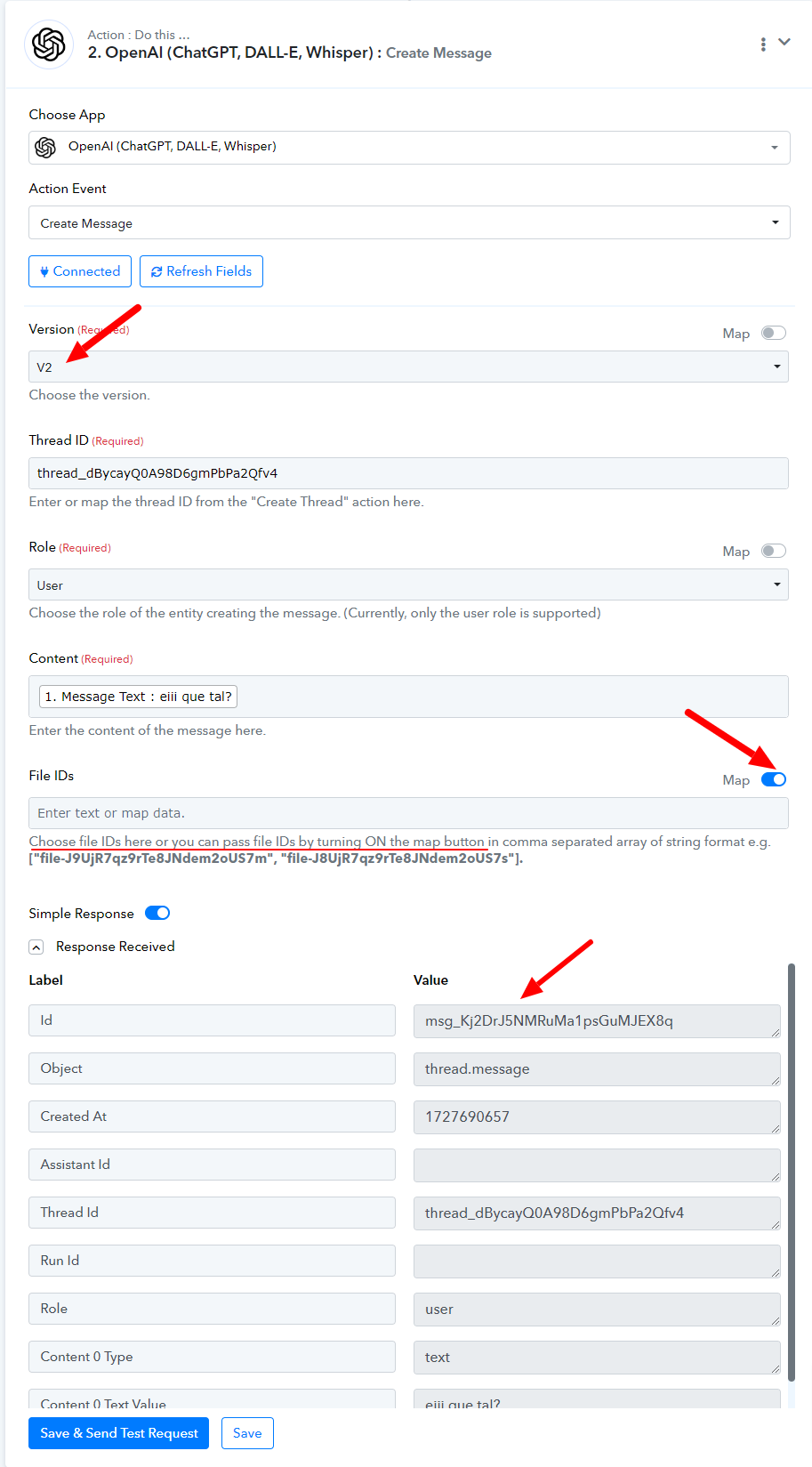
If we reduce the delay time, it is possible that it is not enough for OpenAI to process the request.
In other hand, I've seen that you allways use a delay of 2 min after Run action, because it's important that Pabbly has enought time to get the message from Open AI Assistant.
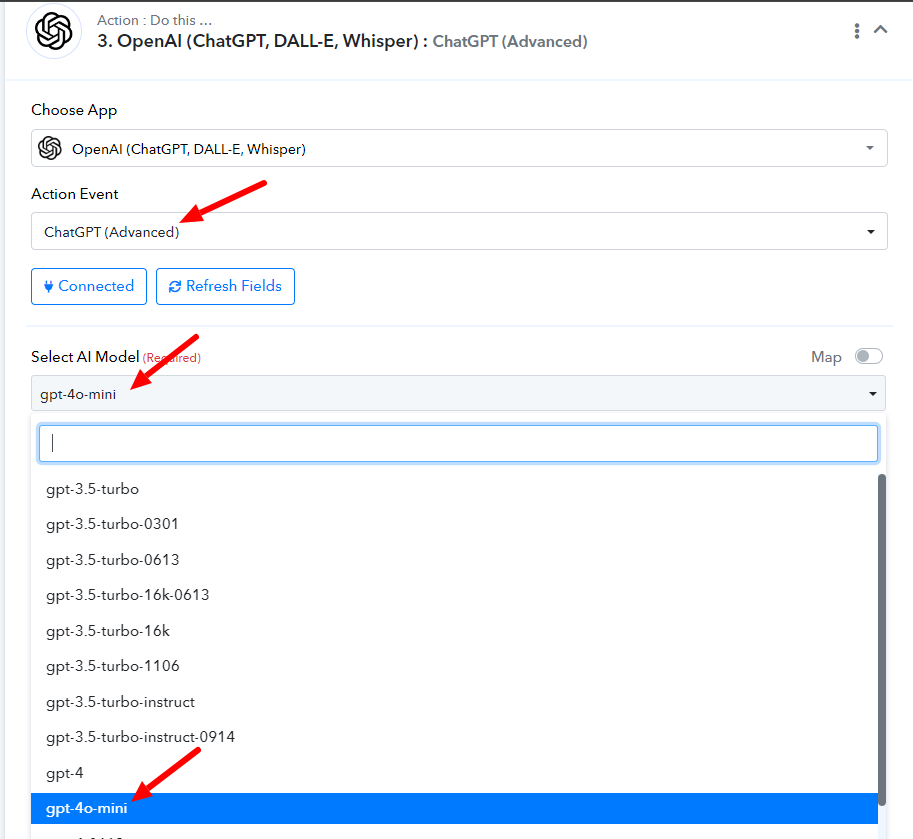
Also, note that you would be able to use other GPT models like GPT-4o-mini under the "ChatGPT(advanced)" action.
Thank you very much for your quick answer. I'm gratefully surprised about Pabbly customer support.
Hello @Vitorouski
We are happy to help. If you have any further concerns please let us know.
IT works!
Anyway, I think the new models generate responses faster and I have tested it with a minute delay and it works properly.
I want to try with a 30 second delay but this function does not allow me to reduce less than a minute.
Hey @Vitorouski
The minimum delay that you can do inside a workflow is 1 minute. Let us know if you have any further queries.
I've seen that reduce delay to seconds is a common request by users.
I've found a possible solution on this post https://pabbly.featureos.app/p/delay-by-pabbly
Hey @Vitorouski
That is great! Although, we would still not suggest using a delay of less that 60 seconds.
Feel free to reach out if you face any further queries.