OpenAI file attachment
Status: Open · Asked by edwardzev on · 0 views
I am trying to build workflow that is triggered by an email parser, receive attachment url (invoice - which is pdf file with open text). Fetch details from invoice using openai, and stores it in airtable or any other spreadsheet.
I built an assistant. tested it in playground and the assistant analyze quite efficiently the uploaded file and returns needed details (invoice num, sum, etc)
Step1 - trigger=>attachment url
Step2 - upload file to assistant=>file id
Step3 - create thread=> thread id
Step4 - create message with attachment - here i have a problem. i can't get message created with file id, that contains pdf file, although it is obviously uploaded since I received file id.
Step5 - create run => status queued. Wait a bit
Step6 - list messages=>I get response that indicate that the assistant didn't really checked the uploaded file.
I am aware that the easier option is to retrieve text with the help of third party pdf parser like pdf.co, but since openai assistant easily retrieve data from the open base pdf, i want to make it available through the direct uploading of the file, and not by feeding the extracted text.
Hi @edwardzev,
In the 'Create Message' action step, please enable mapping, then map the File ID enclosed within double quotes and square brackets, and see if that fixes your issue.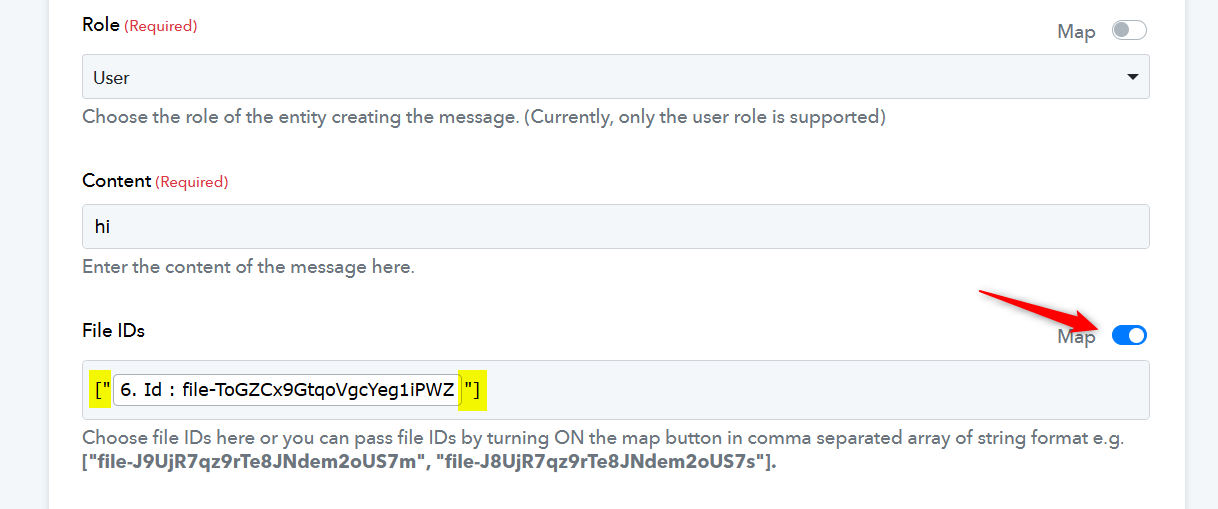
thank you for a prompt reply.
but it didn't really help. 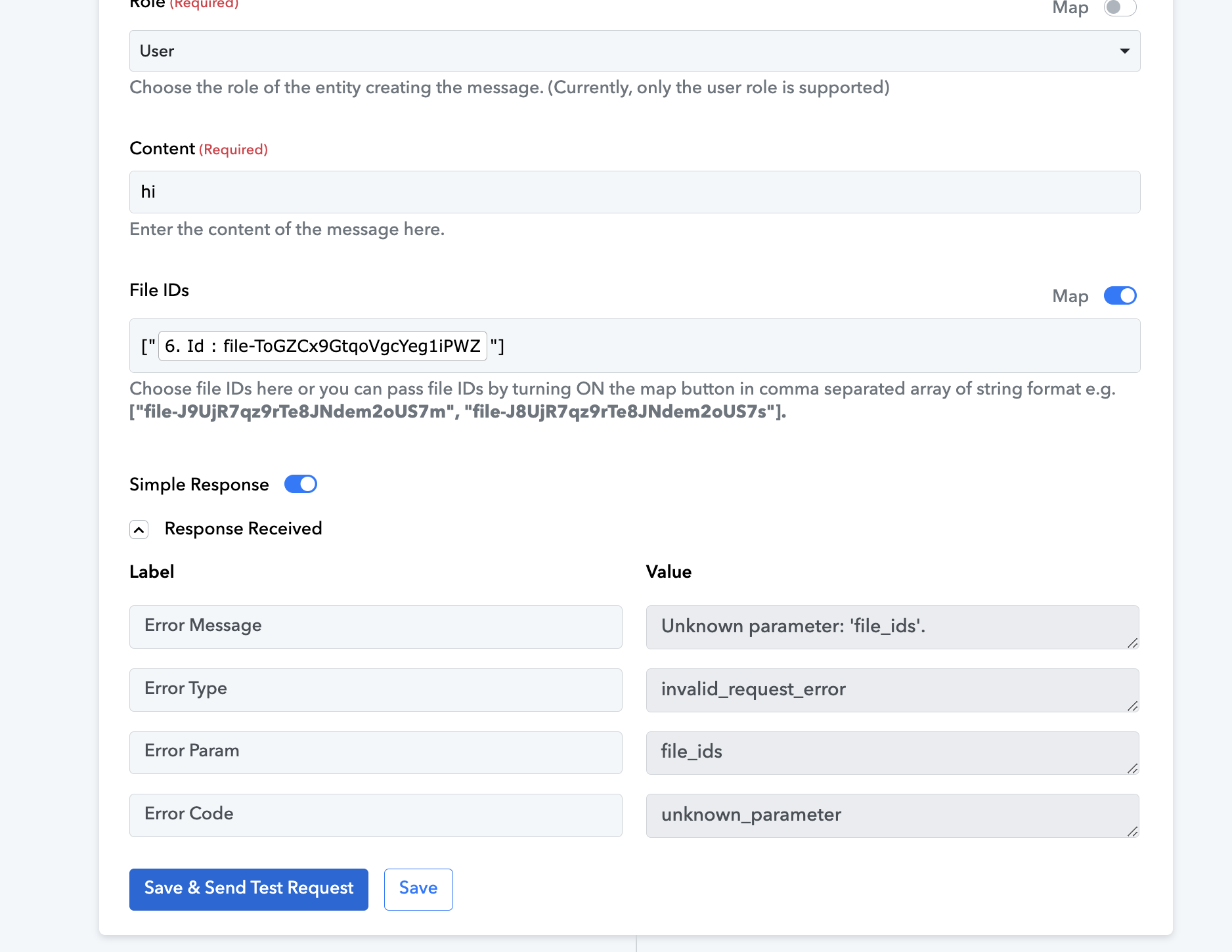
Please allow us some time to look into this concern. We will get back to you with an update soon.
Hello @edwardzev,
Please try using the Create Message V2 (Beta) action instead of Create Meaasage and let us know if it works for you.
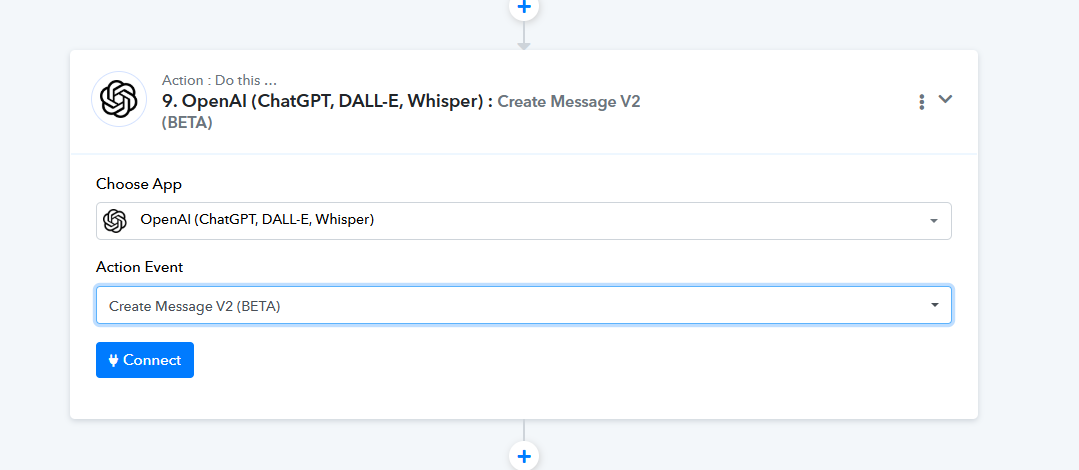
Thank you.
I tried. It returns "Invalid type for 'attachments[0].file_id': expected a string, but got an array instead."
My guess is that in TYPE field I chose TEXT (not image, not image url obviously) but seems TEXT also wrong. My guess.
Pls check screenshot.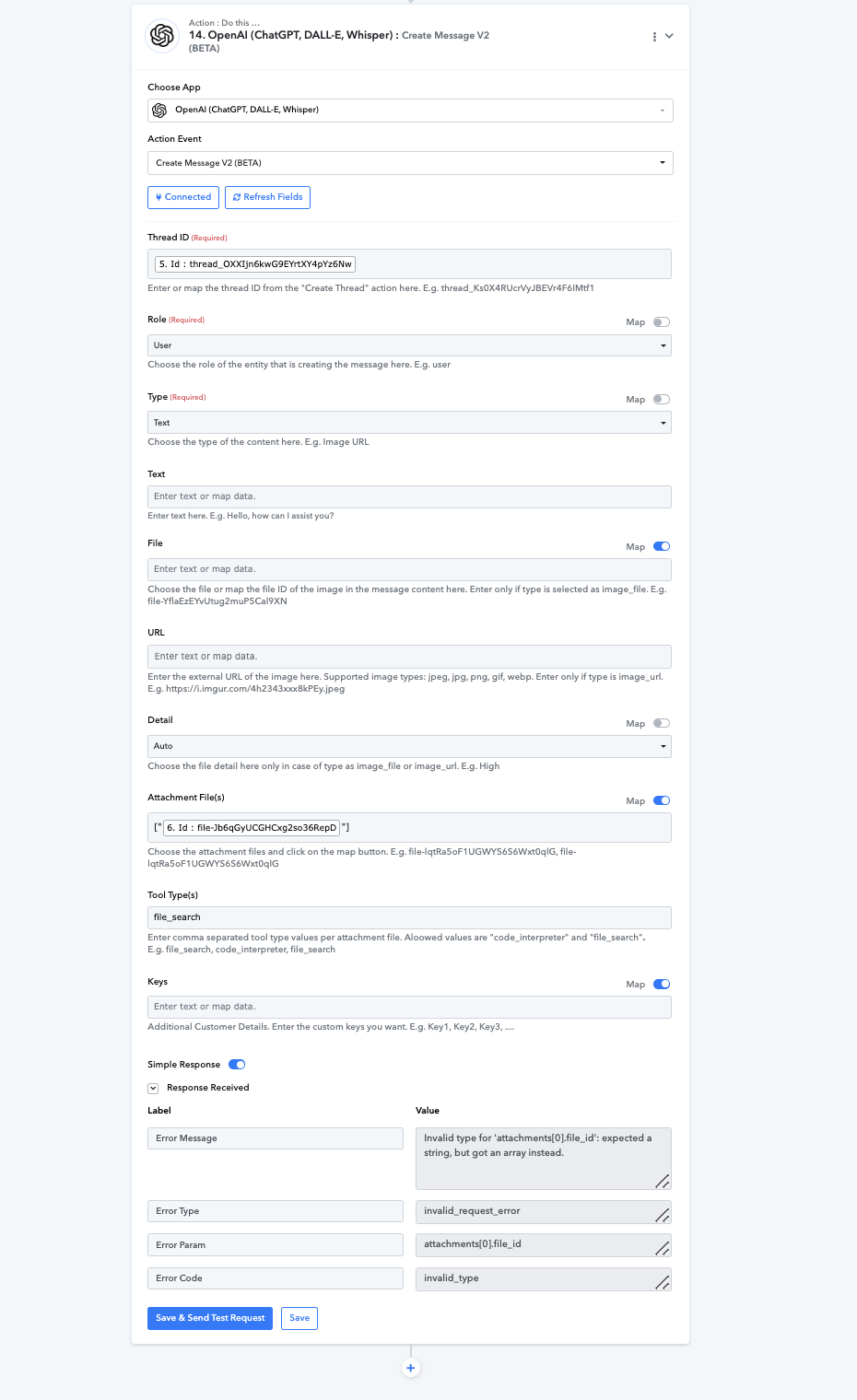
Could you please click on 'Re-Capture Email Parser Response' and capture a new file in the Email Parser trigger step? Once done, please let us know.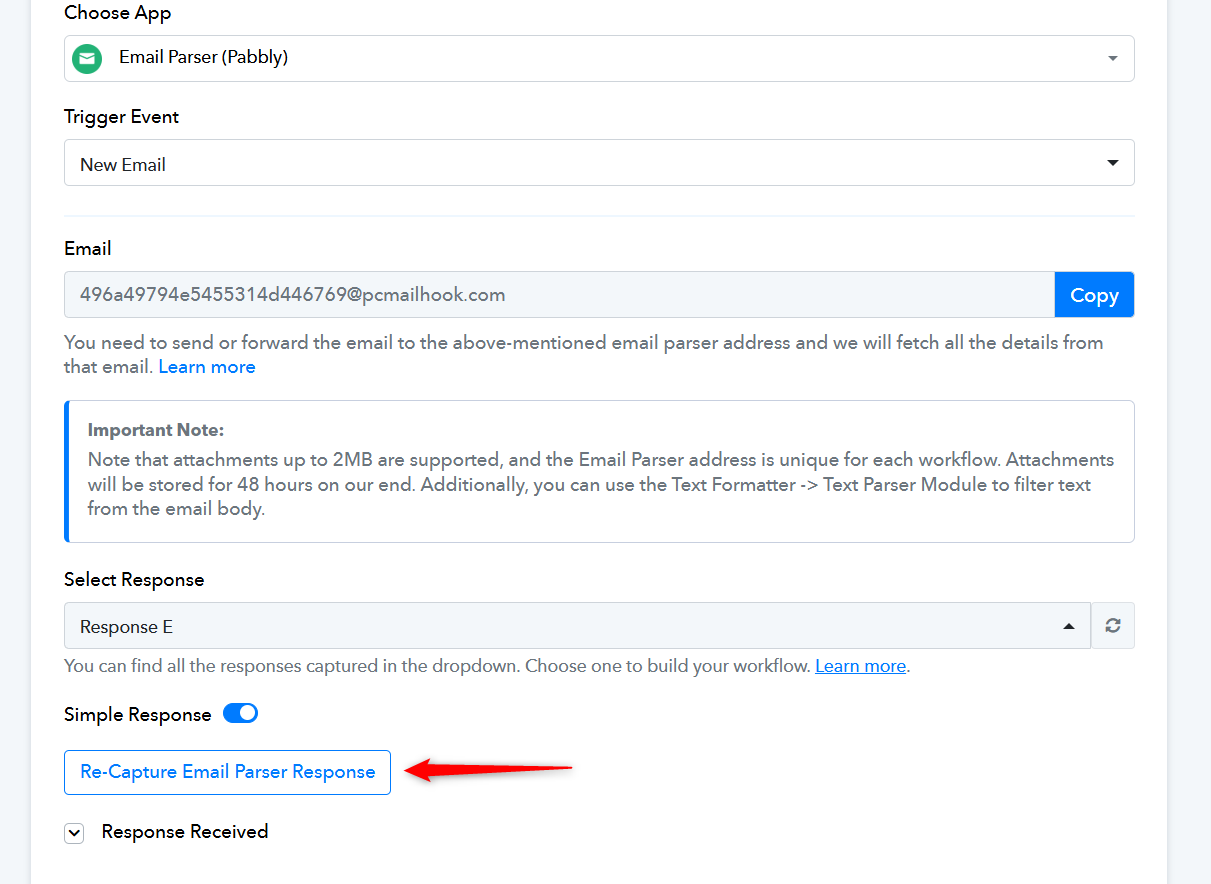
done
Thank you for uploading a new file. Please allow us some time to review this concern. We will get back to you with an update shortly.
Hello @edwardzev ,
It seems there have been changes made to your workflow, and as a result, we are unable to locate the OpenAI steps. We kindly request you to add these steps back so we can proceed with testing the issue.
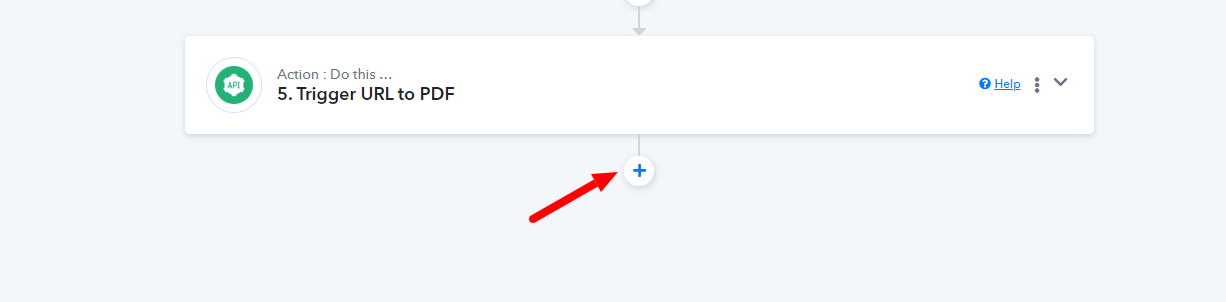
Thank you for your cooperation!
Hi @edwardzev & @Preeti Paryani !
I follow exactly the same workflow and have tested it with both PNG and PDF files. However, I encounter an error message at the last step:
"Files were not found."
Could you let me know how I can help in return? I’m happy to conduct additional tests if needed.
Also, has this type of workflow (e.g., document analysis via OpenAI) already been implemented on Pabbly's side?
Thank you in advance for your support!
Access to my workflow : here
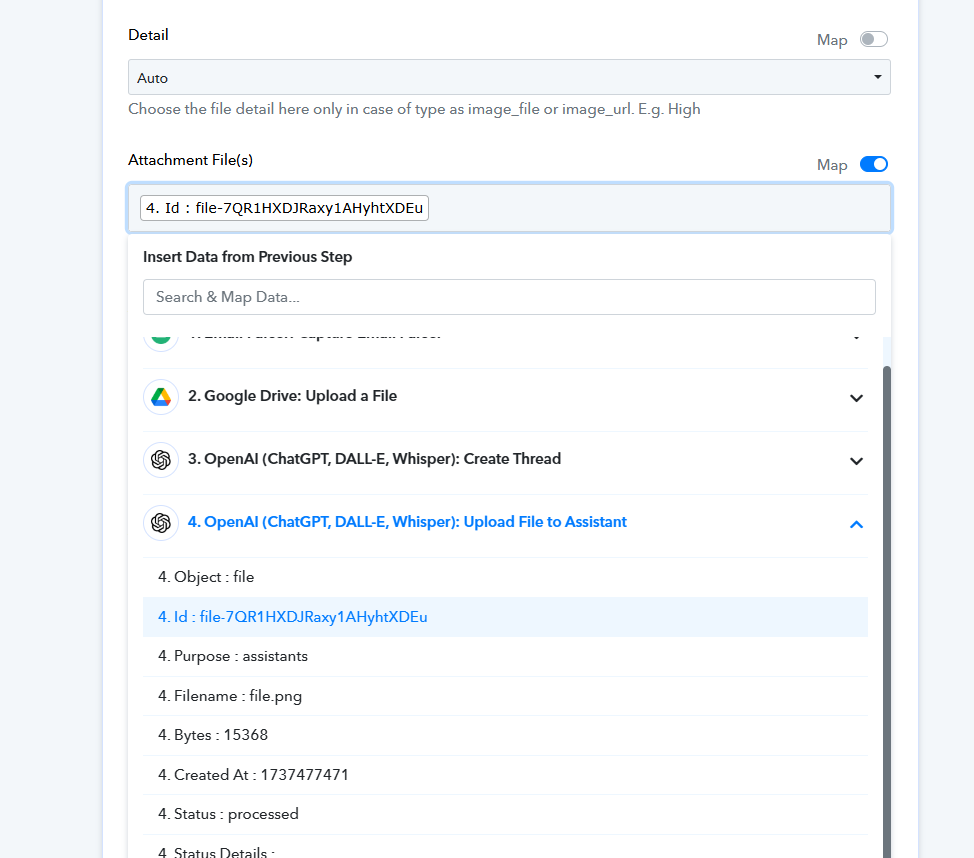
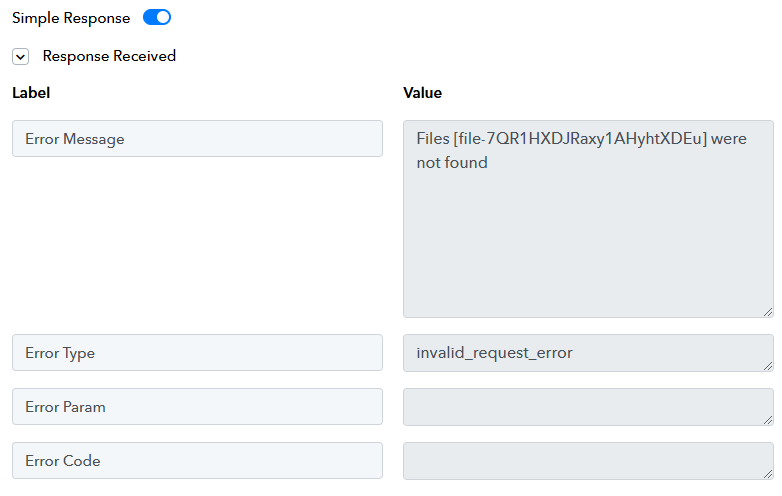
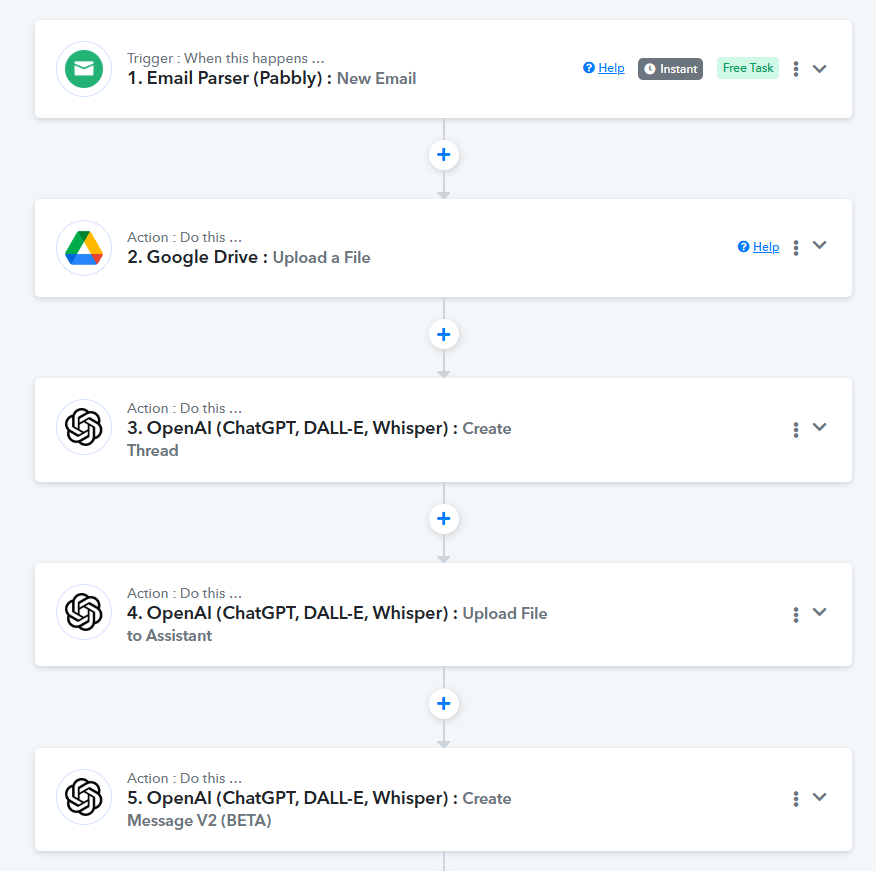
Hey @quantum.je
It appears the the API for OpenAI is not accepting the file URL from Pabbly or Google Drive. We would suggest hosting the file on any other application such as OneDrive or Dropbox and try uploading with the URL you get from the response.
Just use "Upload File" for Dropbox or OneDrive before the OpenAI step.
You can refer to the tutorials below -
youtube.com/watch?v=SM_ljzV_KH0
youtube.com/watch?v=GB6ZORU06Ls
Let us know if it works for you.
Hello @Luv !
Thank you for your suggestion!
I tested both Dropbox and OneDrive. I was able to upload the files, but I am unsure how to retrieve the correct link for OneDrive.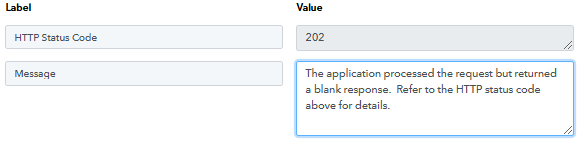
With Dropbox, I successfully tested the "Upload file to Assistant OpenAI" module, and it seems to work.
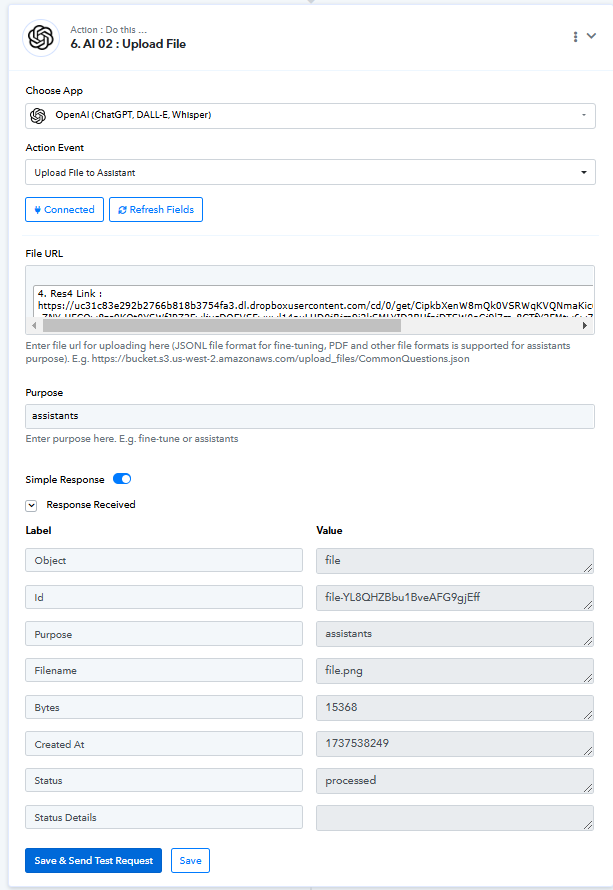
However, I still encounter the same error at the next step:
"Files [file-YL8QHZBbu1BveAFG9gjEff] were not found."
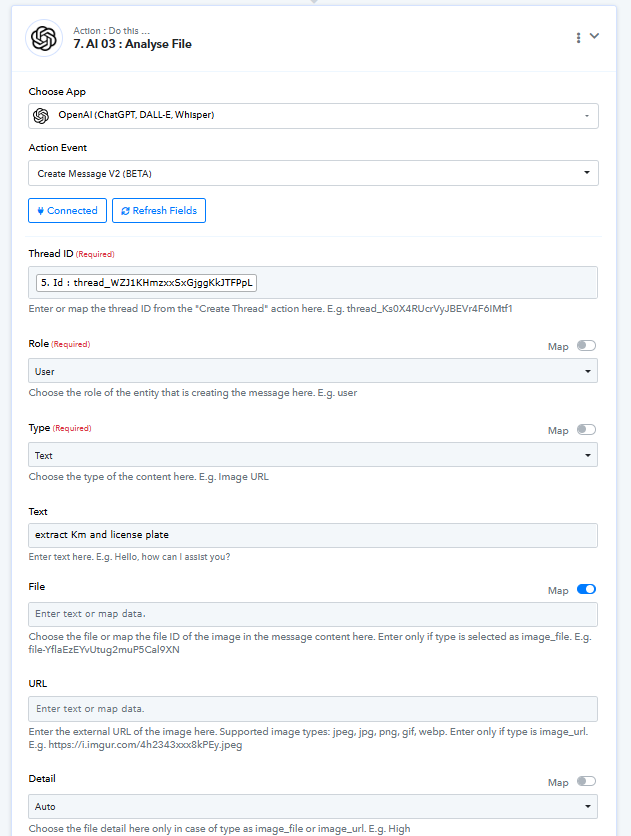
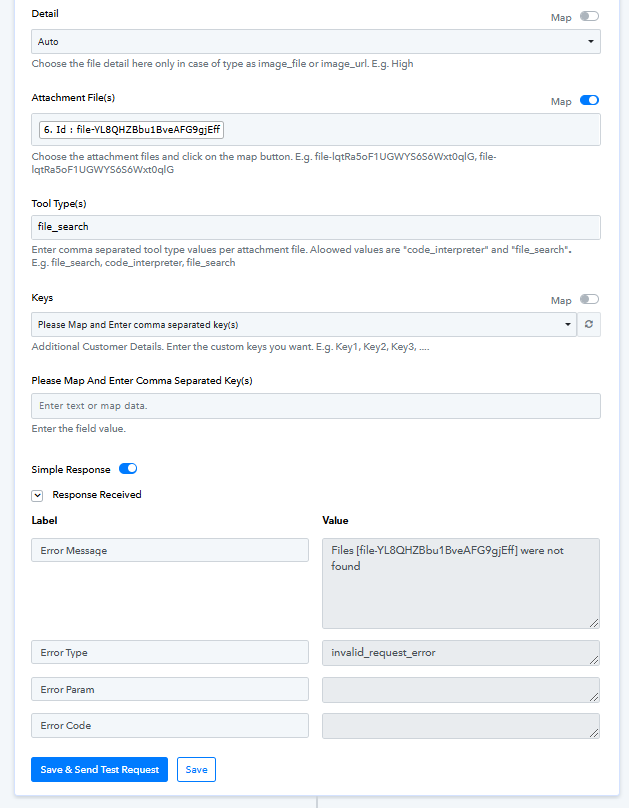
Could you provide further guidance on this issue?
Thank you in advance for your help!
Hey @quantum.je
Kindly allow us some time to look into this issue. Also, please capture a new email with attachment so that we can check the issue effectively.
? new capture done !
Hello @quantum.je,
We have escalated your concern to our technical team, and they are currently investigating the issue. We will keep you updated as soon as we have more information.
Thank you @Preeti Paryani for taking this issue into consideration. However, I must say I'm quite surprised that, with so many people using the platform and all the exceptional expertise around the project, no one has yet attempted to use ChatGPT with files.
I noticed in your signature that there are over 7,400 tutorials. Are there any tutorials specifically dedicated to advanced usage of OpenAI?
Hello @quantum.je,
You can refer to the tutorial playlist below to learn how to use OpenAI:
OpenAI Tutorial Playlist
Could you please clarify what you mean by the "usage of OpenAI"? This will help us provide more specific guidance.
Hi @Preeti Paryani !
The ability to upload a file for analysis by ChatGPT is an extremely powerful feature, offering incredible and unlimited possibilities. It opens up new perspectives for advanced use cases, making tasks like data processing, document analysis, and creative workflows much more efficient and accessible.
If I were in the position of the Pabbly team, I would invest significant resources into this feature, as it enables so much and could truly revolutionize how users interact with and benefit from the platform.
Hello @quantum.je,
We understand the importance and potential of the Upload a File action in OpenAI. Please note that the issue related to this action has already been escalated to our technical team.
As soon as we receive any updates regarding this issue, we will inform you promptly.
Thank you for your patience and understanding!
Hello @quantum.je
Upon investigation, we have identified that there are currently issues affecting the OpenAI API, which may be causing the problems you are experiencing. For more information on the official errors and ongoing issues, please refer to the following documentation - https://status.openai.com/.
We recommend attempting your actions once the API is stable. We are also encountering the same errors on our end and will continue to monitor the situation closely. Rest assured, we will keep you updated as the API stabilizes.
Thank you for your understanding and patience.
Hello @Preeti Paryani,
I checked the page [https://status.openai.com/](https://status.openai.com/) and indeed saw the following message:
**File upload failing for API and ChatGPT users**
*Resolved - This incident has been resolved.*
*Jan 22, 11:08 PST*
*Monitoring - A fix has been implemented, and we are currently monitoring. We will provide an update once we have confirmed the issue has been resolved.*
*Jan 22, 08:22 PST*
*Investigating - We are currently investigating an issue where file uploads are failing for some users.*
*Jan 22, 07:59 PST*
I wonder if the issue has indeed been fully resolved. Additionally, before this incident, was it already possible to send files via Pabbly Connect to OpenAI? This functionality could be incredibly useful and worth exploring further.
Thank you for your insights!
Hello @quantum.je,
Sure, please take your time to monitor the functionality and ensure everything is working smoothly. And yes, it is indeed possible to send files to OpenAI via Pabbly Connect. However, if there are any issues with the OpenAI API itself, such as the one you observed earlier, it may lead to failures in achieving this.
Hello @Preeti Paryani,
I have re-tested the functionality, but unfortunately, I am still unsuccessful. Perhaps I may have made an error in my workflow. If someone could review it, I shared it at the beginning of this discussion for reference.
Would it be possible for the Pabbly team to create a video tutorial showcasing this workflow? At the very least, having a tutorial directly from your team would provide proof that it works as intended.
Thank you for your assistance!
Hello @quantum.je,
While attempting to perform the action, we encountered some errors. Our team is currently investigating the issue, and we will provide you with updates as soon as possible.
Thank you for your patience!
Hello @quantum.je,
The issue we were facing has now been resolved. Our team attempted the same action, and it worked for us. However, after checking the custom API calls in your account, it appears that the files aren't being uploaded even after receiving a "processed" status in the upload file action.
We have left the custom API action in your workflow for reference. Please refer to the attached video to see the process - https://drive.google.com/file/d/1hLwPki1fgezEm5PjDcEe0oMW41ThtKAk/view?usp=sharing.
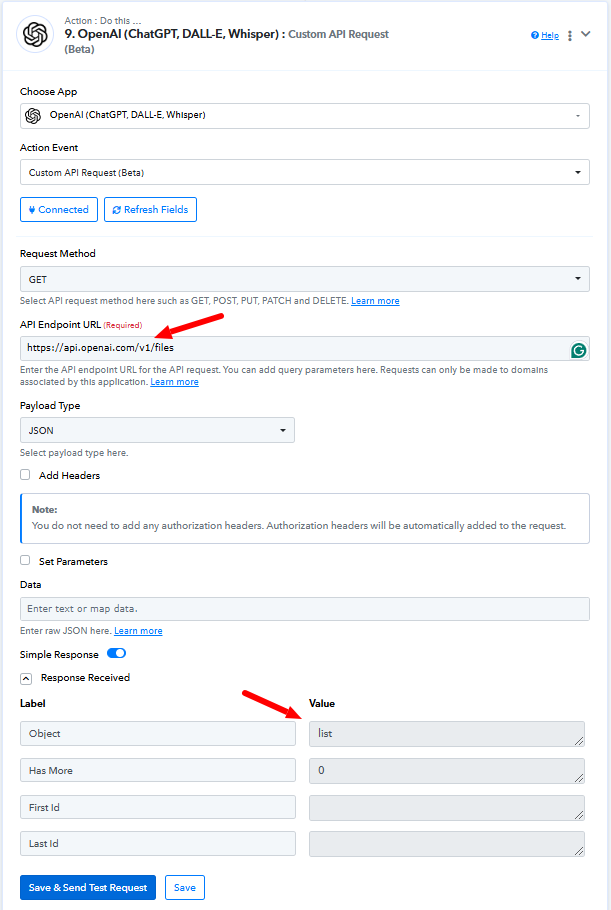
We recommend contacting the OpenAI team regarding this issue as they are better positioned to assist you on this issue.
Hello @Preeti Paryani,
I followed the steps shown in the video—thank you for taking the time to create it, even though the audio quality was a bit challenging.
However, I still don’t understand why it’s not working on my end. This is getting beyond my expertise and the time I can dedicate to troubleshooting. It would be really helpful to have a proper tutorial and a shared workflow to clarify everything.
I've been a big fan of Pabbly for several years and have promoted it a lot in France, where it's not very well known. But at this point, I’m almost considering stopping and testing other platforms instead. I hope we can find a solution soon.
Thanks again for your support!
Hello @quantum.je,
Thanks for your feedback!
We’ve escalated the tutorial request to our video team. As soon as we receive any updates, we’ll let you know.