Pabbly Billing Subscriber to be created in Kit and be Tagged as "member"
Status: Closed · Asked by Deanie Paez on · 0 views
Hi Pabbly Support,
I need help setting up an automation between Pabbly Subscription Billing and Kit/ConvertKit.
What I want to happen:
When someone purchases our 1 Year Access Membership in Pabbly Subscription Billing, I want their customer information to be sent to Kit/ConvertKit and for the subscriber to be tagged as:
PDM Member
The intended workflow is:
Pabbly Subscription Billing successful membership purchase
→ Send buyer/customer details to Pabbly Connect
→ Create or update subscriber in Kit/ConvertKit
→ Add tag: PDM Member
The issue I’m having:
In Pabbly Connect, the response I’m receiving from Pabbly Subscription Billing only shows:
Event Type: test_webhook_url
Event Source: pabbly_subscription
It does not show the customer’s email address, name, product/plan name, payment status, subscription ID, invoice ID, or any other buyer/payment details.
Because of that, the Kit/ConvertKit step fails or keeps updating the wrong test contact. I cannot properly map the buyer’s email address because there is no buyer email field available in the trigger response.
Please provide clear setup instructions based on the current Pabbly interface so I can correctly automate.
Thank you
Hello Deanie,
Thanks for contacting us.
Could you please share the Workflow URL so that we can look into it and provide information accordingly?
Please be aware that to assist you effectively, we may need to access your Pabbly Connect account. If you're comfortable with this, please grant us permission by stating in your next email: "You have my permission to log into my Pabbly Connect account, and edit workflow {If required}. Here is the registered email address associated with it."
Thanks & Regards,
Adeel Akhtar
🌐 Pabbly.com
Pabbly Support:
Hello Deanie,Thanks for contacting us.Could you please share the Workflow URL so that we can look into it and provide information accordingly?Please be aware that to assist you effectively, we may need to access your Pabbly Connect account. If you're comfortable with this, please grant us permission
Hi Adeel. thank you responding. This is a workflow for an account I'm managing. I'm part of its team member.
IjU3NjYwNTY0MDYzNzA0MzA1MjZjNTUzZDUxMzIi_pc
You have my permission to log into my Pabbly Connect account, and edit workflow {If required}
Here is the registered email address associated with it.
[email hidden]
Hello Deanie,
Kindly refer to this video tutorial and learn how the trigger response is captured in the trigger step by making a test payment, all you need to do is to follow the steps in the same method - https://www.youtube.com/watch?v=0pPtIgtir3o
Thanks & Regards,
Adeel Akhtar
🌐 Pabbly.com
Pabbly Support:
Hello Deanie,Kindly refer to this video tutorial and learn how the trigger response is captured in the trigger step by making a test payment, all you need to do is to follow the steps in the same method - https://www.youtube.com/watch?v=0pPtIgtir3oThanks & Regards,Adeel Akhtar🌐 Pabbly.com
This doesn't work. I don't have the test card option. we are integrated with stripe. I cant process a dummy purchase.
Our Product is now Live. How can I make a test payment?
Pabbly Support:
Hello Deanie,Kindly refer to this video tutorial and learn how the trigger response is captured in the trigger step by making a test payment, all you need to do is to follow the steps in the same method - https://www.youtube.com/watch?v=0pPtIgtir3oThanks & Regards,Adeel Akhtar🌐 Pabbly.com

I managed to submit a test. But the The First name and last name is not showing in the options in Kit. But they are in captured fields in the trigger.


See? no data for first name or last name. But they are showing in the captured fields in the trigger.
Hello Deanie,
Kindly navigate to Settings-> Payment Gateway Integration-> Enable Test gateway in Pabbly Subscription, then edit the product plan and Add the Test Gateway.
Open the checkout page and, using the Test gateway, complete the purchase. Before completing the test purchase, make sure to hit the Re-capture response button on the Trigger application in the Pabbly Connect workflow.
Thanks & Regards,
Adeel Akhtar
🌐 Pabbly.com
Pabbly Support:
Hello Deanie,Kindly navigate to Settings-> Payment Gateway Integration-> Enable Test gateway in Pabbly Subscription, then edit the product plan and Add the Test Gateway.Open the checkout page and, using the Test gateway, complete the purchase. Before completing the test purchase, make sure to
Yes. I did that. Please see the following concerns. I sent screenshots as well
Thank you!
Hello Deanie,
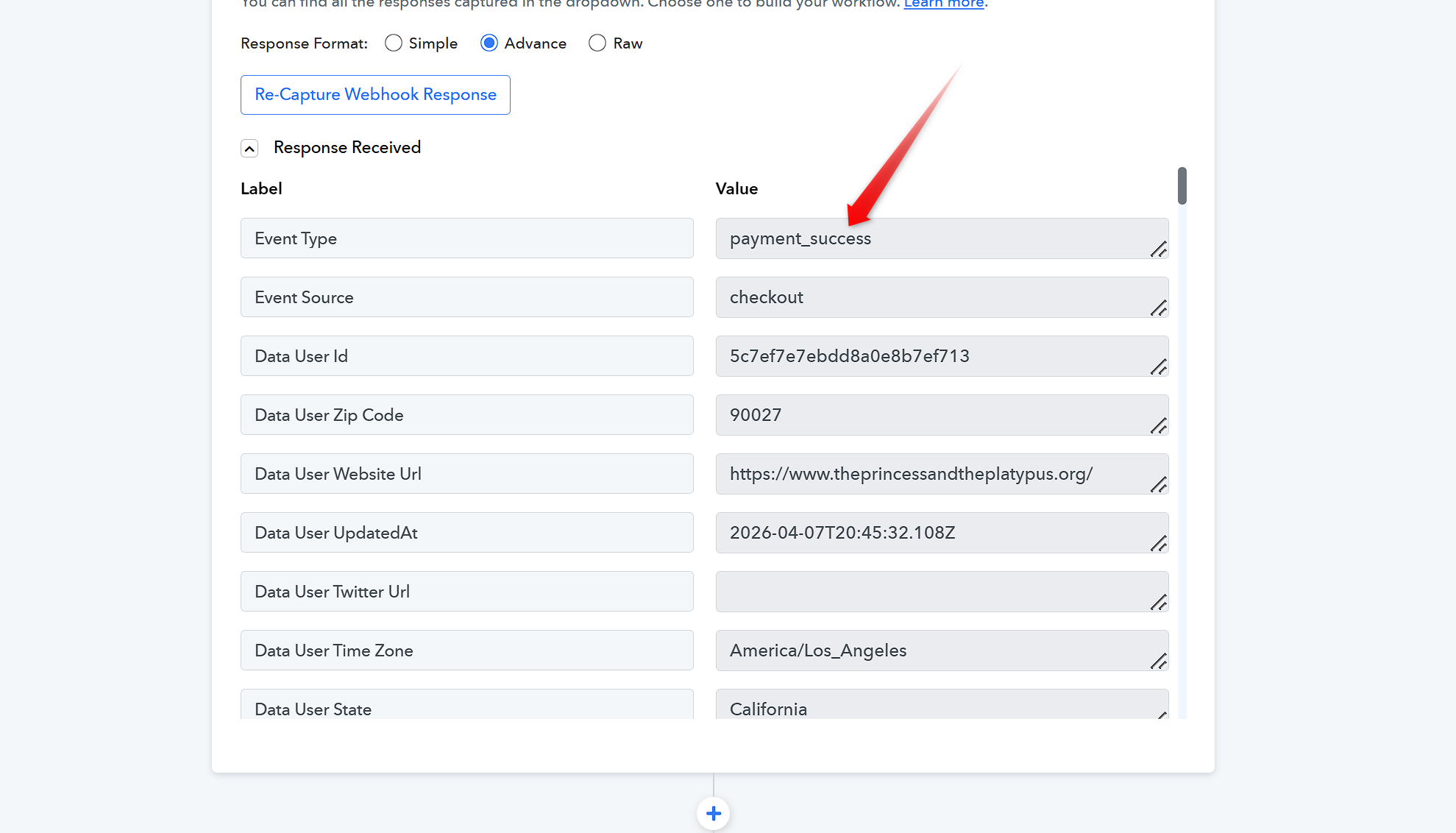
Kindly make sure that the Trigger event selected in the Trigger response is Payment success. Then map the data in the following actions.
Thanks & Regards,
Adeel Akhtar
🌐 Pabbly.com