Pabbly connect Content-type error
Status: Open · Asked by sanket8989 on · 0 views
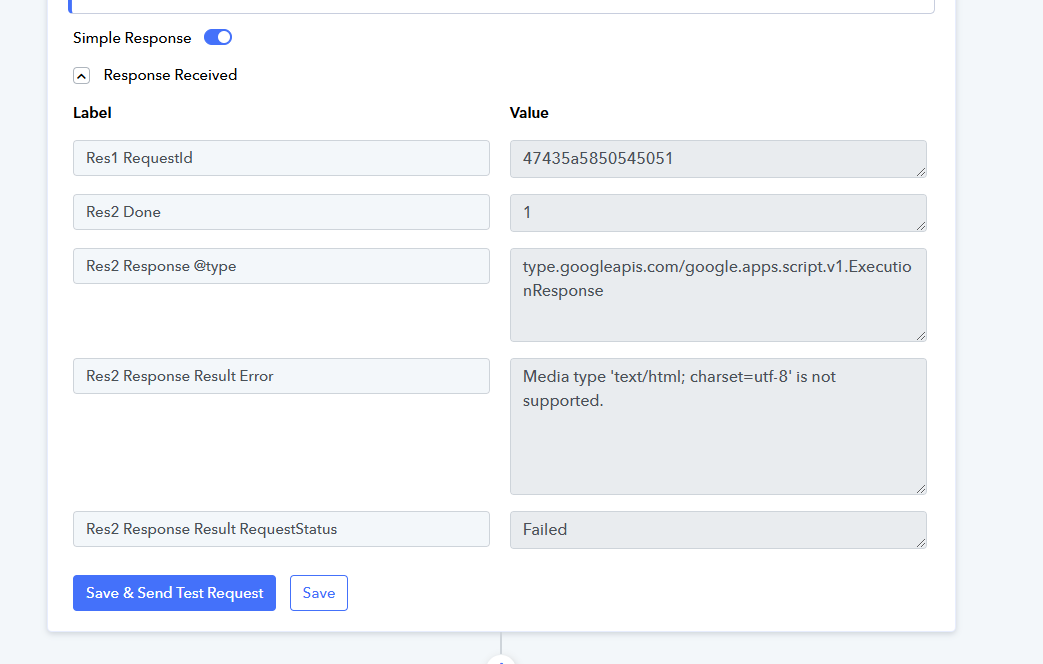
Below error is showing at Action step. how to solve it?
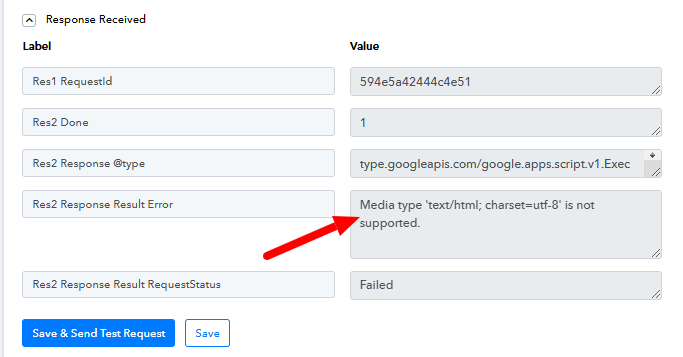
Res2 Response Result Error: Media type 'text/html; charset=utf-8' is not supported.
Hi @sanket8989,
Please try using a downloadable Google Drive link and see if that fixes your issue.
Not Working Still Show THIS Error In Scroonshot
Hello @sanket8989,
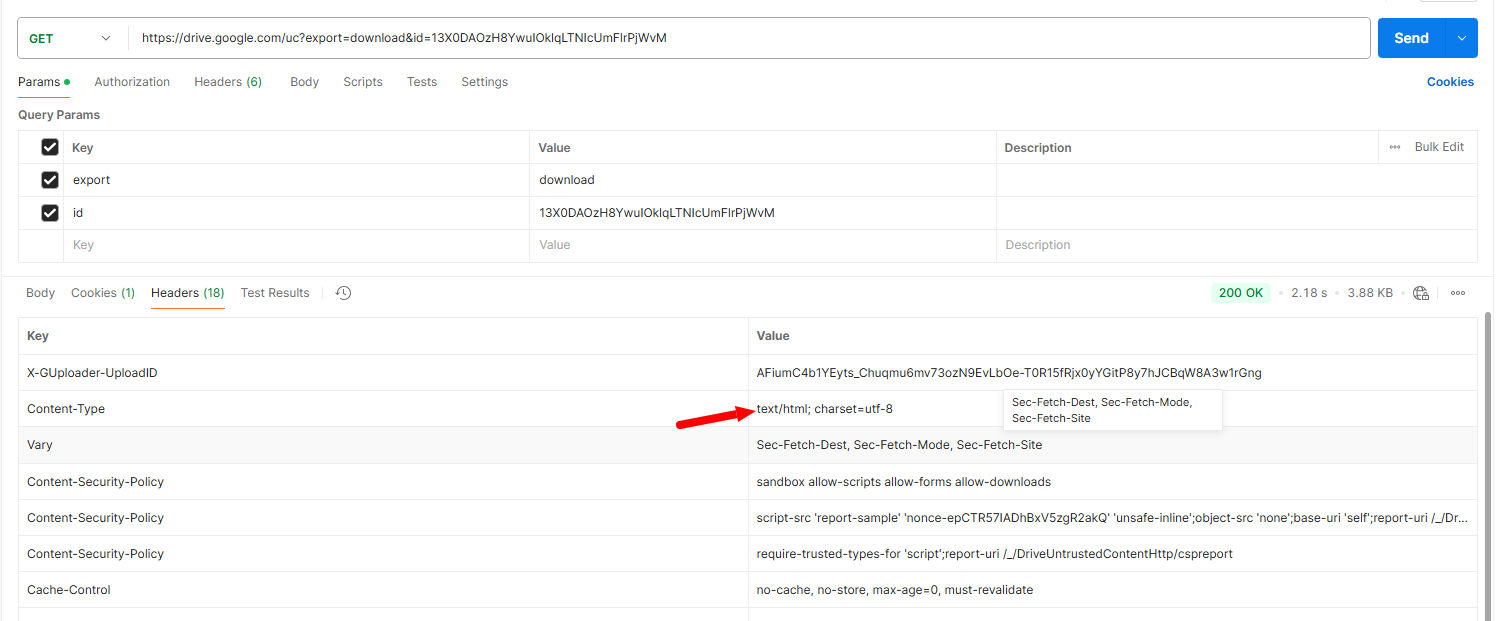
We reviewed the video URL provided and found that it does not comply with YouTube's video guidelines. Specifically, the content type of the URL is text/html; charset=utf-8 instead of the expected video/mp4.
We confirmed this issue using Postman, which is why you encountered the error. Please refer to the attached screenshots for additional details.
Hello ,
The issue is coming from pabbly which os not reseting the format and keeping the format of xls sheet in memory cache . suggest to reste the cache from step to step or add the header specific video/mp4
Hello ,
The issue is coming from pabbly which os not reseting the format and keeping the format of xls sheet in memory cache . suggest to reste the cache from step to step or add the header specific video/mp4
Could you please elaborate a bit more on this?
pabblyu is not able to reset the request aftezr readsing the google sheet thus when it's building youtube request it keeps the header text , that's my understanding . From this, i see a solution which is to reset the request just before build the youtube request or forcing any youtube videos to be video/mp4 from pabbly perspective directly
pabblyu is not able to reset the request aftezr readsing the google sheet thus when it's building youtube request it keeps the header text , that's my understanding . From this, i see a solution which is to reset the request just before build the youtube request or forcing any youtube videos to be video/mp4 from pabbly perspective directly
Could you please create a short screen recording and elaborate a bit more on your suggestion so that our technical team can review the proposed solution?
even with a direcct link to the mp4 videos we still have the same issue uploading to youtube : Media type 'text/html' is not supported.
even with a direcct link to the mp4 videos we still have the same issue uploading to youtube : Media type 'text/html' is not supported.
Please share the Workflow URL where you attempted to upload to YouTube using a direct link.
This is the work flow and the direct link to the video is
1. Weblink : http://www.darelabs.infinityfreeapp.com/videos/Dpenses_Si_tu_veux_savoir_ou_est_ton_oeur.mp4
Workflow : https://connect.pabbly.com/workflow/mapping/IjU3NjYwNTZmMDYzMzA0M2Q1MjZjNTUzNDUxMzIi_pc
This is the work flow and the direct link to the video is
1. Weblink : http://www.darelabs.infinityfreeapp.com/videos/Dpenses_Si_tu_veux_savoir_ou_est_ton_oeur.mp4Workflow : https://connect.pabbly.com/workflow/mapping/IjU3NjYwNTZmMDYzMzA0M2Q1MjZjNTUzNDUxMzIi_pc
Thank you for sharing the Workflow and File URL. Please try uploading the file from Google Drive (not this direct link) to CloudConvert, and then use the CloudConvert link to upload the file to YouTube and see if that fixes your issue.