Pabbly connect Youtube integration
Status: Open · Asked by sai pavan on · 0 views
Hello,
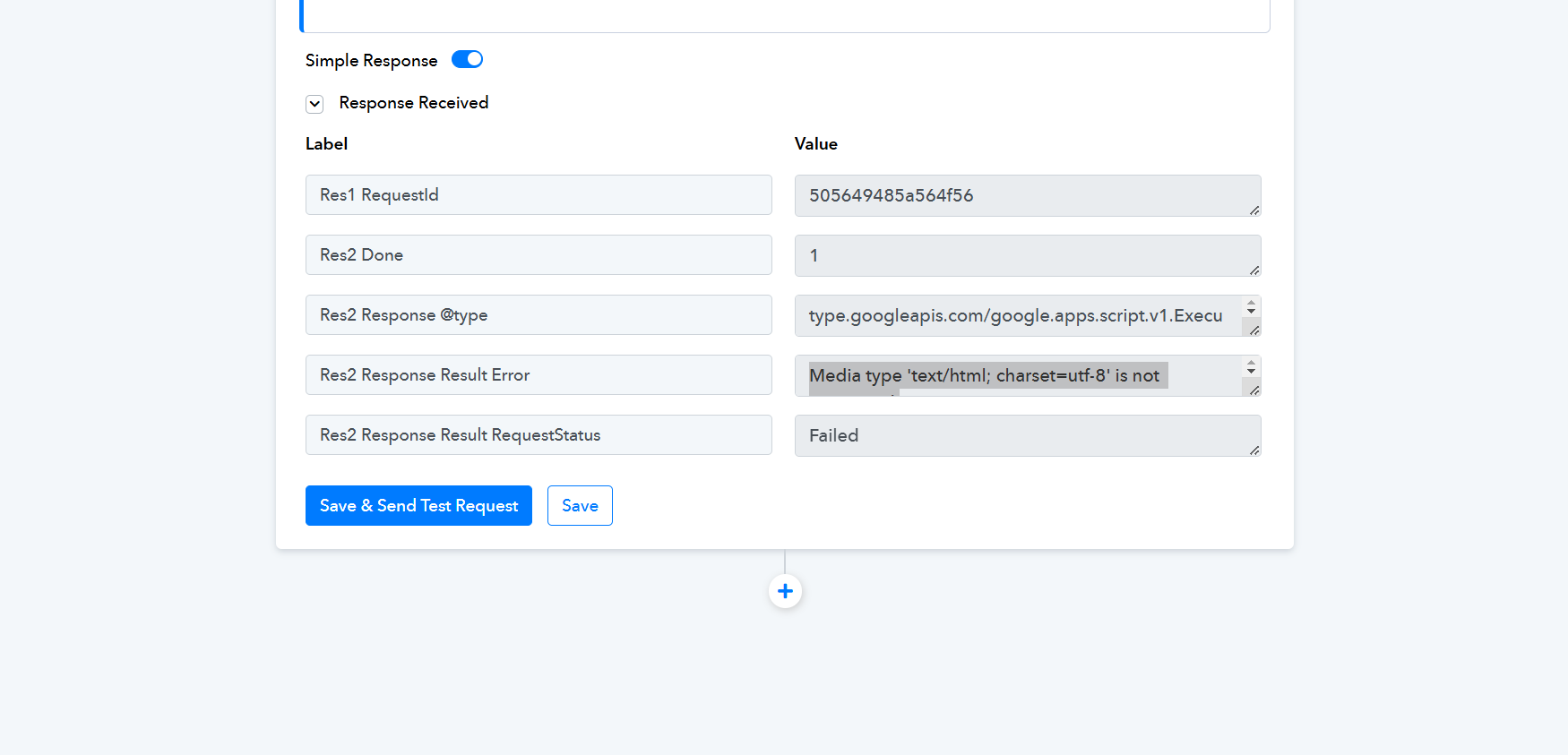
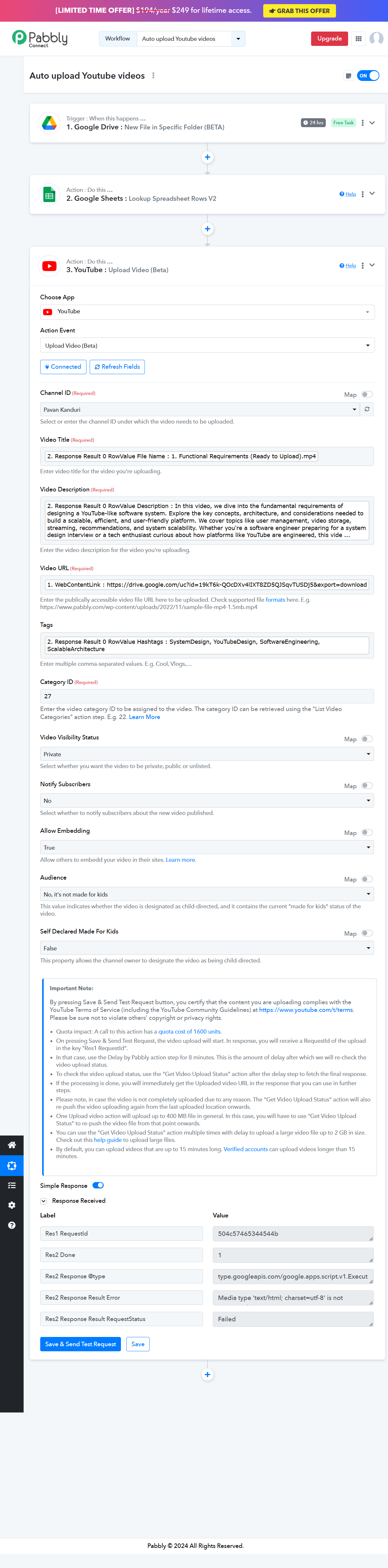
I am trying to directly upload video to youtube when a new video file is added to specific folder in Google drive. I also attached Google sheets for getting other information like Title, Description Hashtags. For video URL link i used the Weblink that i got in the step after attaching Google Drive as trigger. I checked file format(mp4), file size(<400MB) and they are fine. I opened link in another tab it is opening fine. Here is the error
"Media Type 'text/html; charset=utf-8 is not supported"
Attachments
Hello @sai pavan
The error occurs because the video URL has a content type of "text/html; charset=utf-8" instead of the required "video/mp4" format to upload successfully to YouTube. Ensure that the URL points directly to a downloadable video file in the correct format. Refer to the attached screenshot for more details.
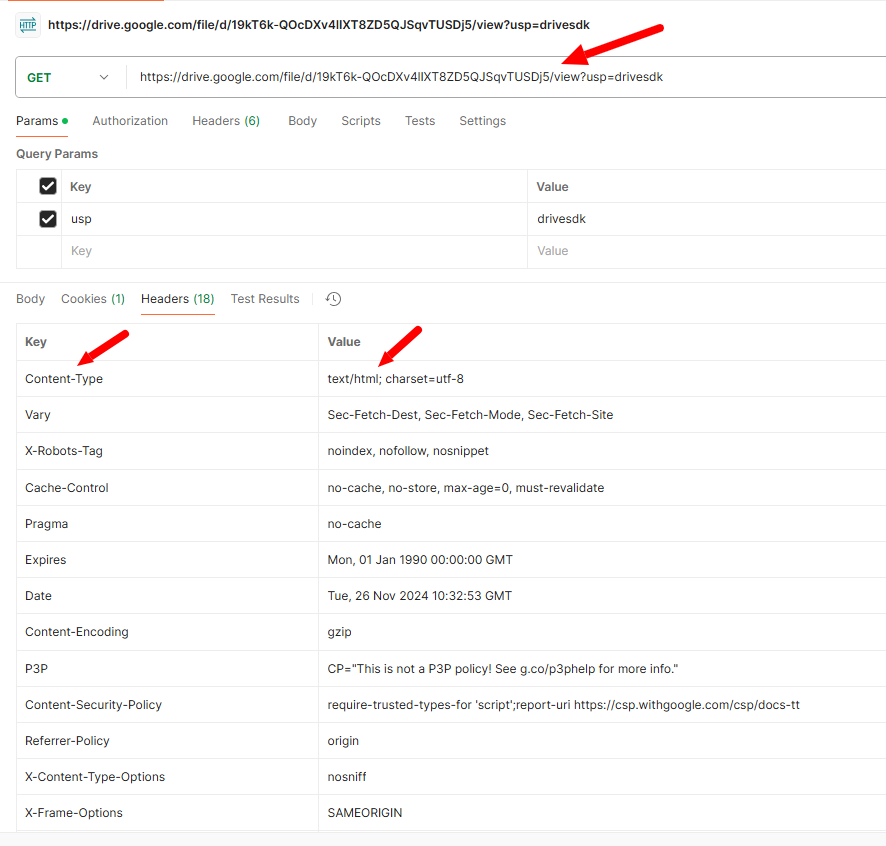
Hello @sai pavanThe error occurs because the video URL has a content type of "text/html; charset=utf-8" instead of the required "video/mp4" format to upload successfully to YouTube. Ensure that the URL points directly to a downloadable video file in the correct format. Refer to the attached screenshot for more details.
Hello Preeti,
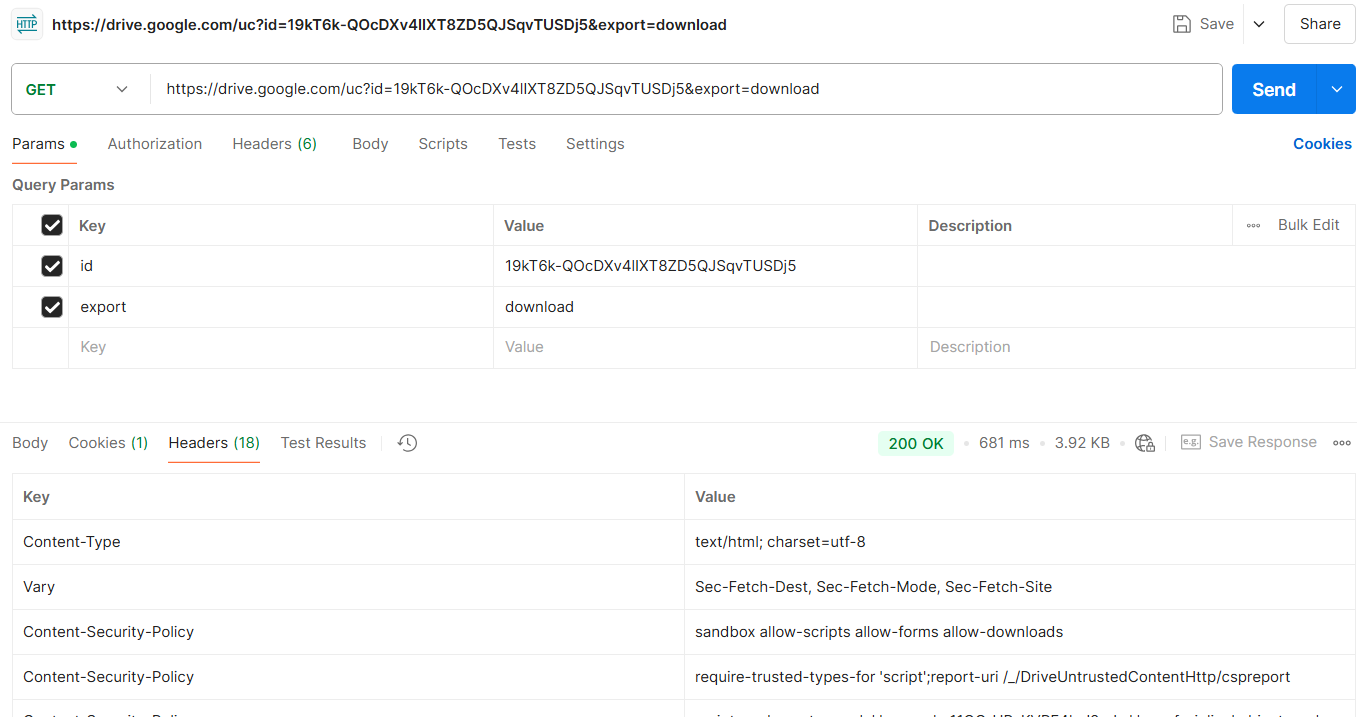
Thanks for the fast reply. I have followed the instructions mentioned in Pabbly videos on youtube. But, I am incurring the same error. Is there a way to change the format from text/html to video. Link in the above screenshot is slightly different from that I used
https://drive.google.com/uc?id=19kT6k-QOcDXv4lIXT8ZD5QJSqvTUSDj5&export=download(Direct download link)
but still i am getting the same error.
Attachments
Hello @sai pavan
Unfortunately, there isn’t a way to change the content type from text/HTML to video/mp4 directly. The error you're encountering is likely because the file you're using is being served or recognized as an HTML page instead of a valid video file.
Please ensure you're using the correct video file format (MP4 or another supported video type) and is recognized as a video file by the system you're using. Let me know if you need further help!