Pabbly Delay Not Working
Status: Open · Asked by trustpointe on · 0 views
It seems I am having issues with the Pabbly Delay. I need about a 4 minute delay because an action needs time to populate the Google Sheets before the next action can retrieve it and send to LinkedIn. However, although I get a successful notification that the delay module works, it does not run the action after the specified time.
Hi @trustpointe,
Thank you for reaching out.
Upon checking your workflow, it appears that the Delay step is working as expected, and the actions after the delay are getting executed. However, they are failing due to incomplete or invalid data being passed.
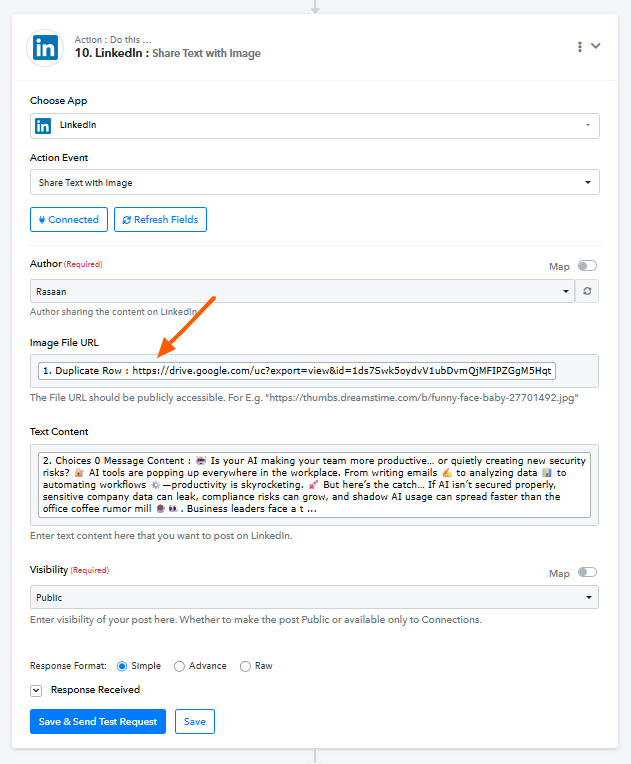
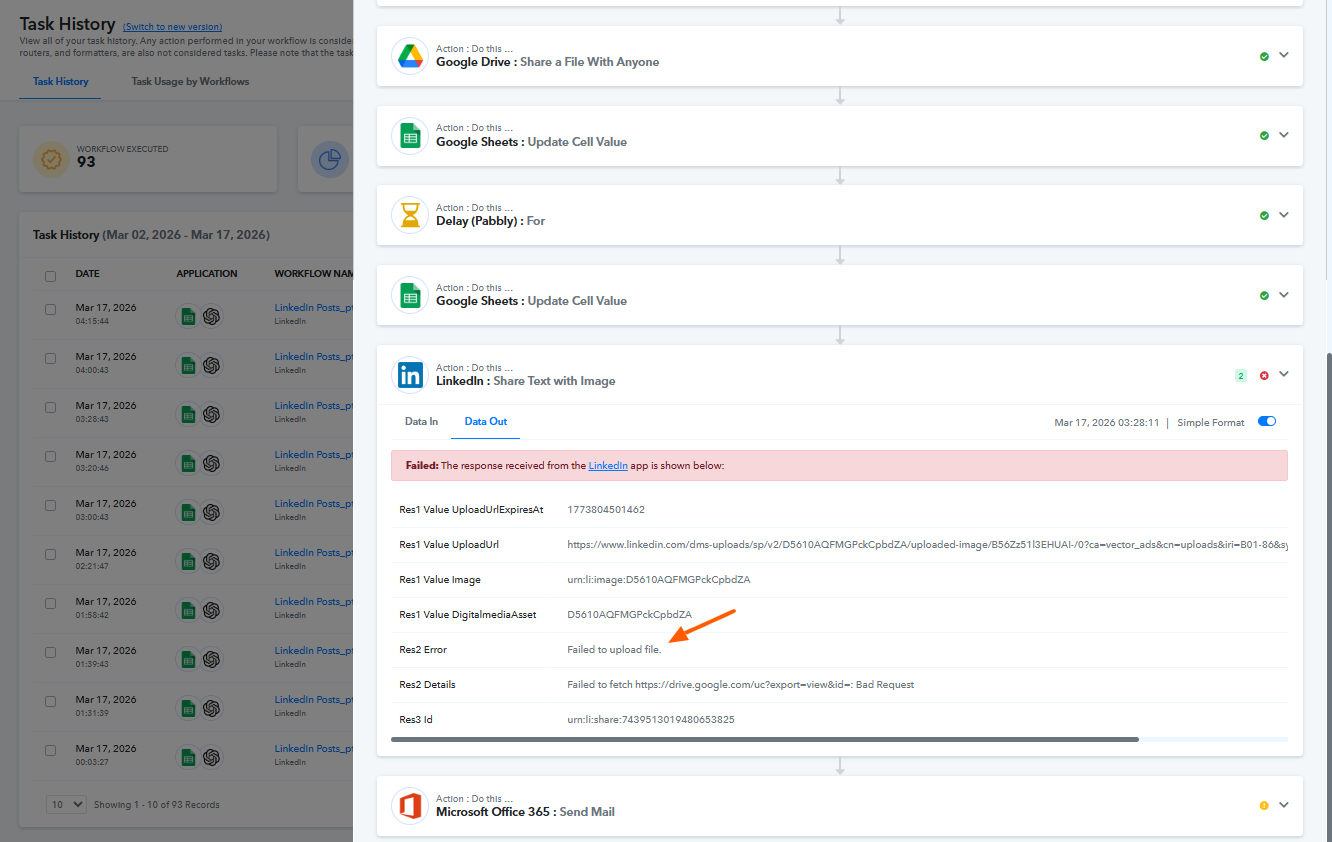
Specifically, the Image File URL being used in the LinkedIn step is not returning a valid/publicly accessible file (Google Drive link showing Bad Request), which is causing the failure.
We recommend:
- Ensuring that the correct and publicly accessible file URL is being mapped.
- Verifying that the file is fully available before the next step executes.
Please refer to the attached screenshots for better clarity.
Let us know if you need further assistance.
Hi @trustpointe,Thank you for reaching out.
Upon checking your workflow, it appears that the Delay step is working as expected, and the actions after the delay are getting executed. However, they are failing due to incomplete or invalid data being passed.
Specifically, the Image File URL being used in the LinkedIn step is not returning a valid/publicly accessible file (Google Drive link showing Bad Request), which is causing the failure.
We recommend:
- Ensuring that the correct and publicly accessible file URL is being mapped.
- Verifying that the file is fully available before the next step executes.
Please refer to the attached screenshots for better clarity.
Let us know if you need further assistance.
So the problem is that the information is loaded into the LinkedIn step out of sequence. I have noticed on all of these failed items that the data is entered, even if there is a delay, before the action should begin.
Basically, I am running a series of actions to prompt Chaptgpt for information, then that information is sent back to the Google sheets. Before the LinkedIn step is supported to run, I need the image link to (1) update, (2) get sent to Google Sheets.... (3) THEN have the LinkedIn Share Text & Image pull the updated Link from Google Sheets. That is why I added a Delay. I placed a delay just before the LinkedIn action for 3 minutes. The idea being, that would give enough time for the link to update in Google Sheets, then after 3 minutes the LinkedIn Share Text & Image would pull the data and run. But... I noticed that the LinkedIn module tries to pull the data immediately after running, then it just waits the 3 minutes to run (it really is just a delay in moving to the action but not a delay in pulling the data)
This is why it alsways fails to upload the file:
Because it is not waiting for that cell to update with the full link.
[TABLE]
[TR]
[TD]Res2 Error[/TD]
[TD]Failed to upload file.[/TD]
[/TR]
[/TABLE]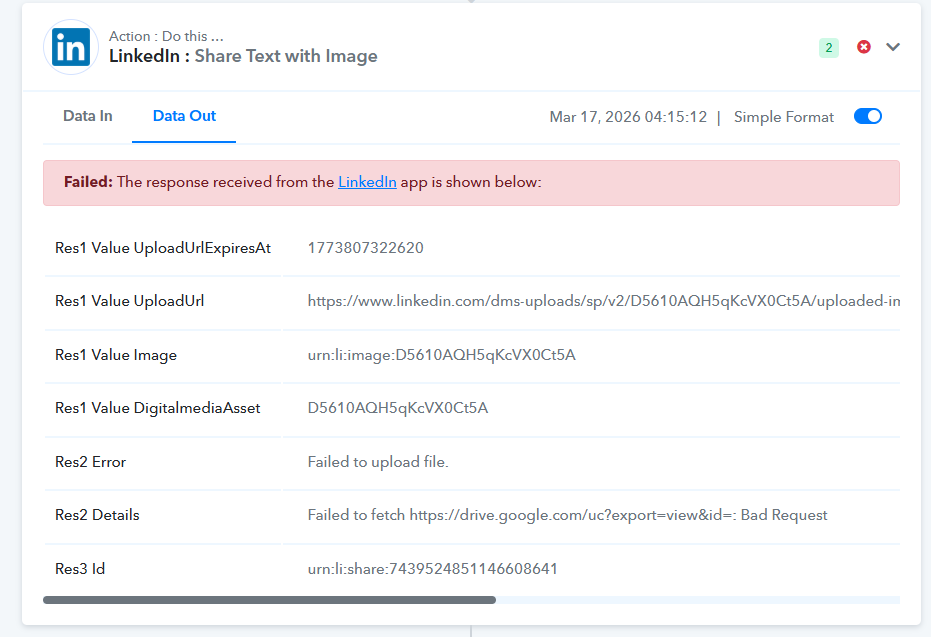
So my question is.... how can I create a delay in pulling the data, not just in the action?
One way I tested this is I placed the words "Test Data" into the Google Sheets cell initially. Once the workflow began, it was set up to replace "Test Data" with the link to be used, then a 3-minute delay was added before running the LinkedIn action. If the LinkedIn action had waited 3 minutes and then run, it would have pulled the proper link from the Google Sheets cell. Instead, when the LinkedIn action ran, it had the "Test Data" in the place of the upload link.
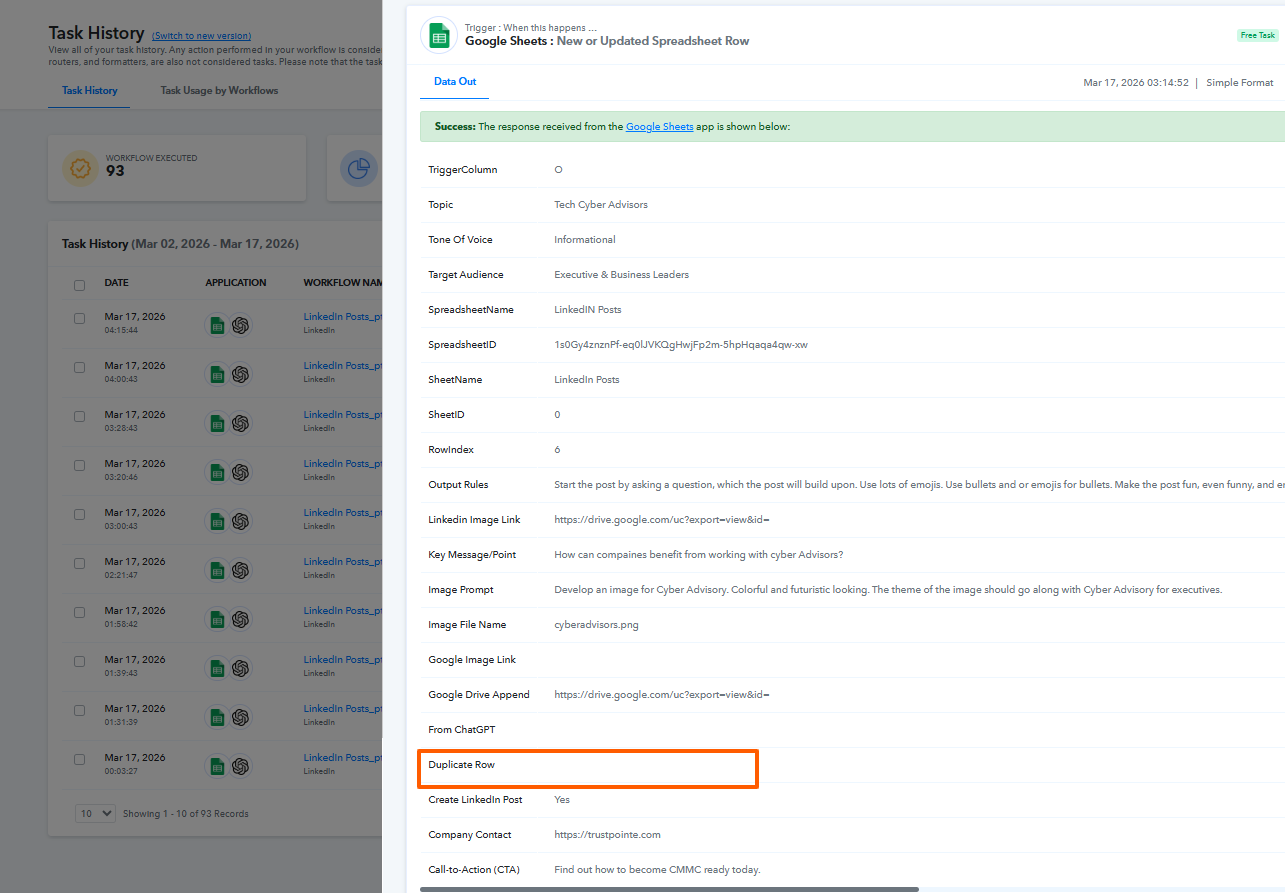
In the image above, you pointed out that the "Duplicate Row" is empty. That is correct, it is empty at the start of the workflow, but as the workflow progresses, that cell is updated and populated with information, and it is actually that updated information that I need to send to LinkedIn, but it comes later in the process of the workflow.
So the ultimate question is.... how can I get the LinkedIn Share Text & Image to pull information from a dynamic Google Sheets cell (based on the trigger row index), when there is a delay needed in order to allow time for the Cell to be updated?
Thanks in advance for your help!
Hello @trustpointe ,
Thank you for your patience!
We checked your workflow and found the issue in the LinkedIn: Share Text with Image step.
Currently, the “Image File URL” field is mapped from the trigger (Google Sheets), where the “LinkedIn Image Link” column is empty. Because of this, LinkedIn is not receiving a valid image URL, which is why you’re encountering the error.
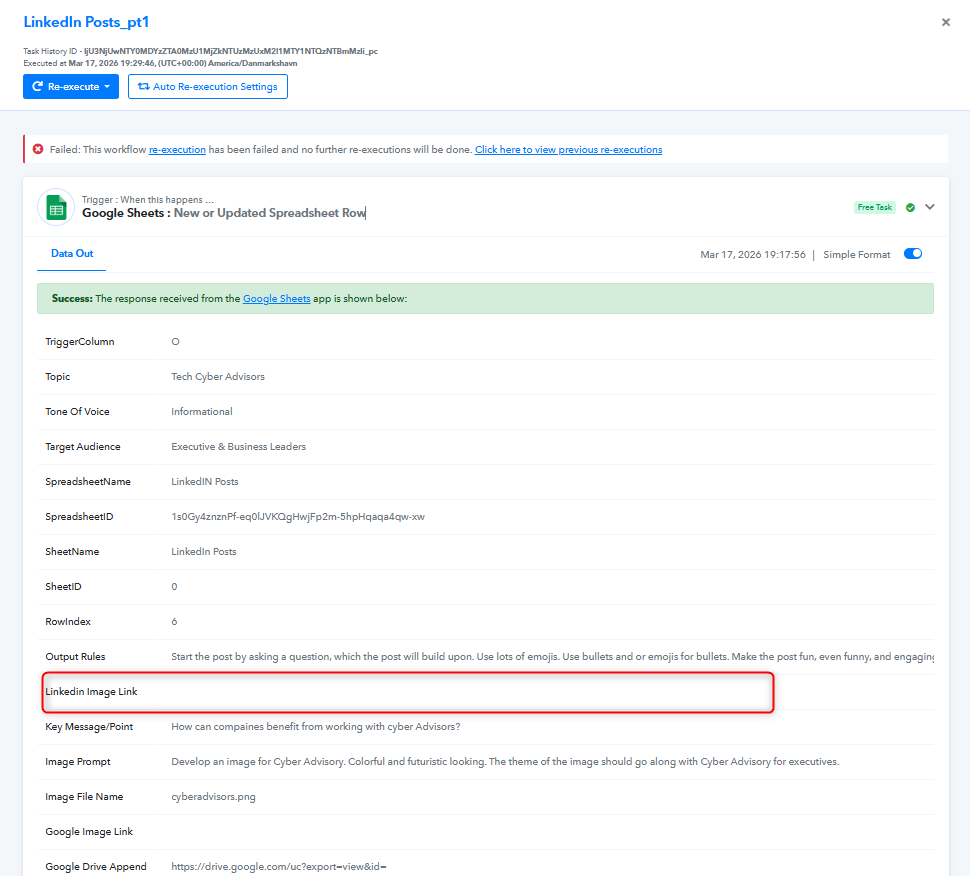
To fix this, you’ll need to map the image URL from the step where the image is actually generated and made publicly accessible.
Please update your mapping as follows:
After the image is generated and uploaded to Google Drive, you have a step:
Google Drive: Get File or Folder by ID
From this step, map the field:
? webViewLink
So instead of using the empty trigger field, make sure the LinkedIn step uses the Google Drive file link generated within the workflow.
Once you update this mapping, the LinkedIn post with the image should work correctly.