Pabbly Payments Update Plan still not working 100% - Subscriptions status Expire and URL parameters not being sent to Pabbly
Status: Closed · Asked by Anders Nielsen on · 0 views
Problem 1: See this video please - It shows up as a subscription which it should not
https://share.getcloudapp.com/Z4uA19m2
Problem 2: Also customer data is not updated fully when passing them as URL parameters:
https://share.getcloudapp.com/z8umkR91
I just show the name in the video but I would guess the problem applies to address data, company data and much more.
A third issue - I can't seem to translate Plan Description in the email invoice:
Because the plandescription tag in the template includes the Heading:
https://share.getcloudapp.com/GGuKEeG9
How can I solve that?
Hey,
I have shared the feedback regarding the PSB email template customization with the team. We will let you know if we come up with something associated with this.
Thanks, but this thread has also to do with two problems - eg. not working/bugs:
Problem 1: See this video please - It shows up as a subscription which it should not
Problem 2: Also customer data is not updated fully when passing them as URL parameters:
See the first post in the thread please.
Indeed. We are looking into it and will revert to you ASAP.
Thanks!
Hey,
We have fixed the "recurring payment message" error on the Thank you page.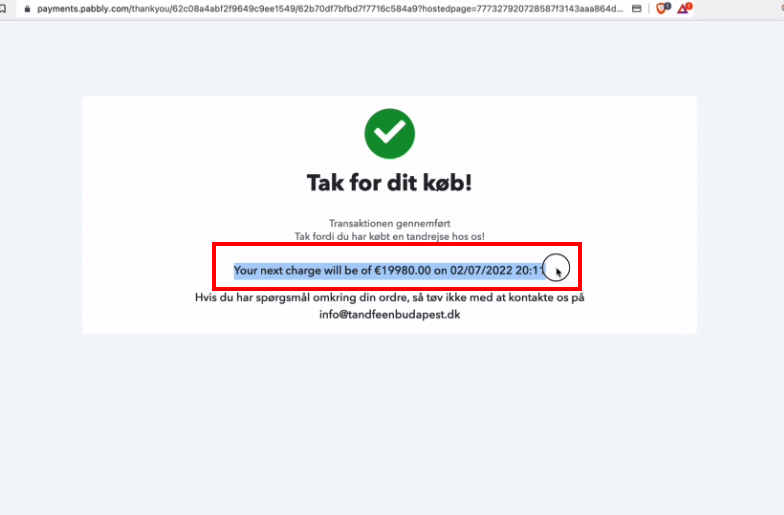
Also, we would like to let you know that, we have mentioned that you don't need to fill the billing period fields if your plan is "Onetime".
The fields are shown in case, someone need to set up a workflow for recurring payments.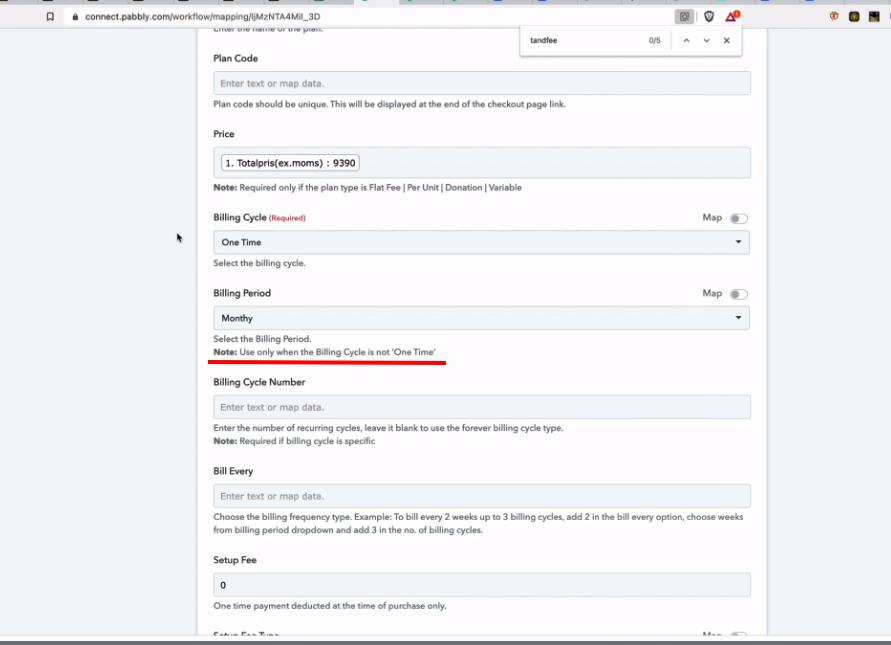
Also, we would like to let you know that, we have mentioned that you don't need to fill the billing period fields if your plan is "Onetime".
The fields are shown in case, someone need to set up a workflow for recurring payments.
About this. You are forced to set an option. So I have not filled that myself. It was prefilled.
Hey Daniel,
We have replied to your concern on this thread - https://forum.pabbly.com/threads/rss.8895/
Kindly check once.