[Pabbly + Pipedrive] Probability value should be between 0 and 100
Status: Open · Asked by SupportHubstrat on · 0 views
Hi, we have 3 workflows that all gave an error at the same point.
These are the workflows:
- [Digital Seed] PABBLY+PIPEDRIVE (con router)
- [Lead EasyCommerce] PABBLY+PIPEDRIVE (con router)
- [TECNONIDI] PABBLY+PIPEDRIVE (con router)
all the workflows failed at this task: Action : Do this … Pipedrive : Create Deal
This is the error message
Failed: The response received from the Pipedrive app is shown below:
[TABLE]
[TR]
[TD]Success[/TD]
[TD]false[/TD]
[/TR]
[TR]
[TD]Error[/TD]
[TD]Probability value should be between 0 and 100.[/TD]
[/TR]
[TR]
[TD]Error Info[/TD]
[TD]Visitare developers.pipedrive.com per avere maggiori informazioni sulle API Pipedrive.[/TD]
[/TR]
[TR]
[TD]Data[/TD]
[TD]null[/TD]
[/TR]
[TR]
[TD]Additional Data[/TD]
[TD]null[/TD]
[/TR]
[/TABLE]
I enter the Task History ID of one of the 3 workflows but they all have the same error message
I await a response
Hi @SupportHubstrat,
Please allow us some time to look into this concern. We will get back to you with an update soon.
Hello @SupportHubstrat,
We have made some changes on our end, and the error you were facing now appears to be resolved. Additionally, we have re-executed the previously failed task histories caused by this error, and they have successfully gone through.
Please try running the workflow with a few test cases and let us know if everything is working fine for you. Looking forward to your update!
@Preeti Paryani thank you for the feedback...
The problem seems to be solved for the workflow:
[Digital Seed] PABBLY+PIPEDRIVE (con router)
the problem persists on the other 2 reported workflows:
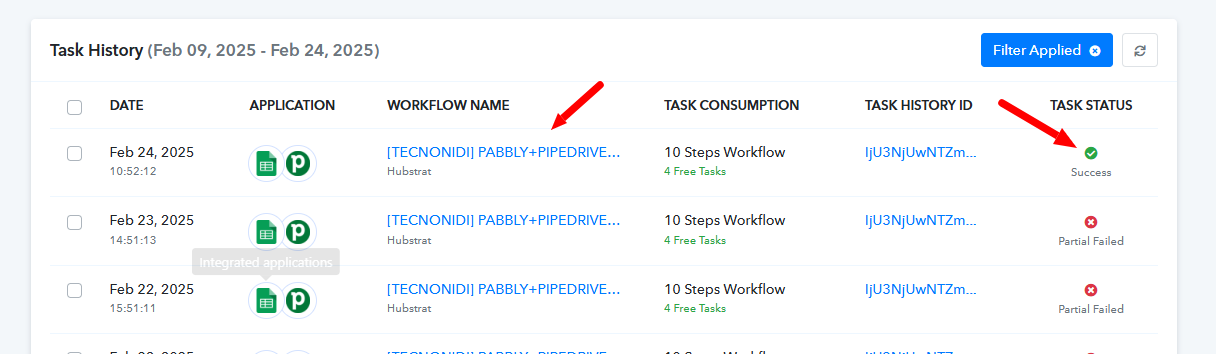
[TECNONIDI] PABBLY+PIPEDRIVE (con router)
Task History ID - IjU3NjUwNTZmMDYzZjA0M2M1MjZmNTUzMzUxMzQ1MTZiNTQzODBmMzIi_pc
------
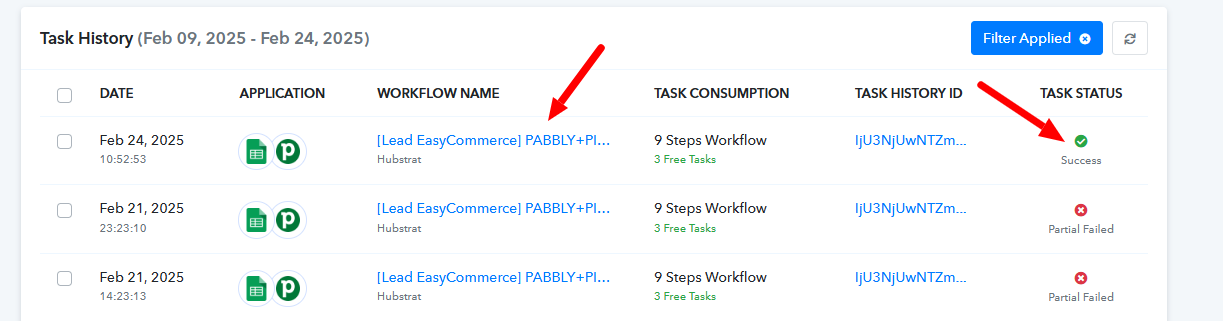
[Lead EasyCommerce] PABBLY+PIPEDRIVE (con router)
Task History ID - IjU3NjUwNTZmMDYzZjA0M2M1MjZiNTUzMTUxMzI1MTY0NTQzOTBmMzQi_pc
Hello @SupportHubstrat,
We have re-executed 1 task history for each of the mentioned workflows, and both have successfully processed. The issue now appears to be resolved.
You can proceed with re-executing the failed task history for these workflows, and any new captures should go through properly. Let us know if you need any further assistance!
Hi @Preeti Paryani Can I rerun only failed tasks?
Hello @SupportHubstrat,
Yes, you can re-execute the Failed and skipped steps only as we did.