[Pabbly + Pipedrive] Unable to use custom field.
Status: Open · Asked by SupportHubstrat on · 0 views
Hi, we've created a workflow that takes information from a Google Sheet and brings it back to Pipedrive.
On Pipedrive we have created a Custom Field to be able to report information regarding the project description
We are having difficulty mapping the custom field into the workflow
Can you help us?
Hello @SupportHubstrat
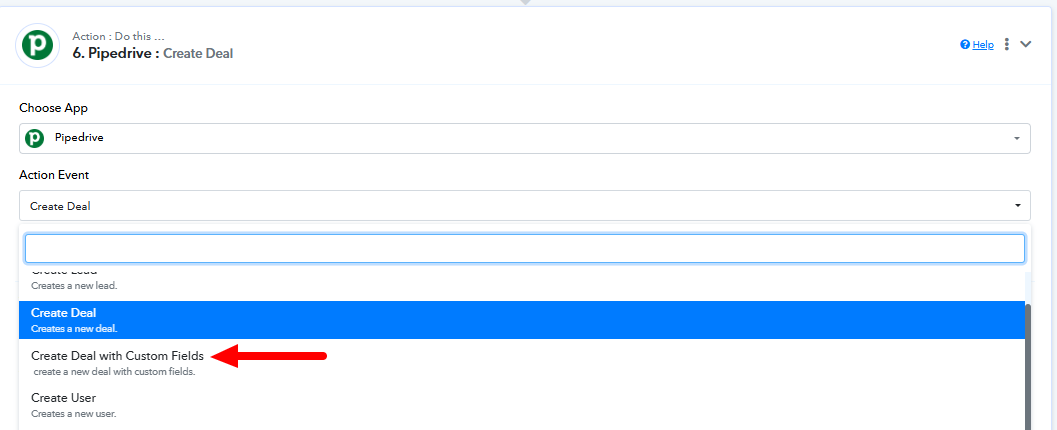
It seems you're trying to create a lead with custom fields. To achieve this, you can use the "Create Deal with Custom Fields" action. Please try setting it up with the required custom fields and let us know if it resolves your issue. We’re here to assist further if needed!
Hi, thank you for the feedback.
Can I use even Update Deal with custom field (beta)?
Hello @SupportHubstrat
Yes, you can use the "Update Deal with Custom Field (Beta)" action to update a custom field in Pipedrive. If the lead already exists in Pipedrive and you need to update a specific custom field, this action will work effectively.
With "Update Deal with Custom Field (Beta)" I need to match even the Deal ID or I can leave empty all fields except the Project Description?
Hello @SupportHubstrat
You would need to fill in all the required fields (marked as required) when using the "Update Deal with Custom Field (Beta)" action. If the Deal ID is marked as required, you must provide it to ensure the deal is correctly updated. Let us know if you need further assistance!