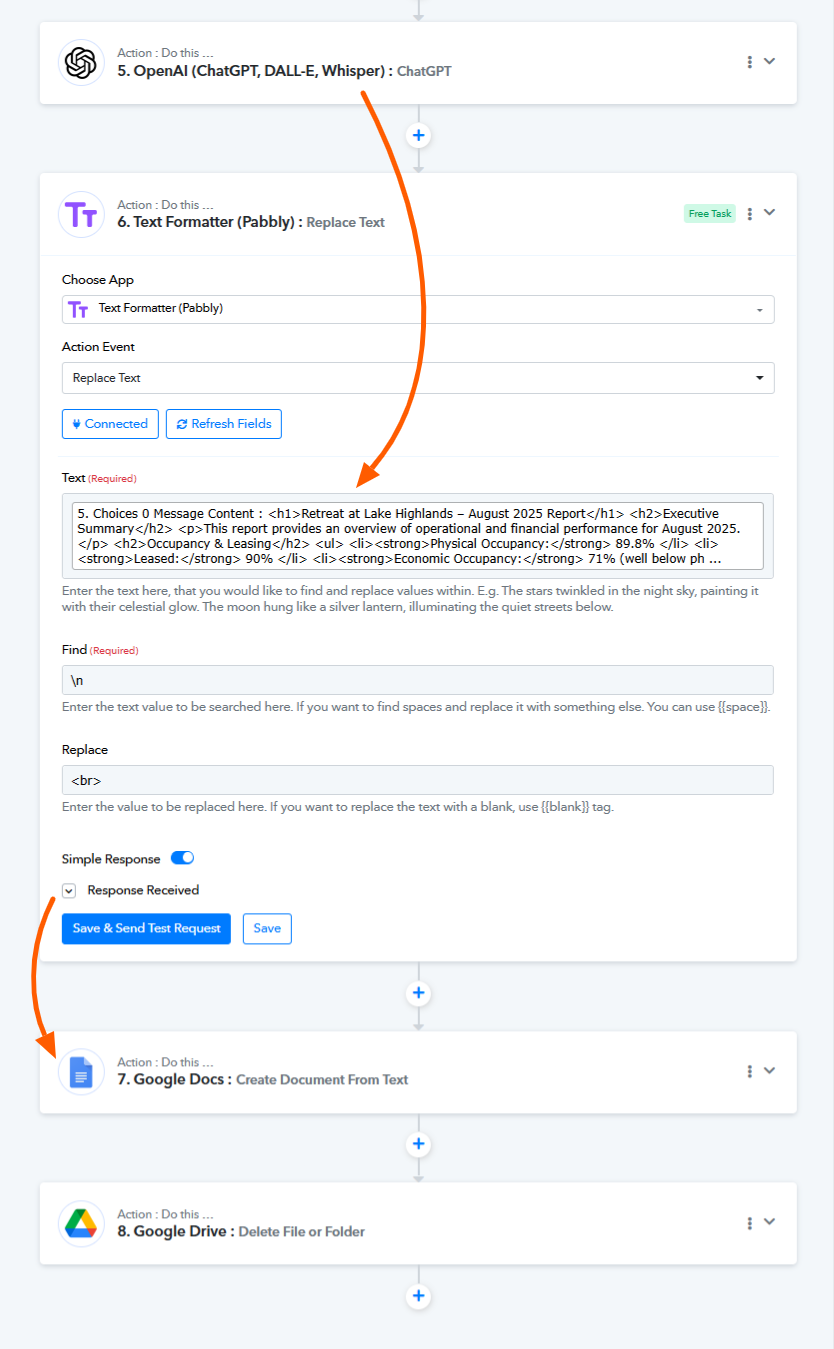
Pabbly Text Formatter not cleaning up \n
Status: Open · Asked by Ismael Rey Reyes on · 0 views
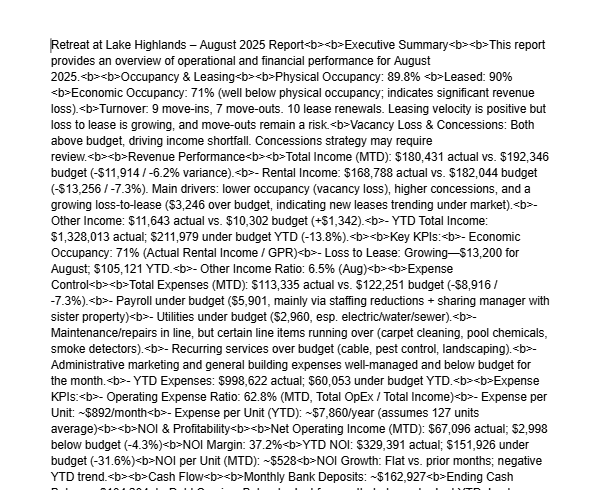
Pabbly Text Formatter not working correctly to clean up \n from a Google Doc.
Here's the workflow:
Workflow Summary: Google Doc AI Formatter
Objective: Automatically reformat new Google Docs from a "wall of text" into professionally structured reports using AI.
Trigger:
- Google Drive: New File in Specific Folder
- Initiates the workflow when a new document is added to a monitored folder.
Step 1: Data Extraction
- Google Drive: Get File Content
- Action: Extracts raw, unformatted plain text from the triggered Google Doc.
- Output: Text string containing native newline characters (\n).
Step 2: Text Preprocessing
- Text Formatter: Replace Text
- Action: Finds all newline characters (input via Enter key in UI) and replaces them with a single space.
- Purpose: Converts the text into a continuous block, removing artificial line breaks to optimize it for AI processing.
Step 3: AI Processing
- OpenAI: Create Conversation (Completion)
- Action: Sends the preprocessed text to the GPT-4 API with a strict system prompt.
- Prompt Instructions: Command the AI to act as an editor—preserving all original content exactly while adding logical structure (H1, H2, bullet lists, paragraphs). Output must be valid HTML.
- Output: Returns a JSON response containing the reformatted text as clean HTML.
Step 4: Document Creation
- Google Docs: Create Document From Text
- Action: Takes the HTML output from the OpenAI step.
- Configuration: Content Type is set to "HTML".
- Result: Creates a new Google Doc where the HTML tags are automatically rendered into native Google Docs styles (Headings, lists, etc.).
Final Output: A new, professionally formatted Google Doc, generated automatically from the original unstructured text.
After this, I will add an workflow step that emails this report.
Hi @Rey,
The screenshot appears to be from your Google Docs document, and it seems you are directly passing the response from OpenAI to Google Docs. We suggest adding a Text Formatter step between these two steps to remove the '\n', and then pass the result from the Text Formatter to the Google Docs action step. This should help resolve your issue.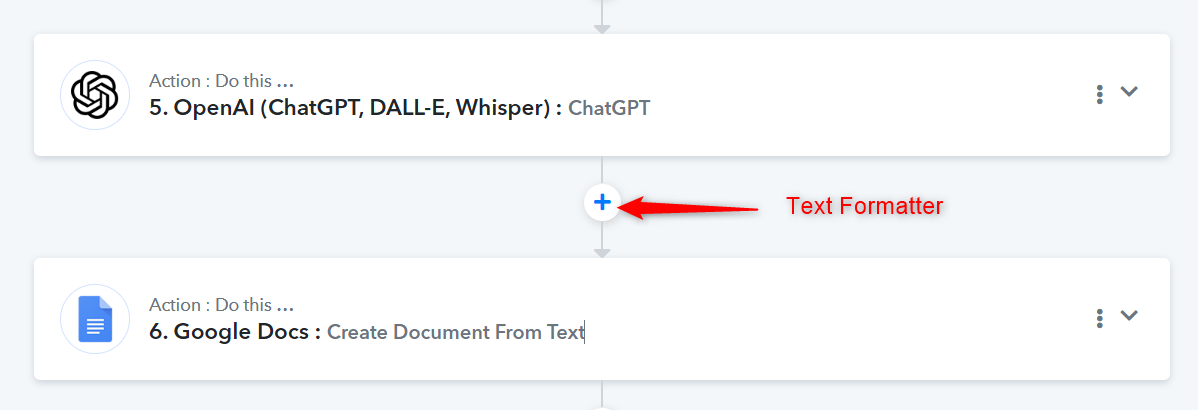
It comes out even worse when I put the Text Formatter there.
Hello @Rey,
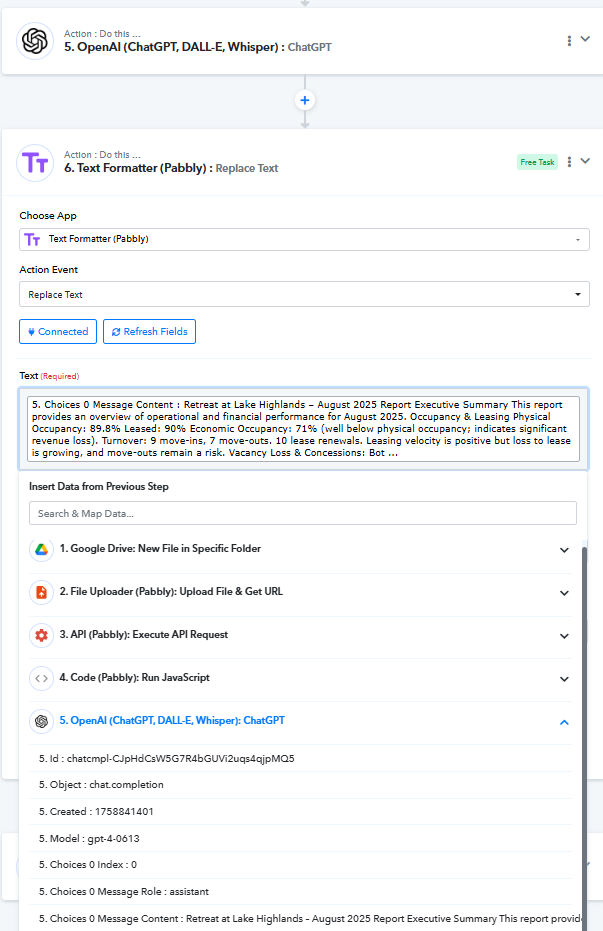
We have added a step on your behalf, and it seems to have resolved the issue. Please refer to the attached image for a better understanding of the action that was added, as well as the result document for confirmation.
https://docs.google.com/document/d/1JbvLh9kkOjV2DjXXj-U217ygIwHsoUTa5PrJBPmtAjY/edit?tab=t.0