Pabbly Workflow Not Saving / Buggy
Status: Open · Asked by Janson Smith on · 0 views
since the new layout got enforced, the automations are super buggy. Here's a video going through the issue:
https://www.loom.com/share/413bce9d4e61451bb2d913325dec7236?from_recorder=1&focus_title=1
since the new layout got enforced, the automations are super buggy. Here's a video going through the issue:https://www.loom.com/share/413bce9d4e61451bb2d913325dec7236?from_recorder=1&focus_title=1
Hello @jansonsmith,
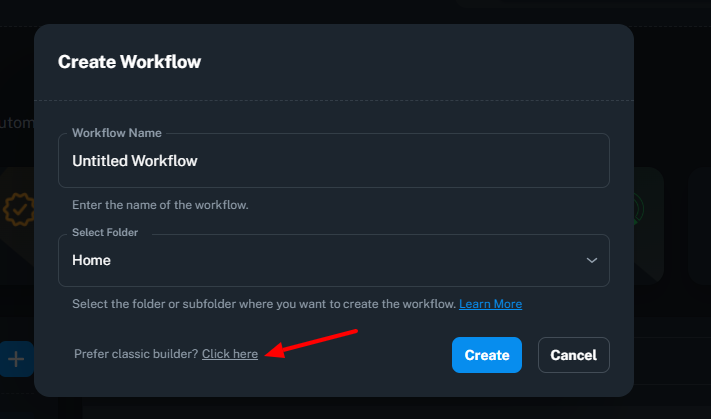
You can still use the old (classic) version of the workflow. Just click the "Prefer classic builder? Click here" button. Although it's not a permanent solution, you can set up the workflow using the old version.
FYI I'm not from Pabbly Connect team, just a freelancer who helps other Pabbly users.
Hey @jansonsmith,
Thank you for reporting this issue.
We have escalated the matter to our team for further review. Please allow us some time to investigate, and we will get back to you with an update as soon as possible.
In the meantime, we would like to confirm one detail: were the additional steps shown in your video added by you manually, or have they not been added to the workflow yet?
This information will help us better understand the issue and expedite the investigation.
Thank you for your cooperation.
Hey @jansonsmith,
Thank you for your patience.
We would like to inform you that our team has already fixed the issue that was causing the workflow builder to behave unexpectedly.
Could you please test the workflow again from your end and let us know how it goes? If you are still experiencing any issues, kindly share the specific behavior or any updated screenshots/screen recording, and we will be happy to investigate further.
We look forward to your confirmation.