Paddle Billing to Heartbeat Workflow
Status: Closed · Asked by Chris MeaD MeaD on · 0 views
Any help would be greatly appreciated. Thank you so much.
Hello Chris,
Thanks for contacting us.
Could you please share the Workflow URL so that we can look into it and provide information accordingly?
Please be aware that to assist you effectively, we may need to access your Pabbly Connect account. If you're comfortable with this, please grant us permission by stating in your next email: "You have my permission to log into my Pabbly Connect account, and edit workflow {If required}. Here is the registered email address associated with it."
Thanks & Regards,
Adeel Akhtar
🌐 Pabbly.com
Sorry about that. I thought I had all that information filled out in the originating post.
Here is the workflow link: https://connect.pabbly.com/v2/app/workflow/share/CEAENgJVVzRTGVM5DmsBJgoeCg4JUwI-V04JGwAPUytTHlEUUBFfNQpGV3UCYwNiAEkDaVYJUzMNGVZSB1EGdQcdBDgBAlErA04JclAFXG8IVgQsAmM#
You have my permission to log into my Pabbly Connect account, and edit workflow {If required}. Here is the registered email address associated with it - [email hidden]
Hello Chris,
Thank you for sharing the workflow URL.
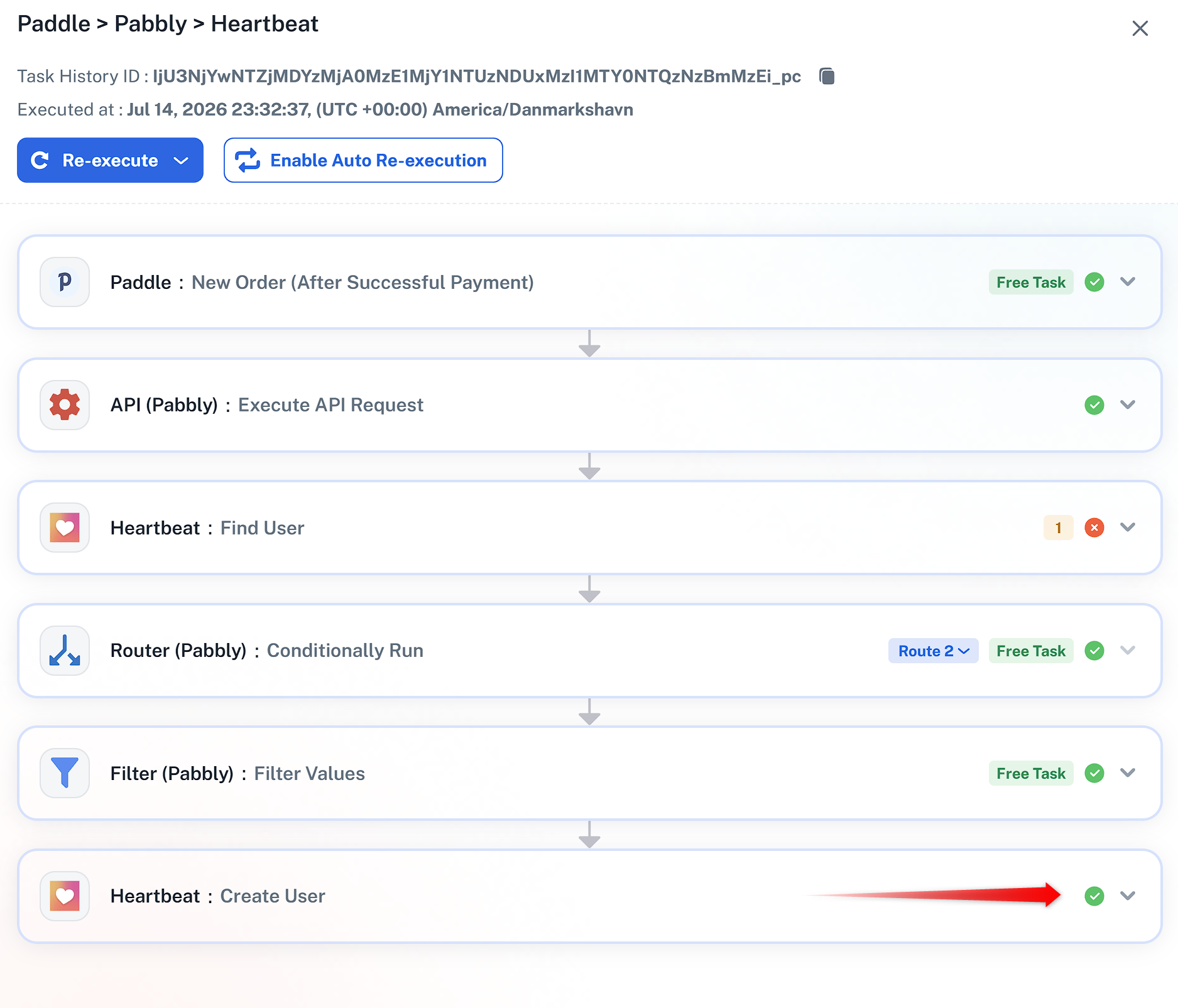
We have made 2 changes to the workflow, and then it successfully created the user in the Heartbeat application.
1) Enabled the Ignore error for HeartBeat: Find user action, as when the user is not found, it gives a fail response instead of a not-found success response. So we have to ignore this failure.
2) Disabled the workflow re-execution on failure as the step will always fail, which will cause the step to re-execute.
We re-executed one of the failed tasks, and the user then created in the Heartbeat application.
Thanks & Regards,
Adeel Akhtar
🌐 Pabbly.com
Thanks so much! It's working great now. I knew I had to be missing something.
Hello Chris,
You're welcome. Glad to hear that the workflow is now working for you.
Thanks & Regards,
Adeel Akhtar
🌐 Pabbly.com