Payment in installments, with first payment different amount.
Status: Closed · Asked by Hendrik Jan Monshouwer on · 0 views
Good Morning
I have three payment plans to make, of which one I can't figure out, the PLAN C is the one I could not figure out. And the PLAN B I'm not sure if recurring for 2 months with 50% total would be the correct method.
My main issue is PLAN C that I can't figure out how to make. Is it possible. Is there a workaround?
PLAN C
Full Tuition
$3,850.00
$250 due at registration
10x $360/month
===========
PLAN B
5% Discount
$3,657.50
50% due immediately
50% due in 30 days
--- Plan B i made a recurring payment for 2 months each at 1828.75 (50%) or would there be a better way to do this?
Thank you kindly for your attention.
Hendrik-Jan
Hi Hendrik,
You can create these plans with the following details under the "Plans" section in Pabbly Subscription Billing.
For Plan C
Method 1
Create a plan with below details
Billing Cycle =Recurring
Keep Bill Every 1 month
No. Of billing = 11
Pricing = Flat fee
Price = 360
Refer the below screenshot of plan section for more details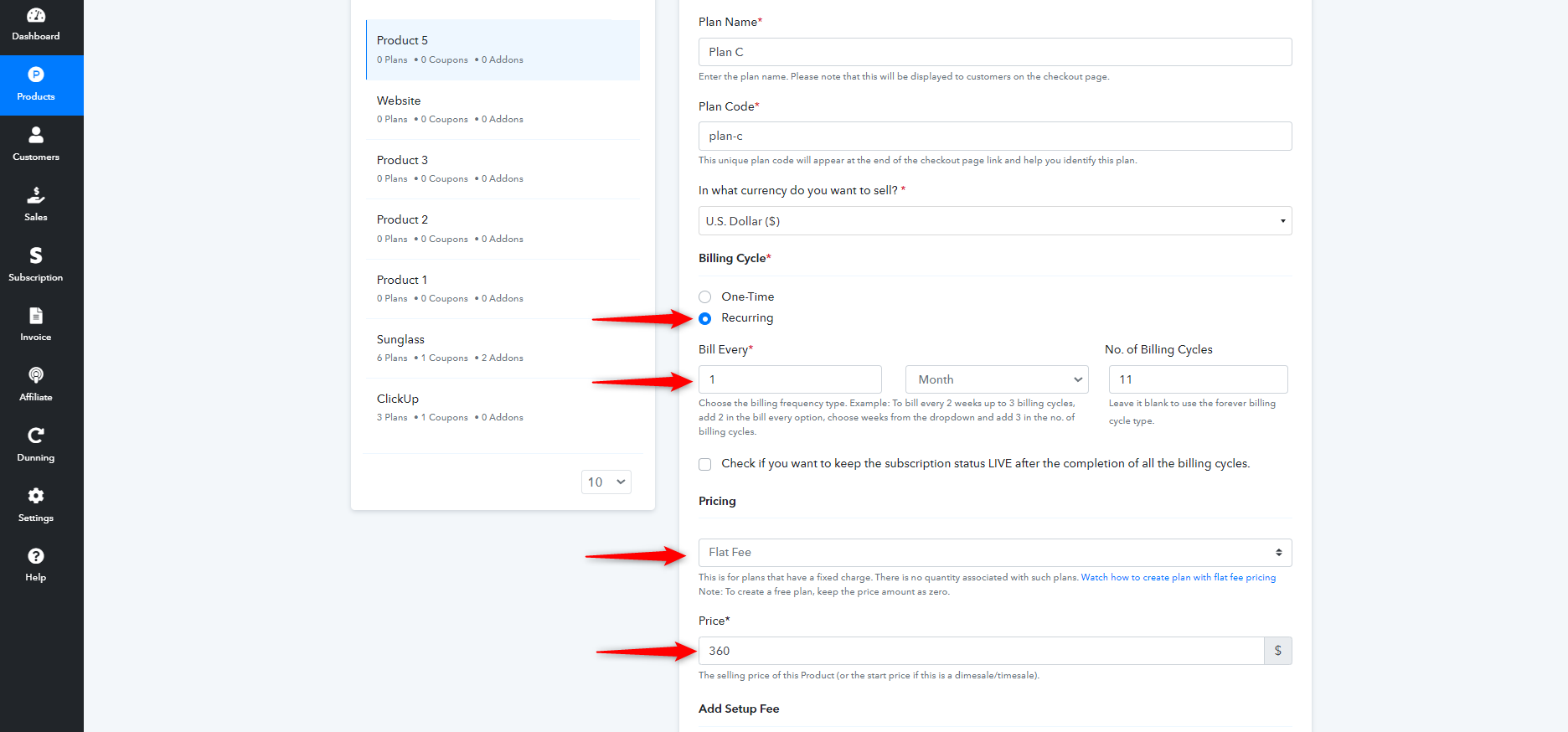
Once the plan is created create the discount coupon for this
Product >Select the product > Select Coupon option and create the coupon with the below mentioned details
Discount type = Flat
Discount = 110
Redemption Type = One time
Please refer the coupon screenshot 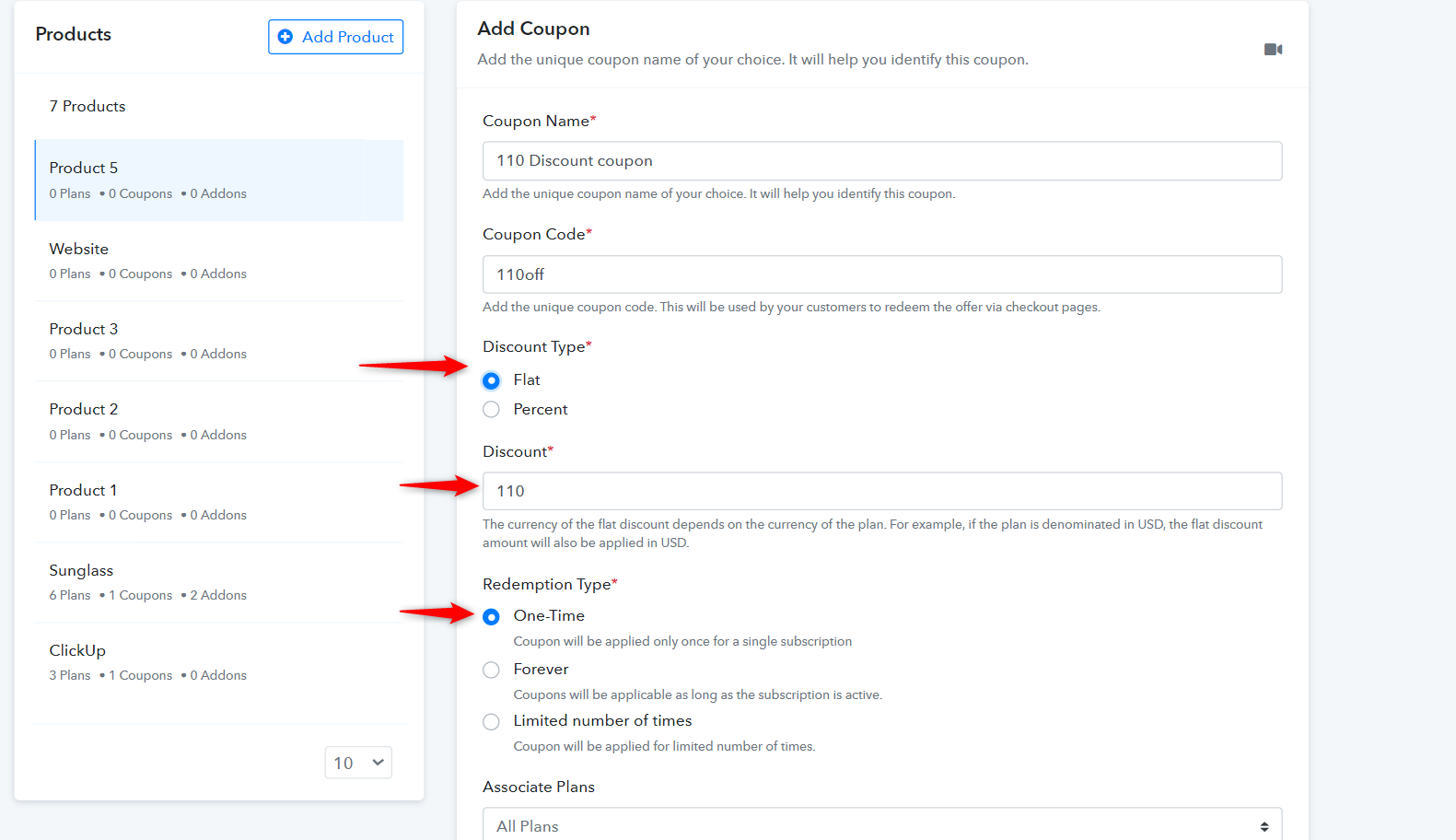
Method 2
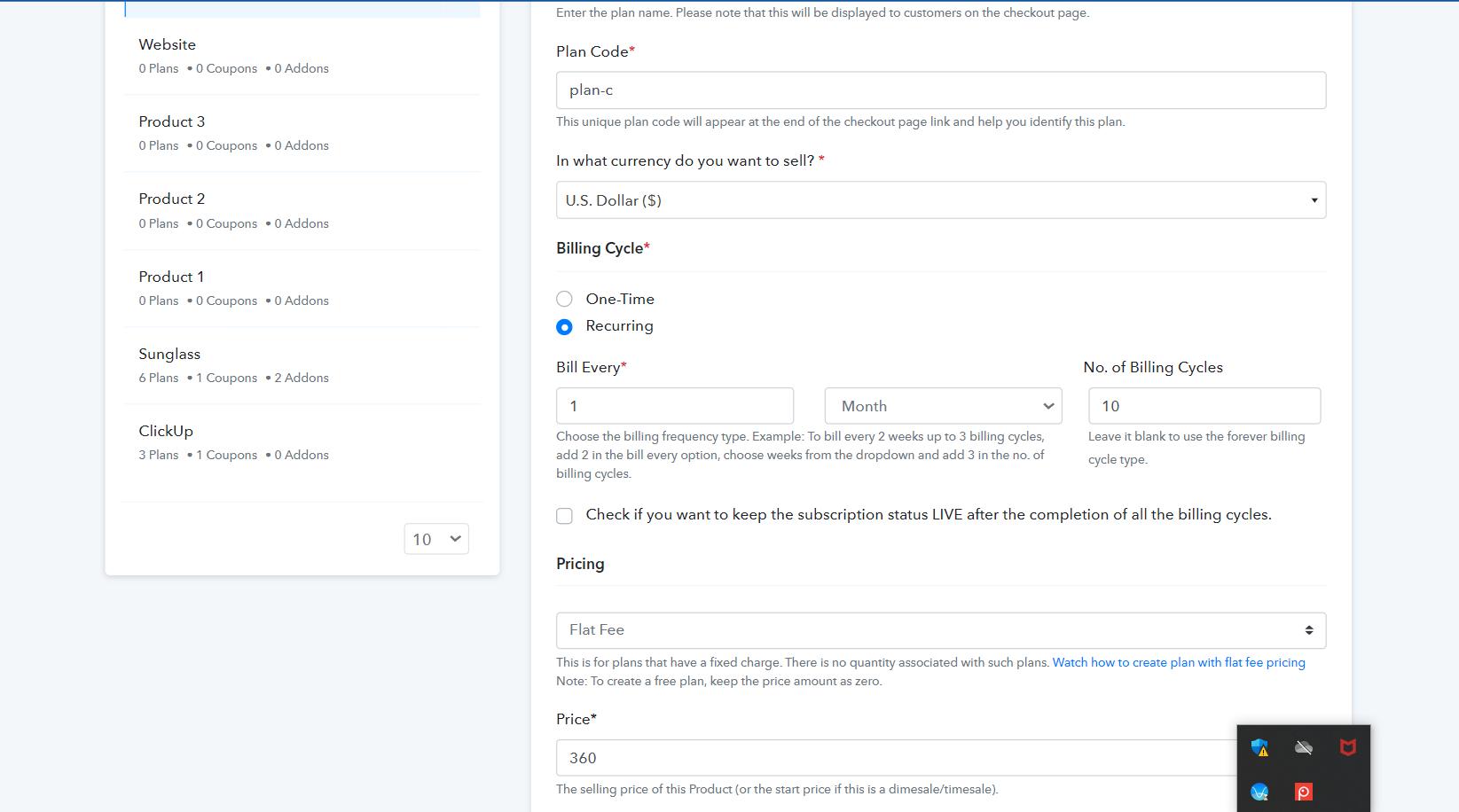
Create the plans with the below details
Billing Cycle =Recurring
Keep Bill Every 1 month
No. Of billing = 10
Pricing = Flat fee
Price = 360
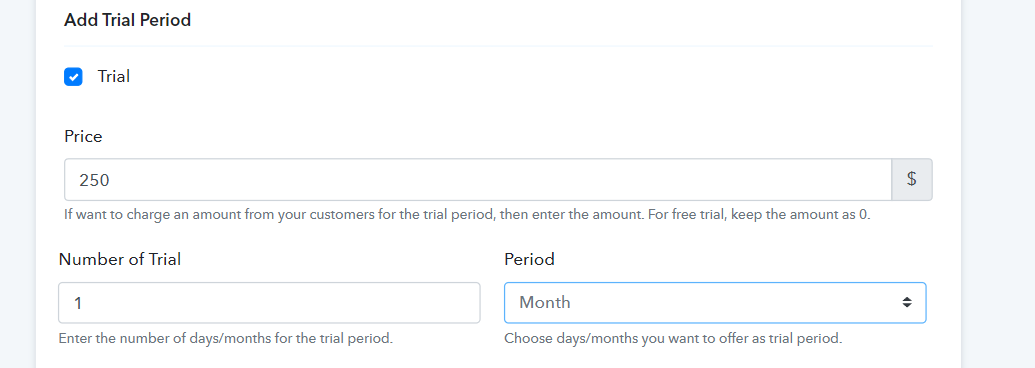
And Offer a paid trial period of $250 for 1 month as shown in the screenshot
Refer the below screenshot of plan section for more details
For Creating Plan B
Create the plan with the below mentioned details
Billing Cycle =Recurring
Keep Bill Every 1 month
No. Of billing = 2
Pricing = Flat fee
Price = 1828.75
Refer the below screenshot of plan section for more details
5% Discount came be given by creating coupon of 5%off in the coupon option available in pabbly subscription billing. Please follow the given steps for creating the coupon
Product>Select the product > Select Coupon option and create the coupon.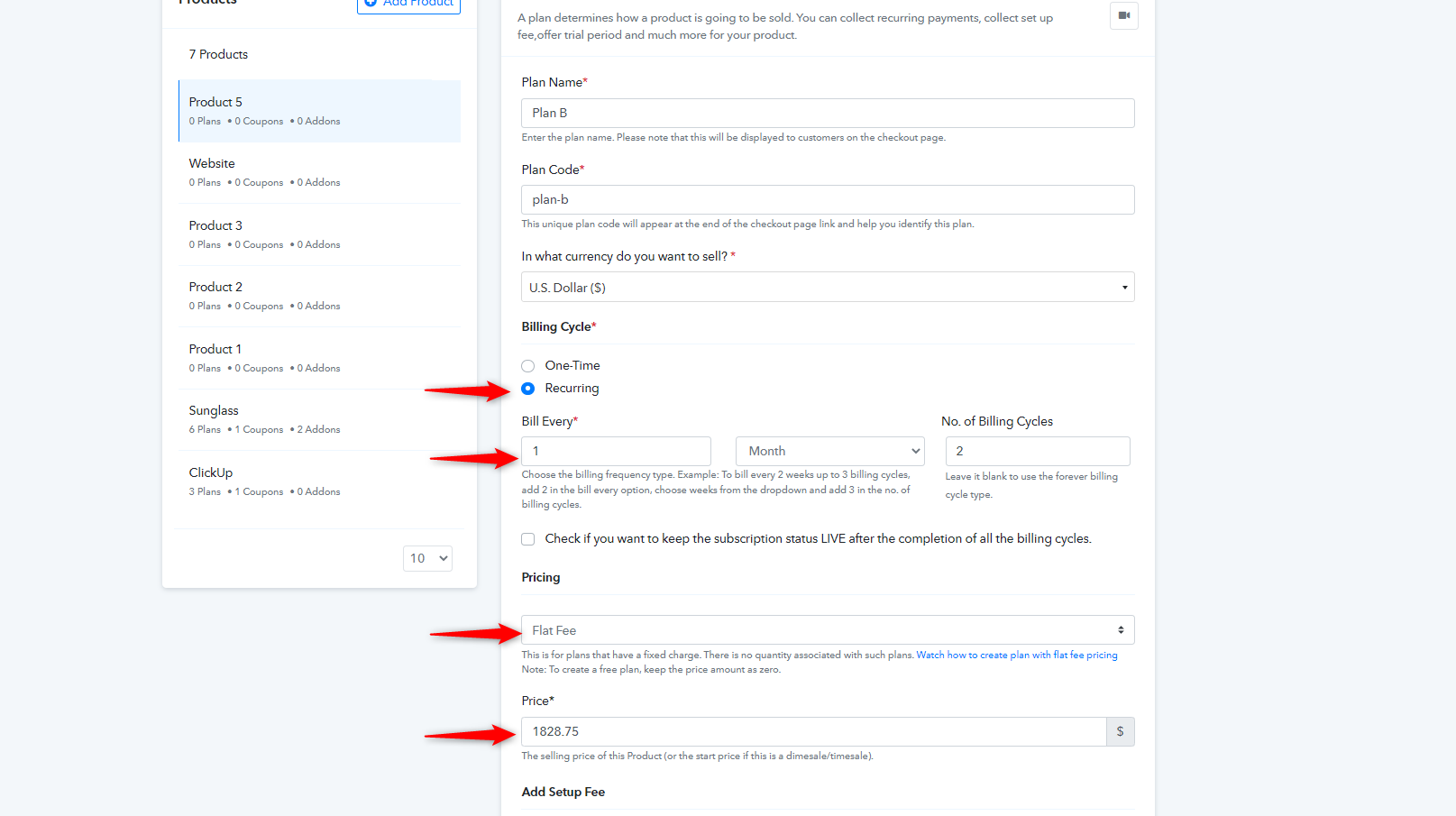
Hi Hendrik,You can create these plans with the following details under the "Plans" section in Pabbly Subscription Billing.
For Plan C
Method 1
Create a plan with below details
Billing Cycle =Recurring
Keep Bill Every 1 month
No. Of billing = 11
Pricing = Flat fee
Price = 360
Refer the below screenshot of plan section for more detailsOnce the plan is created create the discount coupon for this
Product >Select the product > Select Coupon option and create the coupon with the below mentioned details
Discount type = Flat
Discount = 110
Redemption Type = One timePlease refer the coupon screenshot
Method 2
Create the plans with the below details
Billing Cycle =Recurring
Keep Bill Every 1 month
No. Of billing = 10
Pricing = Flat fee
Price = 360
And Offer a paid trial period of $250 for 1 month as shown in the screenshot
Refer the below screenshot of plan section for more details
For Creating Plan B
Create the plan with the below mentioned details
Billing Cycle =Recurring
Keep Bill Every 1 month
No. Of billing = 2
Pricing = Flat fee
Price = 1828.75Refer the below screenshot of plan section for more details
5% Discount came be given by creating coupon of 5%off in the coupon option available in pabbly subscription billing. Please follow the given steps for creating the coupon
Product>Select the product > Select Coupon option and create the coupon.
SUPER Thank you so much