PDF doc to Google Sheet
Status: Open · Asked by Ton Won on · 0 views
I'm using Fillout form + Pabbly.
How can I setup workflow for Upload PDF doc then transfer related data to Google Sheets?
Please advise, thanks!
Hi @gpro,
For this use case, you would need to have a file upload field in your Fillout form. You can then use the Fillout: New Submission trigger step to connect with your Fillout form and capture a test submission (including the PDF). Then, use the Google Sheets: Add New Row action step to add the data to Google Sheets.
youtube.com/watch?v=z2Fyp82TuYg
Thanks & Regards,
Arshil Ahmad
Customer Support Associate
? Pabbly.com
which app can capture the PDF data?
Hello @gpro,
If you want to extract data from a PDF and then add it to Google Sheets, you can use the OpenAI (ChatGPT, DALL·E, Whisper) action in Pabbly Connect.
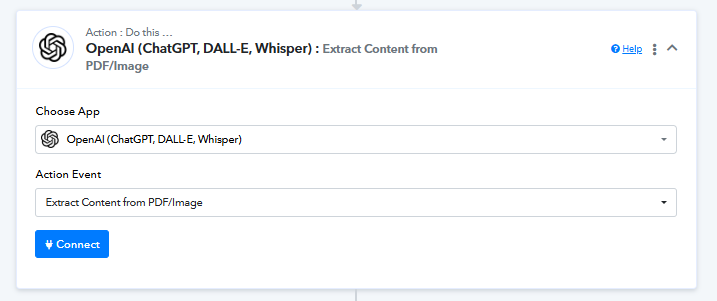
You can set it up like this:
- Trigger: Fillout – New Submission (with PDF upload)
- Action: OpenAI – Extract Content from PDF/Image
- Action: Google Sheets – Add New Row
This will allow you to extract structured data from the PDF and map it directly into Google Sheets.
Let us know if you need help configuring the extraction step.