Pipedrive to Pabbly | Connection failed
Status: Open · Asked by NEVIO on · 0 views
I can't get Pipedrive connected to Pabbly. Any idea why it is not working? I have tested different browsers and Pipedrive is open in the background. API is copied and pasted.
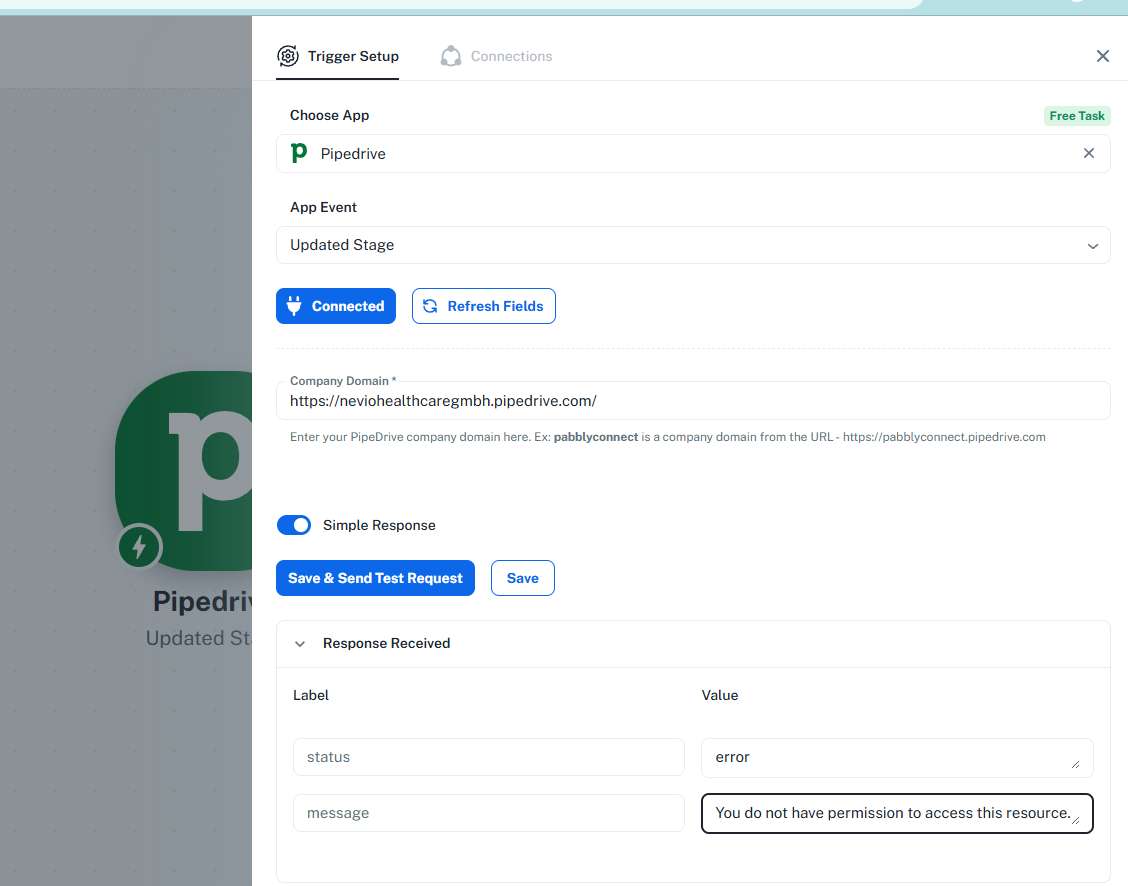
Hi @NEVIO,
It appears that you are no longer encountering the error and were able to capture the response from Pipedrive.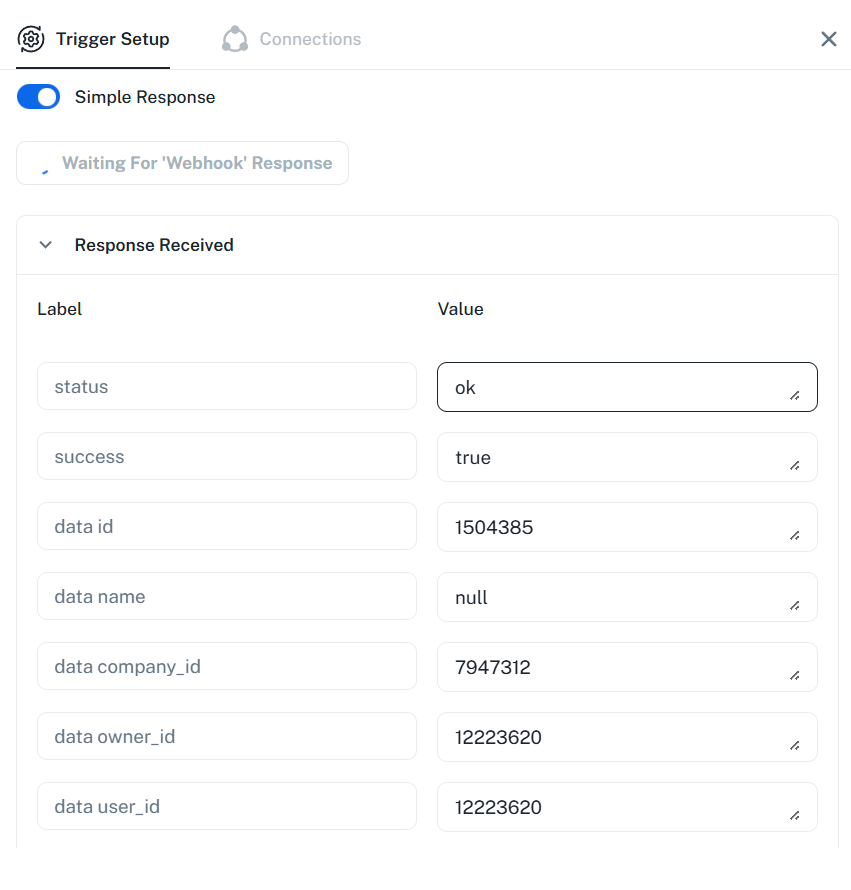
Thanks & Regards,
Arshil Ahmad
Customer Support Associate
? Pabbly.com
?Rate your support
yes, I found the solution! Thx!
Thank you for the update. We're glad it's working now.
Thanks & Regards,
Arshil Ahmad
Customer Support Associate
? Pabbly.com
?Rate your support
@NEVIO / @ArshilAhmad .
I am facing the issue here, what is the solution that worked for @NEVIO ?
Thanks in advance !
Hey @CibusNexum,
Could you please share the workflow URL where you're facing this issue? This will allow us to have a better view and assist you accordingly.
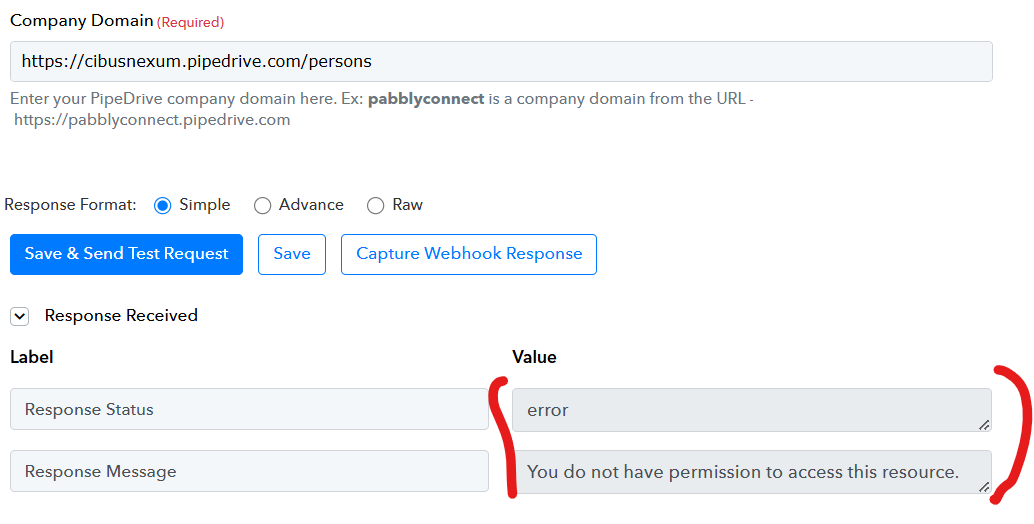
Hey @CibusNexum,
Please try adding the domain as shown in the attached image and mentioned in the help text, and then try capturing a new response by clicking the Re-Capture Webhook Response button and adding a New person in Pipedrive.
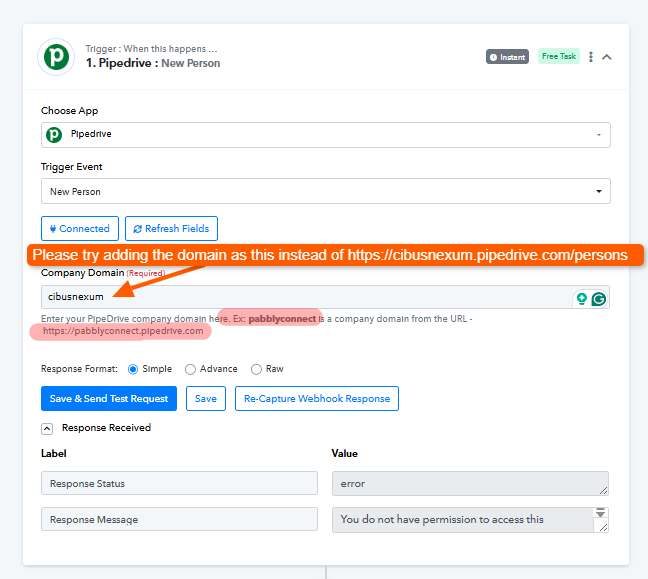
Great, connection established, but I have really a hard time connecting with MS 365. When signing up with my personal MS 365 account, and reqqyest admin consent (and behind the scenes admin consent has been provided, because I am the admin !), the nothing happens.
As an Admin, I also tried to Grant access for the entire tenant for the Pabbly Connect app, to bypass the repeating consent requests, doesn't help either.
Does anyone know how to setup this smoothly ?
Hi @CibusNexum,
Thank you for the update.
To better understand what might be going wrong during the MS 365 connection process, could you please share a short screencast of the exact steps you are following while attempting to grant admin consent and connect the account?
This will help us review the flow and identify where it may be failing.
Looking forward to your recording.