Problem sending messages from Pabbly Connect
Status: Open · Asked by Raulchong on · 0 views
Hi!
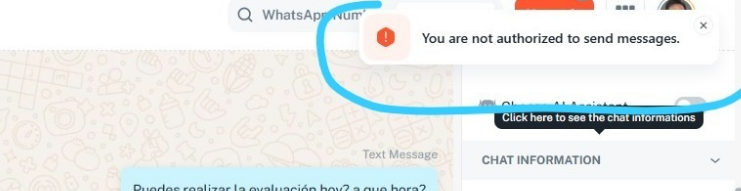
Some advisors are having trouble responding via Pabbly Connect. They get the message “You are not authorized to send messages.” But they already had access and were sending messages previously. Why is this happening?
Hi @rfchong,
Could you please share a short screen recording showing the issue you are encountering? Also, please share the Inbox ID where you are facing this issue.
Thanks & Regards,
Arshil Ahmad
Customer Support Associate
? Pabbly.com
?Rate your support
Here is the video. An advisor sent it to me. It is in Spanish, but it basically shows you what happens when you send a message.
https://drive.google.com/file/d/1B7sOdnCNPl1111kysSMz9dRe2t_UeJMd/view?usp=sharing
This is the chat ID: 692794df88454638f73bc166
In case you need it too, the team member who wants to respond to you can be reached at [email][email hidden][/email], and the same goes for me at [email][email hidden][/email].
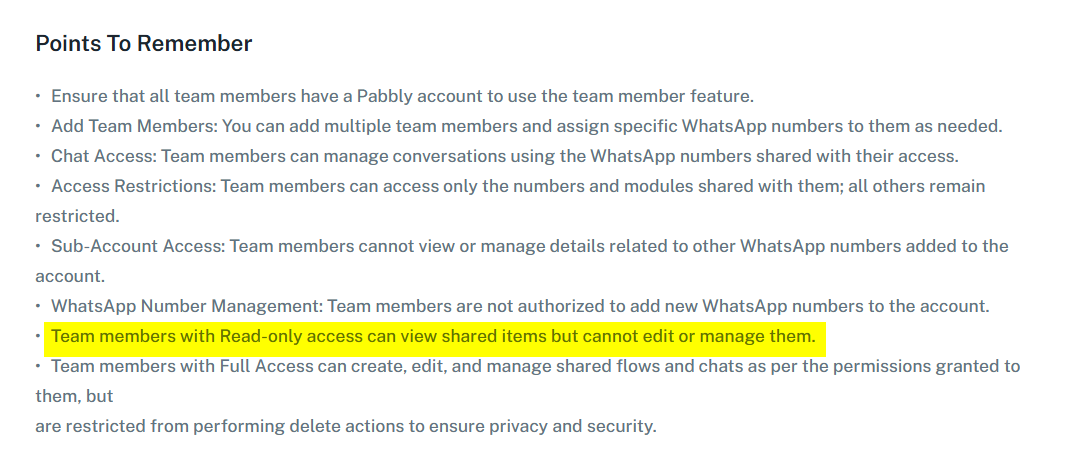
It seems you have given the associated account [email][email protected][/email] Read-Only access. Please try granting Full Account Access and see if that resolves the issue.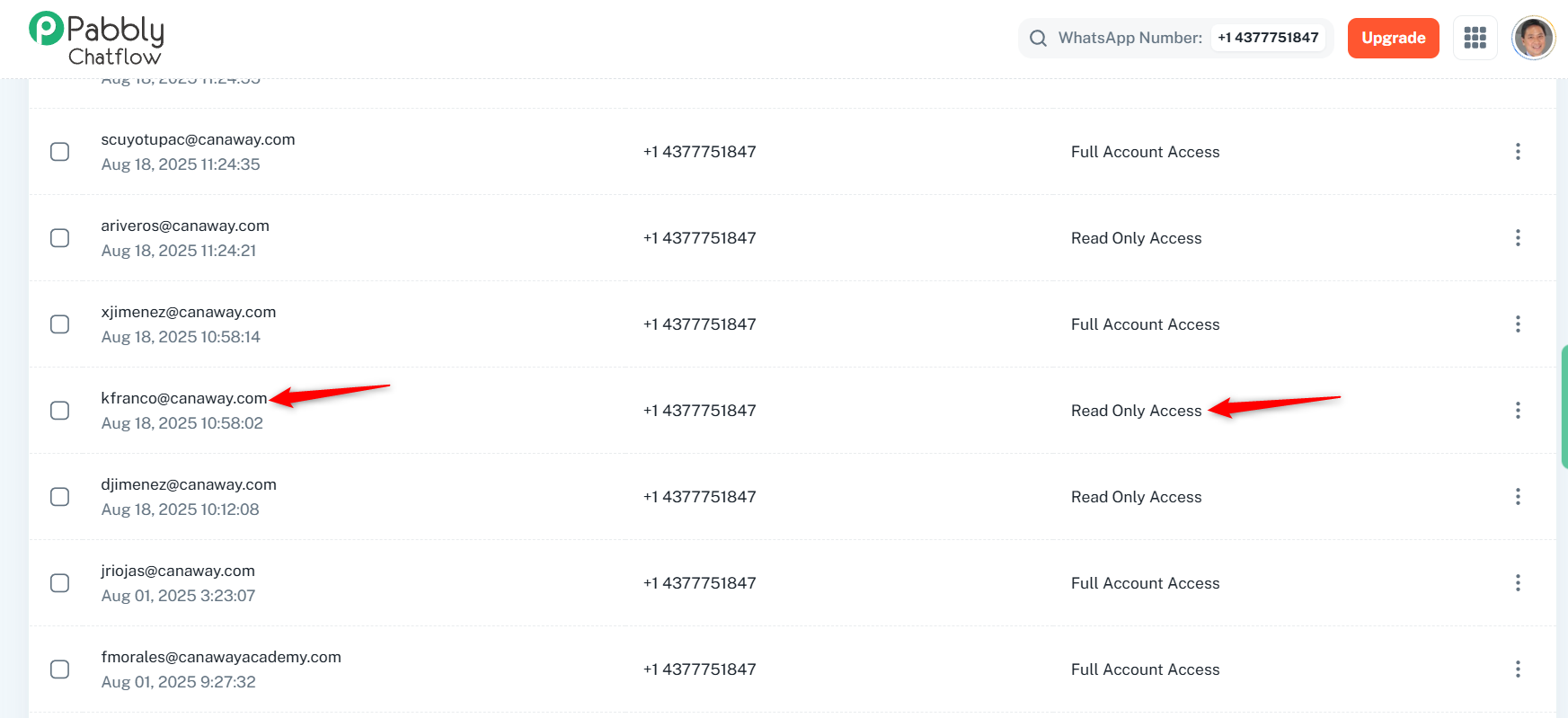
It has always been this way and it worked, but now it has just happened. Why is this happening?
Team members with Read-only access can only view the shared items. We don’t have information on how they were previously able to send messages, but this is how it works. Please grant them Full Account Access and see if that resolves the issue.