Problem writing date in Google Sheets
Status: Closed · Asked by SupportHubstrat on · 0 views
In the Google Sheet, the date field is not written correctly.
In the step, the date is retrieved from the date formatter, but when it is written to the sheet, it is displayed differently.
The date should be 02/06/2026 but the sheet says: 46175
Hey @SupportHubstrat,
Thank you for reaching out.
We checked your workflow, but we could not find any field named "Date" mapped in the manner described in your query. Instead, we can see a field named "Data," and its mapping does not appear to match the setup you referred to. Please refer to the attached screenshots for reference.
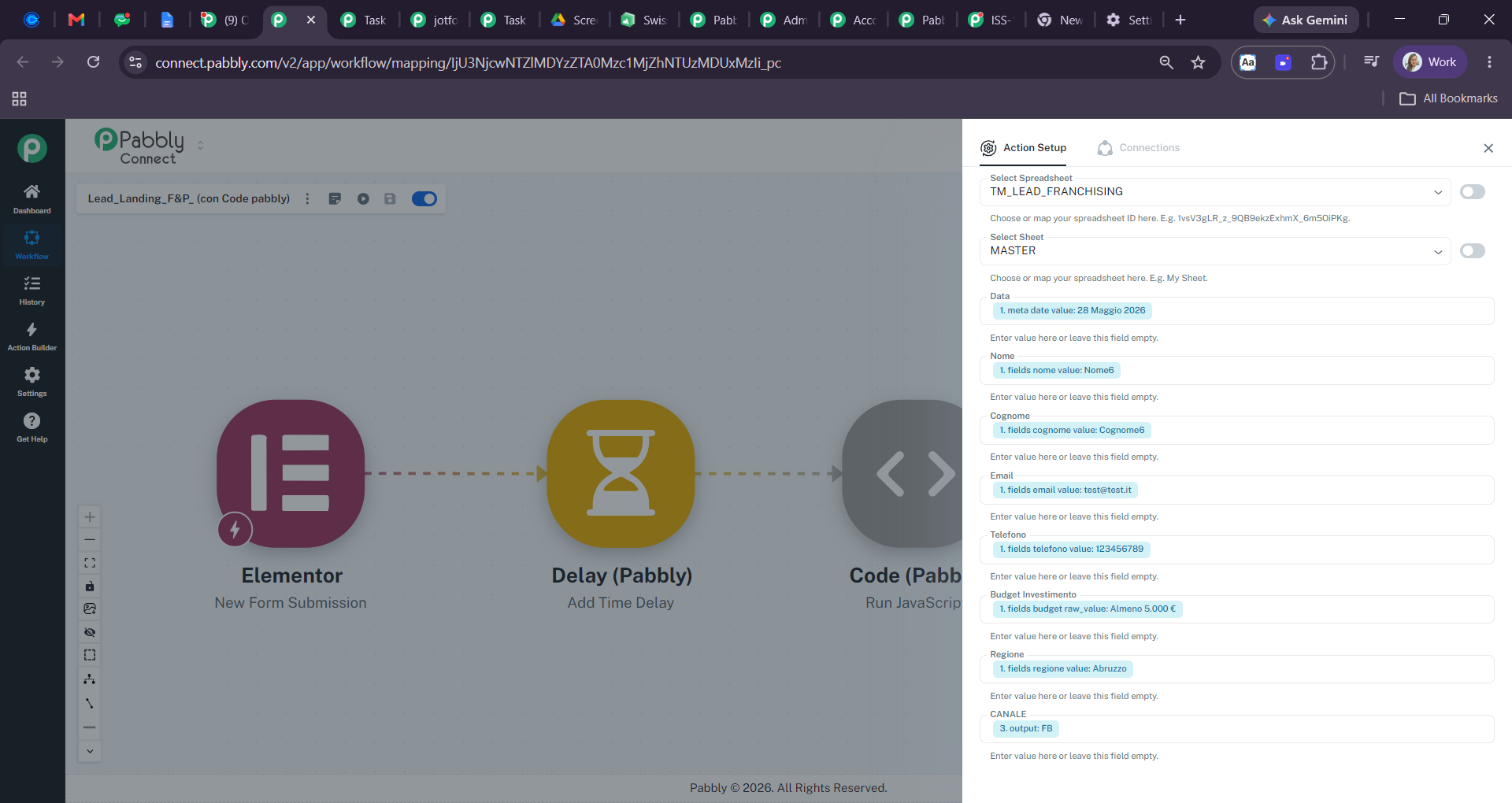
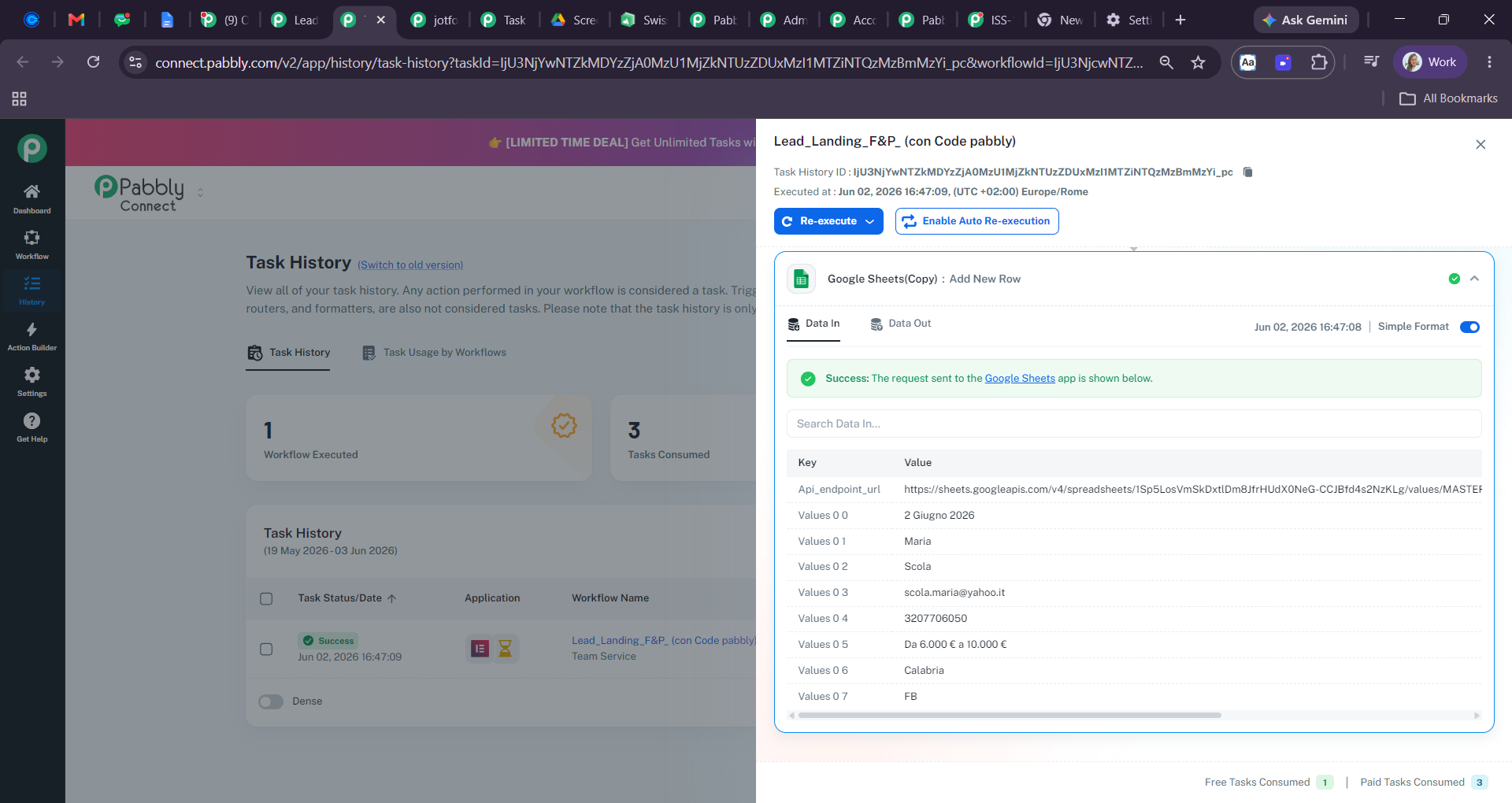
From what we can see, the issue may be related to the formatting of the destination column in your Google Sheet rather than the data being sent by the workflow. We recommend checking:
- The value being sent from the workflow to Google Sheets.
- The format/type of the corresponding column in your Google Sheet.
Google Sheets may sometimes store dates as serial numbers depending on the column formatting, which could explain why you are seeing "46175" instead of "02/06/2026".
Please review the column format and let us know how it goes.
If you share with me an email account i will give you access to the google sheet
Sure, could you please provide Editor access to the following email addresses so that we can review the sheet configuration and investigate the issue properly?
- [EMAIL][email protected][/EMAIL]
- [EMAIL][email protected][/EMAIL]
Please don't worry—we will only use the access for troubleshooting purposes and will not make any changes to your Google Sheet without your permission.
Once access has been granted, kindly let us know and we will take a closer look.
Hi I've shared the access to the google sheet
Hey @SupportHubstrat,
Thank you for providing access to the Google Sheet.
We checked the sheet from our end and found that the issue was related to the formatting of the destination column. The cell/column was configured as Automatic, which caused Google Sheets to display the incoming date value as a serial number (for example, 46175) instead of a formatted date.
We changed the column format to Date, and the values are now displaying correctly as expected.
Please test the workflow once again and let us know if you notice any further issues.
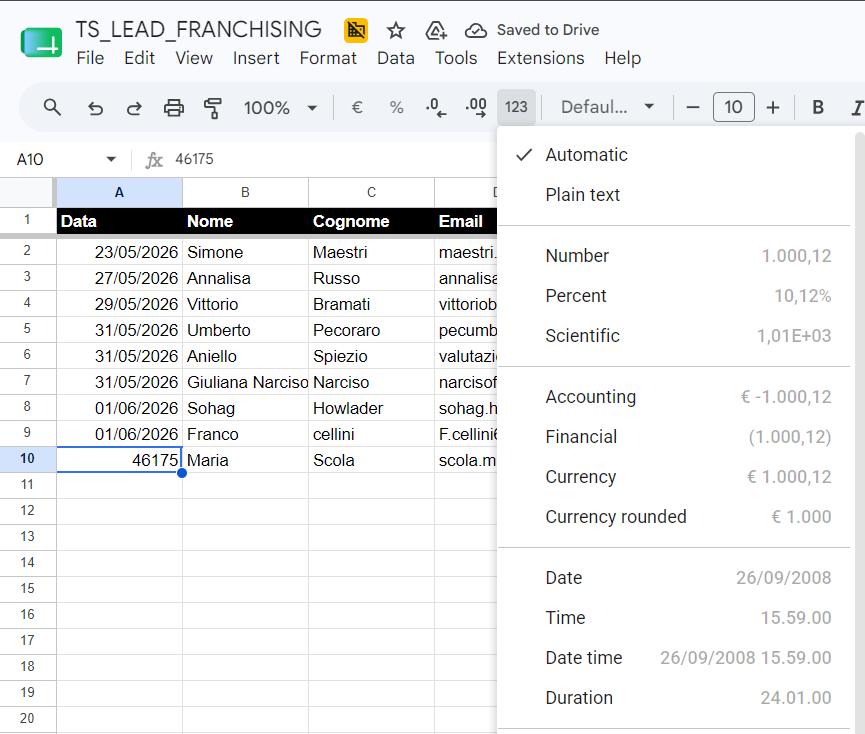
The problem is that even setting the entire column as DATE format
the cells still remain in Automatic format.
The problem is that even setting the entire column as DATE formatthe cells still remain in Automatic format.
Any new data added to a new row should be stored in the DATE format, even if the empty cell currently shows the format as "Automatic". Please try adding new data and check whether the issue has been resolved.
Thanks & Regards,
Arshil Ahmad
Customer Support Associate
? Pabbly.com
Thanks for your support
Hey @SupportHubstrat,
Glad to hear everything is working smoothly now!
Since your concern has been resolved, we’d really appreciate your feedback:
PS: We are closing this thread as the issue is resolved. Please feel free to reach out to us if you face any issues in the future.