Publer Scheduling: Issue with Account Selection
Status: Open · Asked by arsachdeva on · 0 views
Thank you for adding Publer to the integration list.
I am facing an issue when trying to schedule a post on Publer in a flow.
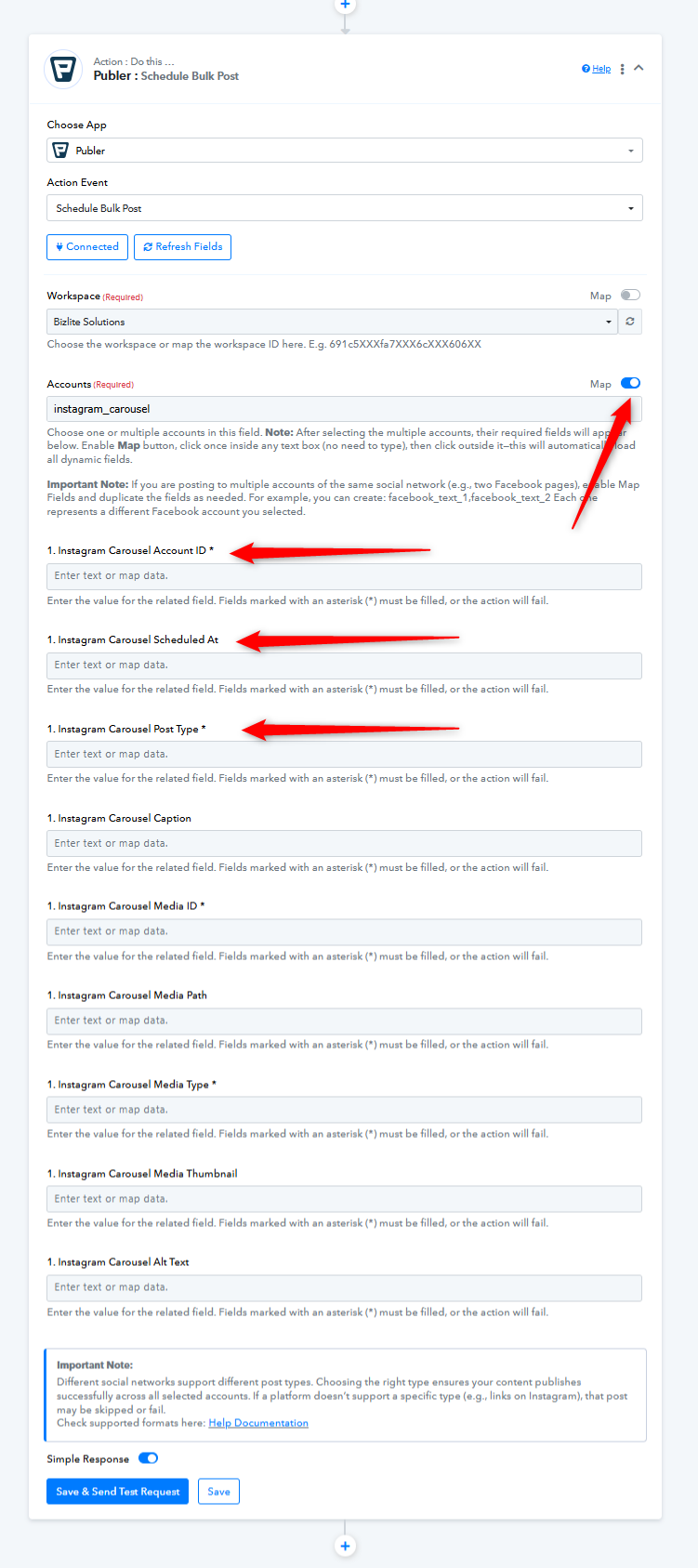
I am trying to publish a post on Instagram as a carousel (Step 18). However, when I pick Instagram carousel in the account field, it doesn't show required fields to schedule content, as mentioned in the note ("Note: After selecting the multiple accounts, their required fields will appear below.").
Please help.
Here's my flow link: https://connect.pabbly.com/workflow/mapping/IjU3NjcwNTZkMDYzNjA0M2Q1MjZmNTUzNjUxM2Ii_pc
Hi @arsachdeva,
We clicked the ‘Refresh Fields’ button, and it seems to have made the required fields visible.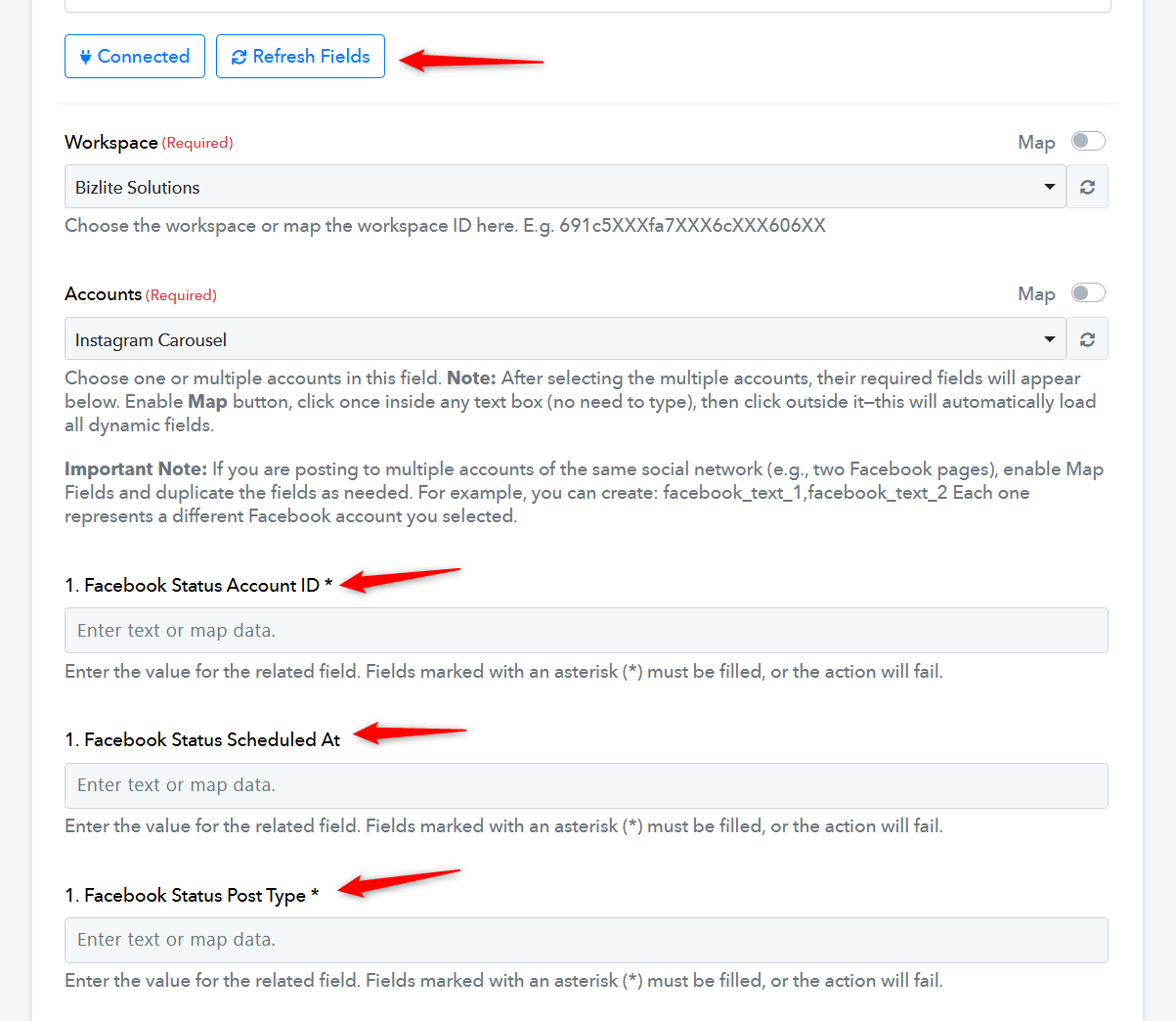
Thanks & Regards,
Arshil Ahmad
Customer Support Associate
? Pabbly.com
?Rate your support
Yes i understand and tried this already. But this is a bit confusing...
If you see closely, if I pick Instagram carousel, it asks for Facebook Status (post type, scheduled at, etc.), which is wrong. I tried this but it doesn't allow me to schedule a carousel (which is a multi-photo post). Rather I can use this to just schedule only a one line status type post.
Can you test it out and show me if it works on carousel/other post type, please?
I am also checking this post here: https://forum.pabbly.com/threads/publer-scheduling-issue-with-account-selection.33656/#post-157720. This suggests that the fields should be different from what's shown. Am i missing something?
I think the fields should be these:
[TABLE]
[TR]
[TD]Account ID[/TD]
[TD]The Instagram Business profile you are posting to. Get it from Get Social Accounts.[/TD]
[/TR]
[TR]
[TD]Post Type[/TD]
[TD]Must be set to photo for Instagram Photo posts.[/TD]
[/TR]
[TR]
[TD]Media ID[/TD]
[TD]The ID returned by Upload Media for each photo.[/TD]
[/TR]
[TR]
[TD]Media Path / URL[/TD]
[TD]The direct path/URL of each uploaded photo from Upload Media.[/TD]
[/TR]
[TR]
[TD]Media Type[/TD]
[TD]Must be set to photo for each item.[/TD]
[/TR]
[/TABLE]
Hello @arsachdeva
As we checked, when you select the account as Instagram Carousel, you must enable the Map button and then click on the “Refresh Fields” button.
This will load the correct Instagram Carousel fields and resolve the issue you are facing.
Please note, this instruction is also mentioned in the help text below the Account field.
If you need any further assistance, feel free to let us know.