Python Code Error by Indeeds Support
Status: Open · Asked by IChild Company on · 0 views
Dear Sir/Mdm,
Refer to thread: https://forum.pabbly.com/threads/webhook-to-receive-json-and-convert-into-array-intact-for-itemizer.34420/page-2
Your kind support has actually assist to create the python code back then that assist to extract figures from webhook (JSON)
Today we have met this error out of sudden.
Workflow: HC Create Monthly Report
Task ID: IjU3NjUwNTY0MDYzMzA0MzA1MjY5NTUzYzUxMzA1MTZiNTQzNzBmMzMi_pc
The resultant file output: https://docs.google.com/spreadsheets/d/1Bx1Q-ng1TDTvzUuZnEtkSfeQLltI6Yvf_VwhbxmQGD4/edit?usp=sharing (There is no rows of data which ought to be retrieved by Step 3: Extract Report Data.
Error: See attached.
WE don't have this error before. Kindly advise as soon?
Hey @ichilddev,
We’ve made some updates to your Code action. Kindly test it with a new execution and let us know how it works on your end.
We tried again. Failed. Please see
Task ID: IjU3NjUwNTY0MDYzMzA0MzI1MjY5NTUzMDUxMzc1MTZiNTQzOTBmMzMi_pc
We’ve made a slight change to the code again. Please test it now.
import jsonraw_data = """{ ... your full JSON exactly as-is ... }"""
report_month = "Mar 2026"
# 1) Slice JSON safely
start = raw_data.find("{")
end = raw_data.rfind("}") + 1
cleaned = raw_data[start:end]# 2) FIX: escape newline characters for JSON
cleaned = cleaned.replace("\n", "\\n")# 3) Parse JSON
try:
data = json.loads(cleaned, strict=False)
except Exception as e:
raise Exception("JSON parsing failed: " + str(e))# 4) Get students
students = data.get("Students", [])
if not students:
raise Exception("No students found in data")# 5) Build result
result = {key: [] for key in students[0].keys()}for student in students:
for key in result:
result[key].append(str(student.get(key, "")))# 6) Add MonthReport
result["MonthReport"] = ", ".join([report_month] * len(students))# 7) Convert lists to strings
for key in result:
if isinstance(result[key], list):
result[key] = ", ".join(result[key])
print(json.dumps(result, indent=2))
Thanks & Regards,
Arshil Ahmad
Customer Support Associate
? Pabbly.com
?Rate your support
We tried today without changing much data structure. Failed. Please see
Task ID: IjU3NjYwNTZkMDYzNjA0MzU1MjY4NTUzMzUxMzM1MTZiNTQzOTBmMzEi_pc
Looking forward to your kind assistance as soon.
Hi @ichilddev,
Thank you for getting back to us.
Please note that, typically, we do not provide technical assistance for the Code (Python/JavaScript) steps, as these require custom scripting and fall outside our standard support scope. In some instances, we have assisted you earlier; however, it may not be feasible for us to provide ongoing support for code-related issues across all workflows.
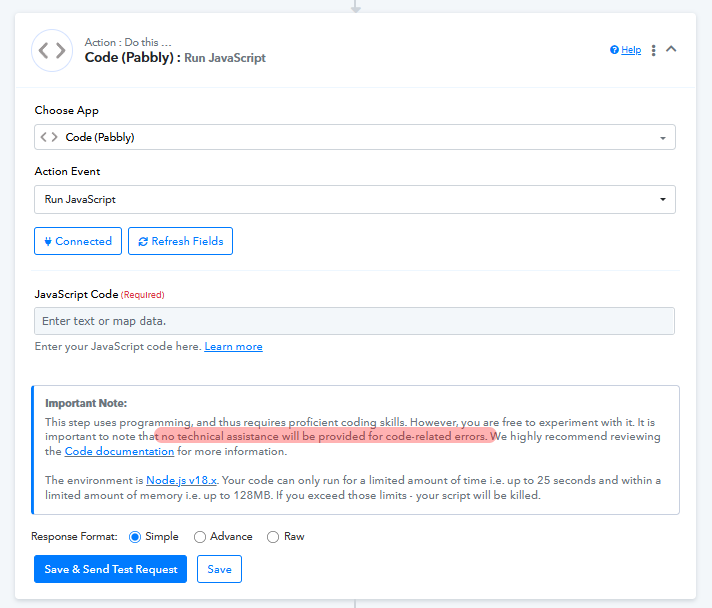
That said, you may consider using AI models or developer assistance to generate or refine the code based on your required input and expected output.
If you would still like us to review this case, kindly share the exact expected output you are looking to achieve from this step. Once we have that clarity, we will check internally and get back to you accordingly.
Dear Support,
Thanks for your reply and explanation.
As your kind colleague has provided us these amendment so far, and he has very kind to provide the rightful codes which was working till today, we find that his support has really good and fast.
Please review this case as there isn't much changes so far. We have sent another case ID that is working right and well
Task ID: IjU3NjYwNTZkMDYzNjA0MzU1MjY0NTUzNjUxMzY1MTY3NTQzODBmMzAi_pc
We have checked with Grok and the following mention about the issue with the Python script when chinese characters are met.
https://x.com/i/grok/share/fdd11862f95346f39c6ddd8c1f6942c9
Is not that we didn't try consulting AI LLM, but the inherent issue may also be the Python Pabbly treating Chinese Characters.
The attached is exactly the JSON sent from Glideapp. We have checked there's nothing wrong with the JSON.
Hey @ichilddev,
Thanks for sharing the details.
We are currently looking into the issue you're experiencing with the action. Please allow us some time, and we will get back to you as soon as we have an update.
Appreciate your patience.
Hi @ichilddev,
Thank you for your patience.
We have made a few updates to your workflow. Please note that the previously added Code (Python) step has not been changed.
What we have done:
- Added a Text Formatter step before both Code steps
- This step replaces the \n (backslash N) from the incoming JSON data
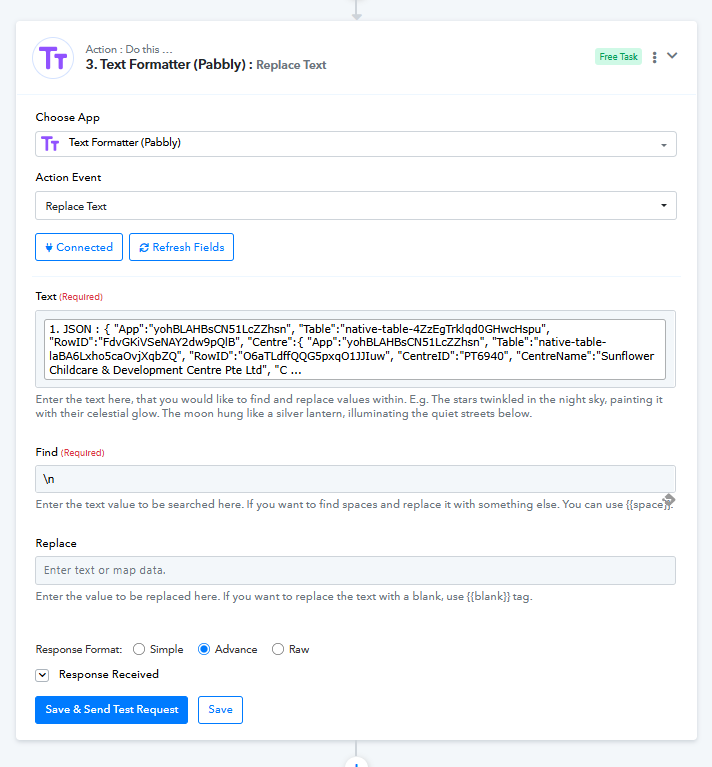
- The output from this step is then mapped into the Code step (currently Step 5)
- The Python code in Step 5 is used to extract the required information, and it appears to be working correctly, even when the data contains Chinese characters
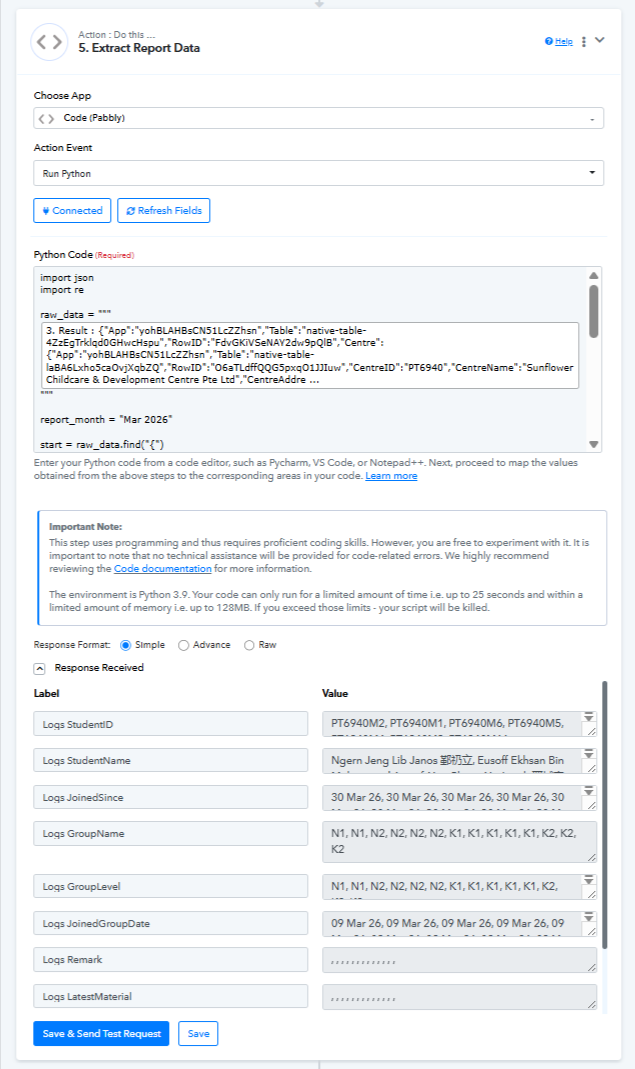
You can refer to the code used here:
import json
import reraw_data = """Json Input"""
report_month = "Mar 2026"
start = raw_data.find("{")
end = raw_data.rfind("}") + 1
cleaned = raw_data[start:end]cleaned = re.sub(r'[\x00-\x08\x0b\x0c\x0e-\x1f]', '', cleaned)
try:
data = json.loads(cleaned, strict=False)
except Exception as e:
raise Exception("JSON parsing failed: " + str(e))students = data.get("Students", [])
if not students:
raise Exception("No students found in data")result = {key: [] for key in students[0].keys()}
for student in students:
for key in result:
result[key].append(str(student.get(key, "")))result["MonthReport"] = [report_month] * len(students)
for key in result:
if isinstance(result[key], list):
result[key] = ", ".join(result[key])print(json.dumps(result, indent=2, ensure_ascii=False))
Next steps for you:
- Please test the workflow from your end
- You can either:
- Clone the existing workflow and test safely, or
- Continue using the current workflow and map the outputs from Step 5 into your subsequent actions
- Also, test the automation by:
- Running a new test, or
- Re-executing previous task histories
Let us know how it goes or if you face any issues—we’ll be happy to assist further.
Dear Support
I have follow your instructions to use the Formatter Text from Step 3 and include inside Step 5 Python Code.
However, when i did the replacement, the code breaks again.
What is the issue here? What did you do to include the values from Step 3 nicely into the Python code?
See my video here: https://www.loom.com/share/7a9abd6d92724b819e048829e3d3b345
Another thing to note is that the the Report Month report_month = "Mar 2026" has to be dynamic.
Hey @ichilddev,
The code I shared earlier was properly indented, but due to formatting limitations, the indentation was not preserved, which caused issues when you edited the Python step.
We have now corrected this on your workflow.
I have also attached a Google Doc containing the exact code with proper indentation for your reference.
https://docs.google.com/document/d/1J1GqF1LmzrdVyosYSiLAHH_BGL3SV37IxTApy6IFP4I/edit?usp=sharing
Please make sure that:
- The JSON input is mapped from Step 3 (Text Formatter)
- The month field is also correctly mapped in the action
This setup should now work as expected.
Let us know if you face any further issues.