QuickBook Online Custom Fields Not showing in Pabbly
Status: Open · Asked by akankshasingh06 on · 0 views
I have created few custom fields in invoice object of quickbook and I have to map those custom field with salesforce fields before creating an invoice. But when I am selecting "Create an invoice" in pabbly all the standard fields of quickbook is comming but custom field are not showing up.
Hello @akankshasingh06
We have escalated this issue to our team, and they are currently exploring the possibilities of adding custom fields to the "Create Invoice" action in QuickBooks.
We will provide you with updates as soon as we receive any further information. Thank you for your patience and understanding.
@Preeti Paryani Thanks for the Update. Hoping to hear ASAP as my client is waiting for the same. Also do pabbly iterate automatically over salesforce product line items for invoice or we need to use iterator for this?
Hello @akankshasingh06
As we receive any updates from our technical team regarding the issue with adding custom fields to the "Create Invoice" beta action, we will notify you immediately.
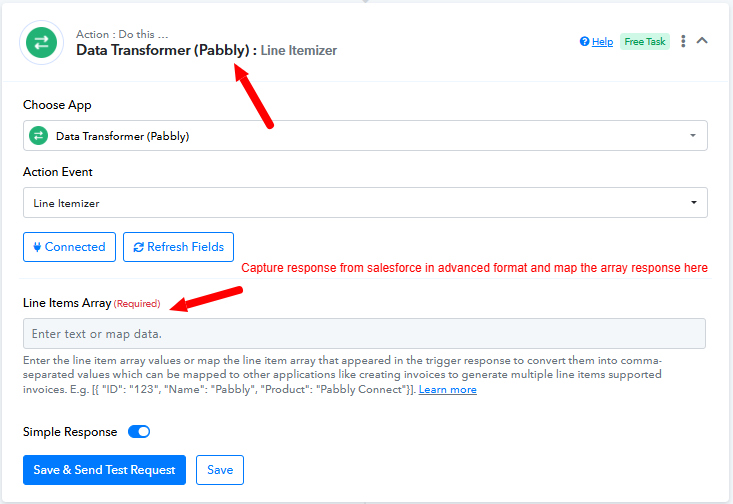
Regarding the line items, you can use the Data Transformer: Line Itemizer action. To set this up, you need to capture the response from Salesforce in advance format and then map this array response in the "Line Items Array" field of the Line Itemizer action step, as shown in the attached screenshot. This will allow you to handle product line items for invoice creation effectively.
@Preeti Paryani Ok Thanks for the update. By when Can I expect the custom field in beta version? I will inform the same to my Client.
Hello @akankshasingh06
We are pleased to inform you that our team has added an action called "Create an Invoice with Custom Fields" to fulfill your requirement. Please try using it and let us know if it works for you.
@Preeti Paryani Hey, Its highly commendable of getting it done in such a short span of time. Kudos to you guys. But its not working. When I am trying to create invoice by selecting "Create an invoice " its creating in quickbook. But when I am selecting "Create an Invoice with Custom Fields" it giving me error. Can you please look into it and update me asap.
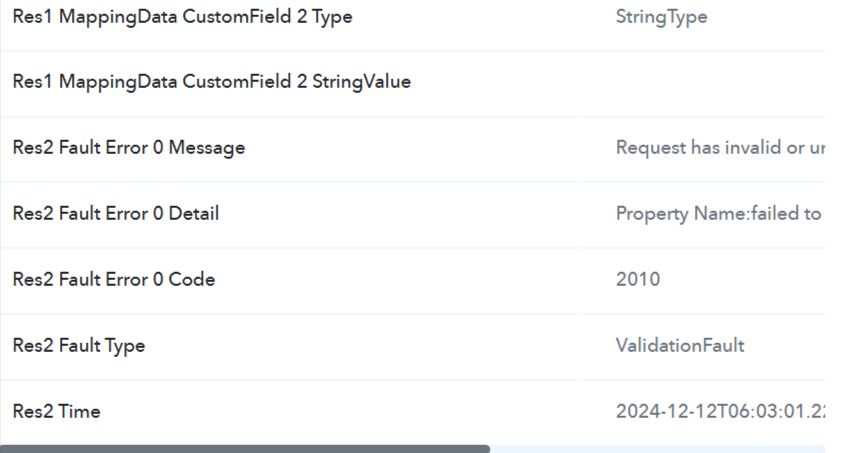
Error:
Res2 Fault Error 0 Message - Request has invalid or unsupported property
Res2 Fault Error 0 Detail - Property Name:failed to parse json object; a property specified is unsupported or invalid
Res2 Fault Error 0 Code - 2010
Res2 Fault Type - ValidationFault
Res2 Time - 2024-12-12T06:03:01.223-08:00
Could you please share the Workflow URL where you have encountered this issue?
@ArshilAhmad @Preeti Paryani Here is the URL to Workflow - https://connect.pabbly.com/workflow/share/WhIHNVAHAmFVH1A6BFtTdF9LBAAHXglqUktSQF1SVS0BWwVuUxIBa18TAiBUGwloA0oFbwNcBWUJHVBUB1FSIQQdVFYEBwB6WxYDMABJWmlaBAcvUDE#
Hey @akankshasingh06
It appears that you have turned on the mapping buttons for some fields and you have kept them blank.
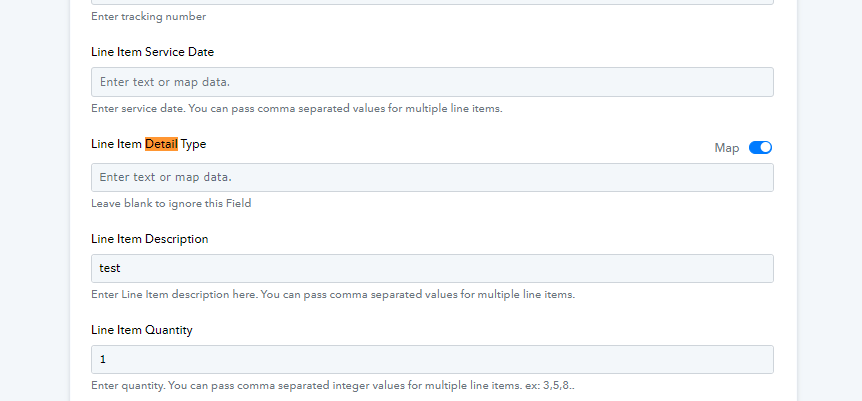
Kindly map the details properly then let us know if it works for you.
@Luv I didn't turned any map on. Its still off. Also for your information - when I enter just the name and amount thats is required field in "Create an invoice" than it works fine. But when I enter these two detail with "create an invoice with custom field" option it gives error. The custom field option is build just two days back on request so its possibility that it not working properly. Also it would be great if i could have one meber that is @Preeti Paryani as a point of contact. Its hard to explain the same situtaion multiple time to diffrent person.
Hello @akankshasingh06
Kindly allow us some time to look into this issue. We have escalated your concern to the technical team.
Your patience is greatly appreciated.
Hey @Luv is there any update?
Hello @akankshasingh06,
We have not received any updates yet. However, as soon as we receive any updates from our integration team, we will inform you promptly.
Hello @akankshasingh06,
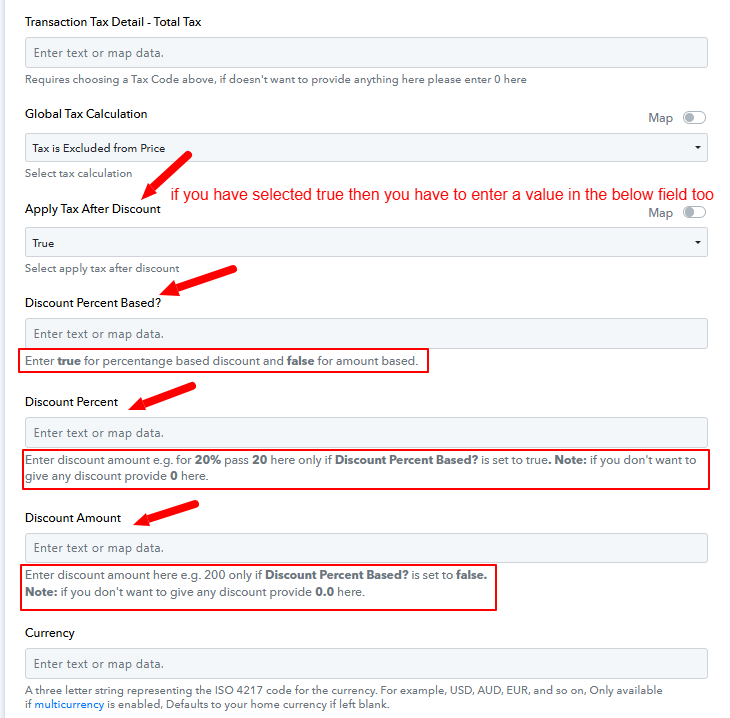
Our team has made the necessary changes in the "QuickBooks Online: Create an Invoice with Custom Fields" action, and the class should now be correctly reflected in the invoice. However, there are a few adjustments you need to make in the action step to ensure it executes successfully.
Please note:
- If you have selected True for the Apply Tax After Discount field, you will need to specify a value for the Discount Percent Based? field (either True or False).
- Based on the value you enter:
- If True is selected, enter the Discount Percent (e.g., 20 for a 20% discount).
- If False is selected, enter the Discount Amount (e.g., 200 for a discount of 200 units).
Please refer to the attached screenshot for further details.
@Preeti Paryani Hey Preeti its still giving me error I have placed all the fields then too.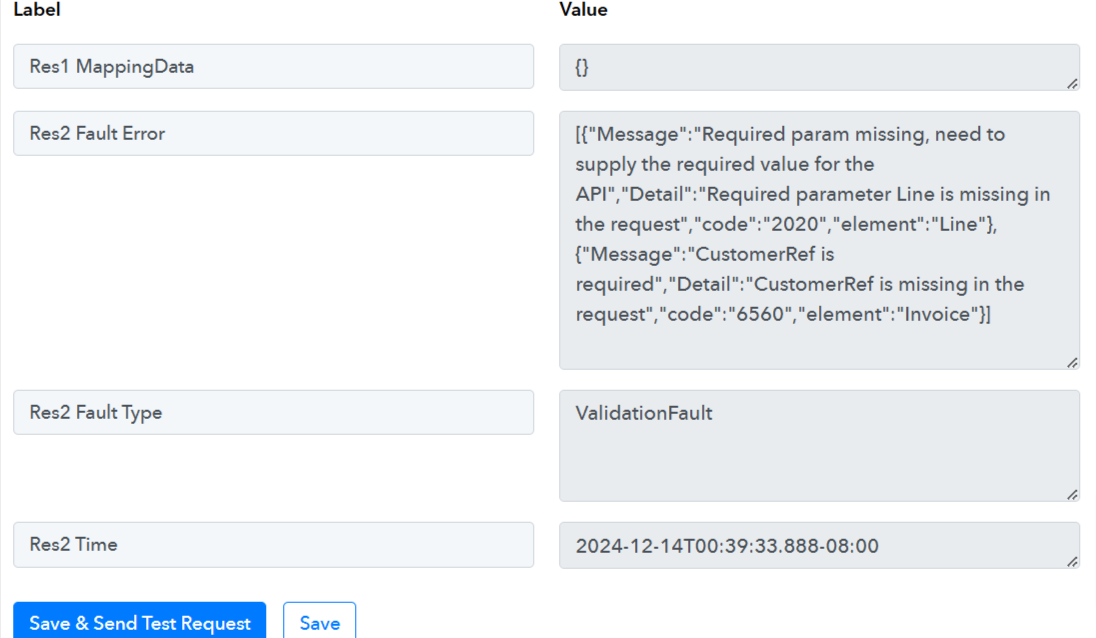
@Preeti Paryani I deleted the action and then I created it again and it worked. Thanks for the solution. Just for your information - Discount Percent Based? field is required field because if we are not entering any value and leving it blank than it give error. So please inform the team to mention it as required field in label.
Hello @akankshasingh06,
Thank you for the update!
Yes, the Discount Percent Based? field is required only if you have selected "True" in the Apply Tax After Discount field.
Hello @Preeti Paryani No if we set Apply Tax After Discount field as false and levae Discount Percent Based? as blank than its giving error. So thats why I told to mark Discount Percent Based? as required.
Hello @akankshasingh06,
Thank you for the information. I'll escalate this to the team, and they will take the necessary action.
If you have a moment, please rate us on Google. Your feedback helps us improve.
@Preeti Paryani Sure will provide the rating. Hey one more thing I asked you about how to get the multiple product place in quickbook while creating an invoice and you suggested to use Data Transformer: Line Itemizer I used the same but I am getting error. Can you please help with the one. 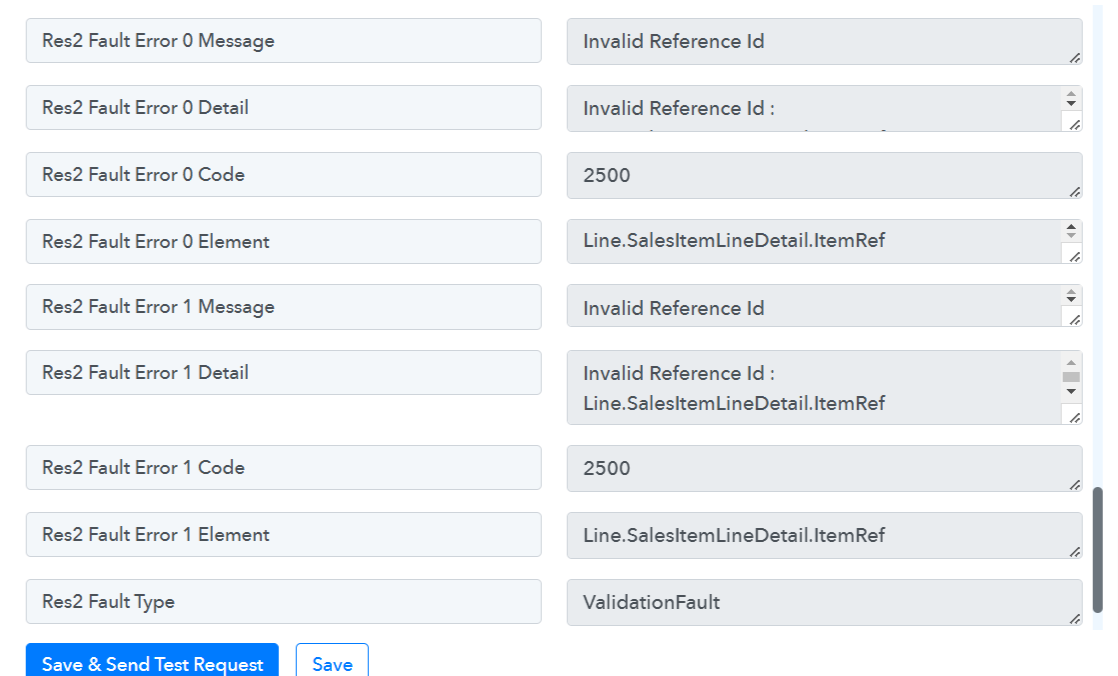
Hello @akankshasingh06,
We have reviewed your workflow titled "Salesforce To QuickBooks Online", but we couldn’t identify any errors on our end. Could you please confirm if the issue has been resolved or if you still need further assistance?
@Preeti Paryani Yes its the same workflow. FYR - https://connect.pabbly.com/workflow/mapping/IjU3NjYwNTZjMDYzZjA0MzM1MjY0NTUzMTUxM2Ii_pc . The action that we are testing is
5. Quickbooks Online : Create an Invoice with Custom Fields
Hello @akankshasingh06,
It seems the issue is that you've mapped the product name instead of the product ID under the "Line Item Product/Service" field.
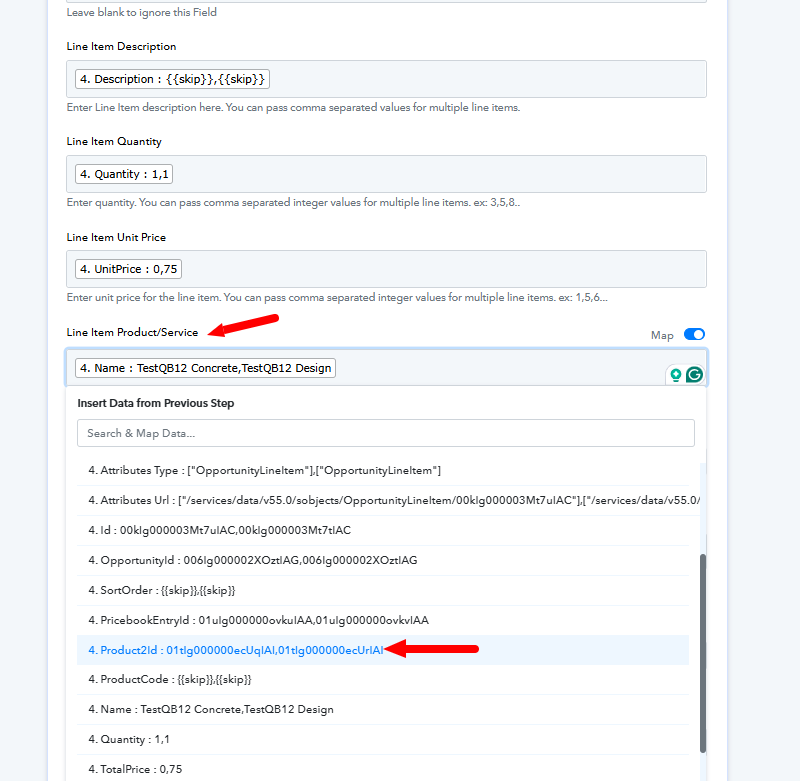
Please map the ProductID instead and let us know if it fixes the issue.