Random Between isn't working
Status: Open · Asked by Lisa Kempton on · 0 views
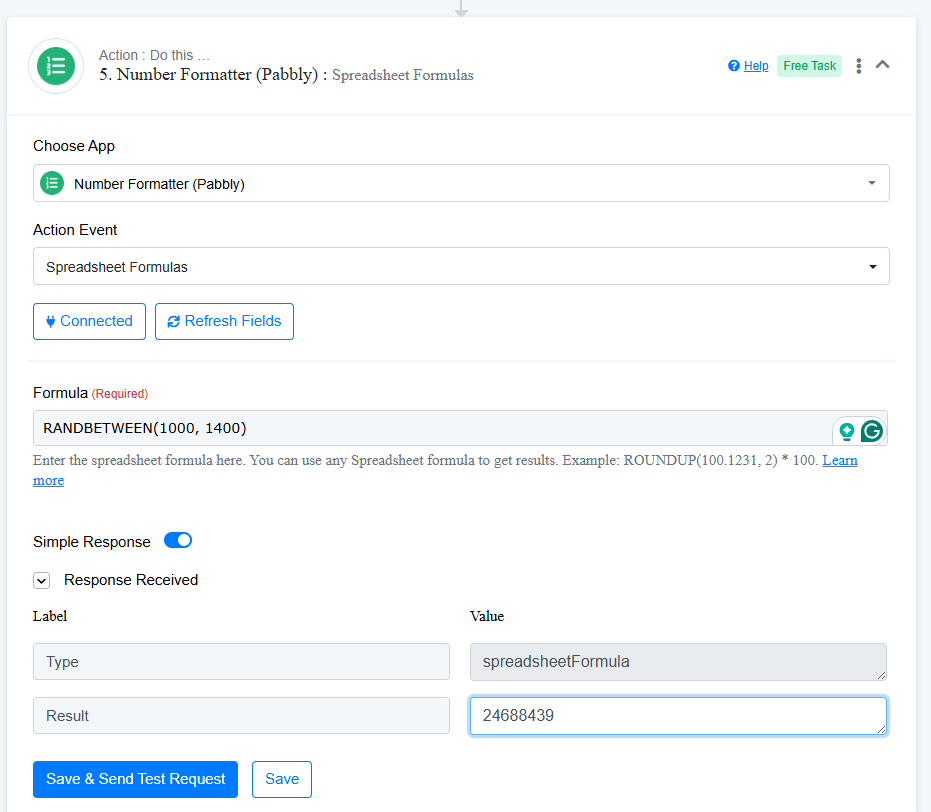
I have tried the Random Between spreadsheet formula to get a number between 1000 and 1400 and it keeps coming back with huge numbers. I even tried between 1 and 10 and it come back with a huge number. I also tried with a space and without a space between the two numbers.
Hi @LisaKempton,
Try removing the space between the two numbers and see if that resolves the issue. We tested it on our end, and it seems to be working correctly.
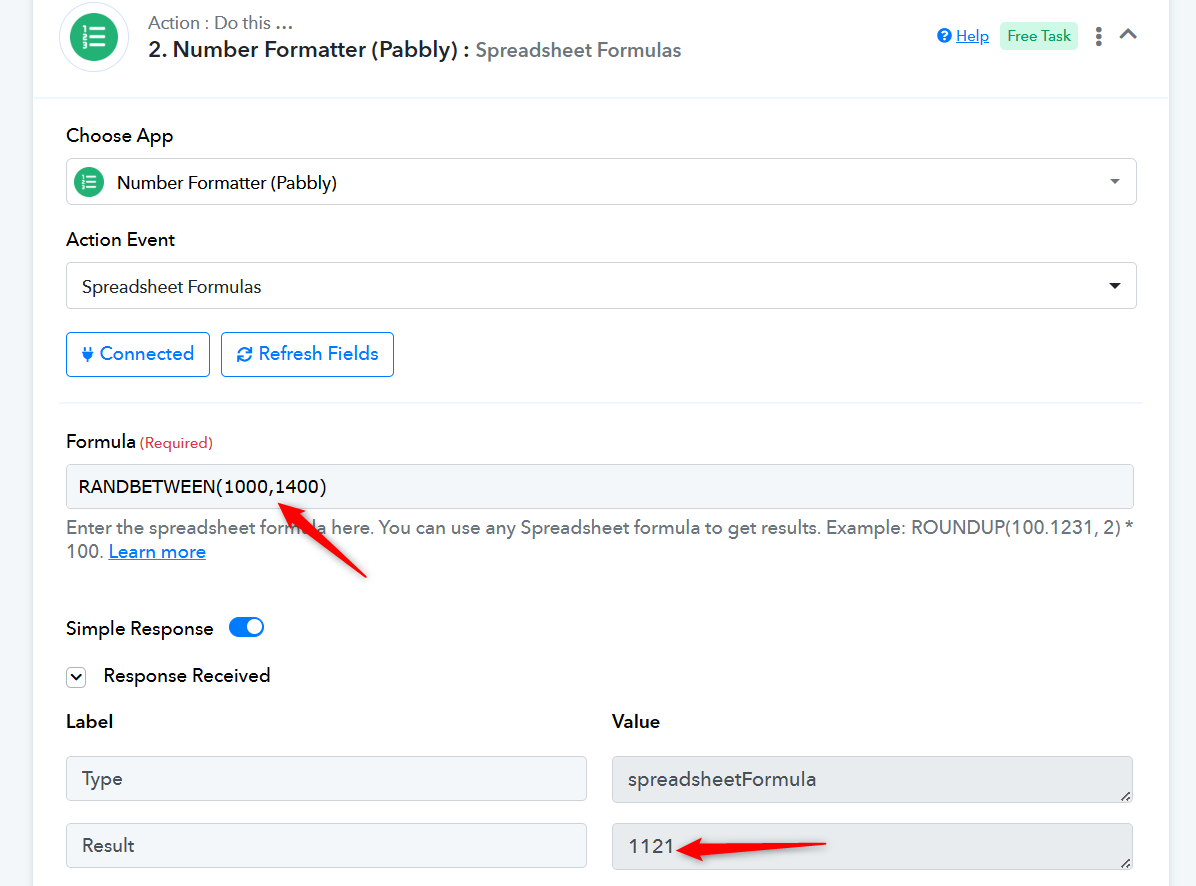
Also, if you're on Windows, try pressing CTRL + Shift + R to perform a hard refresh in your browser and check if that resolves the issue. For Mac users, press Command + Shift + R to hard refresh the browser and see if that fixes your issue.